


At TechTide Solutions, we hear the question “what is C Sharp?” from founders, students, and product teams all the time. Our short answer is simple. C Sharp is a practical, general-purpose language in the .NET ecosystem, built for web apps, services, business software, and games. It is also far from niche. In GitHub’s 2025 Octoverse, C# showed 10.61% YoY growth in projects created that year, which tells us the language still carries real commercial weight.
What Is C Sharp?
We think the easiest way to understand C Sharp is to see it as a language built for dependable software. It gives beginners structure early, and it gives professional teams a mature platform behind that structure.
1. Definition, Pronunciation, and Core Purpose
C Sharp is pronounced “see sharp.” You will also see it written as C#. At its core, it is a language used to turn rules, data, and user actions into working applications. We often describe it as a language that helps people write serious software without getting dragged into low-level memory work on day one. That makes it easier to learn than some older systems languages, while still being strong enough for production systems.
2. Object-Oriented Programming Basics
C Sharp is strongly associated with object-oriented programming. That means code is often organized into classes, and those classes describe data and behavior together. A Customer class, for example, might store a name, email, and order history, while also exposing methods that calculate discounts or validate input. This style helps developers group related logic in one place. It also makes larger codebases easier to read when the project starts to grow.
Beginners do not need to master every object-oriented term at once. Still, a few ideas matter early. Encapsulation keeps details inside the class. Inheritance lets one class build on another. Polymorphism lets different objects respond to the same method call in different ways. C Sharp nudges developers toward this organized style, which is one reason enterprise teams trust it.
3. High-Level Features and Versatility
When we call C Sharp a high-level language, we mean developers spend more time describing business logic and less time managing machine details. You work with classes, collections, async methods, exceptions, and libraries that already solve common problems. Features like LINQ, generics, and async/await help code stay expressive without turning messy. In our view, that balance is the real appeal. C Sharp feels friendly enough for beginners, yet flexible enough for APIs, desktop tools, cloud services, and games.
Recommended reading: Dark Programming Language: What Darklang Is, Why It Stood Out, and What Happened to It
Key Features and Benefits of C Sharp
Once people move past the name, they usually ask a more useful question. Is C Sharp pleasant to work with? In our experience, yes. Its biggest strengths come from readability, safety, and a development workflow that stays orderly as projects get bigger.
1. Readable Syntax and Faster Development
C Sharp syntax is usually clear and regular. Conditionals, loops, classes, methods, and properties follow patterns that make sense after a little repetition. That matters more than it sounds. A beginner who can scan a file and guess what each block does will learn faster and make fewer mistakes. We also like how much naming matters in C Sharp. Good names, paired with predictable structure, make the code read closer to intent than noise.
Development is also faster because the tooling is mature. Autocomplete, code navigation, debugging, refactoring, and build messages all work together. Even small conveniences matter. If a tool warns you about a null value, a missing using statement, or a mistyped method name before runtime, you save real time. That is not magic. It is simply a language and toolchain that have been shaped around everyday software work.
2. Strong Typing and Automatic Garbage Collection
Strong typing means the compiler knows what kind of data each variable is supposed to hold. If you try to store text in an integer variable, or pass the wrong type into a method, C Sharp will usually stop you before the program runs. That catches a surprising number of beginner mistakes. We think this is one reason C Sharp teaches good habits early. It rewards clarity and punishes vague thinking in a useful way.
Automatic garbage collection handles memory cleanup for many ordinary objects. In plain terms, the runtime tracks objects that are no longer needed and reclaims their memory later. You still need to think carefully about files, network connections, and database resources, but you do not spend your first months manually freeing every object you create. That lowers the learning curve and reduces a whole class of bugs that can be painful in lower-level languages.
3. Scalability, Tooling, and Community Support
C Sharp scales well from tiny scripts to large business systems. The same language can start in a console app and grow into a layered web platform with tests, database access, background jobs, and deployment pipelines. We value that continuity. Teams do not need to throw away the language as the project matures.
The surrounding ecosystem also helps. Developers can use package managers, unit test frameworks, debuggers, profilers, and CI tools without feeling like they are stitching together a fragile stack. Add to that a large library ecosystem and years of community knowledge, and you get a language that is both teachable and dependable. For us, that is a strong combination.
Recommended reading: What Is C? Understanding the C Programming Language
Common Applications of C Sharp
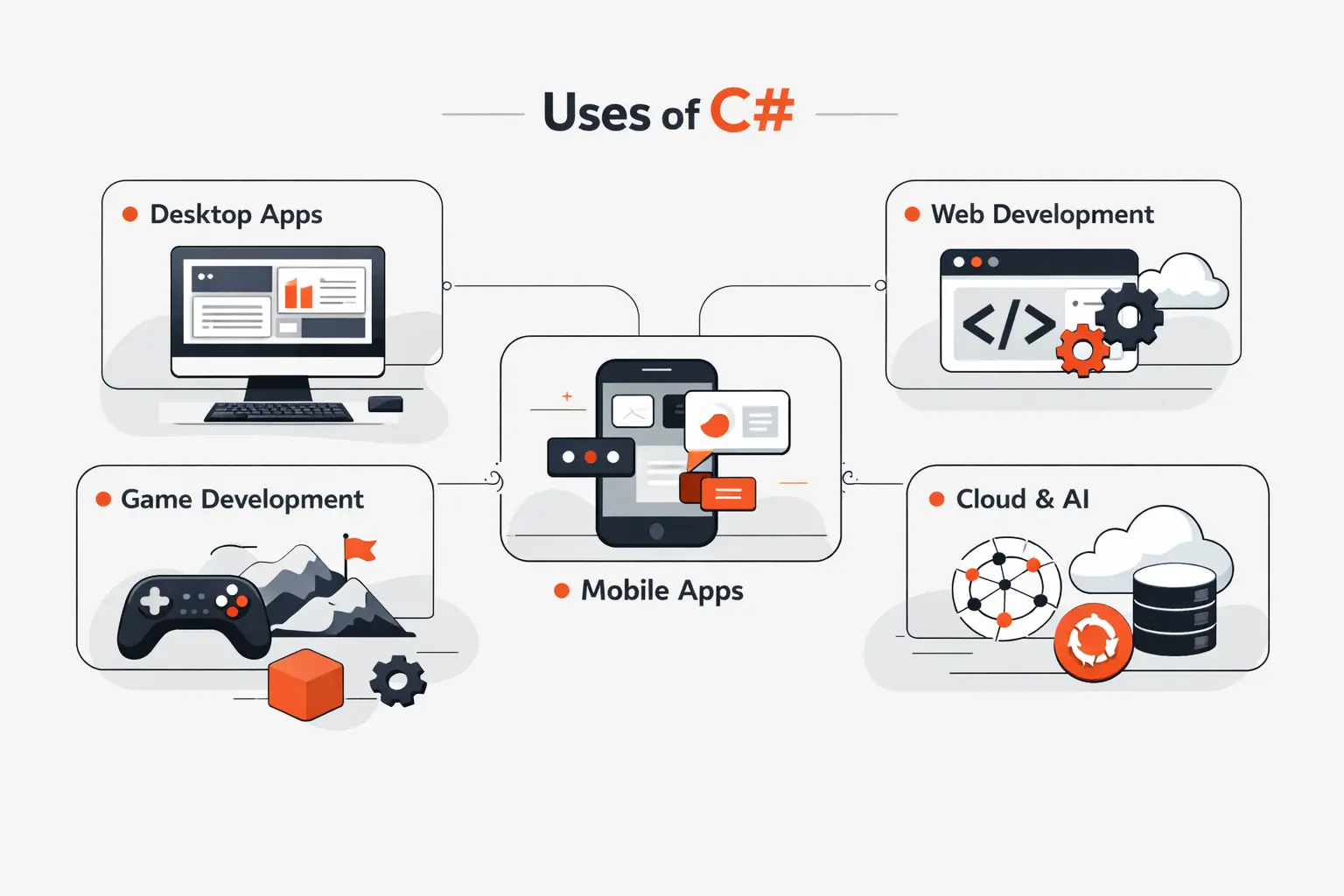
This is where many people underestimate C Sharp. It is not limited to one operating system or one product type. We regularly see it used for customer-facing platforms, internal business tools, game logic, data services, and cross-platform applications.
1. Web Development, Dynamic Websites, and RESTful APIs
For web work, teams use ASP.NET Core to build fast, secure, cross-platform web apps and services, which covers dynamic websites, dashboards, portals, and RESTful APIs. That matters because modern products rarely stop at a single website. They usually need an admin panel, an API for mobile clients, authentication, logging, and data access, all working together.
A good real-world example is free and open-source shopping cart, which shows how the stack fits store catalogs, checkout flow, admin screens, and extension points inside one product. We like examples like this because they make the language feel concrete. It is one thing to read about controllers and models. It is another to see those ideas supporting a full commerce system.
2. Game Development With Unity
For many beginners, C Sharp stops feeling abstract inside Unity. Official Unity case studies such as Hollow Knight show how far that path can take a small team. In practice, Unity scripts are where many developers first connect classes and methods to visible outcomes. Movement, collisions, animation triggers, menus, inventory logic, and enemy behavior all become easier to grasp when you can watch the result on screen. We often recommend this route to visual learners for exactly that reason.
3. Windows, Mobile, Cloud, and Enterprise Applications
C Sharp also reaches well beyond Windows. With .NET MAUI, teams can target Android, iOS, macOS, and Windows from a single shared codebase, while the same language still fits desktop software, cloud-connected apps, and enterprise services. That is useful for businesses that want one engineering stack across more than one surface.
In enterprise work, we often see C Sharp in inventory systems, reporting tools, pricing engines, document workflows, and back-end services that sit behind customer apps. It is a strong fit when the business rules are complicated, the data model matters, and the software needs to be maintained for years rather than months.
Recommended reading: Computer Programming Languages: Types, Use Cases, and How to Choose
How a Basic C Sharp Program Is Structured
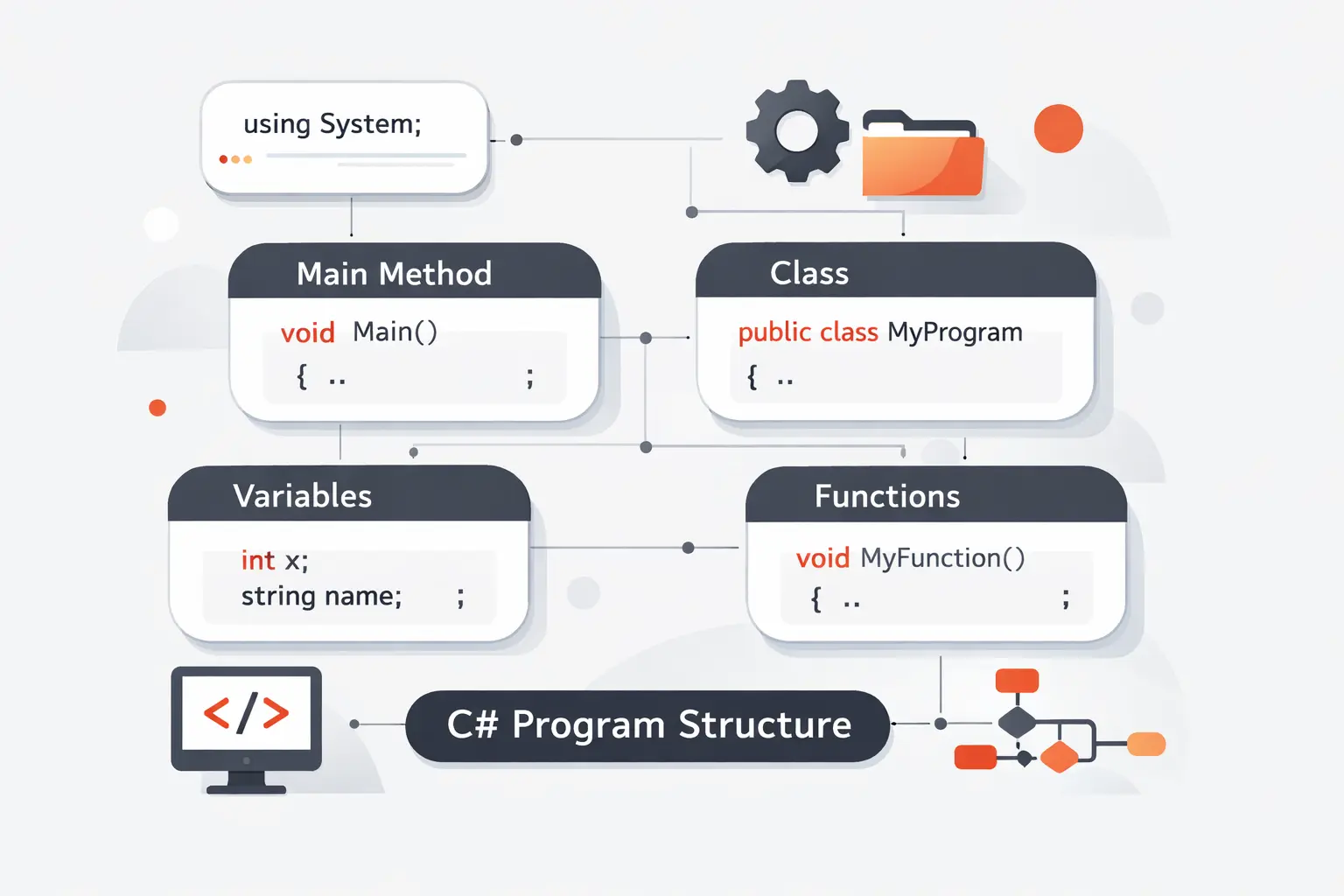
A lot of beginners feel intimidated by the shape of a code file before they understand what the parts do. The good news is that a basic C Sharp program is small and regular. Once the pieces are named, the mystery drops fast.
1. Namespaces and System Imports
Many C Sharp files begin with a using statement. This imports a namespace so you can reference common types without writing the full name every time. A classic example is using System;, which gives easy access to things like Console. Namespaces themselves are a way to organize code. They prevent naming collisions and help keep large projects readable. In simple terms, they tell you where a class belongs.
2. Classes, the Main Method, and Program Flow
Traditional C Sharp programs usually have a class and a Main method. That method is the entry point where execution starts. Newer styles can use top-level statements, but the older structure is still worth learning because you will see it in tutorials, legacy code, and many business applications.
using System;class Program{ static void Main() { Console.WriteLine("Hello, World!"); }}Here, Program is the class, and Main is the method that runs first. Inside it, Console.WriteLine sends text to the console window. That is the whole path from startup to output.
3. Statements, Console Output, and Curly Braces
Most executable lines in C Sharp are statements, and they usually end with a semicolon. Curly braces define blocks of code, such as the body of a class, method, loop, or conditional statement. They are not just decoration. They tell the compiler where logic begins and ends. Good indentation makes those blocks easier for humans to follow. When beginners learn to read braces and indentation together, code becomes much less intimidating.
Recommended reading: Hardest Programing Language: How Difficulty Works and Which Languages Challenge Developers Most
The .NET Ecosystem Behind C Sharp
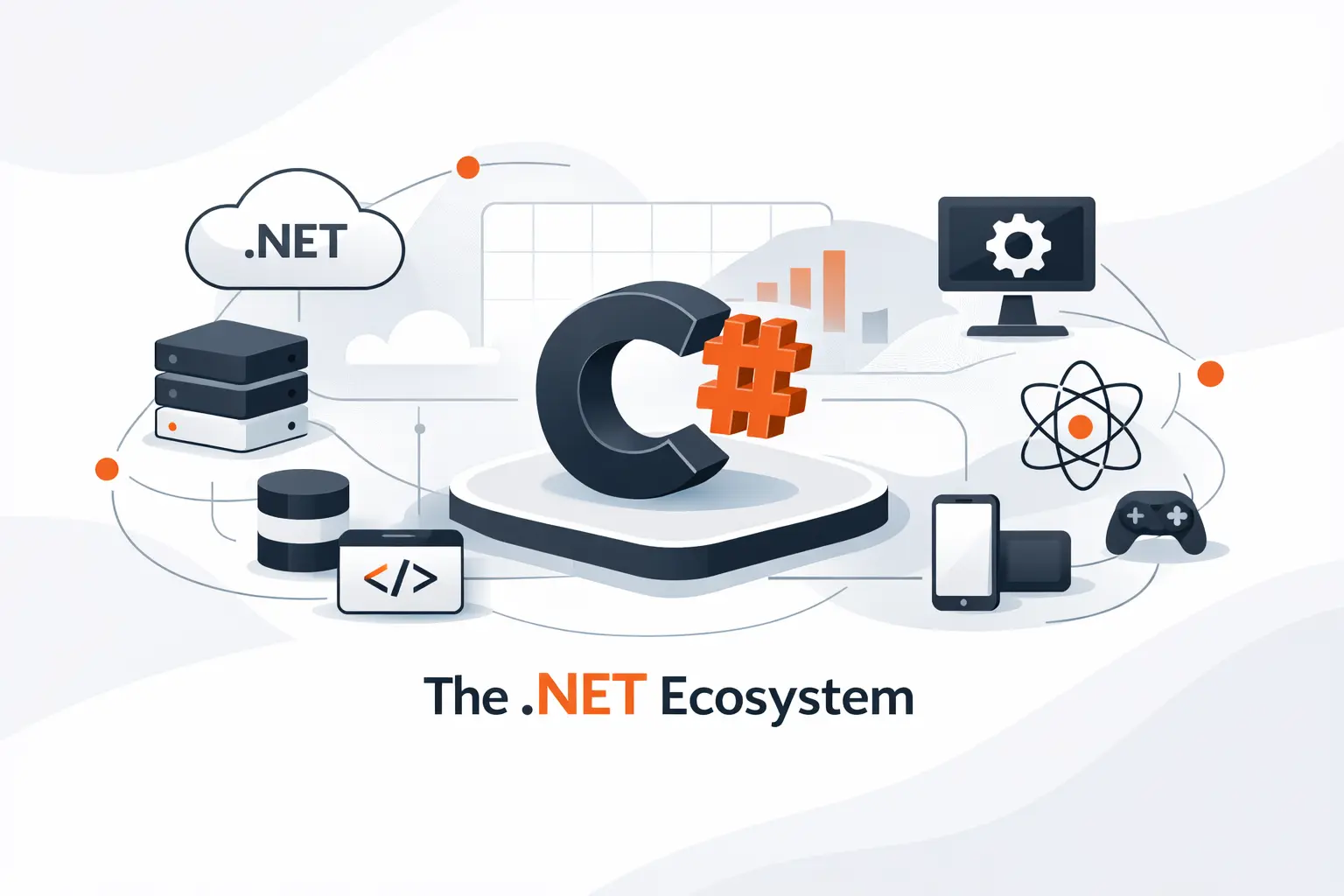
C Sharp makes the most sense when you understand the platform around it. Microsoft positions .NET around web, mobile, desktop, cloud, and game development, which is why one language can move across very different products without forcing teams to relearn the basics each time. From our perspective, that shared foundation is one of C Sharp’s biggest strengths.
1. The .NET Framework, .NET Core, and Modern .NET
The history matters because you will still see all three names. The older .NET Framework mainly belongs to existing Windows applications. .NET Core was the major cross-platform reset that opened the door to a more modern stack. Modern .NET is the unified direction that new projects usually target now. Our rule of thumb is simple. If you are maintaining an old Windows system, .NET Framework may still be relevant. If you are starting fresh, modern .NET is usually the right place to begin.
2. ASP.NET, ASP.NET Core, and Entity Framework Core
Think of ASP.NET Core as the web layer and Entity Framework Core as a common data access layer. The first helps handle HTTP requests, routing, middleware, controllers, and APIs. The second often maps database data into C Sharp objects so developers can query and save data with less repetitive SQL plumbing. That pairing is common in line-of-business systems because it keeps web logic and data logic in a familiar structure.
3. Visual Studio, the .NET CLI, and Unity
Visual Studio gives many developers an all-in-one environment for editing, debugging, testing, and publishing. The .NET CLI gives a command-line way to do the same work with commands like dotnet new, dotnet build, and dotnet run. Unity adds its own editor on top for game development, but the scripts underneath are still C Sharp. We like teaching the CLI early because it shows what the tools are doing behind the scenes, which makes developers more confident later.
Recommended reading: Top Trending Programming Languages: 2026 Rankings, Hiring Demand, and What to Learn Next
How to Learn C Sharp
There is no perfect route, but there is a practical one. Learn the basics, build something small, hit a wall, then learn the next idea that wall reveals. That rhythm beats passive note-taking almost every time.
1. Online Courses and Self-Paced Study
We still believe documentation should sit at the center of any learning plan. Stack Overflow’s 2025 survey says nearly 68% of developers used technical documentation to learn in the past year, and that matches what we see in junior teams that improve fastest. Start with syntax, variables, conditions, loops, methods, and classes. Then build a console app, a calculator, a to-do list, or a small REST API. Small finished projects teach more than ten half-finished tutorials.
2. Boot Camps and Certificate Programs
Boot camps and certificate programs can work well when you need structure, deadlines, and feedback. We would look for programs that include real projects, code review, debugging practice, Git, SQL, HTTP basics, and testing. Those skills matter more than flashy marketing. A good program should leave you with code you can explain, not just slides you once watched. If the curriculum avoids fundamentals and leans only on drag-and-drop demos, that is usually a warning sign.
3. Degree Programs and Foundational Computer Science Skills
A degree can help, especially if you want stronger theory, broader computing exposure, or roles that filter heavily by credentials. But a degree is not the only road into C Sharp work. What matters is the foundation underneath the language. We recommend learning data structures, object-oriented design, basic algorithms, debugging, SQL, and HTTP request flow. Once those pieces click, C Sharp becomes easier because you stop memorizing syntax and start understanding systems.
Frequently Asked Questions About C Sharp
These are the questions we hear most often from beginners and non-technical stakeholders. They sound simple, but the answers clear up a lot of confusion early.
1. Is C Sharp the Same as C++?
No, they are different languages. They share some family resemblance in syntax and naming, but they serve different goals. C++ gives developers more direct control over memory and lower-level behavior. C Sharp runs in the .NET environment and emphasizes managed memory, clearer application structure, and faster everyday development for many business and application use cases. If you are building back-end systems, internal tools, or Unity projects, C Sharp is often the more approachable starting point.
2. What Is C Sharp Used For?
C Sharp is used for web applications, REST APIs, desktop software, cloud services, Unity games, mobile apps, and enterprise systems. We often choose it when a project needs clean business logic, reliable tooling, and long-term maintainability. It is especially common in organizations that want strong integration with the broader Microsoft ecosystem without being locked into one narrow kind of software.
3. Is C# the Same as C Sharp?
Yes. C# is just the written form of the same language. People say “C Sharp” out loud, and they write “C#” in code, documentation, job postings, and project files. There is no difference in meaning.
4. Is C Sharp a Good Choice for Beginners?
Yes, especially if the learner wants to build web back ends, desktop tools, business applications, or Unity games. We think it is one of the more underrated beginner languages because its structure teaches useful habits early. The compiler catches many mistakes, the ecosystem is mature, and the concepts transfer well to other languages later. If someone only wants quick browser experiments, JavaScript may show visual results faster. For learning programming fundamentals, though, C Sharp is a very solid choice.
How TechTide Solutions Helps Build Custom C Sharp Solutions
At TechTide Solutions, we do not treat C Sharp as the answer to every software problem. We use it when it fits the product, the team, and the maintenance plan. When it does fit, it gives our clients a stable base that can last.
1. Custom Web, Mobile, and Software Applications
We build custom platforms with C Sharp across several categories. That includes web portals, APIs, internal dashboards, workflow systems, reporting tools, and cross-platform applications. The language works especially well when a business needs clear rules, strong data handling, and integrations with identity systems, databases, or external services. We like it for the same reason many clients do. It keeps the codebase orderly when the requirements are not simple.
2. Tailored Development for Business Goals
Our process starts with the business problem, not the syntax. We look at user roles, approvals, data flow, reporting needs, and operational bottlenecks before choosing the architecture. That matters because a customer portal, a warehouse system, and a scheduling platform may all use C Sharp, but they should not be designed the same way. We shape the solution around what the business actually needs to track, automate, and maintain.
3. Planning, Development, and Launch Support
We stay involved from planning through release. That means discovery, technical design, implementation, testing, deployment support, and post-launch fixes. In our experience, the first week after launch often teaches more than the first month of planning. Real users click the odd button, upload the strange file, and reveal the edge case no one predicted. Good development support accounts for that reality instead of pretending a launch is the finish line.
Final Thoughts on What Is C Sharp
1. Key Takeaways on C Sharp
C Sharp is a modern, structured, and versatile language with a deep ecosystem behind it. It works well for APIs, business applications, desktop tools, cross-platform apps, and Unity-based games. Its real strength is balance. It is readable without being flimsy, safe without feeling restrictive, and mature without feeling stuck in the past. At TechTide Solutions, we see that balance as the reason it keeps earning trust.
2. Next Steps for Learning C Sharp
If you want to learn C Sharp, start small and finish what you start. Build a console app first. Then move to a simple API, a CRUD project, or a small Unity prototype. Learn classes, methods, lists, loops, debugging, and file structure as you go. Read documentation often. Write code every day you can. We believe progress comes from repetition with purpose, not from collecting endless tutorials. If you keep building, C Sharp will stop feeling like a topic and start feeling like a tool.

