

At Techtide Solutions, we’ve learned that “AI integration” is rarely a single feature you bolt onto an app and call it done. In the real world, it’s a systems problem: data that lives in too many places, workflows that were designed for humans only, and operational constraints that were never meant to support probabilistic outputs from models.
Done well, AI integration turns scattered signals into dependable decisions—without forcing a business to rip and replace the tools it already relies on. Done poorly, it creates a glossy demo that collapses under production realities: latency, permissions, auditability, and the uncomfortable truth that even great models can still be wrong.
Market overview: enterprise appetite is real, and budgets are increasingly formalized—Gartner forecasts worldwide generative AI spending will reach $644 billion in 2025, which is a loud signal that “integration” is becoming the hard work most teams actually pay for.
What is AI integration and what problems it solves
1. Embedding AI technologies into existing systems, workflows, and processes
AI integration is the engineering discipline of inserting model-driven behavior into business software so that predictions, classifications, and generative outputs appear where people already work. Instead of asking teams to “go use the AI tool,” we thread AI into the CRM screen they live in, the ticket queue they triage, the ERP workflow that governs approvals, and the data pipelines that already feed reporting.
Practically speaking, integration means building the connective tissue: identity, permissions, data contracts, event triggers, and observability. A model by itself is just a capability; integration turns it into a dependable system. That’s the difference between “a chatbot exists” and “support resolution time drops because the bot drafts replies, routes edge cases, and learns from outcomes.”
2. Adding new capabilities to current tools to support hybrid human and AI workflows
Most organizations don’t want autonomous AI making high-impact decisions end-to-end, at least not at first. The common win is hybrid work: AI proposes, a human disposes. In our projects, that typically looks like draft generation with approval, anomaly detection with confirmation, or recommendations with override—each with a feedback loop that captures what the operator changed and why.
Hybrid workflows also solve an adoption problem that executives underestimate. People trust tools that behave predictably and explain themselves. AI integration should therefore ship with “interaction design for uncertainty”: confidence indicators, citations back to internal records, and clear escalation paths when the system can’t be sure.
3. Common AI capabilities used in integration: machine learning, NLP, computer vision, predictive analytics
AI integration isn’t synonymous with large language models, even if LLMs dominate the conversation. Traditional machine learning still powers a huge amount of production value: fraud scoring, churn prediction, demand forecasting, lead scoring, and preventative maintenance signals derived from equipment data.
Natural language processing helps with classification, extraction, summarization, and semantic search across knowledge bases. Computer vision shows up in quality inspection, document processing, and safety monitoring. Predictive analytics is often the least flashy and most profitable: it enables earlier action, which is where businesses actually make and save money.
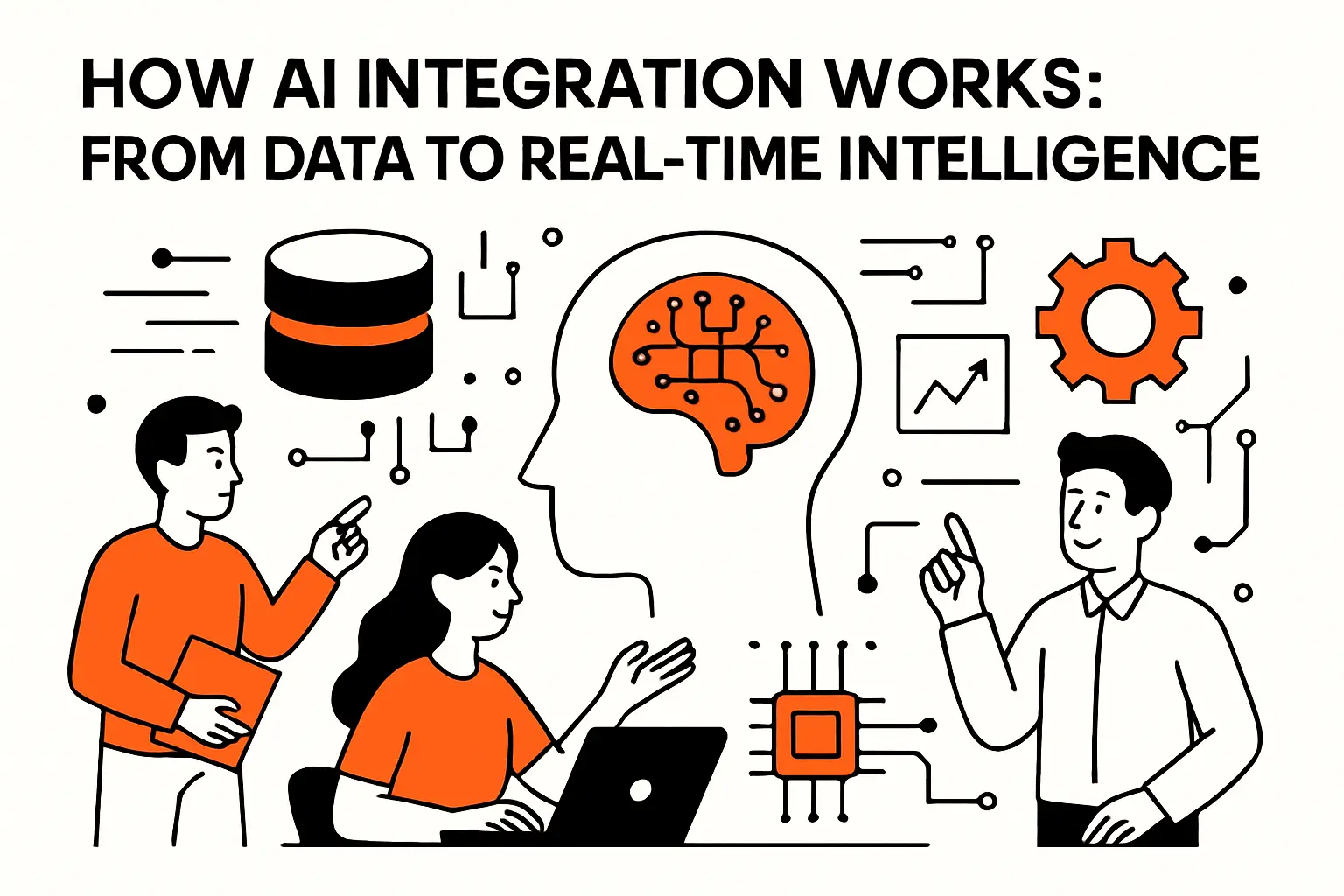
How AI integration works: from data to real-time intelligence
1. Aggregating data from business applications, user interactions, and IoT sources
Integration starts with data gravity. Customer conversations live in ticketing systems, commercial intent lives in CRM activity, operational truth lives in ERP and logs, and “what users really do” lives in clickstreams. IoT data adds a time-series layer that is invaluable for manufacturing, logistics, and facilities.
Architecturally, we prefer event-driven patterns where possible: instead of batch-polling everything, we stream changes—new ticket created, order shipped, device exceeded threshold—into a backbone that can trigger model inference. When streaming is unrealistic, we fall back to scheduled ingestion with clear freshness guarantees so teams know what “real time” truly means in their context.
2. Centralizing and preparing data so models can learn patterns and deliver insights
Models learn what your systems can represent. That’s why data preparation is not clerical work; it’s product design. Definitions matter: what counts as “resolved,” what qualifies as “fraud,” what is a “high-intent lead,” and which outcomes are acceptable tradeoffs.
From an implementation standpoint, we usually separate concerns into layers: raw ingestion, standardized schemas, curated analytics views, and model-ready feature sets. For LLM-based features, we add a knowledge layer—documents, policies, and transaction context—structured for retrieval so the model can answer with the organization’s facts, not internet-shaped guesses.
3. Deploying AI through software interfaces, APIs, automations, and edge computing
Deployment is where integration earns its name. Sometimes the “AI” lives behind an API in a service layer; other times it runs inside a workflow automation tool; increasingly, we see partial inference at the edge for latency, privacy, or offline resilience. The right approach depends on failure modes: what happens if the model is unavailable, slow, or uncertain?
Interface patterns we see work
For internal teams, the best UI pattern is often “AI as a co-pilot panel” that drafts, summarizes, and highlights risks while leaving final control with the operator. For customer-facing features, we favor constrained experiences—guided questions, forms with intelligent defaults, and guardrailed generation—because open-ended chat is the easiest way to disappoint users in production.
AI integration benefits for businesses and product teams

1. Automation of repetitive tasks to improve efficiency and reduce operational costs
Automation is the gateway benefit: it’s concrete, measurable, and usually less controversial than full autonomy. In customer support, repetitive work includes triage, categorization, summarization, and templated responses. In finance operations, it includes document extraction, matching, and exception handling.
From our perspective, the biggest savings show up when AI reduces “context switching,” not just keystrokes. If a system gathers the right records, drafts the next action, and logs the outcome automatically, you remove the hidden tax that burns capacity in every back-office function.
2. Personalization to improve UX and deliver tailored customer experiences
Personalization is often described as “recommendations,” but integration makes it broader: adaptive onboarding, smarter search, proactive nudges, and dynamic content that aligns with a customer’s intent. Netflix popularized recommendations, yet the same underlying idea applies in B2B: a procurement user wants different defaults than a warehouse manager.
Crucially, personalization has to respect user trust. We design for “explainable personalization”: showing why something is suggested and giving users control to correct it. When customers can steer the system, personalization feels like service rather than surveillance.
3. Better business decision-making through analytics, forecasting, and recommendations
Decision support is where AI becomes strategic. A forecasting model that informs inventory decisions changes cash flow. A churn predictor that triggers retention workflows changes revenue risk. A recommendation engine that suggests the next best action changes how frontline teams allocate attention.
In our delivery work, we push teams to separate insight from action. A dashboard that says “risk is high” is not enough; integration should connect predictions to workflow steps: create a task, notify an owner, require acknowledgment, and measure what happened next.
4. Real-time updates, predictions, and autonomous decision-making in time-sensitive environments
Some environments demand speed: fraud checks during checkout, dynamic pricing windows, incident response, logistics rerouting, safety monitoring, and outage containment. In these cases, integration patterns matter more than model novelty. Streaming inference, caching strategies, and circuit breakers become first-class design elements.
Autonomy is possible, but we treat it as a maturity outcome. Before a system can decide on its own, it must prove it can decide reliably, roll back safely, and surface accountability. Businesses don’t just want outcomes; they need defensibility.
Real-world AI integration use cases across departments and industries

1. Customer service automation: chatbots, virtual assistants, and intelligent ticket routing
Customer service is a natural fit because the data is already text-heavy: conversations, histories, knowledge-base articles, and escalation notes. Integration typically begins with ticket routing—classifying intent and priority—then evolves into agent assistance: summaries, suggested replies, and next-step checklists.
In mature implementations, AI becomes a “case coordinator” rather than a chatbot. It drafts the response, pulls the order record, checks policy, and prepares a resolution path. Humans stay in the loop for exceptions and emotionally complex interactions, which is where brand risk lives.
2. Sales and marketing workflows: lead qualification, content production, and pipeline support
Sales teams want leverage, not more tools. AI integration inside a CRM can score leads, summarize accounts, propose outreach sequences, and detect pipeline risk signals based on stalled activity. Marketing teams use AI to accelerate drafts, variant testing ideas, and audience segmentation logic.
Still, we’ve seen a consistent pitfall: teams automate content without integrating governance. Brand voice, legal disclaimers, and product truth must be enforceable constraints. When guardrails are part of the workflow, AI speeds up production without increasing downstream cleanup.
3. Operations, engineering, and IT: AIOps insights, reporting automation, and root-cause analysis support
Operational teams sit on high-volume telemetry: logs, metrics, traces, alerts, and runbooks. AIOps integration can correlate alerts, reduce noise, and suggest likely root causes by mapping symptoms to known failure patterns. Engineers also benefit from reporting automation: incident summaries, postmortem drafts, and change-impact analysis.
From a systems angle, the hard part is grounding: an AI assistant must reference the right cluster, the right time window, and the right deployment metadata. Without that context plumbing, the output may read confidently while being operationally useless.
4. Industry examples: health care, finance, retail, manufacturing, and education
Health care integrations often focus on documentation workflows, coding assistance, and patient communication triage, with privacy and audit requirements shaping architecture. Finance leans into fraud detection, AML triage support, and document intelligence for lending and compliance workflows.
Retail blends personalization, inventory forecasting, and service automation. Manufacturing highlights predictive maintenance and vision-based quality inspection tied directly to MES and ERP actions. Education tends to center on tutoring support, content adaptation, and student services triage, where transparency is essential to avoid eroding institutional trust.
How to integrate AI successfully: a step-by-step roadmap
1. Define a specific business problem, objectives, and success metrics for what is ai integration in your context
Integration starts with a business problem that can survive contact with reality. “Add AI” is not a requirement; “reduce time-to-resolution for a ticket category” is. A crisp scope forces good decisions about data, workflow placement, and acceptable risk.
In our discovery sessions at Techtide Solutions, we ask questions that sound simple but change everything: Who owns the decision today? What happens when they’re wrong? Where does the input data originate? Which system of record is authoritative? When those answers are fuzzy, model performance won’t save the outcome.
2. Ensure data quality, availability, and compliance readiness before connecting models
Most AI failures we see in the wild are data failures wearing an AI costume. Missing fields, inconsistent labels, duplicated entities, and unclear definitions create brittle behavior. The fix is not “more model,” it’s better contracts: what data must exist, what “good” looks like, and how exceptions are handled.
Compliance readiness belongs here, not later. If you can’t answer who can access which data, how long it is retained, and what gets logged, you’re not ready to integrate AI into sensitive workflows. Privacy isn’t a feature you bolt on after the demo; it’s an architectural constraint.
3. Select the right tools, platforms, and AI approaches: pre-trained APIs, orchestration, or custom solutions
Tool choice should follow the risk profile and differentiation strategy. If the problem is common—OCR, speech-to-text, generic summarization—pre-trained APIs may be enough. If the workflow is unique, the integration layer becomes the moat: orchestration, retrieval, policy enforcement, and feedback capture.
A practical decision rule we use
When output correctness is critical and domain nuance matters, we lean toward constrained generation, retrieval grounding, and domain-tuned models where appropriate. When creativity is the goal, we accept more variability but still constrain brand, safety, and scope through templates and structured prompts.
4. Pilot in low-risk workflows with validation and human-in-the-loop review
Pilots should be designed to reveal failure modes, not to hide them. Low-risk workflows let teams test integration plumbing: permissions, logging, UI placement, and latency budgets. Human-in-the-loop review is not just about safety; it’s also about collecting the training signals you’ll need to improve.
In our builds, we instrument pilots heavily: what the model suggested, what the human accepted, what they changed, and which downstream metric shifted. That audit trail turns “AI magic” into engineering evidence, which is how you earn the right to scale.
5. Train teams, scale gradually, and continuously monitor ROI, accuracy, and adoption
Scaling AI is as much organizational as technical. Teams need playbooks: when to trust outputs, when to escalate, and how to report edge cases. Product teams need guardrail governance: who can change prompts, update retrieval sources, or alter decision thresholds.
Industry surveys reinforce that adoption is not purely a tooling problem—McKinsey reports 65% of respondents say their organizations are regularly using gen AI in at least one business function, yet “regular use” still leaves plenty of room between experimentation and dependable transformation.
Data readiness and interoperability: storage, connectors, and governance
1. Choosing storage that supports AI integration: data lakes, data warehouses, data marts, hybrid cloud
Storage decisions shape what becomes possible. Data warehouses are excellent for governed analytics and standardized reporting. Data lakes handle variety and volume but can devolve into swamps without discipline. And data marts can accelerate departmental wins but sometimes fracture enterprise truth if they drift from shared definitions.
Hybrid cloud is often the reality, not a preference. When regulated data must stay in certain environments, integration architectures should plan for secure movement patterns: tokenization, selective replication, or “bring compute to data” strategies. The goal is not perfect centralization; it’s predictable access with traceability.
2. Interoperability between systems: connectors, APIs, and orchestration across business units
Interoperability is where AI integration either becomes frictionless or collapses under handoffs. Connectors and APIs are the obvious plumbing, but orchestration is the differentiator: sequencing steps, managing retries, handling partial failures, and enforcing business rules when systems disagree.
In Techtide Solutions projects, we treat workflows as products. That means versioning, testing, and backward compatibility. If a model is updated, the workflow must still behave safely. If an upstream schema changes, the integration should degrade gracefully rather than fail silently.
3. Data enrichment and governance: cleansing, labeling, access controls, monitoring, and usage rights for external data
Data enrichment is where value compounds. Clean labels improve supervised learning. Better metadata improves retrieval grounding. Strong access controls reduce blast radius when systems are misused. Monitoring turns “data quality” from a vague complaint into actionable signals.
Usage rights matter more than teams expect, especially when external data enters the pipeline. If an organization licenses data, the integration layer should encode permitted uses and prevent accidental leakage into model training or broad retrieval. Governance is not just policy; it’s enforcement in code.
Challenges and risks of AI integration: privacy, accuracy, and organizational adoption

1. Legacy system constraints and integration complexity in existing technology stacks
Legacy stacks rarely fail because they are old; they fail because they are undocumented, brittle, and packed with implicit business logic. Integrating AI into that environment means confronting hidden coupling: batch jobs that “must run first,” fields that mean different things in different systems, and permissions that were never formalized.
One effective strategy is to build an anti-corruption layer: a modern service boundary that normalizes data and workflows so models interact with stable contracts. That boundary becomes the long-term asset, because it decouples the business from both legacy volatility and model churn.
2. Data privacy and regulation considerations when AI workflows touch sensitive customer data
Privacy risk increases when AI expands data access. A workflow that once required a human to manually look up a record can become an automated system that touches many records quickly. That amplifies the importance of least-privilege access, purpose limitation, and careful logging that avoids capturing sensitive content unnecessarily.
Security economics reinforce why this matters: IBM’s research puts the global average cost of a data breach at $4.88 million in 2024, which is a sober reminder that “faster workflows” must not become “faster leakage.”
3. Output quality risks: hallucinations, error handling, and workflow guardrails
Hallucinations are not merely embarrassing; they are integration bugs when output is allowed to trigger actions. Guardrails should therefore live in multiple layers: input constraints, retrieval grounding, structured output formats, policy checks, and human confirmation for high-impact steps.
How we engineer guardrails in practice
On the generation side, we constrain outputs to schemas and validate them. On the workflow side, we add “stop points” where the system must present evidence from internal sources before proceeding. And on the monitoring side, we track drift, escalation frequency, and the kinds of corrections humans make—because those corrections are the map to improvement.
4. Responsible AI and change management: bias mitigation, transparency, training, and job-impact concerns
Responsible AI is often framed as ethics, but inside organizations it shows up as change management. People worry about fairness, accountability, and job impact because they’ve seen automation initiatives go sideways. Transparency helps: users should know when AI is involved, what it used as context, and how to challenge it.
Organizational readiness is measurable in behavior, not slogans. Deloitte found 47% of all respondents say they are moving fast with adoption, yet speed without training and governance tends to produce brittle systems and frustrated teams.
TechTide Solutions: building custom AI integrations tailored to customer needs

1. Use-case discovery and solution design aligned to measurable business outcomes
Our approach at Techtide Solutions begins with discovery that treats AI as a means, not an identity. We map the workflow, identify decision points, and locate the data that actually drives outcomes. From there, we define what “better” means operationally: fewer escalations, faster cycle times, higher conversion quality, or reduced risk exposure.
Because integration changes behavior, we also design incentives and controls. If a model suggests next steps, who owns the result? If a recommendation is ignored, is that feedback captured? When those questions are answered up front, the build becomes straightforward engineering rather than endless debate.
2. Custom web, mobile, and software development to integrate AI features into real products and workflows
Integration work is software development work. We build the APIs, middleware, and UI components that make AI usable in day-to-day operations. That includes identity integration, role-based access, audit trails, and careful UX so AI shows up as a helpful assistant rather than an intrusive pop-up.
On the model side, we integrate the right technique for the job: predictive models for scoring, NLP for extraction and classification, retrieval-augmented generation for grounded answers, and workflow automation for consistent follow-through. The end state is a product capability, not an experiment living in a notebook.
3. Secure deployment, human-in-the-loop safeguards, monitoring, and iterative optimization at scale
Deployment is a lifecycle. We implement secure runtime patterns, secrets management, and data handling policies that match the sensitivity of the workflow. Human-in-the-loop safeguards are built as product features: review queues, escalation paths, and evidence panels that show the context behind a suggestion.
After release, monitoring becomes the steering wheel. Model quality can drift when data changes, policies evolve, or user behavior shifts. Iteration is therefore not optional; it’s the operating model. The organizations that win treat AI integrations like living systems that get tuned, not “projects” that get finished.
Conclusion: key takeaways on what is ai integration and how to start

1. Start small with high-impact workflows and expand once value and trust are proven
Small does not mean trivial; it means contained. A single workflow with clear ownership, measurable outcomes, and manageable risk can prove value while teaching the team what integration really requires. Once trust is earned, expansion becomes a portfolio decision rather than a leap of faith.
2. Prioritize data quality, interoperability, and responsible AI from day one
Data quality determines ceiling height, interoperability determines speed, and responsible AI determines whether the system survives scrutiny. When those foundations are baked in early, teams spend their time improving outcomes instead of firefighting unintended consequences.
3. Measure performance continuously and refine integrations as models, tools, and needs evolve
AI integration is not a one-time modernization milestone; it’s an ongoing capability. Models will change, vendors will shift, and your business processes will evolve. The practical next step is to pick one workflow, instrument it end-to-end, and build an improvement loop—so the system gets smarter in ways your business can actually prove.
Which existing workflow in your organization already has the data, the repetition, and the measurable outcome needed to become your first dependable AI integration?




