

At TechTide Solutions, we treat the LangChain ecosystem less like a “framework choice” and more like a lifecycle toolkit: one set of primitives for building, another for orchestration, a third for collaborative prototyping, and a fourth for production-grade visibility. That distinction matters because LLM applications fail for operational reasons far more often than they fail for “model quality” reasons—timeouts, broken retrieval, prompt drift, brittle tool calling, and silent regressions.
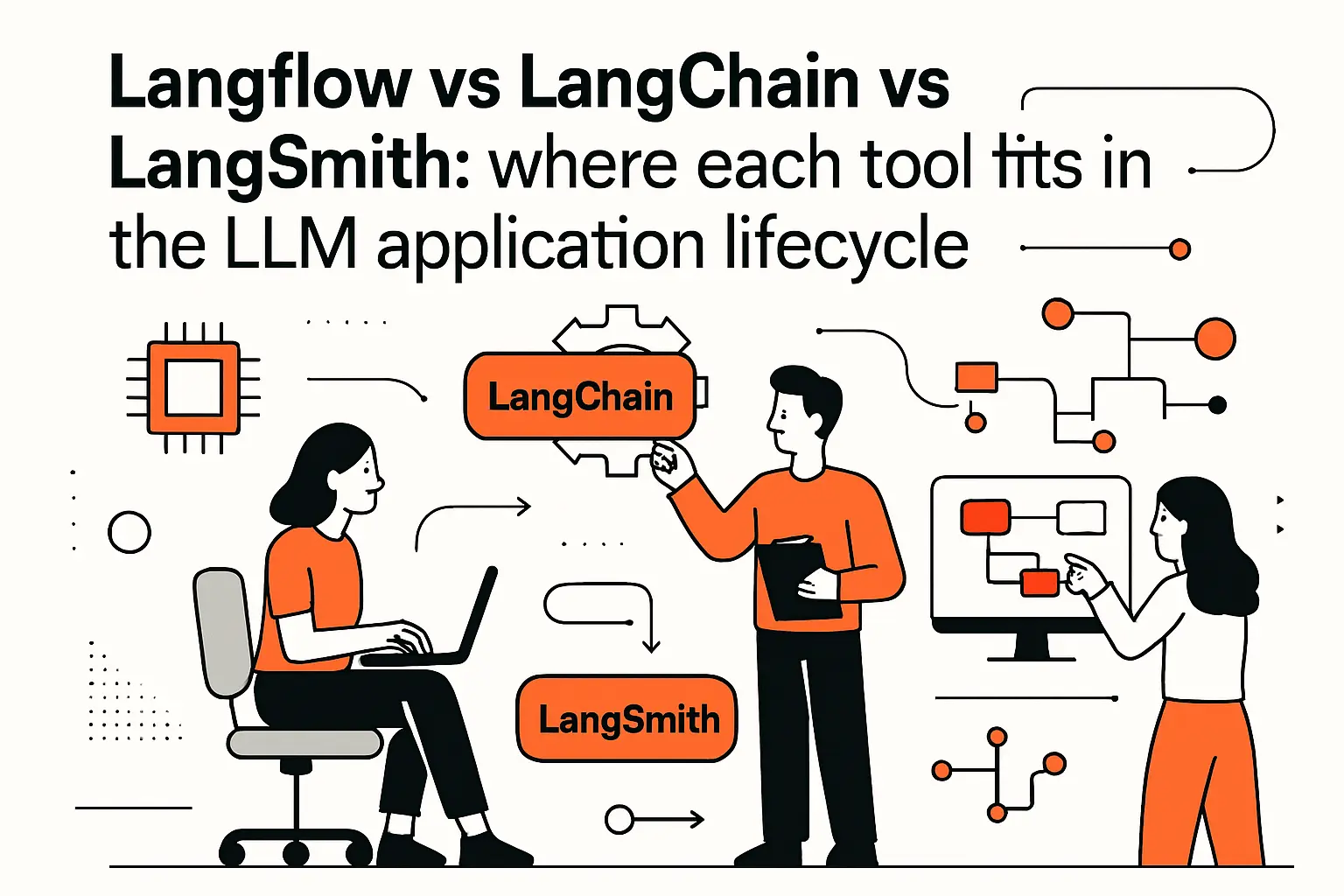
Langflow vs langchain vs langsmith: where each tool fits in the LLM application lifecycle
1. The LangChain ecosystem at a glance: build, orchestrate, prototype, and monitor
From a market lens, the urgency is obvious: Gartner expects worldwide GenAI spending to reach $644 billion in 2025, which pushes LLM app development into the same category as any other core software capability: it needs engineering discipline, repeatability, and observability.
In our delivery work, we map the ecosystem to stages: LangChain to assemble components and integrations; LangGraph to manage complex control flow; LangFlow to accelerate iteration and stakeholder alignment; and LangSmith to trace, evaluate, and monitor what actually happens in the wild. That separation of concerns becomes the difference between a clever demo and a product that stays reliable after the first real users show up.
2. How the tools complement each other in one stack rather than competing
Instead of asking “which one should we pick,” we usually ask “which layer are we working on today.” LangChain is the composable application layer—where prompts, models, tools, retrievers, and parsers become code we can test and review. LangGraph is the orchestration layer—where decisions, retries, branching logic, and state transitions become explicit rather than implicit. LangFlow is the collaboration layer—where a flow can be tried, tweaked, and explained without every stakeholder reading Python. LangSmith is the truth layer—where we stop debating what we think the app did and start seeing what it actually did.
Practically, that means we often prototype the same capability twice on purpose: once visually to converge quickly on behavior, and once in code to harden it. The “waste” is imaginary because the prototype de-risks product decisions, while the code de-risks operations and long-term change.
Why we like the “layered” mindset
Because each tool optimizes for a different bottleneck, teams avoid the trap of forcing one tool to do everything. When a tool is used outside its sweet spot, complexity hides—until it explodes during rollout.
3. Matching tool choice to team needs: developers, mixed-skill teams, and stakeholders
Engineering-focused teams often do well with LangChain and LangGraph early on because they value clear control over how the system works, careful code review, and the ability to test things properly. Meanwhile, mixed-skill teams—including product leads, analysts, and domain experts who need to help shape the process—often get better results when LangFlow is introduced earlier, especially while prompts are still changing and search behavior is still being adjusted.
For communication with decision-makers, visual diagrams matter. A compliance lead or operations manager may not care about how chains are built, but they do care about where the data goes, when a person needs to step in, and what the system does when it is not sure. LangGraph helps turn those rules into a clear system, while LangFlow helps make them easier to read and discuss.
Across every kind of team, the one thing we see as a must is clear monitoring. Even a small internal assistant can create major problems if it starts giving different answers without anyone noticing after a prompt edit or model update. That is why we treat tracing and evaluation tools like LangSmith as part of the main product work, not something to add later after launch.
A common reference project: document Q&A and RAG workflow from prototype to production
1. Ingest and prepare data: PDF loading, text splitting, and cleanup
To compare these tools honestly, we like to use a sample project that shows the hard parts early: document Q&A across messy PDFs, delivered in a chat-like experience, with source notes and a clear “I don’t know” response when the search is weak. At first, this kind of workflow can look simple in a slide deck. However, it becomes very real once you upload your first scanned contract or policy guide.
When you bring documents into the system, the real job is not just “uploading a PDF.” Instead, the real job is cleaning the content: removing headers and footers, fixing broken lines, finding tables, handling repeated sections, and making text formats consistent. In the same way, chunking is not just a technical setting. It is really a product choice, because you need to decide whether sections should follow pages, titles, meaning-based breaks, or a mix of all three. Metadata matters too. If we cannot later filter by document type, tenant, or legal region, then search quality becomes much harder to manage.
Where each tool shows up
LangChain tends to own the ingestion implementation because loaders, splitters, and transforms belong in versioned code. LangFlow can help quickly test chunk sizes and cleaning steps against a handful of files. LangSmith becomes useful surprisingly early, because ingestion bugs often show up downstream as “the model is hallucinating,” when the truth is “we never indexed the right text.”
2. Semantic search and answering: embeddings, vector stores, retrieval, and LLM generation
Once documents are chunked, we embed them, write vectors to a store, and expose a retriever to fetch context for each question. Then we generate an answer that is constrained by retrieved text, ideally with citations tied to chunk metadata. In our experience, production RAG is about managing failure modes: empty retrieval, irrelevant retrieval, partial retrieval, and overly long context that pushes out the most relevant passage.
Prompt design here is not just “write a system prompt.” It’s also output structure, refusal behavior, and guardrails that respond differently depending on retrieval confidence. A mature implementation will treat retrieval as a first-class signal: if the top passages disagree, the assistant should summarize the disagreement rather than pretending there is one truth.
A concrete example we see in business
Customer support teams often want “answer from the policy.” That translates to: retrieve policy clauses, generate a response with explicit caveats, and produce an audit trail that can be reviewed later. That audit trail is the bridge between an LLM demo and a defensible operational process.
3. Why this project surfaces the real differences: control flow, iteration speed, and reliability
Document Q&A is a stress test because it naturally evolves from a linear pipeline into a conditional workflow. Early on, teams build “retrieve then answer.” Soon after, they need branching: if retrieval is empty, ask a clarifying question; if the question is ambiguous, request more context; if the answer is high risk, route to human review; if the user asks for a summary, switch prompts and chunking behavior.
That is where the tool boundaries become obvious. LangChain is great at composing the linear and modular pieces. LangGraph shines when the workflow becomes stateful and cyclical—when you must loop, retry, or hand off between sub-agents. LangFlow helps you iterate on that behavior quickly and communicate it clearly to non-engineers. LangSmith becomes essential when you need to prove to yourself (and to the business) that the system is behaving consistently and improving rather than drifting.
In other words, the project forces a conversation about engineering reality: are we building a script, or are we building a product with long-lived behavior?
LangChain: the code-first backbone for LLM workflows
1. Core building blocks: prompt templates, chains, memory, agents, and tool integration
LangChain earns its keep when we need composable building blocks that behave like software components rather than prompt experiments. The modern mental model centers on “runnables” that can be invoked, streamed, composed, and inspected, which the docs describe as the foundation for working with LangChain components across models, retrievers, and more.
From that base, we build reusable prompt templates with explicit input variables, enforce structured outputs with parsers, and integrate tools with clear schemas. Memory is where teams often stumble: it’s tempting to dump chat history into the prompt, but production systems need a more deliberate policy for what is remembered, what is summarized, and what is excluded for privacy reasons.
How we use agents without letting them run wild
Agentic tool-calling can be powerful, but we treat it like giving a junior engineer production access: guardrails, least privilege, and monitoring are mandatory. LangChain’s strength is that it lets us wire tools, prompts, and policies in code where they can be reviewed, tested, and versioned.
2. Data integration for RAG: document loaders, retrievers, and vector databases
RAG is where LangChain’s “integration gravity” is hard to ignore. The retriever abstraction, in particular, is intentionally broader than “vector search,” and the documentation frames it as an interface that returns documents given an unstructured query, which includes everything from vector stores to keyword and hybrid approaches.
In practice, this abstraction lets us swap retrieval strategies without rewriting the entire app. Early on, a team might use a local vector store for speed. Later, they might migrate to a managed service for durability, filtering, and operational guarantees. Because the retriever boundary is stable, downstream chains and prompts can remain largely unchanged.
The business payoff of a clean retriever boundary
When retrieval quality becomes an executive concern—because it directly affects customer answers—teams need the ability to iterate quickly. A clean retriever interface turns “rebuild the system” into “swap the retrieval strategy and re-evaluate,” which is a very different kind of conversation in a roadmap meeting.
3. Best-fit scenarios: linear and modular pipelines that need maintainable code
LangChain is the best default when the workflow is mostly linear, even if it has multiple steps: classify intent, retrieve context, generate an answer, post-process, and log. That shape maps well to maintainable code, where each step can have unit tests, contract tests, and failure handling.
Another strong fit is “many small pipelines” inside a larger product. For example, an internal platform might have a policy assistant, a ticket summarizer, and a sales email drafter. Each capability is distinct, yet they share infrastructure: model configuration, redaction utilities, prompt governance, and logging. LangChain helps keep those shared pieces consistent instead of copy-pasted across scripts.
Our opinion at TechTide Solutions is blunt: if you expect the workflow to live longer than a sprint, code-first wins. Visual tools can accelerate discovery, but production systems benefit from the discipline of explicit interfaces, typed inputs, and reviewable change.
LangGraph: graph orchestration for complex, stateful, and multi-agent systems
1. Key primitives: nodes, edges, and shared state for coordinated agent behavior
LangGraph is where we go when the application stops being “a chain” and starts being “a system.” The official overview describes it as a low-level orchestration framework and runtime for building, managing, and deploying long-running, stateful agents, and that phrasing matches what we see in real deployments.
Graph primitives—nodes and edges—sound academic until you build something that must remember what happened, decide what to do next, and recover gracefully when something fails. Shared state is the unsung hero. Instead of stuffing everything into a prompt, we keep a structured state object: user intent, retrieved passages, tool results, decision flags, and audit metadata.
A practical example we use to explain it
Think of a claims assistant. One node classifies the request, another retrieves policy clauses, a third extracts key fields, and a fourth decides whether the claim is safe to auto-draft or needs human review. The “graph” is simply the explicit blueprint of that decision-making, including what data each step is allowed to read and write.
2. Control flow advantages: branching, looping, conditional transitions, and retries
Complex LLM behavior is usually cyclical: ask, retrieve, decide, call a tool, refine, ask again. LangGraph makes that cycle explicit, which is the difference between “the agent sometimes gets stuck” and “we can see exactly why it looped and how to stop it.”
Branching is the obvious win because different intents need different paths. But the subtler win is modeling retries and fallbacks as first class behavior. For example, if a tool call fails, we can retry with new parameters, switch tools, or degrade gracefully. Once this logic is encoded as graph transitions, it becomes reviewable and testable. It no longer hides inside a tangle of exception handling.
Why we care about explicit retries
Businesses care about user trust. A system that fails noisily is often better than a system that “succeeds” with the wrong answer. Graph-level control flow helps us implement that philosophy consistently.
3. Interactive and long-running agents: persistence, checkpointing, and human-in-the-loop patterns
Long-running workflows are where most agent demos collapse. If the process takes time, involves approvals, or spans multiple user interactions, the system must persist state and resume safely. LangGraph supports human-in-the-loop patterns through “interrupts,” and the documentation explains that interrupts allow you to pause graph execution at specific points and wait for external input before continuing, which is exactly what regulated or high-stakes processes require.
In practice, that enables a review step that is not bolted on as an afterthought. A human can approve a drafted response, attach missing evidence, or override a decision, and the graph can continue from the correct point with the correct context. That is the operational difference between “AI assistant” and “AI workflow.”
From our perspective, this is the moment LLM applications become enterprise software. Persistence, auditability, and controlled handoffs are not nice-to-haves; they are how the tool earns permission to exist inside real operations.
LangFlow: visual and low-code development for rapid iteration
1. Langflow vs langchain in practice: visual prototyping first, production code later
LangFlow shines when the bottleneck is iteration speed and shared understanding. In the early days of an LLM feature, the hardest problem is not writing code; it’s deciding what the app should do, what it should refuse to do, and how it should behave when context is weak.
With a canvas, teams can explore those behaviors quickly. Product stakeholders can point at a box and ask, “What happens if retrieval fails here?” A domain expert can say, “This clause matters more than that clause,” without learning a framework. Then, once the behavior is agreed upon, we treat the flow as a specification and harden the implementation in code.
Our stance as an engineering shop
We do not view LangFlow as “less serious.” We view it as a discovery accelerator. The serious work is making sure the discovered behavior becomes maintainable, testable, and observable as it moves toward production.
2. Canvas-based building: drag-and-drop components, configuration, and instant testing
Canvas-based development changes how teams debug. Instead of reading logs from a monolithic function, you can isolate a component: a prompt, a retriever, a parser, or a tool call. That makes it easier to answer the questions that actually matter: did retrieval return anything useful, did the prompt constrain the output, did the model follow the format, and did the tool schema match what the model attempted?
In our experience, LangFlow is particularly effective for “prompt plus retrieval” iteration. Teams can swap chunking strategies, adjust the answering prompt, and immediately observe how the output changes. That feedback loop is hard to replicate when every experiment requires editing code, re-running tests, and re-deploying a dev service.
For stakeholder demos, the canvas also reduces theater. Instead of a polished chat UI hiding uncertainty, we can show the flow and explain where answers come from, which builds trust in a way that a black-box demo rarely does.
3. Handoff and deployment pathways: exporting code, saving flows as JSON, and serving via APIs
Handoff is where low-code tools often fail, so we pay close attention to how artifacts move across environments. LangFlow supports portability via export, and the documentation notes you can export flows as JSON files named FLOW_NAME.json, which makes flows shareable, reviewable, and storable alongside other delivery assets.
Operationally, the bridge to real applications is API invocation. LangFlow’s docs describe how to run flows from external apps and explicitly recommend triggering flows with the Langflow API when you’ve deployed a server, which aligns with how we productionize: a web app, an internal tool, or an integration calls the flow runtime with structured inputs and receives structured outputs.
Where we draw the line
For prototypes and internal tools, a served flow can be enough. For customer-facing products, we usually migrate the “final” logic into a codebase with conventional deployment, testing, and observability—while still using flows as design artifacts and collaboration tools.
LangSmith and AI observability: tracing, evaluation, and production monitoring
1. What LLM observability tracks: traces, inputs and outputs, latency, tokens, cost, and error rates
Observability is the quiet dividing line between a team that “builds LLM demos” and a team that “ships LLM products.” Traditional logs are not enough because LLM workflows are nested: a user message triggers retrieval, which triggers a model call, which triggers tool calls, which trigger more model calls. Without traces, debugging becomes guesswork.
The LangChain docs emphasize that enabling LangSmith tracing captures rich runtime data, including inputs, outputs, latency, token usage, invocation params, environment params, and more, and that breadth is precisely what we want when a workflow degrades after a seemingly harmless change.
From a business standpoint, the most valuable part is not just “seeing errors.” It’s being able to connect behavior to cost, speed, and quality so that optimization is grounded in evidence rather than instinct.
2. Debugging and QA workflows: replaying runs, comparing prompts and models, and evaluation datasets
In production, bugs rarely reproduce on demand. What we need is the ability to inspect the exact input, intermediate steps, and outputs for a real run, and then replay it after a change. That is why tracing is not merely a monitoring feature; it becomes a QA primitive.
Prompt iteration also benefits from structured comparison. When a team changes a system prompt, they often improve one class of question while degrading another. With evaluation datasets, we can track those tradeoffs explicitly. The LangSmith guides show how LangSmith integrates with LangChain to trace runs, and we often point teams to configuring tracing with LangChain so that tracing is “always on” during development and staged rollouts.
How we use this in practice
Instead of arguing about whether a new prompt is “better,” we define what better means: fewer unsupported claims, more grounded citations, fewer refusals when context exists, and more refusals when it doesn’t. Then we test changes against those criteria.
3. Operational visibility at scale: dashboards, success and error trends, and regression testing
Once an LLM feature becomes business-critical, the organization starts asking operational questions: Are answers getting slower? Are users abandoning conversations? Did a model provider change behavior? Did a retrieval index drift? Without aggregated visibility, teams either overreact to anecdotes or underreact to silent degradation.
Dashboards and trend views turn those questions into measurable signals. Regression testing becomes the safety net that allows iteration without fear. In our experience, the fastest teams are not the ones who “move fast and break things,” but the ones who move fast because they can detect breakage quickly and roll back confidently.
At TechTide Solutions, we view observability as a product feature for internal teams. When engineering can trust what they see, they can change the system more often, which is the real engine of improvement.
Choosing the right toolkit: LangChain vs LangGraph vs LangFlow vs LangSmith decision guide
1. Decision factors: workflow complexity, statefulness, learning curve, and production needs
Choosing tools is really choosing which complexity you want to make explicit. LangChain makes composition explicit. LangGraph makes control flow and state explicit. LangFlow makes workflow shape explicit to a broader audience. LangSmith makes runtime behavior explicit.
When a workflow is mostly deterministic and linear, LangChain tends to be enough. As soon as you have loops, long-lived sessions, approvals, or multi-agent handoffs, LangGraph becomes the more honest representation. If stakeholder alignment and iteration speed are the bottleneck, LangFlow pays for itself quickly. Once anything touches real users, LangSmith-style observability stops being optional.
A simple heuristic we use
If you cannot explain your agent’s decision-making to a teammate without opening the code, you probably need either a graph model, better visualization, or better traces. Usually, you need all three over time.
2. Recommended combinations: build with LangChain, orchestrate with LangGraph, prototype in LangFlow, monitor in LangSmith
Our default stack recommendation is layered because it maps to real work. LangFlow accelerates discovery and alignment. LangChain hardens the core logic and integrations. LangGraph encodes orchestration when the workflow becomes cyclical or stateful. LangSmith provides the telemetry to keep quality stable as the system evolves.
For a document Q&A assistant, that might look like this: prototype the RAG flow in LangFlow to settle chunking, prompt behavior, and answer format; implement the ingestion and retrieval pipeline in LangChain for maintainability; add LangGraph once you introduce clarifying questions, retries, or human review; and keep LangSmith traces and evals running continuously.
Under the hood, this combination also supports organizational scaling. Different roles can contribute where they are strongest, while the overall system stays coherent and debuggable.
3. Practical selection checklist for langflow vs langchain vs langsmith scenarios
To make the choice concrete, we use a checklist that forces clarity about the actual delivery risks:
- First, ask whether the workflow is linear and modular; if so, LangChain is usually the backbone.
- Next, identify whether the assistant must loop, wait, or resume; that requirement strongly suggests LangGraph.
- Then, consider who needs to iterate on behavior; if non-developers must participate meaningfully, LangFlow becomes a collaboration multiplier.
- Finally, decide how you will detect regressions; if the answer is “we’ll notice,” you need LangSmith-style tracing and evaluation before launch.
From our perspective, the biggest mistake is picking a tool based on a single demo. The better approach is picking a toolchain that matches how your team will build, change, and operate the system over time.
TechTide Solutions: custom LLM application development tailored to your customers
1. Solution design and architecture: mapping business requirements to the right Lang ecosystem stack
At TechTide Solutions, we begin with the business workflow rather than the model. A customer support assistant, a policy Q&A tool, and an internal engineering copilot may all “use LLMs,” but they have different risk profiles, latency expectations, and audit requirements.
During architecture, we define the control points: where retrieval happens, where tools are allowed, where sensitive data is redacted, and where a human must approve. Then we map those needs onto the stack. LangChain becomes the integration layer. LangGraph becomes the orchestration layer for stateful or multi-step decisioning. LangFlow becomes the shared artifact for rapid iteration and stakeholder validation. LangSmith-style observability becomes the operational backbone.
What we optimize for
Our goal is to make the system easy to change without making it easy to break. That usually means explicit interfaces, explicit state, and explicit telemetry.
2. Custom implementation: building web apps, internal tools, and integrations around LangChain, LangGraph, and LangFlow
Implementation is where abstraction meets reality: identity and access controls, multi-tenant data boundaries, rate limits, timeouts, and UI expectations. We build LLM features the same way we build any serious software: clean service boundaries, infrastructure-as-code, automated testing, and deployment pipelines.
In web apps, we often expose LLM workflows as API endpoints that the frontend can call with structured input. For internal tools, we focus on integration: knowledge bases, ticketing systems, CRM data, and document stores. In integration-heavy environments, LangChain’s component ecosystem can speed up development, while LangGraph keeps complex workflows understandable.
When rapid iteration is required across functions, LangFlow can serve as a shared workspace so that teams converge on behavior quickly before we harden the final implementation path.
3. Production readiness: observability, evaluation, and optimization with LangSmith-style monitoring practices
Production readiness is not a single checklist item; it’s a posture. We instrument workflows so every meaningful step can be traced, inspected, and evaluated. We establish evaluation datasets that reflect real user intent, not just happy-path prompts. And we also monitor quality signals alongside operational signals, because a fast wrong answer is worse than a slow correct one.
Optimization then becomes systematic. Prompt changes, retrieval tweaks, and model swaps are treated as versioned changes with measurable impact. That discipline is what allows teams to keep improving the assistant after launch, rather than freezing it out of fear.
In our view, LangSmith-style monitoring practices are what make LLM systems feel like software instead of like experiments. Once that foundation exists, teams can expand scope with confidence rather than caution.
Conclusion: the key takeaway on langflow vs langchain vs langsmith
1. When each tool is the best default choice and why
LangChain is the best default when you need a maintainable codebase that composes LLM calls, retrieval, and tools into understandable modules. LangGraph becomes the best default when your workflow is stateful, cyclical, long-running, or requires explicit human control points. LangFlow is the best default when the main risk is product uncertainty and you need faster convergence with a broader team. LangSmith is the best default whenever the system must be trusted, improved, and defended in real operations—which is to say: almost always, once you leave the lab.
At TechTide Solutions, we rarely recommend choosing only one. Each tool makes a different part of the system legible, and legibility is what enables reliability.
2. How to evolve your stack from prototype to production without rewrites
The trick to avoiding rewrites is separating “behavior discovery” from “behavior hardening.” We prototype flows to discover the right prompts, retrieval strategy, and user experience. Then we harden the agreed behavior in code with tests, clear interfaces, and deployment discipline. As orchestration complexity grows, we promote implicit loops into explicit graphs. As usage grows, we promote ad-hoc debugging into structured tracing and evaluation.
In other words, we evolve the system by making more of it explicit over time: explicit composition, explicit control flow, explicit artifacts, and explicit telemetry. That path preserves momentum while steadily increasing correctness.
3. A simple next step: start small, add orchestration, then add observability
To get started, we recommend building a small RAG workflow that answers one narrow category of questions well, then expanding only after you can measure quality. Next, add orchestration when you see the need for loops, approvals, or long-running sessions. Finally, add observability early enough that you can catch regressions before users do, not after.
So here’s the practical question we ask teams at the end of a workshop: which single workflow in your business would improve immediately if you could trace every step from user question to retrieved context to final answer, and are you ready to treat that workflow like a product rather than a prototype?




