

Market overview: Gartner forecasts $723.4 billion in 2025 in worldwide public cloud end-user spending for this cycle. In Techtide Solutions’ day-to-day work, that scale translates into a simple business truth. Cloud pricing is now a product feature. It is not a back-office detail.
Across modern stacks, “server rental” rarely means just a VM. It also means storage, backups, IPs, and transfer. It also means support and uptime commitments. Those line items behave differently across providers. Some are flat. Others are metered. A few are quietly punitive.
We wrote this guide because teams still budget like it is a single server invoice. That mindset causes surprises. It also causes underbuilding, which is worse. Our goal is clear comparisons, honest tradeoffs, and reusable mental models for buyers.
Along the way, we will lean on real provider tables. We will also lean on what we see in production. Expect plain language. Expect strong opinions. Most of all, expect transparency.
Cloud hosting pricing: Transparency, predictable billing, and market averages
Market overview: Synergy Research estimates quarterly cloud infrastructure revenues of $83.8 billion in a recent quarter, which explains the pricing arms race. Providers now compete on “simple” pricing claims. Yet billing simplicity varies sharply by product family. The gap shows up in forecast accuracy and trust.
In our experience, transparency is less about cheaper rates. It is about fewer surprises. Transparent pricing also speeds procurement. That speed matters when engineering is blocked.
1. Why predictable billing and pricing transparency matter for budgeting
Predictability lets teams plan capacity like an operating discipline. It also reduces internal friction between finance and engineering. When bills spike, trust collapses fast. After that, every cloud decision becomes political.
In Techtide Solutions projects, the hardest conversations start with vague line items. “Bandwidth” is a classic culprit. “Managed services” is another. Both can hide variable meters behind friendly labels.
We push clients to treat pricing models like API contracts. Contracts need stable semantics. A stable bill is a form of uptime. It protects roadmaps and headcount planning.
Our practical test is simple. Can a CFO predict a monthly bill within a narrow band? If not, the model is not transparent. That does not make it bad. It just changes governance requirements.
Transparent pricing also improves incident response. Engineers can scale without fear. That confidence is operational leverage. It keeps teams shipping during traffic spikes.
2. Market averages for bandwidth, vCPU, RAM, and regional pricing differences
“Market average” is slippery because bundles differ. Some providers include outbound transfer. Others meter it strictly. Some sell shared CPU. Others sell dedicated CPU. Those are different products wearing the same name.
So we use a different benchmark. We compare “effective cost” for a workload shape. A small web app behaves like bursty CPU plus steady memory. A database behaves like steady memory plus noisy disk.
Regional differences also matter. Latency and compliance often trump price. In practice, region selection is a risk decision. It is rarely just a cost decision.
From our audits, the biggest regional cost driver is not compute. It is data movement. Cross-region replication is helpful. It also multiplies egress paths and storage writes. That multiplication is where budgets drift.
Finally, providers price “performance per dollar” differently by region. A cheaper region can still lose. Hidden latency can force vertical scaling. That trade turns “cheap” into “expensive” quickly.
What determines cloud server rental cost: the line items that move your monthly bill
Market overview: Flexera reports 84% of organizations say managing cloud spend is their top cloud challenge. We are not surprised. The bill is a composition of meters. Each meter rewards a different architecture choice.
In this section, we break the bill into levers. Each lever has a technical root cause. Each lever also has a governance owner. When nobody “owns” the lever, cost drift is inevitable.
1. Compute resources: vCPU and RAM as the primary cost driver
Compute is the most visible line item. It is also the most misunderstood. CPU cost is not only CPU. It is CPU scheduling, contention, and throttling policy.
Shared CPU plans can be brilliant for bursty workloads. They can also become unpredictable under sustained load. That unpredictability shows up as latency. Latency then forces scaling. Scaling then forces a larger bill.
Memory is often the silent budget killer. Many stacks “work” at low memory. They only become stable at higher memory. JVM services, Node servers, and caching layers behave this way.
From our perspective, compute sizing should start with p95 latency. Cost follows performance. If performance is unstable, cost will be unstable too. That is not finance’s fault.
We also encourage right-sizing with real telemetry. Benchmarks alone are a trap. Production shapes are messy. Messy workloads deserve measured baselines.
2. Storage choices: SSD block storage vs object storage and typical pricing ranges
Storage is never just “GB.” It is also IOPS, throughput, and durability. Block storage behaves like a disk. Object storage behaves like an API-backed bucket. Those different semantics change application design.
Teams often overpay by using block storage for blob workloads. Logs, media, and exports belong in object storage. Doing otherwise inflates expensive SSD capacity. It also increases backup footprint.
On the other hand, databases hate object semantics. They need consistent latenc, fsync behavior also need predictable write amplification patterns.
In our migrations, storage cost spikes usually come from snapshots. Snapshots feel “free” operationally. They are not free financially. Their retention rules deserve product-level attention.
We treat storage selection as an architecture decision. It is not an “ops checkbox.” When storage aligns with access patterns, the bill becomes boring. Boring bills are a victory.
3. Network traffic: egress bandwidth costs and why usage patterns matter
Bandwidth is where cloud invoices become emotional. Ingress is often free. Egress is often not. That asymmetry punishes certain product designs. It can also punish success.
Usage patterns matter more than raw volume. A CDN can reduce origin egress. It can also increase cache fill traffic. A multi-region design can reduce latency. It can also duplicate transfer.
In Techtide Solutions performance work, the best cost wins come from fewer bytes. Compression, caching headers, and smaller payloads help. They also speed up apps. Cost and performance align here.
Video, file sync, and AI inference outputs are common egress drivers. Those products must plan for transfer early. Otherwise, unit economics break silently. Then growth becomes painful.
We recommend modeling traffic per feature. “User downloads report” is a feature. “Webhook retries” is a feature. When you price features, you can decide which ones need guardrails.
4. Region, availability zones, and redundancy tradeoffs
Redundancy is not free, but downtime is worse. Multi-zone designs reduce blast radius. They also multiply resources. Two zones often means two of everything. That includes data paths.
Region choice is also an input into security posture. Data residency rules can limit options. Latency constraints can also override preferences. In those cases, price becomes a secondary variable.
We push teams to pick a failure model first. Decide what must survive a zone failure. Decide what must survive a region failure. Only then price the design. Otherwise, teams pay for redundancy they do not use.
Replication strategy is the hidden cost here. Synchronous replication can be expensive. Asynchronous replication can be risky. The right choice depends on RPO tolerance and data shape.
When a provider bundles bandwidth per region, redundancy can “feel” cheaper. When bandwidth is metered, redundancy can become surprisingly costly. That difference is why pricing tables alone are insufficient.
5. Support and SLA levels as a cost and value lever
Support plans look optional until they are not. The first serious incident changes that. The second incident makes it policy. We have watched this cycle repeat often.
SLA value depends on your own operational maturity. If you lack monitoring and runbooks, an SLA will not save you. It only changes credit terms. It does not magically restore service.
Better support can still be rational. It can shorten outage duration. It can also provide architectural guidance. That guidance can prevent costly mistakes. Prevention is the highest ROI support feature.
Our approach is to price support against risk. If downtime costs dominate, buy support. If experimentation dominates, invest in internal tooling first. That is usually cheaper and faster.
Finally, treat support as part of total cost. A cheaper VM with expensive support can lose. A pricier VM with included guidance can win. The right answer depends on who is on-call.
ServerMania AraCloud configuration examples: hourly and monthly pricing by workload

Market overview: IDC forecasts worldwide public cloud spending to reach $1.35 trillion in 2027, which keeps pressure on mid-market providers to differentiate. In our view, differentiation often shows up as clearer bundles and human support. AraCloud is interesting because it publishes straightforward plan tables. That alone reduces pre-sales ambiguity.
Below, we interpret example AraCloud configurations by workload shape. We also explain what to watch in the bundle. Our goal is to translate plan specs into operational expectations.
1. General-purpose instances: balanced CPU, RAM, storage, and bandwidth bundles
General-purpose plans win when your app is “normal.” That means mixed CPU and memory, plus steady storage. Most SaaS backends fit here. Most small ecommerce stacks fit too.
AraCloud’s entry compute bundle is explicit about what you get. The table lists 2 CPU, 4GB, 50 GB, 4 TB, $27.79/mo, and $0.027116/hour as a starting point for its Compute line. That kind of clarity makes spreadsheet planning easier.
In our experience, the key question is sustained CPU usage. If your service is bursty, a smaller plan can work. If your service is constant, buy headroom. Headroom prevents noisy neighbor surprises.
We also look at included bandwidth as a “risk buffer.” Bundled transfer can reduce invoice spikes. It is not infinite, though. Teams still need observability on outbound patterns.
For general-purpose, we prefer simple scaling rules. Scale on CPU saturation. Scale on queue depth. Avoid scaling on “feelings” during incident calls.
2. CPU-optimized instances: higher compute power for analytics, virtualization, and heavy processing
CPU-optimized instances pay off when the bottleneck is compute. Think batch analytics, video transcoding, or high-throughput API gateways. They also fit virtualization stacks, where CPU contention is brutal.
Even within the same provider, “CPU-optimized” can mean different silicon. It can also mean different contention policies. So we validate with benchmarks that match the workload. Synthetic tests are not enough.
AraCloud’s tables make it easier to map requirements to a plan. For example, one step up in Compute shows 4 CPU, 8GB, 150 GB, 5 TB, $49.58/mo, and $0.054213/hour as a bundle. That bundle tells us what type of scaling step we are buying.
When teams run analytics, we also ask about storage throughput. CPU can wait on disk. That waiting looks like “idle CPU” while jobs still run slowly. Right-sizing must consider the pipeline.
Our rule is to measure job duration, not only CPU percent. Faster completion often reduces total compute hours. That can lower total cost even at a higher hourly rate.
3. Memory-optimized instances: database and in-memory workload pricing patterns
Memory-optimized instances exist for one reason. Data must live in RAM. Databases with large working sets behave this way. Caches and search indexes do too.
When memory is tight, Linux starts reclaiming aggressively. Then latency climbs. Then client retries begin. After that, egress and CPU rise together. The bill can climb from a single mis-sizing.
AraCloud’s Storage line implies memory-heavy shapes. One published option lists 2 CPU, 16GB, 300 GB, 4 TB, $71.75/mo, and $0.087327/hour as a starting Storage bundle. We interpret that as a “memory plus disk” posture for stateful services.
From our database work, we prefer predictable memory over peak CPU. CPU spikes are manageable with connection pooling. Memory exhaustion is less forgiving. It can corrupt performance and stability together.
For memory-heavy systems, we also invest in query discipline. Bad queries spend memory. They also spend money. Indexing is a cost control tool, not only a performance tool.
4. Storage-focused and GPU-oriented options: how specialized hardware changes costs
Storage-focused plans matter when I/O dominates. Examples include log analytics, search nodes, and ingestion pipelines. Those systems write constantly. They also compact constantly.
In such stacks, “cheap GB” is less important than steady throughput. A slower disk can force more nodes. More nodes can cost more than faster storage. That is a common surprise.
GPU-oriented options flip the economics again. GPU costs are rarely “background noise.” They usually dominate the invoice. So we treat GPU sizing like capacity planning for a factory line.
Even if you rent GPUs briefly, you need a pipeline. Data staging, model loading, and output delivery often cost more than teams expect. The surrounding storage and egress can become the second bill.
When clients ask us about GPUs, we ask about utilization first. High utilization is good. Low utilization is a money leak. Scheduling and batching are the first optimization targets.
5. When dedicated infrastructure can be a better fit than shared cloud
Shared cloud is amazing for elasticity. It is not always ideal for compliance and steady performance. Dedicated options can simplify audit narratives. They can also simplify cost narratives.
In our experience, dedicated makes sense in three cases. First, steady workloads with predictable peaks. Second, strict isolation needs. Third, workloads sensitive to noisy neighbors.
Dedicated can also reduce “hidden” operational costs. Fewer platform variables means fewer incidents. Fewer incidents means fewer on-call hours. That labor cost is real.
Still, dedicated is not a magic wand. You inherit capacity planning and hardware lifecycle thinking. That requires process maturity. Without maturity, dedicated becomes a new failure mode.
Our advice is to pilot with one stable service first. Measure incident rates and variance. Then decide if dedicated is a strategy or a comfort blanket.
DigitalOcean Droplets pricing: cloud server rental cost per hour vs per month
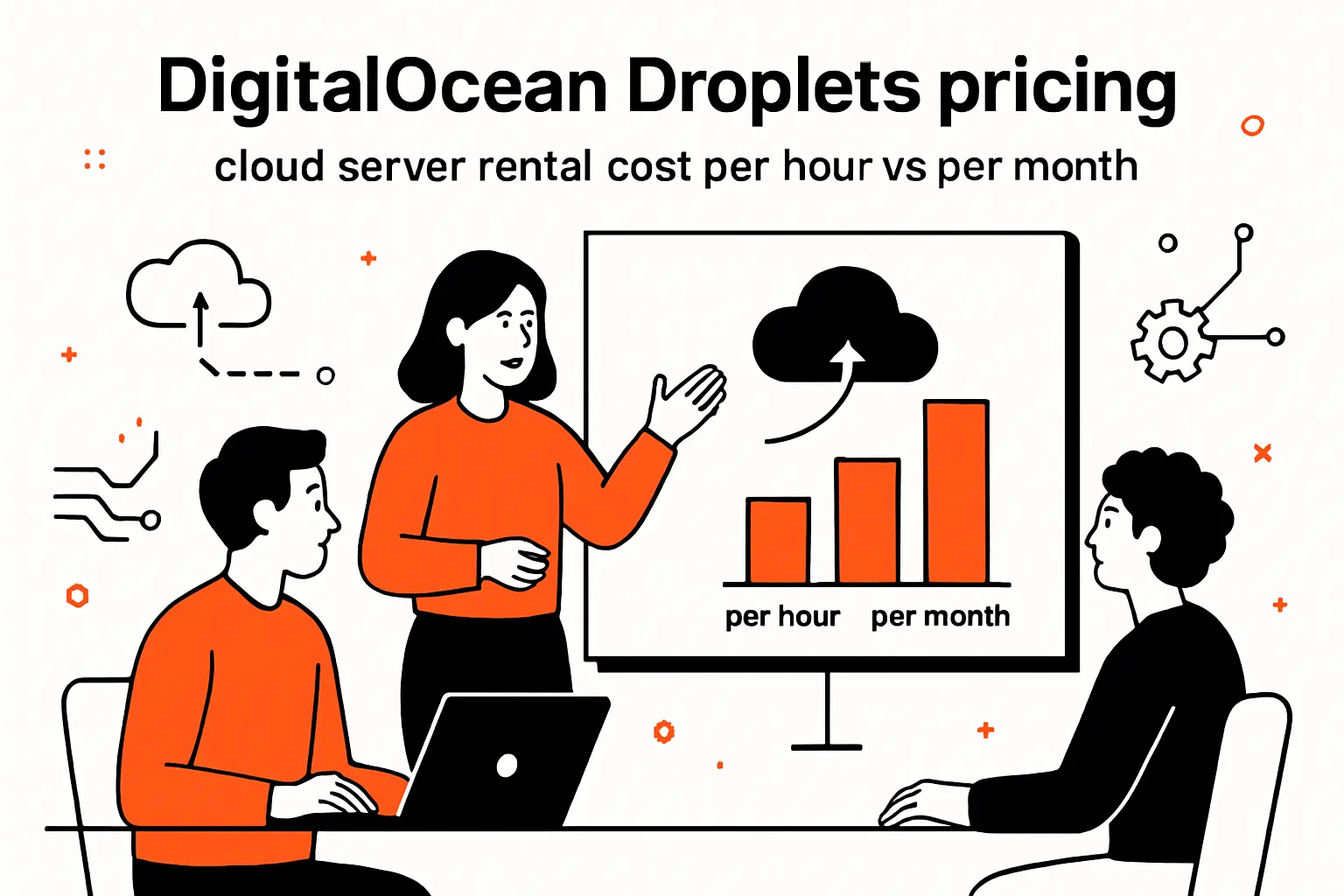
Market overview: Forrester projects $4.9 trillion in 2025 in global tech spend, which keeps “developer cloud” pricing highly competitive. DigitalOcean’s Droplets stand out for readable pricing tables. The tables also show how transfer is bundled by default. That bundling can simplify early-stage budgeting.
When we evaluate Droplets, we look at two costs. We look at the unit cost. We also look at the “habit cost” of the platform. Predictable billing influences engineering behavior in important ways.
1. Basic Droplets: entry-level VM pricing for bursty workloads
Basic Droplets are built for bursty CPU needs. They work well for small websites and sidecar utilities. They also fit CI runners with spiky demand.
DigitalOcean’s pricing table makes the entry point obvious. One plan lists 512 MiB, 1 vCPU, 500 GiB, 10 GiB, $0.00595, and $4.00 on a single row. That row is a budget-friendly baseline for simple services.
In practice, “bursty” is the keyword. Sustained compute can hit limits. That can appear as jittery response times. When jitter appears, teams often scale prematurely.
From our tuning work, the fix is often application-level. Add caching. Reduce blocking I/O. Use async work queues. Those changes reduce CPU pressure and reduce cost.
We also encourage teams to model backup costs early. Backups are rarely huge per server. They still scale with fleet size. Small leaks become large leaks.
2. CPU-Optimized Droplets: dedicated vCPU performance profiles and pricing tiers
CPU-Optimized Droplets are designed for dedicated CPU needs. They fit compute-heavy APIs and build pipelines. They also fit video and data processing jobs.
We like CPU-optimized plans when latency must be consistent. Dedicated CPU reduces variability. Reduced variability improves tail latency. Tail latency is what users remember.
In the real world, these Droplets often reduce node count. Fewer nodes means simpler operations. Simpler operations is a cost reduction too. It reduces the human tax of scaling.
When we benchmark, we test with realistic concurrency. Single-thread scores are not enough. Real apps have locks, caches, and garbage collectors. Those factors shape effective throughput.
Finally, we price CPU-optimized plans against developer time. If performance work takes weeks, a bigger VM can be cheaper. Sometimes buying headroom is the right move.
3. General Purpose Droplets: balanced memory-to-CPU ratios and premium variants
General Purpose Droplets aim for balance with dedicated CPU. They suit app servers and mid-sized databases. They also suit multi-tenant SaaS control planes.
In our builds, this category often becomes the “default.” Default is good when it is deliberate. Deliberate defaults reduce decision fatigue. They also reduce configuration drift.
The hidden variable is memory pressure. Balanced plans still fail if memory is underprovisioned. Memory exhaustion can cascade into retries. Retries inflate CPU and egress together.
We recommend load testing with production-like data volumes. Tiny datasets lie. They understate index size and cache churn. Those are the first drivers of memory surprises.
If you need premium CPU variants, treat them as a product decision. Premium compute should have a measurable outcome. Otherwise, it becomes a vanity spend line.
4. Storage-Optimized Droplets: NVMe-focused plans for I/O-heavy applications
Storage-Optimized Droplets are for I/O-heavy systems. Search engines and observability stacks are common fits. High-write pipelines are another fit.
Our core question is always the same. Are you bound by IOPS, throughput, or latency? Each one implies different tuning. Each one also implies different data models.
For storage-heavy workloads, data lifecycle is a cost lever. Retention policies reduce storage footprint. Compaction policies reduce write amplification. Both save money and improve performance.
We also recommend isolating “hot” and “cold” data. Hot data needs fast disks. Cold data can live in cheaper storage tiers. That split reduces overall infrastructure spend.
In many architectures, object storage becomes the cold tier. That move also reduces backup windows. Smaller backups are operational relief. They also reduce vendor lock pressure.
5. How to read Droplet pricing tables: memory, vCPU, transfer, SSD, and rates
Pricing tables are a compact contract. Each column hides an operational assumption. Memory and vCPU define compute shape. Transfer defines your “default egress budget.”
We read tables left to right. First, confirm CPU sharing or dedication. Next, confirm disk type. Then, confirm transfer allowance and overage rules. The overage rules define worst-case risk.
DigitalOcean also documents billing behavior precisely. The docs note Droplets are billed hourly today. The same page states per-second billing starts 1 January 2026 with a minimum charge policy for short runs. That change matters for ephemeral workloads and CI jobs.
In our opinion, the best table is the one you can copy into a spreadsheet. The second best is the one with an API. When pricing is machine-readable, governance becomes possible. That is a quiet superpower.
After tables, always check add-ons. Backups, snapshots, and extra IPs often sit outside the core table. Those extras can dominate at scale. Planning must include them early.
DigitalOcean platform services that reshape total cloud server rental cost
Market overview: McKinsey estimates $3 trillion in EBITDA value is at stake by the end of the decade for companies that go beyond cloud adoption. Platform services are one way teams try to capture that value. They can cut operational toil. They can also change cost shape from variable infrastructure to predictable products.
At Techtide Solutions, we see platform services as a trade. You pay for convenience. In return, you reduce undifferentiated operations. The key is knowing when the trade is worth it.
1. App Platform modular container pricing: free tier and fixed shared instances
App Platform is attractive because it removes server management. Deployments become a product flow. Certificates, routing, and runtime patching become “handled.” That reduces toil quickly.
The pricing page is unusually readable. The page lists a Free Tier at $0/month for static sites, which is useful for prototypes and marketing pages. That tier is not a full backend platform. Still, it reduces hosting friction for simple needs.
For container workloads, modular pricing changes scaling math. Instead of “one VM,” you buy “one service component.” That model aligns with microservices. It also aligns with team ownership boundaries.
In practice, App Platform can reduce hidden costs. You spend less time on patching and base images. You spend less time on reverse proxies. That time becomes roadmap capacity.
We caution teams about one thing. Platform services can hide performance constraints. Always test concurrency and cold starts. Those factors decide user experience under load.
2. App Platform add-ons: dedicated egress IPs, outbound transfer overages, and development databases
Add-ons can reshape total cost faster than base compute. Dedicated egress IPs matter for allowlists and compliance. They also matter for B2B integrations. Many partners still require IP allowlisting.
DigitalOcean prices this explicitly. The add-ons table lists $25.00/mo per app for a dedicated egress IP, which turns a “nice-to-have” into a budgeted feature. That clarity is helpful for product planning and sales promises.
Outbound transfer overages are another lever. Apps with large payloads can surprise teams. Large payloads are common in exports and media. They are also common in AI outputs.
Development databases are a third lever. They reduce setup time. They also reduce operational variance between environments. That variance reduction can improve release reliability.
Our rule is to tie each add-on to a customer requirement. If the requirement is vague, defer the add-on. Convenience is valuable, but only when it supports a real contract.
3. Spaces Object Storage: flat monthly baseline, included storage and transfer, and overage rates
Spaces is DigitalOcean’s object storage product. For many teams, it becomes the “blob tier” behind the app. It also becomes the artifact store for builds and exports.
DigitalOcean documents the base subscription clearly. The Spaces pricing page states $5.00 per month is the base rate for a subscription. That flat baseline is useful for predictable budgeting. It also makes procurement simpler for small teams.
Included storage and transfer are part of the value proposition. We like that because it limits bill shock. Still, object storage costs can creep via retention. Logs and exports accumulate quietly.
For governance, we recommend lifecycle rules. Expire temporary files automatically. Version only what matters. Archive cold artifacts elsewhere if needed.
Object storage also changes application architecture. It enables stateless app servers. Stateless servers scale cleanly. Clean scaling reduces cost variance and incident risk.
4. Data transfer rules: free ingress, VPC transfer considerations, and egress overage pricing
Transfer rules are easy to misunderstand. Ingress is often free, but egress can be metered. VPC transfer may be free inside a region. Cross-data-center traffic may not be.
In our designs, we treat transfer like a topology problem. Put chatty services close together. Avoid cross-region calls for hot paths. Cache aggressively at the edge when possible.
Spaces also has nuanced transfer rules. The docs state inbound bandwidth does not count against allowance. They also describe cases where outbound from Spaces to Droplets is free within certain regions. Those rules can materially change design choices for media-heavy apps.
A common mistake is forgetting internal retries. Retries are “invisible traffic.” They amplify egress when calls fail. Good timeouts and idempotency reduce both failures and cost.
We recommend adding transfer budgets to SLOs. Track egress per feature area. When egress spikes, treat it like a performance regression. That mindset keeps costs under control.
5. Using the DigitalOcean pricing calculator to build and compare estimates
Pricing calculators are underrated tools. They force you to name assumptions. They also expose line items that tables hide. For buyers, that clarity is power.
DigitalOcean provides an interactive calculator at Price estimate calculator for building a full stack estimate. We use it to model “happy path” and “worst case.” Both matter. Worst case is what breaks budgets.
In Techtide Solutions engagements, we often build three scenarios. First, a minimal launch stack. Second, a realistic growth stack. Third, an incident stack with scaling and overages.
The calculator also helps compare products within the same vendor. App Platform can replace Droplets in some cases. Managed databases can replace self-hosted ones. Those substitutions shift costs from labor to vendor pricing.
Our closing advice is to save calculator snapshots. Treat them as living documents. Revisit them after each major feature launch. Costs evolve with product behavior.
Fixed-plan managed cloud hosting vs metered enterprise models: Hostinger and Azure examples

Market overview: Statista notes the global cloud infrastructure market is on track to surpass $400 billion in revenue this year based on industry estimates. That growth creates two dominant pricing philosophies. One philosophy sells flat plans with included resources. The other sells metered infrastructure with deep enterprise controls.
We like both models, but for different buyers. Flat plans optimize for simplicity. Metered enterprise models optimize for flexibility and governance. The right fit depends on operational maturity and risk tolerance.
1. Hostinger managed cloud plans: tier pricing and included resource allocations
Hostinger’s managed cloud approach is designed for website-centric workloads. It bundles resources and management features. That makes it appealing for small teams. It also helps agencies that want fewer moving parts.
The pricing page shows introductory pricing clearly. It lists Cloud Startup at US$ 7.99 /mo on a longer commitment, with a renewal model that differs later. That kind of “deal pricing” is common in hosting. Buyers should budget for the steady-state outcome.
We view managed plans as an operations outsourcing decision. Patch management, basic security, and platform tooling are part of the package. That reduces internal labor requirements.
Still, the constraints matter. You cannot always tune the OS freely. You may not control network topology. Those limits are fine for many sites. They are risky for unusual workloads.
Our recommendation is to map workloads honestly. If you need custom daemons, choose IaaS. If you need predictable hosting for web apps, managed plans can win.
2. Hostinger inclusions and billing notes: domain, SSL, email, support, taxes, and renewals
Inclusions are where managed hosting becomes attractive. Domain and SSL bundling reduce setup friction. Email bundling can reduce vendor sprawl. Support bundling can reduce incident anxiety.
Hostinger also markets availability in plain terms. The page states a 99.9% uptime guarantee as part of its pitch. That claim is meaningful only when you understand your own dependency tree. Third-party outages can still take you down.
Billing notes matter too. Many hosts charge upfront for longer plans. That affects cash flow. Taxes can also vary by jurisdiction. Renewals can move the price shape from “promo” to “baseline.”
In our consulting work, we ask teams to separate cash flow from unit cost. Upfront payment can be fine. It should still match runway and revenue timing. Finance teams deserve that clarity.
We also suggest checking support channels. Some providers gate response times behind tiers. If you lack internal ops, support access is part of the real product. Budget it accordingly.
3. Azure Cloud Services pricing structure: instance categories, 730-hour monthly estimates, and reserved options
Azure’s pricing posture is enterprise-oriented. It provides deep service catalogs. It also provides region breadth and compliance features. That power comes with complexity.
Microsoft’s own guidance emphasizes modeling with the calculator. The Azure pricing calculator is available at Estimate better. Build smarter. Decide faster for scenario-based forecasting. In our view, calculators are essential in metered clouds. Without them, planning becomes guesswork.
Azure also markets reservations for cost control. The reservations page highlights savings of up to 72% versus pay-as-you-go for certain resources. Reserved capacity can stabilize budgets for steady workloads. It can also punish teams that change architectures frequently.
Cloud Services (extended support) has lifecycle realities too. Microsoft states it was deprecated as of March 31, 2025 with retirement planned for March 31, 2027 under current guidance. That timeline forces buyers to plan migrations early.
Our takeaway is direct. Azure is powerful when governance is mature. If governance is immature, complexity becomes an expensive teacher. Start with a narrow scope, then expand deliberately.
TechTide Solutions: custom builds that align cloud infrastructure with customer needs

Market overview: the same research trendlines show cloud growth continuing, driven by AI-era workloads and modernization pressure across industries. That pressure raises expectations on engineering teams. Buyers now want cost predictability and speed together. In Techtide Solutions’ work, meeting both goals requires design discipline, not “discount hunting.”
We treat infrastructure as a product surface. It deserves requirements, architecture, and testing. When teams skip those steps, cost and reliability both suffer. When teams do the steps, the bill becomes manageable.
1. Requirements discovery and workload profiling to match resources to demand
Discovery is where cost control starts. We begin by naming workload shapes. Is it bursty or steady, read-heavy or write-heavy? Is it latency-sensitive or throughput-driven?
Next, we profile “expensive paths.” Auth flows, file uploads, exports, and background jobs often dominate. Those paths also dominate egress and storage. Profiling them early prevents bad surprises later.
We also ask about operational constraints. Who is on-call? What is the outage tolerance? What compliance frameworks matter? Those answers decide whether managed services are worth it.
In our view, capacity planning is not about perfect prediction. It is about bounding outcomes. A bounded outcome is budgetable. A budgetable outcome gets approved.
Finally, we document assumptions in plain language. Assumptions are the hidden dependencies of every estimate. When assumptions change, costs change. That traceability prevents blame games later.
2. Architecture and implementation: custom applications, integrations, and deployment automation
Architecture choices decide which meters you pay. Monoliths often pay in vertical scaling. Microservices often pay in network chatter. Event-driven systems often pay in logs and retries. None are free.
We implement with cost-aware patterns. Stateless services scale cleanly. Async queues prevent request timeouts. Caching reduces repeated egress and CPU. Those patterns also improve reliability.
Integrations deserve special attention. Vendor APIs can be slow. Slow APIs cause retries. Retries cause traffic and compute growth. That chain reaction is a common hidden cost source.
Deployment automation is another lever. Immutable deployments reduce drift. Drift causes incidents. Incidents cause unplanned scaling. Unplanned scaling causes bill spikes.
Our standard is reproducible environments. Reproducibility makes costs diagnosable. Diagnosable costs become controllable costs. That is the operational loop we want.
3. Cost optimization and scaling: monitoring, right-sizing, and performance tuning
Optimization is not a one-time event. It is an operating practice. We treat it like security. You do not “finish” it. You keep doing it.
Monitoring is the first requirement. Without metrics, cost work becomes superstition. We track CPU saturation, memory pressure, and request latency. We also track egress and storage growth.
Right-sizing is usually the fastest win. Teams often overbuy “just in case.” That is emotionally rational. It is financially expensive. Telemetry can replace fear with data.
Performance tuning is the second win. Faster code runs fewer CPU cycles. Smaller payloads move fewer bytes. Better queries touch fewer pages. Optimization improves both cost and user experience.
Scaling policy is the final win. Autoscaling without guardrails can create runaway bills. Guardrails keep growth intentional. Intentional growth is what businesses can fund confidently.
Conclusion: how to estimate and control cloud server rental cost before you commit

Market overview: analysts consistently describe cloud as a durable growth engine, with spending tied to modernization and AI-driven demand. That momentum does not remove buyer responsibility. It increases it. Better forecasting and better architecture are now competitive advantages.
Before you choose a provider, choose a pricing philosophy. Decide how much variability you can tolerate. Then pick services that match your operating model. That alignment is what keeps bills calm.
1. Create a cost checklist: compute, storage, bandwidth, region, and support
A checklist prevents “unknown unknowns.” It also makes vendors comparable. Start with compute shape. Then list storage type and backup policy. After that, model data transfer paths.
Region selection should be explicit. Put latency requirements in writing. Put compliance requirements in writing too. Those constraints narrow choices quickly and fairly.
Support should be treated as part of the product. Decide who will handle incidents. If that is your team, invest in tooling. If that is the vendor, price support like insurance.
We also add one more checklist item. Identify your most expensive feature. Every product has one. That feature deserves careful architecture and cost guardrails.
Once the checklist is done, budgeting becomes easier. Procurement becomes faster. Engineering becomes calmer. Calm engineering teams build better systems.
2. Compare pricing models side by side: hourly IaaS, managed plans, and platform services
Hourly IaaS is flexible and composable. It also requires operational maturity. Managed plans trade flexibility for convenience. Platform services trade control for speed.
In our opinion, the biggest mistake is mixing models accidentally. Teams adopt platform services ad hoc. Then they keep legacy VMs too. The result is paying twice for overlapping capabilities.
We recommend choosing a “default layer.” Either default to VMs, or default to managed platforms. Then allow exceptions with a written reason. That discipline prevents sprawl.
Also compare exit costs. Managed platforms can create dependencies. VMs create fewer dependencies but more labor. Neither is wrong. You just need to know what you are buying.
If you want, we can help you build a side-by-side estimate for your stack. Bring a workload description, and we will help you translate it into line items.
3. Validate assumptions with calculators and revisit estimates as workloads evolve
Every estimate is a hypothesis. Calculators make the hypothesis explicit. After launch, telemetry tests the hypothesis. Then you update the estimate. That loop is how mature teams operate.
Revisiting estimates should be routine. Tie it to product milestones. New features change storage and egress. New customers change concurrency and caches. Those shifts are normal.
We also encourage postmortems for cost spikes. Treat them like reliability incidents. Ask what changed. Identify the root cause. Decide on guardrails and monitoring.
Cloud cost control is not about being cheap. It is about being intentional. Intentional systems are predictable. Predictable systems are fundable.
What would happen if you modeled your next feature’s bandwidth and storage before you built it?




