


At TechTide Solutions, we treat a 403 as more than a “red error page.” It’s a boundary marker—sometimes intentional, sometimes accidental—that tells us where authorization, infrastructure, and operational hygiene intersect. In production, those intersections are where businesses bleed time: customer support tickets, broken checkout flows, partner integrations that quietly stop syncing, and on-call fatigue that compounds week after week.
Budget gravity is part of the story. Security and access governance are no longer optional plumbing; Gartner projected worldwide end-user spending on information security to reach $213 billion in 2025 as organizations respond to modern risk and dependency chains, and that investment only pays off when access failures are diagnosable instead of mysterious.
Throughout this guide, we’ll explain what 403 really signals, how it differs from neighboring status codes, and how to fix it as a visitor, as a site owner, and as an API developer. Along the way, we’ll lean on real operational patterns we see: misapplied IAM roles after cloud migrations, CDN edge rules that “helpfully” block an entire region, and APIs that return 403 for rate limits because their designers optimized for client behavior rather than strict HTTP orthodoxy.
What the 403 forbidden HTTP status code means
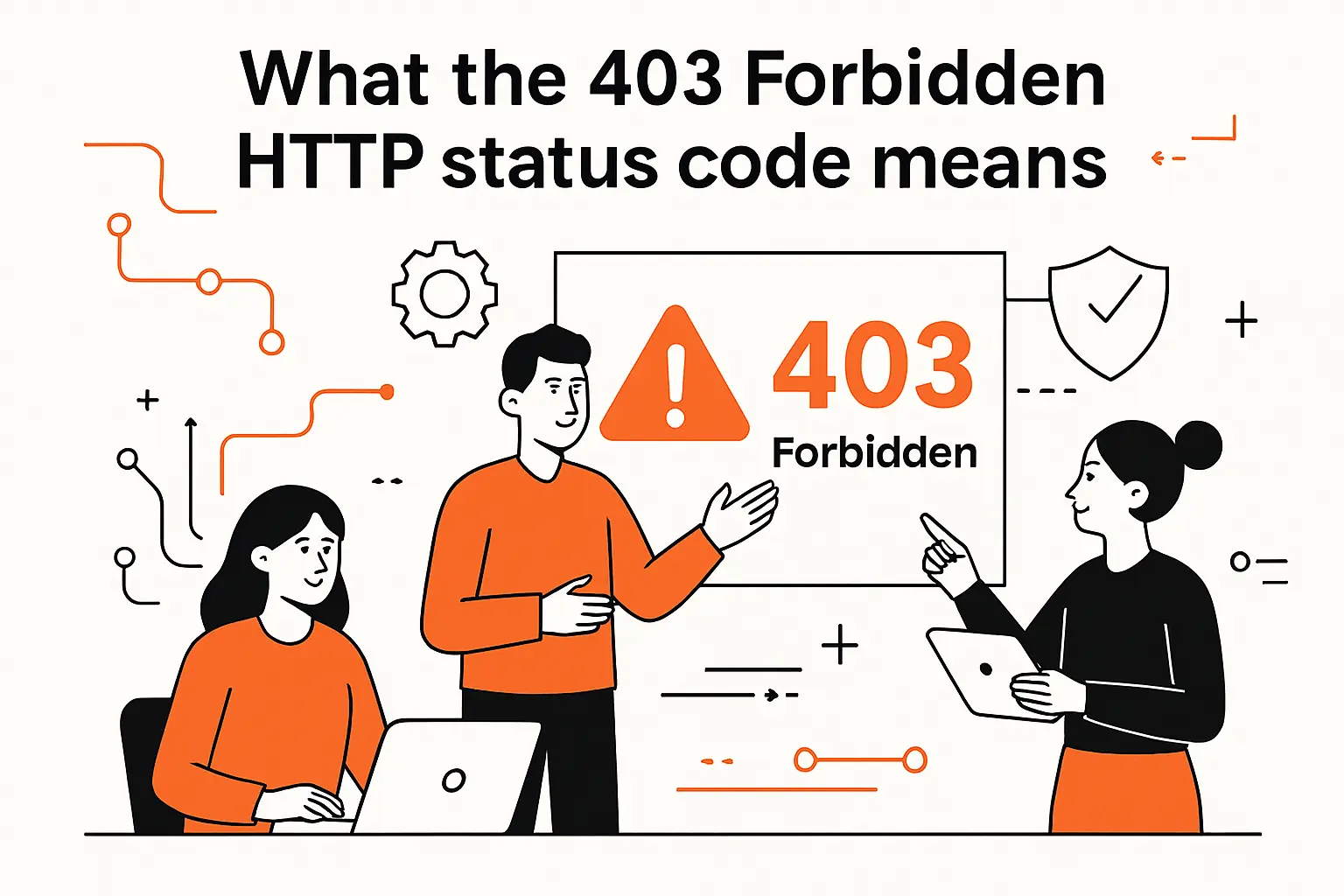
A healthy way to read a 403 is: “the server decided it knows enough to say no.” That’s different from “I can’t find it” or “I need you to authenticate.” In our incident reviews, the fastest recoveries happen when teams treat 403 as a clue about decision-making layers—web server, reverse proxy, WAF, app code, identity provider—rather than as a single monolithic error.
1. Server understood the request but refused to process it
The core definition is deliberately blunt: the HTTP semantics specification defines 403 as understood the request but refuses to fulfill it, which means parsing, routing, and method handling already happened, and refusal is a policy choice. In practical terms, that policy might live in Nginx, Apache, IIS, a CDN edge firewall, an app authorization middleware, or even an upstream service mesh authorization policy, and each layer leaves different fingerprints.
2. Why insufficient permissions and application logic commonly trigger 403 forbidden
Permission failures are the “honest” 403: the caller is real, the resource is real, and the system denies access. Yet application logic triggers are just as common: a paywalled route that blocks non-subscribers, a feature flag that disables an endpoint for certain tenants, or a business rule that forbids exporting data without an internal approval state. From our standpoint, the lesson is consistent: 403 is authorization, not authentication, and business authorization is still authorization—just dressed in product language.
3. Why repeating the same request usually fails again without changes
Because 403 is a policy decision, repeating the same request tends to reproduce the same policy result. Changing nothing—same identity, same IP, same headers, same path, same method—rarely changes the outcome, and brute retry loops can even worsen the situation if rate limiting or bot detection is involved. In our debugging playbooks, we focus on changing one axis at a time: identity claims, network origin, HTTP method, resource path, or authorization scopes, and then comparing responses and logs for decision points.
Recommended reading: 415 Status Code: How to Fix HTTP 415 Unsupported Media Type Errors
403 forbidden vs 401 Unauthorized vs 404 Not Found
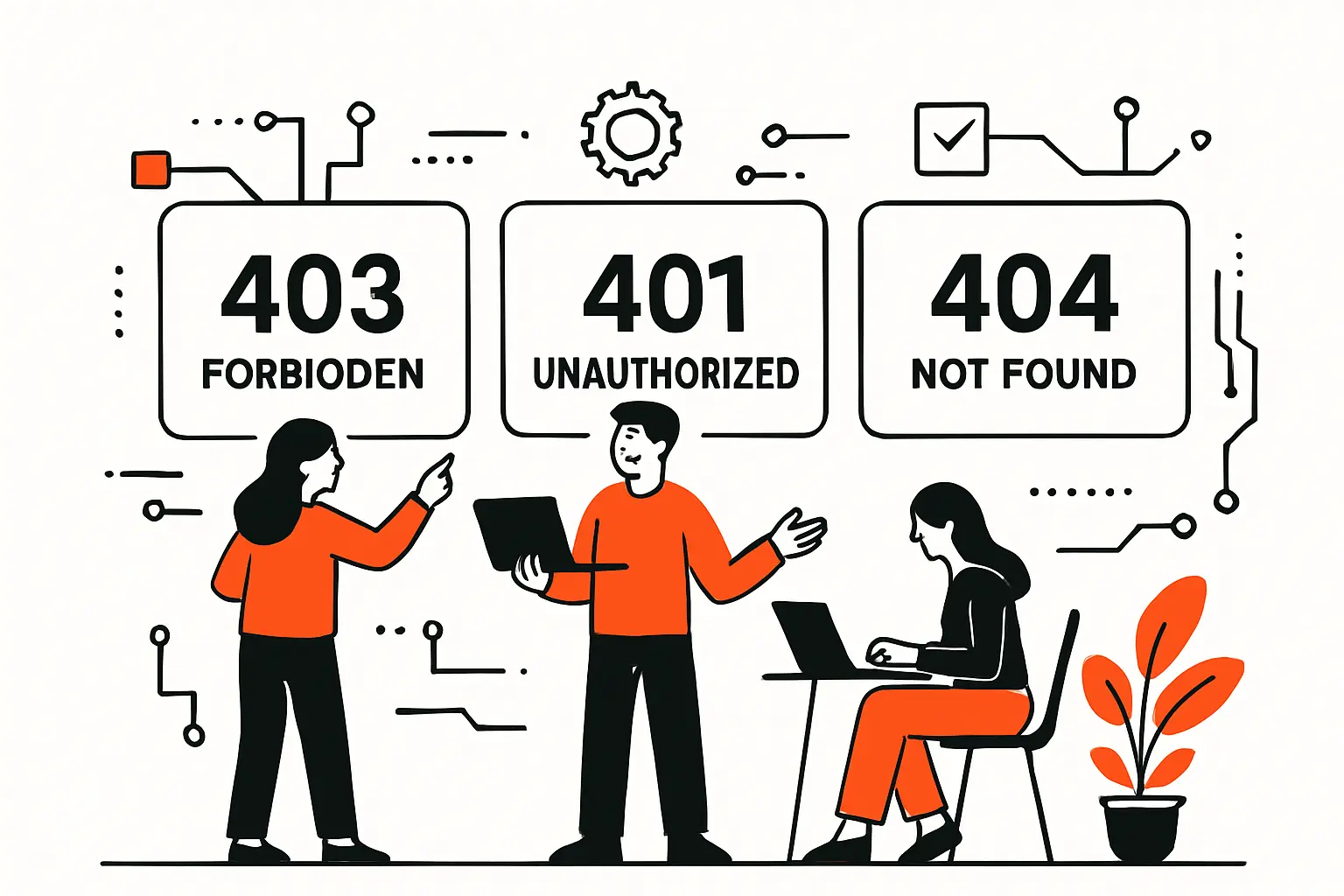
Status codes are not just for browsers; they are coordination signals for SDKs, CDNs, monitoring, and human operators. Misclassifying an auth problem as “not found” can hide security intent, while misclassifying a permissions problem as “unauthorized” can send clients into pointless login prompts.
1. 403 forbidden vs 401: why logging in again may not change the outcome
Operationally, 401 usually means “present credentials,” while 403 typically means “credentials won’t help.” Even when a user is logged in, they can still be blocked by tenant boundaries, missing entitlements, or disallowed actions like attempting to delete a protected record. In our client work, this is where product and engineering align: a good 403 message is a UX asset (“contact your admin,” “request access,” “upgrade plan”), while a vague 401 often sends users into a dead-end loop of re-authentication.
2. 403 forbidden vs 404: when servers may hide a resource’s existence
Some systems intentionally respond with 404 for forbidden resources to reduce information leakage (“security by ambiguity,” though we prefer stronger controls). That pattern appears in admin panels, private object storage keys, and internal APIs not meant for public discovery. When this is done intentionally, internal logs should still capture the real reason, because the outside signal is intentionally misleading; otherwise, triage becomes guesswork and teams start “fixing” the wrong layer.
3. Practical diagnostic clues from what the server is signaling
In the wild, the strongest clues come from headers and response bodies. A 401 often includes a challenge header (or an SDK-friendly auth error payload), while a 403 is frequently paired with “AccessDenied,” “insufficient_scope,” “WAF blocked,” or a CDN-specific reference ID. From our perspective, the first diagnostic question is simple: which component authored the response—origin app, web server, CDN edge, or an upstream API gateway—and the second question follows immediately: what policy did that component enforce?
Recommended reading: 402 Status Code Guide: Payment Required Meaning, Use Cases, and X402 Payments
Common 403 error variants you may encounter
One reason 403 frustrates teams is that the same top-level status code can represent multiple sub-problems, especially on platforms that add substatus codes or vendor-specific reason fields. We prefer to treat “403 variants” as a taxonomy of enforcement points: transport enforcement, network enforcement, method enforcement, identity enforcement, and client fingerprint enforcement.
1. 403 SSL Required
This variant shows up when a server demands HTTPS and refuses plain HTTP rather than redirecting. On IIS, a classic example is the error string HTTP 403.4 – Forbidden: SSL required, which is a configuration-level decision made before most application code runs. In business systems, that distinction matters: the fix may be a redirect rule at the edge, not an application patch, and rollout can be instantaneous when handled in the right layer.
2. 403 IP Blocked
IP blocking is the blunt instrument of access control: effective, fast, and occasionally catastrophic when misapplied. IIS surfaces this explicitly as HTTP 403.6 – Forbidden: IP address rejected, but similar patterns exist in CDNs, WAFs, and API gateways. In our experience, IP blocks are often accidental collateral damage from bot mitigation rules, corporate egress IP changes, or a geo-fence that’s too broad for a remote workforce.
3. 403 HTTP Method Not Allowed
Strictly speaking, “method not allowed” has its own status code, yet some systems respond with 403 when a method is disallowed for security or policy reasons rather than capability reasons. An API gateway might block PUT/DELETE for a public client profile, or a WAF might block uncommon methods to reduce attack surface. When we see this, we ask whether the denial is functional (the resource truly doesn’t support it) or defensive (the system supports it but refuses to expose it to that caller context).
4. 403 Invalid Credentials
Some platforms classify “bad or expired token” as 403 rather than 401, especially when the server wants to avoid leaking whether a credential is valid but insufficient versus outright invalid. In payment and platform APIs, this can be a deliberate compatibility choice. The practical consequence for engineering teams is that client behavior should not blindly assume “403 means stop forever”; instead, error bodies, reason fields, and correlation IDs should guide whether re-authentication or scope changes are appropriate.
5. 403 User Agent Denied
User-Agent-based denial is common in legacy bot mitigation, content licensing, and “block scrapers” rules. Apache even documents this style of control by demonstrating access control rules based on user-agent strings, while warning that the header is trivially spoofed and therefore weak as a security mechanism. When we see UA-denied in production, we usually treat it as a symptom of deeper requirements (rate limiting, bot scoring, signed requests) that deserve a more robust strategy.
Recommended reading: 500 Internal Server Error: What It Means, Common Causes, and How to Fix It
What causes a 403 forbidden response
The fastest 403 fixes come from categorization. Instead of reading every possible cause as equally likely, we group causes into a handful of buckets: filesystem authorization, network authorization, application authorization, identity authorization, and “middlebox” authorization (CDN/WAF/proxy). From there, each bucket has predictable tests and predictable logs.
1. Incorrect file or folder permissions
On traditional servers, a 403 can be as literal as “the worker process cannot read this file.” This happens after migrations, after restoring from backups with wrong mode bits, or when a deploy script writes files as a different user than the runtime process. In our own audits, the most telling pattern is inconsistency: one directory works, a sibling directory fails, and the access log shows a clean request path with no application error—because the app never got the chance to run.
2. IP address blocking and geo-restrictions
Geo blocks are often introduced for compliance or fraud reduction, then forgotten until a legitimate customer travels or a partner integration runs from a new region. VPN usage complicates the story: a user thinks they’re “closer” to the service, but they’ve actually moved into an IP range with a bad reputation score. In production, the most painful aspect is false certainty: teams may assume “the app is down” when only a subset of geography is affected.
3. Access control lists and firewall rules that deny the request
ACL-driven 403s happen in more places than people expect: reverse proxies, API gateways, service meshes, and storage services. A rule might deny a path prefix, require a header, or block an ASN category. When teams centralize policy in “one firewall,” 403 becomes easier to reason about; when policy is fragmented, 403 becomes a scavenger hunt across dashboards.
4. Misconfigured or missing .htaccess rules that block access
Apache’s per-directory configuration can deny access even when the application is correct. A single “deny all” rule copied from a hardening guide can accidentally cover public assets, or a rewrite rule can force a forbidden response. Apache explicitly notes that The [F] RewriteRule flag causes a 403 Forbidden response, which is powerful when intentional and brutal when inherited unknowingly from an old template, and the cleanest fix is often to simplify rules rather than “tweak until it works.”
5. Missing index page or wrong default document
A directory request does not always mean “list this directory,” yet servers often treat it that way if no default document is present. When directory listings are disabled (as they often should be), the result is a 403 instead of a helpful page. In our deployments, we treat missing default documents as a build-time failure: if the site has a root route, the artifact should contain the expected entry point, and the server should be explicitly configured to serve it.
6. Authentication required but not authorized for the resource
This is the classic “logged in but still blocked” story. A user might authenticate successfully but lack the role, group membership, subscription entitlement, or tenant association required to perform an action. In API terms, the token is valid but does not carry the necessary permission claims. From a business lens, this is where access request workflows and admin self-service pay for themselves: the fastest 403 resolution is often not engineering; it’s governance.
7. Browser cache, session cookies, or cached links pointing to invalid sessions
Client-side state can create “phantom” authorization contexts. An old session cookie might point to a server-side session that was revoked, migrated, or expired, and the application may treat that mismatch as a forbidden state rather than an unauthenticated one. In troubleshooting, we like to compare an incognito request against a normal request, because it isolates the server’s policy from the browser’s stored assumptions without requiring any infrastructure changes.
8. Plugin or extension conflicts that override access rules
CMS ecosystems can introduce 403s through security plugins, caching plugins, or “membership gate” plugins that modify routing and headers. WordPress is a frequent example, but the pattern is broader: any extension that runs “before” your app logic can deny requests unexpectedly. In our work, we prefer extensions that are transparent about their decisioning (logs, headers, rule IDs) over extensions that simply flip a request into a generic 403 with no breadcrumbs.
9. Malware and security controls restricting access to protect the site
Sometimes 403 is the canary: a host-based security agent detects suspicious file changes and begins blocking access, or a hosting provider quarantines content. Other times, the malware itself creates 403s by injecting rules that block admin access, lock out cleanup tools, or prevent security scans from loading. From our standpoint, a sudden spike of 403s paired with unexpected rewrite rules is an incident until proven otherwise.
10. Hotlink protection blocking external sites from loading protected files
Hotlink protection is essentially referrer- or signature-based access control for static assets. It’s common for images, downloadable files, and media where bandwidth cost matters. The failure mode is predictable: assets load on your own site but fail in emails, partner portals, or third-party embeds, because the request context no longer matches the expected origin. When we implement hotlink protection, we always document allowed referrers and provide a signed-URL alternative for legitimate off-site usage.
11. Incorrect IP routing due to DNS issues, wrong A record, or stale host configuration
Not every 403 comes from your intended server. A stale DNS record can send traffic to an old host where permissions were locked down, or to a placeholder environment that returns forbidden by default. In post-migration checklists, we test from multiple resolvers and networks specifically to catch “some users see the new site, others see the old locked one.” Operationally, the giveaway is inconsistency across geography and ISP rather than consistency across user accounts.
12. API key and token problems, including OAuth scopes that don’t allow the operation
APIs often return 403 when the presented identity is valid but under-scoped. A common pattern is: read operations work, write operations fail, and the client assumes “the API is broken” rather than “the token cannot do that.” Stripe has even documented a deliberate shift where it returns the status code 403 when an API request is made with insufficient permission, which reinforces a principle we share: permission denial is a different class of problem than authentication failure, and clients should log it and route it differently.
13. Misconfigured IAM policies or access roles in cloud environments
Cloud IAM is a prolific 403 generator because it is both expressive and easy to drift. A role might be removed during a refactor, a resource policy might deny a condition key, or a service account might lose permission after a seemingly unrelated hardening change. The fastest clue is usually the error payload: for example, object storage services often include “AccessDenied” and a request ID that maps to an audit trail, and those trails are the difference between “guess and revert” and “pinpoint and fix.”
14. Request quotas and API usage limits returned as 403 in some systems
Quota denials are a special kind of 403 because they are not “forever forbidden”; they are “not right now.” Google’s API documentation explicitly frames this as Resolve a 403 error: Usage limit exceeded, and similar patterns appear across large platforms where client libraries are expected to implement backoff. When we build integrations, we treat quota 403s as capacity signals: they belong in metrics and alerts, not only in application logs.
Recommended reading: 407 Status Code Guide: Proxy Authentication Required Causes, Headers, and Fixes
How to fix 403 forbidden as a site visitor

Visitors have fewer levers than owners, but they can still isolate the problem quickly. The goal is not to “hack around” access controls; it’s to determine whether the issue is local (browser/network) or remote (server policy), and then communicate the right evidence to the site owner.
1. Confirm the URL is correct and that you’re not requesting a directory listing
Typos, missing trailing slashes, and accidentally requesting a directory path are the simplest causes. A URL copied from an internal tool might include a path that only works for authenticated sessions, or it might point at a directory that is intentionally not browsable. In practice, we tell users to try the site root, then navigate through the UI rather than deep-linking, because UI navigation often carries the right parameters and routes through intended entry points.
2. Clear browser cache and cookies to remove outdated sessions and cached paths
Clearing site data resets stale cookies, cached redirects, and service-worker behavior that can keep you pinned to a broken authorization context. An incognito/private window is a lower-effort approximation that often reproduces the “fresh client” state without destroying your whole browsing session. When the incognito attempt works but the normal window fails, the strongest hypothesis is corrupted or outdated client state rather than a server-wide outage.
3. Disable your VPN or try a different VPN location when IP blocking is suspected
VPNs can trigger 403s when the destination treats certain IP ranges as high risk, or when the site is geo-fenced. Turning the VPN off is the cleanest test, and switching exit locations is the second-best test when a VPN is required for corporate policy. From what we’ve seen, a sudden “403 everywhere” report from remote staff often correlates with a corporate VPN provider rotating exit IPs into a range that the site’s WAF scores poorly.
4. Try a different browser or network connection to isolate local vs server-side causes
A different browser changes cookie jars, extensions, TLS fingerprints, and cached DNS behavior, while a different network changes your apparent IP and sometimes your resolver path. Tethering to a phone hotspot is a surprisingly effective test because it shifts multiple variables at once. When the error follows you across networks and devices, the issue is usually account- or server-policy-related rather than client-specific.
5. Contact the website administrator if you believe you should have access
When access should exist, the most useful message includes the URL, timestamp, your approximate location (or “on VPN”), and any reference ID shown on the error page. Screenshots help, but headers help more when available, especially if the response includes a CDN or WAF ray/request identifier. From our side of the fence, a well-formed visitor report can cut triage time dramatically, because it tells us where to look before we even open a dashboard.
Recommended reading: 503 Service Unavailable Error: What It Means, Why It Happens, and How to Fix It
How to fix 403 forbidden as a site owner, admin, or developer
Owners have the leverage to fix root causes, but they also have more places to break things. Our preferred approach is layered: validate filesystem and web server basics, confirm edge/CDN behavior, then validate application authorization, and only then chase the exotic explanations.
1. Reset file and directory permissions and avoid overly permissive settings
On self-managed servers, correcting permissions is often the quickest win. Files should be readable by the runtime user, directories should be traversable, and write permissions should be limited to what the app truly needs (uploads, caches, logs). In our deployments, we avoid the temptation of “just make it writable” because that can trade a 403 for a breach, and the hardest part of incident response is explaining why a quick fix became a long incident.
2. Validate file ownership and correct it using SSH tooling when needed
Ownership mismatches frequently appear after copying files as root, restoring from a backup, or building artifacts on one system and extracting on another. A web server may have permission in theory, yet still fail because the owning user/group and inherited ACLs do not align. In practice, we standardize ownership conventions in deployment automation so that “who owns what” is deterministic and reviewable rather than tribal knowledge.
3. Review server and application logs to pinpoint the exact blocking rule or file
Logs turn 403 from a mystery into a statement. Web server logs can reveal whether the denial is happening at the static file layer, while application logs can reveal whether middleware is rejecting requests after route matching. We also look for “decision IDs”: WAF rule numbers, policy names, or authorization evaluators that emit structured reasons, because vague “forbidden” logs are almost as unhelpful as no logs at all.
4. Restore, regenerate, or repair the .htaccess file when access rules are corrupted
When .htaccess rules are involved, the best fix is usually simplification. Remove inherited blocks, confirm the minimal required redirects and access constraints, then add hardening back in small increments. In our experience, the most dangerous .htaccess file is the one nobody feels safe touching; once rules become “magic,” teams stop maintaining them, and the next small change can produce a site-wide 403 storm.
5. Verify the default directory index and ensure an index file exists
If your root path is meant to serve an app shell, verify that the expected entry file is present in the deployed artifact and that the server is configured to serve it. Static-site deployments are especially sensitive here: a build step that outputs to the wrong directory can lead to a server receiving a directory request with no index, then refusing to list contents. From an operational view, this is exactly the kind of failure that should be caught in CI before the artifact is promoted.
6. Disable or isolate WordPress plugins to identify conflicts causing access denials
For WordPress and similar platforms, plugin isolation is often the fastest path to truth. Disable security and caching plugins first (carefully, and preferably in staging), then reintroduce them one at a time while watching response codes and headers. In client rescues we’ve performed, “plugin conflict” is rarely just a plugin; it’s a policy decision introduced without observability, and the durable fix is to choose tooling that makes access decisions transparent.
7. Scan for malware and remediate reinfections that reintroduce blocking rules
After malware is removed, reinfection is the silent killer—especially when compromised credentials or vulnerable plugins remain. A recurring 403 caused by reappearing deny rules is a strong indicator that remediation treated symptoms, not the entry point. From our viewpoint, remediation should include patching, credential rotation, integrity monitoring, and a “known good” redeploy, because cleaning files in place can leave you chasing ghosts.
8. Review CDN configuration and cached behavior to ensure the origin rules are honored
CDNs can cache 403s, amplify them, and make them appear intermittent depending on edge location. Cloudflare, for example, describes 403 as a request that cannot be fulfilled due to insufficient permissions, while also distinguishing whether the response is coming from the origin or from Cloudflare itself, and that distinction should drive your next step. In our playbooks, we compare origin-direct responses to edge responses and validate that cache keys and security rules match intent.
9. Check DNS configuration, A records, and nameservers after migrations or provider changes
DNS mistakes can masquerade as authorization failures when users land on the wrong environment. A staging host might default to “deny all,” or an old environment might have a locked-down configuration that still answers requests. During migrations, we validate DNS, TLS, and origin reachability as a single chain, because a correct application behind incorrect DNS is indistinguishable from “the app is broken” to end users.
10. Ensure API requests include the correct authorization headers, tokens, and permissions
API 403s often boil down to missing headers, wrong token audiences, or tokens that are valid but not permitted for the operation. Rather than guessing, we capture one failing request and replay it with a tool like curl or Postman while explicitly controlling headers and environment variables. In our integration work, we also log token metadata (never the secret itself) such as issuer and scopes, because it turns days of trial-and-error into a single deterministic comparison.
11. Rotate or refresh expired tokens and confirm required scopes and IAM roles
Token refresh logic fails in surprisingly mundane ways: clock skew, revoked refresh tokens, rotated signing keys, or a client accidentally using a test credential in production. IAM role issues appear similarly mundane: the role exists, but the resource policy denies it under conditions, or the role’s permissions were narrowed without updating the consuming service. A durable fix is to treat “permission contract” as versioned: when scopes or roles change, client expectations must change in lockstep.
12. Test from a different IP or network to validate whether blocking is location-based
As owners, we replicate visitor tests in a controlled way: run checks from a different network, from a cloud VM, or through an external uptime probe. This helps isolate whether the issue is a WAF rule tied to geography, ASN, or reputation score. In our experience, location-based blocking is easy to introduce and hard to notice internally—especially when engineers test from office IPs that are implicitly allowlisted.
13. Escalate to your hosting provider or server administrator when external blocking applies
Sometimes the block is upstream: a hosting provider’s abuse protection, a managed WAF rule you can’t edit, or a corporate firewall that refuses certain destinations. Escalation is not a last resort; it’s the correct path when you don’t control the enforcement layer. When we escalate, we include request IDs, timestamps, and evidence of scope (which paths fail, which succeed), because provider support can move fast when the report is actionable.
Preventing 403 forbidden errors in production and CI/CD
Prevention is cheaper than triage, but only when prevention is automated. Human memory does not scale across environments, teams, and vendors, and 403 incidents are often the byproduct of “one small permission tweak” that never made it into a repeatable delivery workflow.
1. Set correct file permissions during deployment and avoid permissive chmod 777
Filesystem permissions should be part of your deployment artifact contract, not an afterthought. A consistent approach is to set ownership and permissions as part of provisioning and deploy steps, then validate them with a lightweight check before promoting an environment. From our side, the guiding principle is simple: if a deploy needs a manual permission fix, the deploy is incomplete, and it will regress under the next automated rollout.
2. Automate access policy validation to catch permission regressions before release
Access policies deserve tests the way business logic does. For web apps, that can mean integration tests that assert “anonymous user is forbidden,” “standard user can read,” “admin can write,” and “cross-tenant access is forbidden,” and those tests should run in CI. In API programs, we like contract tests that validate scopes and roles against a staging identity provider, because a policy regression caught pre-release is a non-event rather than an outage.
3. Rotate API keys and tokens regularly and avoid long-lived unmanaged credentials
Stale credentials encourage risky practices: over-broad scopes “just in case,” shared keys across services, and secret sprawl in CI logs or local machines. A rotation policy forces teams to automate secret distribution and to treat identity as ephemeral, which in turn reduces the temptation to hardcode permissions. In our experience, the best rotations are boring: scheduled, rehearsed, and instrumented so failures show up quickly rather than as surprise 403s days later.
4. Use monitoring and alerting to spot 403 spikes and breaking access changes quickly
A sudden rise in 403s is one of the clearest indicators of a breaking policy change, and it is often visible before customer support tickets arrive. We recommend monitoring 403 rates by route group, user segment, and geography, because “403 on /admin” is normal while “403 on /checkout” is existential. In practice, pairing spikes with recent config deploys (WAF changes, IAM policy updates, CDN rule edits) shortens mean time to resolution dramatically.
5. Implement role-based access control and least-privilege access for users and automation
RBAC reduces ambiguity by making authorization intent explicit, and least privilege reduces blast radius when something goes wrong. NIST summarizes least privilege as the need to restrict the access privileges of users (or processes acting on behalf of users) to the minimum necessary to accomplish assigned tasks, and we treat that as operational guidance, not paperwork. In practical engineering terms, fewer “god roles” means fewer accidental denials when you finally attempt to tighten policy.
6. Continuously review IAM policies to prevent drift and over-permissive roles
IAM drift is inevitable when teams move quickly, especially across multiple cloud accounts and environments. Periodic review—ideally supported by policy-as-code tooling—helps ensure that permissions reflect current architecture, not last quarter’s emergency patch. From our experience, reviews are most effective when tied to real usage: audit logs show what actions are actually performed, and policies can be tightened (or corrected) based on observed behavior rather than fear-driven overreach.
7. Harden CI/CD access by validating secrets, scopes, and permissions as pipeline gates
CI/CD pipelines are frequent sources of 403s because they execute actions that humans rarely perform manually: publish artifacts, invalidate CDNs, apply infrastructure changes, and call privileged APIs. Adding pipeline gates—validate token scopes, verify cloud roles, confirm target environment—prevents “surprise forbidden” failures mid-release. In our builds, we also separate duties: a deploy pipeline should not silently gain broad admin privileges, because that reduces security and increases the likelihood of accidental policy collisions.
TechTide Solutions: Custom software development to reduce 403 forbidden issues
We build systems where access control is a first-class feature: testable, observable, and aligned with business rules. Our stance is opinionated: if authorization is not measurable and explainable, it will eventually become a source of outages, customer churn, and internal friction between product, security, and engineering.
1. Custom web application development with authorization rules tailored to customer needs
In many organizations, authorization begins as a handful of “if admin then allow” checks and grows into a web of exceptions. Our approach is to model authorization as policy: roles, entitlements, tenant boundaries, and resource ownership, expressed in one place and enforced consistently. When that policy denies access, we aim for a response that is safe but helpful—clear error codes, structured reasons for internal logs, and user-facing guidance that reflects the business workflow rather than generic blame.
2. DevOps-friendly implementations for permissions, secrets, and CI/CD access checks
DevOps maturity shows up in how repeatable permissions are. We help teams codify permissions alongside infrastructure—so environments are reproducible—and we integrate access checks into CI so drift is caught early. In practice, that might include policy-as-code reviews, automated permission tests for service accounts, and secret rotation workflows that don’t depend on a single engineer’s laptop. The end goal is predictable delivery: fewer deploy-night 403 surprises and fewer “works on staging” permission mismatches.
3. Security-minded architecture and observability to diagnose and prevent recurring 403 forbidden errors
Observability is the difference between “403 happened” and “this specific policy denied this specific request for this specific reason.” We implement structured logging around authorization decisions, correlation IDs across edge and origin, and dashboards that segment 403s by route and actor type. From our viewpoint, recurring 403s are rarely “random”; they are the system telling you where policy is unclear, where clients are misbehaving, or where infrastructure layers disagree about who should be allowed to do what.
Conclusion

A 403 is an access story, not merely an error. When teams learn to read it as a policy decision with a traceable author, they stop guessing, start measuring, and resolve incidents with far less drama.
1. Use a role-based troubleshooting approach: visitor, site owner, and API developer paths
Different actors have different levers, so a single “403 fix” checklist is inherently incomplete. Visitors should focus on isolating client state and network origin, while site owners should validate server and edge policy, and API developers should validate identity, scopes, and quotas. In our experience, triage accelerates when teams explicitly state which role they’re operating in before they start changing things.
2. Fix systematically from simple client checks to server configuration and DNS validation
Start with the cheap tests, then move inward: URL correctness, browser state, network origin, then server logs, then CDN/WAF rules, then application authorization, and finally DNS and routing integrity. A systematic path prevents “fix thrash,” where multiple layers get changed at once and nobody can tell what actually resolved the issue. For businesses, that discipline directly translates into reduced downtime and fewer recurring incidents.
3. Reduce repeat incidents by baking permissions, IAM governance, and monitoring into delivery workflows
Prevention lives in automation: consistent deploy permissions, policy tests in CI, monitored 403 spikes, and governance around IAM changes. If we could leave one next step, it would be this: pick a single high-value user journey (checkout, login, partner API sync) and instrument its 403s end-to-end, then ask yourselves—what would it take to make every forbidden decision explainable within minutes, not hours?

