


This article contains paid link placements. See our Advertising Disclosure.
Market reality matters when we choose architecture, because it shapes budgets, expectations, and competitive pressure. Gartner’s latest forecast puts worldwide GenAI spending at $644 billion in 2025, and that kind of spend does not land on “cute demos”—it lands on systems that can take action, not just talk.
1. Agents vs workflows: Definitions and the decision to build an agent
1. Core characteristics of an agent: model-directed workflow execution and tool use
At TechTide Solutions, we draw the line here: an agent is a model-guided system that can choose actions, call tools, observe results, and keep going until a goal is satisfied. Tool use is not an accessory; it is the bridge from language to operations. The key is that the model is not merely filling a template—it is selecting next steps based on state, outcomes, and constraints. Put differently, agents are decision loops wrapped around tools.
2. Agents vs non-agents: chatbots, single-turn LLM calls, and classifiers
Plenty of valuable AI systems are not agents, and that’s a good thing. A chatbot can answer questions without ever touching a database; a single-turn LLM call can rewrite a policy memo; a classifier can route tickets with high confidence and low drama. In our delivery work, we treat “non-agent” as a compliment when it means: fewer moving parts, fewer failure modes, and simpler compliance stories. An agent earns its complexity only when the product needs autonomy across steps.
3. Good use cases: hard decisions, weak rule-based systems, and messy data
Messy data is where agents can start to make real business sense, because fixed rules often break too easily. Think about an accounts-payable inbox: invoices come in as PDFs, cropped screenshots, forwarded email threads, and quick questions from vendors. A rule-based parser can fail as soon as the format changes, and human review does not scale when volume jumps. In those cases, we use agent patterns to understand messy inputs, choose the right way to pull out information, and send unusual cases to a person instead of failing without warning.
4. Start simple: improve prompts and search before adding agent complexity
Before we add planning loops or multiple agents working together, we first try to win with simple, solid execution. Strong prompts, clear output formats, and well-grounded search usually beat fancy automation that is too vague. In practice, a good search layer plus a strict response format can remove the need for “an agent” altogether. When stakeholders say, “We want an agent,” we turn that into something we can test: accurate answers on real questions, fast response times, and clean handoffs to existing systems.
5. When agents are too much: processes you can map as clear steps
Processes that follow a clear pattern should use systems that follow a clear pattern too. If every path can be listed, checked, and looked over as a small set of clear states, we usually build a process-based system with some LLM help instead of an agent that makes things up as it goes. Order updates, password resets, and simple form filling often fit this model. The main sign is consistency: when the same input usually leads to the same next step, giving the system too much freedom becomes risky. In those cases, we keep the model in a helper role, not in control.
Recommended reading: What Is Voice Technology? A Guide to what is voice technology for Voice Assistants, Recognition, and IoT
2. AI agent architecture diagram essentials: The end-to-end loop
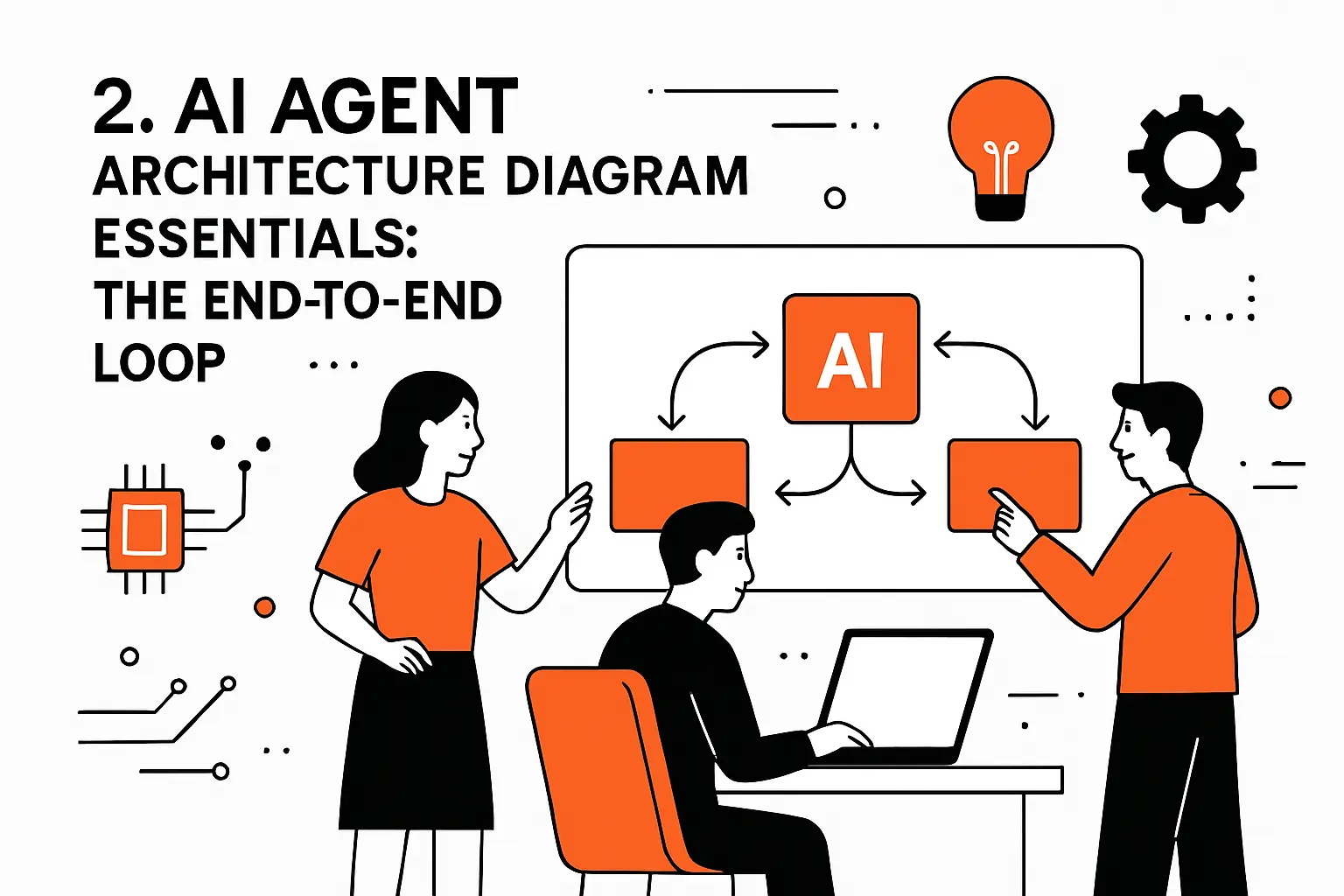
Agents feel mysterious until we force ourselves to diagram the loop. Once the loop is explicit, engineering conversations become concrete: what is state, where do tools live, how do we validate outputs, and what happens when the world disagrees with the model.
1. Classic agent loop: perceive, decide, act, learn
Classical agent thinking still helps, even in modern LLM systems. Perception is input normalization: text, documents, screenshots, event payloads, and tool results. Decision is the policy: how the model chooses the next action given goals and constraints. Action is tool invocation or user interaction. Learning is the feedback mechanism, which can be as simple as storing outcomes and as advanced as offline evaluation and prompt/tool refinement. Without that closed loop, “agent” becomes marketing language for a chat UI.
2. Modern modular loop: trigger, plan, tools, memory, output
Modern agent systems depend on more than generation alone — they need planning, memory, and coordination. In creative production, an invideo agent uses persistent Context and Briefs to hold project knowledge such as characters, worlds, tone, and visual rules. This allows creators to build across complex projects while keeping creative decisions consistent from early development through later scenes.
3. Six practical layers: input, understanding, planning, action, learning, and interaction
Using layers helps keep agent systems from turning into a mess. The input layer takes in data and turns it into a standard form. The understanding layer figures out the goal and the limits. The planning layer maps out the steps and the parts that depend on each other. The action layer makes tool calls with safety checks. The learning layer records results and improves the rules over time. The interaction layer handles user conversations and approvals. In our systems, each layer has its own logs, its own test cases, and its own way of showing failures. That separation helps us find problems quickly when the agent sounds correct but behaves the wrong way.
4. Feedback loops as the differentiator from automation and scripted workflows
Automation executes; agents adapt. The distinguishing mechanism is feedback: tool results, validation errors, human review, and downstream system responses become new context that can change the plan. For example, a procurement agent might attempt to create a purchase order, receive a “vendor inactive” error, then pivot to updating vendor status or escalating to procurement ops. Scripted workflows usually die at the first unexpected response. Feedback loops keep the system moving while preserving traceability.
Recommended reading: Advanced RAG: Techniques and Architecture for Production Retrieval-Augmented Generation
3. Foundation tier: State management, memory, and knowledge grounding
Foundations decide whether an agent is a reliable coworker or a chaotic intern. If we do not define what the agent knows, what it can remember, and how it represents the world, everything downstream becomes guesswork.
1. State vs memory: tracking goals, actions, dependencies, and outcomes
State is the agent’s working scratchpad: current goal, partial plan, tool calls made, pending confirmations, and known constraints. Memory is what persists beyond the immediate loop: durable facts, preferences, policies, and prior outcomes. Confusing the two causes subtle bugs, like using stale customer details as if they were current session facts. In our architecture diagrams, we make state explicit and short-lived, while memory is versioned, permissioned, and auditable.
Practical pattern we ship
Rather than letting an LLM “remember” implicitly, we store structured state objects that the model can read and update under strict schemas. That decision makes unit tests possible, because we can replay state transitions without reenacting the entire conversation.
2. Short-term vs long-term memory: task continuity and durable organizational context
Short-term memory supports continuity inside a workflow: what we tried, what failed, and what the user already confirmed. Long-term memory supports organizational context: product catalogs, internal policies, customer histories, and prior decisions that should not be reinvented. Across our client projects, short-term memory tends to be “cheap and local,” while long-term memory demands governance because it becomes a system of record by accident. A useful rule: if it can affect money, access, or compliance, it must be treated as durable data.
3. Knowledge grounding with enterprise search, vector databases, and retrieval-augmented generation
Grounding is how we prevent confident nonsense from becoming operational risk. Enterprise search brings back canonical documents; vector retrieval brings back semantically relevant snippets; RAG stitches those into a prompt so the model answers with evidence. The design question is not “vector DB or search?” but “what is authoritative for this claim?” Policies often belong in a document repository; product availability belongs in a transactional system; incident history belongs in an analytics store. Agents should cite and act from sources of truth, not vibes.
4. Context window strategy: full context, summarized context, and what to hand off between agents
Context is a budget, so we spend it intentionally. Full context is reserved for high-stakes decisions where missing detail is more dangerous than verbosity. Summarized context is used for long-running threads where the narrative matters more than the raw logs. Between specialized agents, we hand off structured briefs: goal, constraints, relevant retrieved evidence, tool outputs, and open questions. That “handoff packet” is where reliability comes from, because it prevents each agent from reinterpreting the world from scratch.
5. Persistent memory requirements: sessions, memory banks, and shared memory across agents
Persistent memory is not a single feature; it is a set of requirements. Sessions define boundaries: what we are allowed to remember, for how long, and under what consent. Memory banks are curated stores: validated preferences, known entities, and approved summaries. Shared memory enables teamwork across agents, but it also multiplies risk if access control is sloppy. In our production designs, memory reads and writes are first-class events, because auditors care less about the agent’s poetry and more about who influenced decisions.
Recommended reading: How to Start Vibe Coding: A Practical Beginner Roadmap for Building Real Apps With AI
4. Planning and reasoning: turning intent into explainable steps
Planning is where agents become legible to engineers and acceptable to operators. When the plan is visible, we can test it, constrain it, and improve it without pretending that the model is a mind reader.
1. Planner role: decomposing goals, sequencing tasks, and defining dependencies
A planner converts “what the user wants” into “what the system must do.” Decomposition is the first job: split a goal into tasks that map onto tools and data boundaries. Sequencing is the second job: decide which steps must happen in order, which can happen in parallel, and which require confirmation. Dependencies are the third job: identify prerequisites like permissions, customer identity, or data freshness. In our diagrams, we often separate a “planner model” from an “executor model” to keep tool use disciplined.
2. Rule-based planning vs dynamic planning with step-by-step reasoning
Rule-based planning is deterministic: “If intent is refund, then run these checks.” Dynamic planning is adaptive: the model proposes steps, calls tools, and updates the plan based on outcomes. Neither is universally better. For regulated workflows—say, benefits eligibility or financial approvals—we bias toward rule-based planning with model assistance. For exploratory work—like diagnosing an incident across logs, traces, and deploy events—we allow dynamic planning because the search space is large and the ground truth is discovered, not predetermined.
3. Reasoning-plus-action loops: act, observe outcomes, and replan when needed
Reasoning-only agents are talkative; reasoning-plus-action agents are useful. The loop we implement looks like: propose an action, run it in a controlled way, observe the result, and update the plan. A concrete example is customer support deflection: the agent retrieves a policy, drafts a response, then checks whether the policy actually applies to the customer’s region and plan tier by querying a customer system. If validation fails, the agent replans instead of improvising an apology.
4. State-machine planning: forks, retries, and checkpoints for structured workflows
State machines are our favorite compromise between rigidity and autonomy. Forks represent allowed alternatives; retries represent safe recovery; checkpoints represent moments when we stop and ask for approval. For instance, an agent can draft a contract addendum, but it must checkpoint before sending it to a counterparty. Engineering teams appreciate state machines because they are testable and debuggable. Legal and security teams appreciate them because they make policy enforceable. Everyone appreciates them when something goes wrong and we need to explain what happened.
5. Transparency by design: making planning steps visible for trust and debugging
Transparency is not just UI; it is architecture. We store plans as structured artifacts—steps, assumptions, tool calls, and outputs—so we can replay and audit them. During development, we expose plan traces to engineers and subject-matter experts, because domain experts catch nonsense quickly when it is written down. In production, we show users a simplified version: what the agent is about to do and why it thinks that is the right next step. Trust grows when the agent behaves like a careful operator, not a black box.
Recommended reading: Langgraph vs Langchain Comparison: Choosing the Right Framework for Llm Workflows
5. Tools and execution layer: safe action in real systems
Tools are where agent architectures either become enterprise software or remain lab prototypes. The moment a model can create tickets, change permissions, or move money, we are no longer debating “AI”—we are debating controls.
1. Three tool categories: data tools, action tools, orchestration tools
We classify tools by the kind of risk they introduce. Data tools read: queries, search, retrieval, analytics, and file access. Action tools write: ticket creation, email sending, purchase-order submission, code merges, and configuration changes. Orchestration tools coordinate: queueing, scheduling, branching, and human approval flows. That taxonomy makes governance practical, because it aligns with security postures. Read tools can often be broader; write tools must be narrow; orchestration tools must be observable, because coordination bugs can look like “the model is hallucinating” when the real culprit is flow control.
2. Tool integration options: APIs, webhooks, code execution, and computer-use interactions
Integration choices define reliability. APIs give us typed contracts and predictable error codes, so they are our default. Webhooks support event-driven agents, which is how we avoid polling and reduce latency. Code execution is powerful for data wrangling, but it demands sandboxing and resource controls. Computer-use interactions—where an agent operates a UI—can rescue legacy systems, yet they are fragile because DOM changes and UI experiments break automation. When we must use UI automation, we wrap it with stronger verification and graceful fallbacks.
3. Tool design and documentation: building a reliable agent-computer interface
Tool design is product design for machines. A good tool has a stable name, clear inputs, typed outputs, and explicit failure modes. Documentation should include examples that match real data, not toy payloads, because models learn patterns from those examples. In our internal playbooks, we also include “misuse guidance”: what the tool must never do, what fields require validation, and what permissions are required. If a tool cannot be explained crisply, it will not behave crisply when a model calls it under pressure.
Our default contract
Every tool response should include a machine-readable status, a user-friendly summary, and a diagnostic block for logs. That structure lets the agent decide whether to retry, replan, or escalate while giving operators the breadcrumbs needed to debug.
4. Secure execution and sandboxing: isolating risky actions and protecting infrastructure
Sandboxing is not paranoia; it is engineering maturity. Code execution should run in isolated environments with restricted network access, limited secrets exposure, and strict timeouts. Action tools should use scoped credentials, ideally minted per session with short lifetimes. Network segmentation matters because an agent that can reach everything eventually will. In our designs, “safe by default” means the agent cannot access production write paths unless a workflow explicitly grants it, and that grant is logged like any other privileged event.
5. Tool safeguards: risk ratings, pre-execution checks, and human escalation for high-impact actions
Safeguards are layered, because no single gate catches every error. Risk ratings define which tools require extra checks. Pre-execution validation confirms identity, permission scope, and parameter sanity before anything changes. Human escalation catches the cases where policy is ambiguous, like approving exceptions or communicating externally. Across enterprise rollouts, we’ve found that “approval fatigue” is real, so we design approvals as checkpoints at meaningful decision points rather than constant interruptions. A well-placed checkpoint makes an agent feel safe without making it slow.
6. Standardized tool context with Model Context Protocol servers and agent clients
Standardization is how tool ecosystems scale. Model Context Protocol (MCP) has popularized a clean separation: servers expose tools and context; clients consume them consistently across models and runtimes. That separation matters when organizations want to reuse the same tool catalog across multiple agent products. From our perspective, MCP-like patterns reduce bespoke glue code and encourage stronger contracts, which pays off during audits and migrations. Even if a team never adopts MCP directly, designing as if tools were portable is a strategic advantage.
Recommended reading: Chroma vs Faiss vs Pinecone: Vector Database Comparison and Selection Guide
6. Orchestration and multi-agent architectures: coordination patterns that scale
Orchestration is where “an agent” becomes “a system.” Once multiple goals, stakeholders, and tools collide, coordination patterns matter more than prompt craftsmanship.
1. Single agent with many tools vs splitting into multiple specialized agents
Specialization is tempting, but it is not free. A single agent with many tools is simpler to ship, easier to observe, and less prone to cross-agent misunderstandings. Multiple specialized agents can outperform when domains are distinct—say, one agent for customer identity, another for policy interpretation, and another for billing actions. In our architecture reviews, we ask a blunt question: are we splitting because it improves outcomes, or because we are trying to manage complexity by adding more components? The answer determines the design.
2. Sequential orchestration: predefined pipelines for progressive refinement
Sequential orchestration is the safest multi-step pattern. A first stage interprets intent and extracts entities; a second stage retrieves knowledge; a third stage drafts an action; a final stage validates output against policy and schema. Each stage can be swapped, tested, and evaluated independently. In enterprise settings, sequential pipelines also map well to accountability: reviewers can see which stage introduced an error. When the business needs predictable throughput and auditable steps, sequential orchestration is our default recommendation.
3. Concurrent orchestration: fan-out analysis, voting, and aggregated results
Concurrency shines when we need breadth quickly. An incident-response agent can fan out: one thread inspects logs, another checks recent deploys, another reviews metrics anomalies. Aggregation then reconciles evidence into a coherent hypothesis. Voting can reduce hallucinations by requiring multiple independent analyses to converge, although it can also amplify shared blind spots if all agents rely on the same flawed context. In our implementations, concurrency is paired with strict budgets and timeouts so it does not become an unbounded cost engine.
4. Group chat orchestration: shared threads for collaborative validation and auditability
Group chat orchestration is useful when humans and agents must co-own decisions. A shared thread allows a compliance reviewer, a product owner, and multiple specialist agents to see the same evidence and intermediate outputs. That structure improves auditability because the “why” lives alongside the “what.” From an engineering standpoint, group chat also reduces duplication: agents do not need to re-derive context if the thread carries a stable, curated summary. When the workflow is socio-technical, group chat is often the most natural interface.
5. Handoff orchestration and routing: dynamic transfer to the best specialist
Routing is the unsung hero of good agent UX. A front-door agent can greet the user, clarify intent, and route the request to the right specialist—billing, legal, HR, IT, or procurement—based on content and risk. Handoffs must be explicit: the receiving agent needs a structured brief, not a raw chat transcript. In our systems, routing decisions are logged and evaluated, because misroutes create user frustration that looks like “AI is bad” when the real problem is dispatch accuracy.
6. Manager agents as tools and decentralized peer handoffs: graph-based multi-agent systems
Manager agents can coordinate specialists, but we treat them carefully. A manager that has broad permissions can become a single point of failure and an attractive target. Decentralized peer handoffs—where agents negotiate who owns a task—can reduce that central risk, yet it complicates observability. Graph-based systems help because they make relationships explicit: nodes are agents or tools, edges are allowed handoffs, and policies constrain traversal. In our diagrams, the graph is not a metaphor; it is the control plane that defines what coordination is permitted.
7. Declarative vs non-declarative orchestration graphs: how much flow control to encode up front
Declarative graphs encode allowed flows ahead of time: steps, branches, and constraints are defined in configuration. Non-declarative systems let the agent decide the flow dynamically via reasoning. Declarative orchestration is easier to govern and test; non-declarative orchestration is more adaptable when the environment changes. Our pragmatic stance is mixed: we declare the high-risk skeleton—approvals, write boundaries, identity checks—then allow flexible reasoning inside safe zones. That hybrid approach preserves agility without sacrificing control.
8. Interoperability at scale: agent-to-agent communication protocols
Interoperability becomes critical once multiple teams ship agents across an organization. Without shared conventions, every agent invents its own message format, its own memory semantics, and its own error handling. Protocols—whether formal standards or internal contracts—enable agents to exchange structured intents, evidence bundles, and tool outputs reliably. In our experience, the strongest driver is not elegance but operations: on-call engineers need consistent traces, and security teams need consistent policy enforcement. Shared protocols turn agent ecosystems into platforms instead of a zoo of bespoke bots.
7. Production readiness: evaluation, reliability, security, and guardrails
Production is where ambition meets physics. Latency, cost, compliance, and failure handling decide whether an agent becomes a daily tool or a quarterly experiment.
1. Model selection strategy: establish a baseline, then optimize cost and latency by task
Model choice is rarely a single decision. A baseline model establishes functional correctness: can the system solve the task under realistic constraints? Optimization then assigns the right model to the right subtask: cheaper models for extraction and classification, stronger models for complex planning or synthesis, and specialized models where accuracy demands it. In our rollout playbooks, we treat model selection as a routing problem backed by evaluation. That framing prevents emotional debates and replaces them with measurable outcomes aligned to business objectives.
2. Guardrails stack: relevance checks, safety checks, moderation, PII filtering, and output validation
Guardrails work best as a stack, not a single filter. Relevance checks ensure the agent is answering the right question. Safety checks and moderation reduce harmful outputs. PII filtering controls data exposure, especially when logs or prompts might leak sensitive fields. Output validation enforces schemas and business rules, catching malformed tool calls before they hit production systems. In our architecture diagrams, guardrails are drawn as gates between steps, because guardrails that live “somewhere in code” tend to be skipped under deadline pressure.
3. Reliability in orchestrated agents: timeouts, retries, graceful degradation, and circuit breakers
Reliability engineering is the difference between a clever prototype and a trustworthy service. Timeouts prevent a stuck tool call from consuming budgets indefinitely. Retries require care, because repeating a write can duplicate side effects unless the tool is idempotent. Graceful degradation keeps the user moving: if a deep analysis tool fails, the agent can still provide a summary and escalate. Circuit breakers protect downstream services from cascading failures. In our production builds, we design failure paths first, because success paths are easy to imagine and failure paths are what users remember.
4. Security and compliance: least privilege, secure networking, audit trails, and identity-aware access
Security posture must be explicit when agents can act. Least privilege means every tool credential is scoped to exactly what the workflow requires. Secure networking means isolating execution environments and controlling egress so sensitive data does not wander. Audit trails are non-negotiable: tool calls, retrieved documents, memory writes, and approvals must be attributable. Identity-aware access ties actions to users and roles rather than to a generic “agent service account.” In our experience, organizations that solve identity early ship faster later because approvals become simpler and audits become routine.
5. Observability and testing: tracing tool calls, handoffs, memory access, and decision paths
Observability is the only way to debug systems that “think.” Tracing must cover tool calls, model prompts, retrieved context, handoffs, and memory access so we can explain outcomes end-to-end. Testing needs layered strategies: unit tests for tools, contract tests for schemas, simulation tests for orchestration flows, and regression suites against curated datasets. When teams skip evaluation, subjective impressions fill the gap, and progress becomes impossible to measure. At TechTide Solutions, we insist that every agent has a reproducible test harness before it earns production permissions.
6. Frameworks vs platforms: control and customization vs enterprise-scale governance and operations
Frameworks move fast and give engineers control, which is invaluable during discovery. Platforms provide governance, monitoring, access control, and standardized operations, which becomes essential at scale. The tradeoff is rarely technical purity; it is organizational fit. If a team needs bespoke orchestration, a framework may be the only realistic choice. If multiple business units will deploy agents, platform features become the difference between coordinated growth and chaos. Our approach is pragmatic: prototype with what accelerates learning, then migrate toward what supports consistent operations.
7. Human-in-the-loop controls: approvals, checkpoints, and escalation paths for sensitive workflows
Human-in-the-loop is not a failure of automation; it is a design strategy. Approvals protect high-impact actions like external communications, financial changes, and access grants. Checkpoints create natural pauses where humans can confirm intent without micromanaging every step. Escalation paths ensure the agent knows when uncertainty is too high, rather than bluffing. In adoption work, we’ve repeatedly seen that trust grows when humans remain in control of irreversible actions. Interestingly, once trust exists, teams often reduce approvals voluntarily because the agent has earned its autonomy through consistent behavior.
8. TechTide Solutions: building custom agents from ai agent architecture diagram to production
Our delivery posture is shaped by what we see across industries: organizations do not fail because they chose the “wrong model,” they fail because they skipped the hard systems work—data grounding, tool contracts, controls, and evaluation.
1. Architecture and product discovery: translating business workflows into agent-ready designs
Discovery starts with workflow truth, not stakeholder dreams. We map the real process: who does what, which systems hold authoritative data, where errors occur, and what exceptions dominate human time. Evidence gathering matters, because intuition about “where AI helps” is often wrong. Adoption data reinforces the urgency: McKinsey reports that 65% of respondents say their organizations are regularly using gen AI in at least one business function, so the competitive baseline is shifting under everyone’s feet. From there, we define agent boundaries, risk tiers, and the minimum tool surface that can deliver value safely.
2. Custom development: integrations, tools, memory, and orchestration tailored to customer needs
Custom development is where architecture becomes leverage. We build tool catalogs that reflect enterprise realities: permissions, logging, idempotency, and predictable error semantics. Memory is designed as data, not as a magical transcript, so it can be governed and audited. Orchestration is built for operators: timeouts, retries, fallbacks, and clear handoffs. In enterprise surveys, Deloitte found 47% of respondents say they are moving fast with adoption, which matches what we see: teams want production outcomes, and they want them quickly. Our job is to make that speed safe.
3. Launch and iteration: evaluation, monitoring, and governance to keep agents safe and effective
Launch is the beginning of the real work. Monitoring tells us how users actually rely on the agent, where it hesitates, and where it overreaches. Evaluation suites evolve as the business evolves, because policies change and tools change. Governance ensures permissions remain appropriate, especially as teams request broader access after early wins. Even outside pure software companies, “agents at scale” is becoming normal: Business reporting has described enterprises that claim large internal deployments, including a case where 25,000 AI agents exist alongside human staff. That trend is a warning and an invitation: organizations will operationalize agents, and the winners will be those who can do it with discipline.
9. Conclusion: a practical checklist for scalable agentic systems
Architecture diagrams are not paperwork; they are how we force clarity before autonomy hits production systems. When we get the loop, the tools, and the controls right, agents become a durable capability rather than a risky experiment.
1. Choose the simplest workable architecture, then add patterns only when they improve outcomes
Simplicity is a strategy, not an aesthetic. Start with a constrained workflow, add retrieval grounding, and enforce output schemas. Next, introduce limited tool use with clear permissions and validation. Only after those pieces behave should planning loops, multi-agent routing, or complex memory systems enter the picture. In our experience, teams that begin with “full autonomy” end up rebuilding from scratch, while teams that earn autonomy step-by-step build confidence across engineering, security, and leadership. The simplest workable architecture is the one you can test, explain, and operate.
2. Build the closed loop: perceive, plan, act, and learn with reliable tools and grounded knowledge
A closed loop turns AI from a text generator into an operational system. Perception must normalize messy inputs without leaking sensitive data. Planning must produce steps that can be inspected and constrained. Action must run through safe tools with idempotency, timeouts, and audit logs. Learning must be real: evaluation, monitoring, and iterative refinement informed by production traces. When those elements click, the agent improves as the organization improves. Without the loop, the system stays stuck at “helpful assistant,” and businesses leave value on the table.
3. Design for scale: modular agents, strong guardrails, and observable orchestration from day one
Scaling agents is mostly about scaling trust. Modularity keeps upgrades manageable and prevents one failure from contaminating the whole system. Guardrails make risk controllable, which is the price of operating in regulated or high-impact domains. Observability makes improvement possible because you can see why the system behaved the way it did. From TechTide Solutions’ point of view, the best next step is tangible: pick one workflow that is painful, measurable, and permissioned, then diagram the loop and build a minimum viable agent with real tools and real controls—what workflow should we put on the whiteboard first?

