


At TechTide Solutions, we tend to describe FTP hosting without nostalgia and without scorn. It is not a shiny new hosting category so much as a file-transfer capability exposed by a server, a control panel, or a managed service. When teams need to upload website files, replace media in bulk, hand off archives to a partner, or rescue a broken deployment when a browser-based admin tool is down, FTP hosting still steps onto the stage.
The infrastructure backdrop explains why this old protocol has not vanished. Gartner forecasts public-cloud end-user spending at $723.4 billion in 2025, while Statista projects storage-market revenue at US$67.66bn in 2025; in that same reality, cPanel still lets administrators create and manage your website’s File Transfer Protocol (FTP) accounts, and AWS Transfer Family offers fully managed support for the transfer of files over SFTP, AS2, FTPS, FTP, and web browser-based transfers.
That mix of legacy and modernity is the real story. Businesses do not choose file transfer methods because they are elegant; they choose them because partners, workflows, risk models, and staffing realities push them there. So let us unpack what FTP hosting is, how it works, where it still belongs, and where we would retire it without blinking.
What Is FTP Hosting
1. FTP hosting basics for websites and file transfers
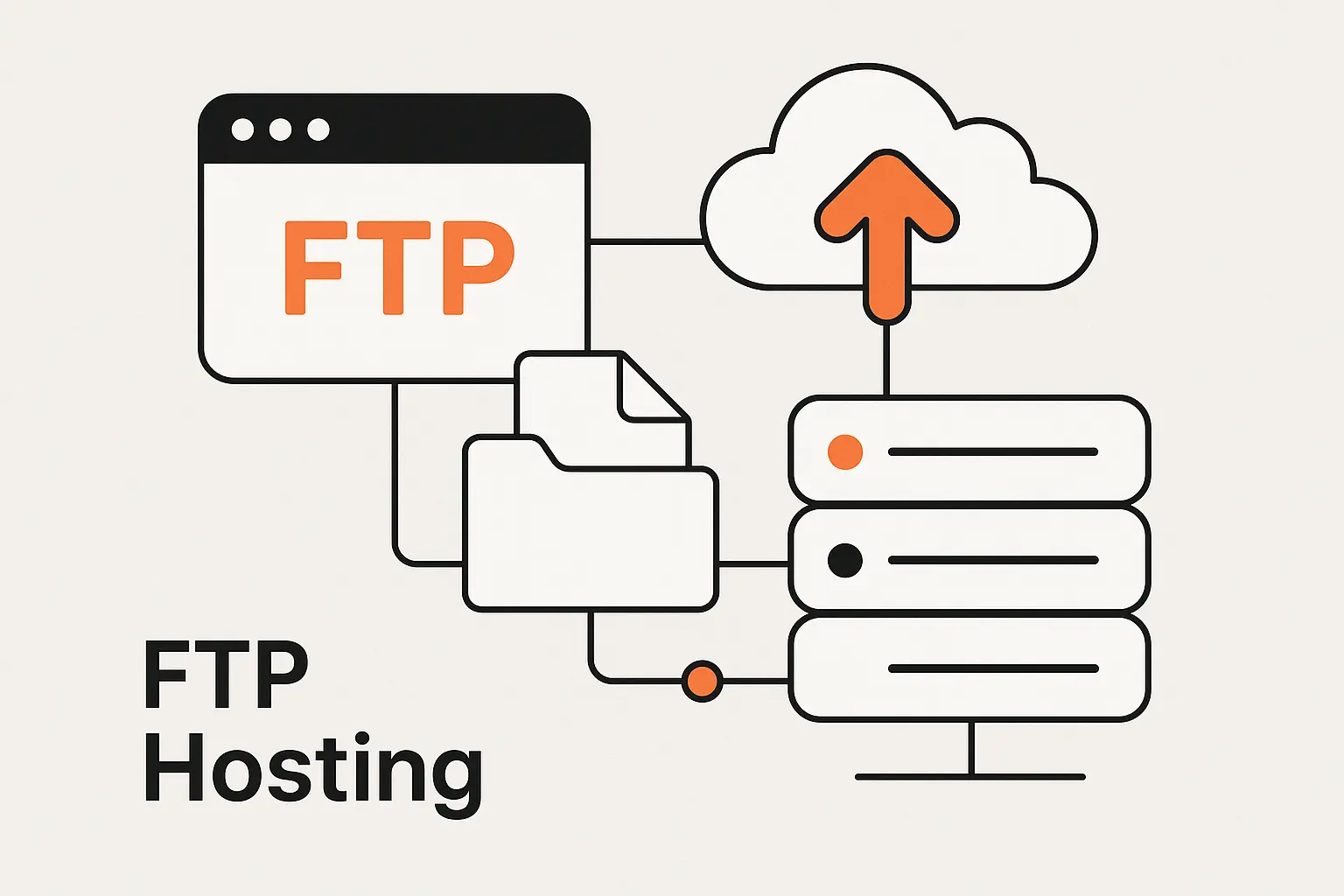
FTP hosting means a remote server exposes file access through FTP so authenticated users can upload, download, rename, move, and sometimes delete content from a distance. In practice, that can mean a shared web host with an FTP account, a VPS running an FTP daemon, or a managed transfer endpoint that preserves older partner workflows. We usually tell clients not to romanticize it: FTP hosting is plumbing, not poetry. When the plumbing fits the building, it works. When it does not, everything leaks into operations and security.
2. How an FTP server, FTP client, and remote server work together
An FTP client runs on the user’s machine, speaks to the FTP server on the remote host, and presents the remote filesystem in a way a human can navigate. From there, the client authenticates, requests a directory listing, pushes or pulls files, and surfaces status messages if permissions or networking get in the way. The remote server does the gatekeeping. It decides which directories the user can see, whether uploads are allowed, how transfers are logged, and which transfer mode is accepted.
3. Where FTP hosting fits in website management and file sharing
In website management, FTP hosting usually sits beside the web server rather than replacing it. The site itself is served over HTTP or HTTPS, but developers or administrators use FTP hosting to place assets in the document root, adjust themes, deploy static files, or download logs and backups. For broader file sharing, it can act as a central drop zone between offices, agencies, vendors, and machines that do not share the same application stack. That is why the term keeps surviving: it solves the unglamorous problem of getting files from here to there.
Recommended reading: How Proxies Are Bridging Global Internet Access: Security, Performance, and Reliable Connectivity
How Does FTP Hosting Work
1. Command and data channels
What makes FTP technically distinctive is that it uses one control connection for commands and a separate data connection for file payloads. The control side handles login, directory changes, and transfer instructions. The data side carries the actual file bytes or listing results. For businesses, that split is not trivia. It affects firewall rules, load balancers, monitoring, troubleshooting, and even how support teams interpret a connection that authenticates correctly but still refuses to transfer anything.
2. Ports 20 and 21
Classically, the command session lands on the server’s well-known FTP listener, while active-mode transfers historically use a dedicated server-side data socket. That design made sense in older network topologies, yet it creates confusion in modern environments because authentication and file movement do not always succeed or fail together. We have seen support tickets where a login banner appears instantly, but directory listings hang forever because the data path was never approved upstream. In FTP, one open door does not guarantee the next door is unlocked.
3. Active mode and passive mode
Active mode asks the server to reach back toward the client for the data path; by contrast, passive mode lets the client open the data path outward, which is friendlier to firewalls. That is why passive mode has become the default expectation on hosted infrastructure and behind NAT. There is even a modern edge case worth knowing: PASV does not work with IPv6, while EPSV continues to work. On paper, that sounds like protocol trivia. In production, it can be the difference between a calm rollout and a half-day troubleshooting spiral.
Recommended reading: What Your IP Address Is: How to Find It, What It Reveals, and How to Protect It
What You Need to Start Using FTP Hosting
1. Server address, username, password, and port settings
To start, you need the server address, the right username, the corresponding secret, and the expected protocol and port settings. That sounds obvious, but misaligned assumptions are common. Some hosts give a dedicated FTP account for a single directory, others map access to a full system user, and secure variants may require a private key or certificate instead of a simple password. Before anyone connects, we recommend confirming the exact endpoint, home directory, encryption method, and whether the environment expects passive behavior.
2. Access permissions and anonymous login options
Permissions matter more than people think. A well-designed FTP hosting setup limits each user to only the directories and actions they actually need, which reduces blast radius when credentials leak or a script goes rogue. Anonymous access also still exists in the wild, allowing users to connect to your FTP server without a password, but we rarely recommend it outside tightly scoped public download archives. Once anonymous uploads, overly broad write access, or shared credentials enter the picture, trouble stops being theoretical.
3. FTP client tools and basic connection setup
On the client side, we most often see OpenSSH, WinSCP, Cyberduck, and FileZilla because they make bookmarks, remote browsing, retries, and protocol switching far easier for busy teams. A basic connection flow is straightforward: choose the protocol, enter the endpoint, supply credentials or a key, save the profile, test a directory listing, and then perform a small upload before trusting the setup for production work. That last step is worth its weight in gold because it exposes permission and path issues early.
Recommended reading: How to Use FTP: Connect, Browse, and Transfer Files Safely
What Is FTP Hosting Used For
1. Uploading website files and media
The classic use case is uploading website files and media. That can mean HTML, CSS, JavaScript, theme assets, product images, downloadable PDFs, or video files that would be painful to move one by one through a browser. When a CMS backend is broken, FTP hosting can become the emergency side door that lets a team restore a missing template, remove a bad plugin, or swap in a known-good asset set. We still see this regularly in incident response for small and midsize web properties.
2. Managing site folders and configuration files
FTP hosting is also used to organize folder structures, inspect log directories, and manage configuration files that shape how a site behaves. That said, we are careful here. Editing configuration directly on a live server can solve a problem quickly, but it can also create drift between production and the source repository. Used wisely, FTP helps with surgical maintenance. Used casually, it becomes a shadow deployment process that nobody fully owns.
3. Backups, bulk transfers, and remote collaboration
Beyond websites, teams use FTP hosting for backups, scheduled drops, nightly exports, and partner exchanges that move large bundles instead of single records. Agencies hand off media folders to clients, retailers exchange catalog assets with suppliers, and internal teams ship archives between on-prem systems and cloud-adjacent services. For remote collaboration, the appeal is simple: a shared, central location with predictable folder conventions. The catch, of course, is that collaboration without governance quickly turns into a junk drawer.
Recommended reading: What Is a URL: A Practical Guide to Web Addresses and How They Work
Benefits of FTP Hosting
1. Large file and folder transfers
A major benefit of FTP hosting is that it handles large files and nested folders far better than most ad hoc browser uploads. Recursive transfers, binary payloads, and bulk media libraries are exactly the sort of work it was built to do. When a marketing team needs to move hundreds of assets or a development team needs to replace a static site build in one sweep, FTP hosting is often quicker and less brittle than clicking through a web form. In practical operations, fewer manual steps usually mean fewer preventable errors.
2. Resume support and workflow automation
Modern clients soften one of FTP’s oldest pain points because WinSCP documents that it supports resuming file transfers with SFTP and FTP protocols. That matters whenever a VPN drops, a workstation sleeps, or a long-running transfer gets interrupted midstream. Automation helps just as much: the same tool explains that commands can be read from a script file, the command line, or standard input, which makes scheduled exports, overnight drops, and repeatable sync jobs far more dependable than hand-driven transfers.
3. Remote access, centralized storage, and collaboration
FTP hosting also gives distributed teams a common rendezvous point. A remote contributor can push files from one city, a reviewer can pull them from another, and the server becomes the shared handoff layer in between. From our perspective, that centralization is the real value proposition, not the protocol itself. If the server is secure, permissions are narrow, and logs are monitored, the workflow can be perfectly serviceable. If those controls are missing, centralized storage becomes centralized risk.
Recommended reading: What Is IPTV and How Internet Protocol Television Works
FTP Hosting Security and Risks
1. Plain text credentials and data exposure
The deepest flaw in standard FTP is neither fashionable nor subtle: it sends passwords in clear text. Once traffic crosses an untrusted network, credentials and content can be intercepted, replayed, or quietly inspected. That is why we almost never recommend exposing plain FTP directly to the public internet. Even inside private networks, the risk can linger because flat internal segments, reused passwords, and inherited monitoring blind spots have a way of turning “internal only” into false comfort.
2. Firewall, NAT, and network configuration challenges
Networking complexity is the second major risk. Because FTP splits control and data traffic, firewalls, proxies, NAT devices, and intrusion tools must understand more than a simple single-port conversation. Passive ranges need to be sized and opened correctly. Load balancers can complicate address reporting. Deep packet inspection sometimes rewrites behavior in surprising ways. For businesses, that means more troubleshooting time, more brittle documentation, and more room for silent misconfiguration than with a simpler secure-transfer design.
3. Access control, auditing, and outdated protocol concerns
Strong permissions and good audit trails help, and some hosting environments expose logs where raw access logs list every connection as well as the files that visitors uploaded and downloaded. Still, auditing alone does not modernize the protocol. FTP remains a legacy choice, so every continued deployment deserves a conscious justification: partner compatibility, a constrained internal use case, or a migration bridge with a retirement date attached.
FTP vs FTPS vs SFTP
1. Standard FTP for basic transfer workflows
Standard FTP is the bare-metal option. It is easy to understand, widely supported, and sometimes still required by older partner systems or appliances that have not been upgraded. If all parties sit inside a tightly controlled network segment and the workflow is truly non-sensitive, plain FTP can still function. Even then, we treat it as a temporary concession rather than a future-facing design. Convenience is real, but so is the exposure.
2. FTPS with SSL and TLS encryption
FTPS tries to preserve the familiar FTP model while adding transport security. In the formal standard, it allows the FTP protocol to be used with either SSL or TLS, which means organizations can keep FTP-style commands and many existing client habits while protecting sessions in transit. The tradeoff is complexity. Certificates must be managed, control and data channels still need careful handling, and the protocol can remain awkward around firewalls and inspection points. FTPS is safer than plain FTP, but it is not magically simple.
3. SFTP with SSH based security
SFTP deserves a clean mental model because SFTP is not FTP over SSH; it is an entirely separate protocol. Instead, it rides the SSH transport where the server normally listens for connections on port 22, which lets teams avoid FTP’s split-channel gymnastics while gaining mature key-based authentication and strong encryption. In our work, SFTP is usually the default secure replacement when a business still wants direct file-level access without adopting an entirely different sharing platform.
FTP Hosting Today and Modern Alternatives
1. Where FTP hosting still fits today
FTP hosting still fits in the corners of real businesses: shared hosting accounts, inherited CMS deployments, vendor systems that only speak old protocols, industrial or media workflows with entrenched tooling, and temporary migration bridges. We do not dismiss those realities. A protocol can be outdated and still be embedded in revenue-generating operations. The key is to understand whether FTP is a strategic choice or just a habit nobody has challenged yet.
2. Why many teams move to more secure options
The broader direction is unmistakable. AWS Security Hub includes a control stating that Transfer Family servers should not use FTP protocol for endpoint connection, which captures the mainstream security view in one blunt sentence. Teams move because encryption is table stakes, compliance reviews are stricter, zero-trust programs dislike legacy exceptions, and simpler protocols reduce operational drag. Put differently, businesses are tired of paying compound interest on old networking assumptions.
3. Cloud storage, collaborative platforms, and self hosted servers
Today’s alternatives are wider than a simple FTP-versus-SFTP debate. Many organizations use object storage with signed uploads, browser-based admin tools, collaborative file platforms, or managed transfer services that add identity integration and auditing. For self-hosted needs, vsftpd is an FTP daemon available in Ubuntu, so teams can still run their own stack when policy or topology demands it. Even so, we increasingly nudge clients toward options that reduce secret sprawl, manual server care, and legacy exposure.
How to Choose the Right FTP Hosting Setup
1. Hosting environment and operating system needs
Start with the environment. A shared host, a Linux VM, a Windows server, a private cloud enclave, and a partner-facing managed transfer gateway each impose different constraints. Ask where identities live, who patches the server, how certificates or keys are rotated, what logs are retained, and whether the operating system already fits your team’s strengths. We have seen technically sound solutions fail simply because the day-two administration model did not match the people available to run it.
2. File size, speed, and automation requirements
Next, map the workload itself. Are you moving huge media folders, tiny nightly exports, or time-sensitive files that trigger downstream processes? Does the business need resume behavior, scheduled jobs, naming conventions, validation checks, or notification hooks when a transfer lands? Once those requirements are clear, the right tooling becomes more obvious. A quick manual upload pattern calls for one kind of setup, while a recurring business-critical exchange calls for something closer to an engineered pipeline.
3. When FTPS or SFTP is the better fit
Our rule of thumb is simple. Choose FTPS when an existing ecosystem already depends on FTP-style clients and certificate-based transport security will satisfy the partner or regulator. Choose SFTP when you want a cleaner security model, simpler network handling, strong key authentication, and fewer surprises for modern infrastructure teams. If plain FTP is still on the table, the burden of proof should be high. There should be a concrete compatibility reason, not mere inertia.
FAQ About FTP Hosting
1. How Is FTP Used in Web Hosting?
In web hosting, FTP is used to move site files between a local machine and the hosting server. Administrators upload themes, images, templates, static builds, or emergency fixes, then organize folders in the web root. It is often the back door teams use when a browser-based file manager is too slow, unavailable, or locked behind a broken CMS plugin.
2. Are FTP Servers Still Used Today?
Yes, FTP servers are still used today, especially in legacy hosting, partner exchanges, and environments where older software is hard to replace. What has changed is the default posture. More teams now treat standard FTP as a compatibility bridge and prefer encrypted alternatives whenever they control both ends of the workflow.
3. Why Do Many Teams Avoid Standard FTP?
Many teams avoid standard FTP because it combines legacy networking behavior with weak security. The protocol is harder to defend, harder to inspect cleanly, and easier to misconfigure than modern secure options. Once compliance, vendor audits, or remote work enter the picture, the cost of carrying raw FTP often outweighs the convenience.
4. What Security Risks Come With FTP?
The main risks are exposed credentials, readable in-transit data, overly broad directory permissions, anonymous or shared accounts, and misconfigured firewalls or passive ranges. Operationally, the danger is not just an attacker in the middle. Sometimes the real problem is a stale account, a forgotten directory with write access, or a transfer process nobody is monitoring.
5. How Do FTP, FTPS, and SFTP Compare?
FTP is the original plain protocol. FTPS keeps FTP behavior but adds TLS-based protection, which improves confidentiality while preserving much of the old complexity. SFTP is a separate SSH-based protocol that usually gives teams a simpler and more modern security model.
6. What Do You Need to Connect to an FTP Host?
You need the server address, the right protocol choice, valid credentials, the expected port setting, and enough permission to reach the target directory. In many environments, you also need to know whether the server expects passive behavior, TLS settings, or an SSH key instead of a password.
How TechTide Solutions Supports Custom File Transfer and Hosting Workflows
1. Custom web applications for file management and content updates
At TechTide Solutions, we often replace fragile manual FTP habits with custom web applications that give teams safer ways to move and manage content. Instead of letting multiple users poke directly at a server filesystem, we build upload interfaces, approval layers, version histories, bulk editors, and role-based dashboards tuned to how the business actually works. That approach keeps the speed of file-based workflows while stripping away much of the operational guesswork.
2. Secure integrations for hosting, user permissions, and transfer workflows
We also design secure integrations between hosting stacks, identity systems, storage services, and transfer tools. Depending on the environment, that can mean SFTP gateways, FTPS compatibility layers, S3-backed ingestion flows, signed upload endpoints, malware scanning, fine-grained permissions, and centralized audit trails. Our bias is practical rather than doctrinaire: if a legacy partner needs a traditional protocol, we can support it, but we wrap it in stronger controls wherever possible.
3. Tailored automation for backups, synchronization, and business needs
Automation is where these projects really pay off. We build scheduled backups, synchronization jobs, partner-specific routing rules, checksum validation, failure alerts, and post-transfer processing so files do not simply arrive; they trigger useful business outcomes. In our experience, the biggest win is not shaving seconds off a transfer. It is removing repetitive human steps that create missed deadlines, bad handoffs, and those dreaded “who uploaded this version?” moments.
Final Thoughts on What Is FTP Hosting
FTP hosting is still with us because business systems age slowly and file movement never stops mattering. Used narrowly, documented well, and surrounded by the right safeguards, it can still do honest work. Yet we would not mistake longevity for a recommendation. When we design new systems, we usually reach for FTPS, SFTP, signed upload workflows, or platform-native sharing tools before we reach for plain FTP.
If your organization still depends on FTP hosting, the next smart step is simple: inventory every transfer path, decide which ones must remain for compatibility, and identify which ones should be upgraded or retired. Where is your team carrying legacy file-transfer risk today, and what would change if you redesigned that path on purpose instead of living with it by habit?

