At TechTide Solutions, we tend to treat “CMS selection” less like a brand preference and more like an operating model decision: who owns content, who owns risk, who owns velocity, and how much of the business should be encoded into the platform versus built around it. Both Umbraco and WordPress can ship excellent digital experiences, but they do so with very different defaults. One leans into structured content, developer control, and a .NET-centered ecosystem; the other optimizes for ubiquity, speed to publish, and a plugin-first marketplace. In this comparison, we’ll stay grounded in how teams actually work: editorial workflows, integration needs, scaling constraints, governance expectations, and the reality that the CMS becomes a long-running product—not a one-time website decision.
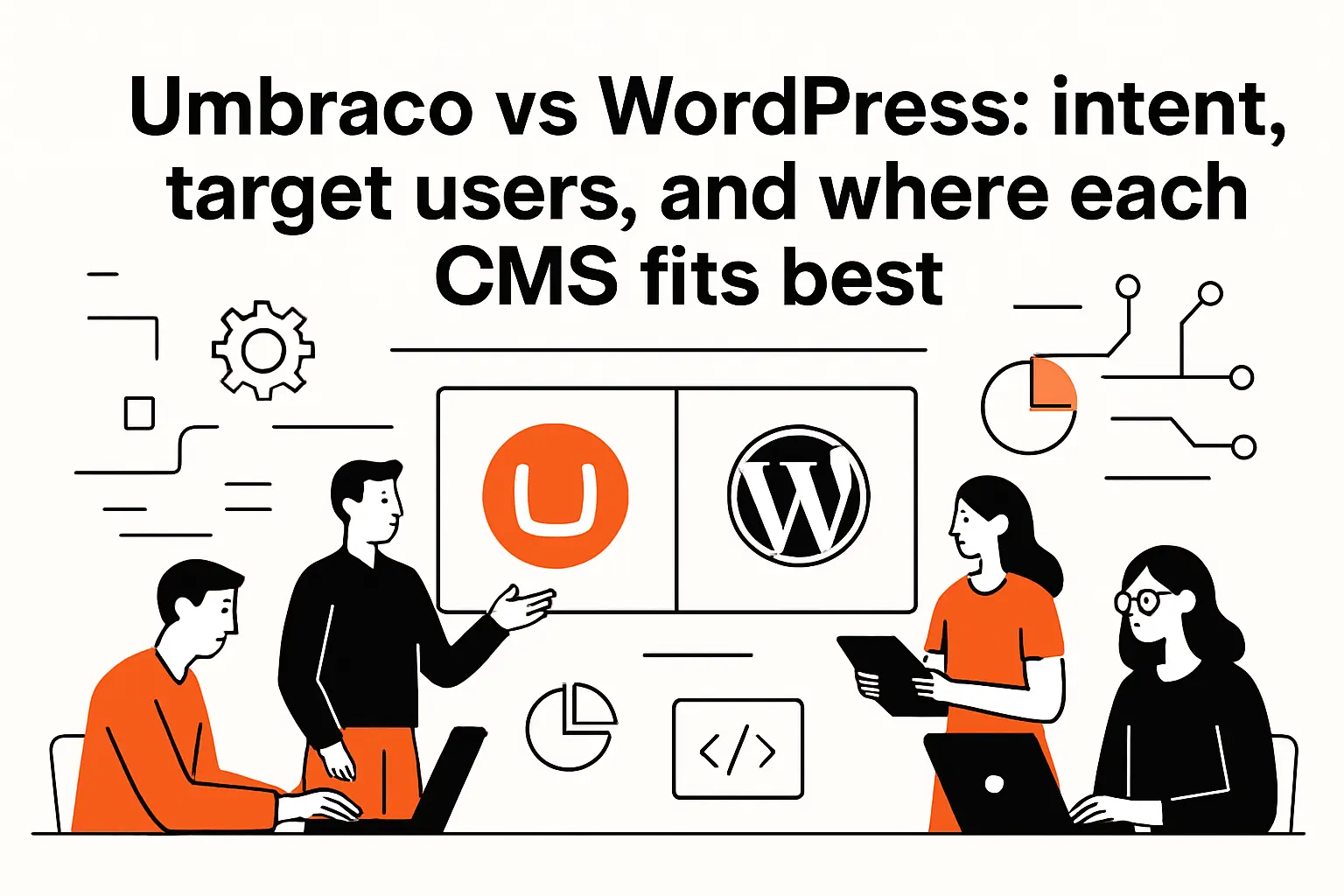
Umbraco vs WordPress: intent, target users, and where each CMS fits best
1. Developer-first vs mass-market: flexibility, control, and day-to-day ownership
From our delivery work, Umbraco behaves like a CMS you “shape” into a product, while WordPress behaves like a product you “extend” into a CMS. That difference matters because ownership patterns follow the tooling. With WordPress, non-technical teams can often take the wheel sooner: install a theme, add a form plugin, publish landing pages, and iterate without waiting for a sprint cycle. In contrast, Umbraco shines when a developer-led foundation is the plan—content types, templates, permissions, and integrations are usually modeled intentionally before the first editor logs in.
Operationally, the day-to-day owner can be very different. Marketing teams often thrive in WordPress because the platform rewards experimentation and quick publishing. Governance-heavy organizations often prefer Umbraco because the platform rewards consistency: structured content, predictable components, and clearer separation between “content” and “presentation.” In our view, neither approach is “better”—but each favors a different kind of organizational maturity.
2. From blogging roots to full CMS: how platform origins shape expectations
Origins aren’t trivia; they’re design gravity. WordPress grew up in a world where publishing cadence and authoring convenience were the north star, which still shows up in how themes, plugins, and editorial tools are discovered and adopted. That lineage encourages a “start simple, add capability” motion, and it’s why WordPress remains a common fit for brand sites, campaign microsites, publications, and content-heavy marketing programs.
By contrast, Umbraco’s center of mass is closer to application-style CMS work: content modeling, backoffice ergonomics, and a developer experience designed for building custom solutions. Even when both platforms can deliver the same front-end pages, the mental model differs. In WordPress, teams often think in pages and layouts first. In Umbraco, teams often think in content types and reusable components first, then decide how that content should surface across channels.
3. Adoption and ecosystem scale: weighing mainstream familiarity against a more specialized CMS
Market gravity influences hiring, agency availability, and how quickly a new team member becomes productive. WordPress is used by 43.0% of all the websites, and that ubiquity shows up in practical ways: it’s easier to find editors who have used it before, easier to source contractors in a hurry, and easier to inherit a site without rewriting everything on day one.
Umbraco’s footprint is smaller, yet still meaningful in real-world production use; the Umbraco team has publicly celebrated reaching 400,000 active Umbraco sites, which aligns with what we see in the field: strong adoption in organizations that value a .NET stack and want a CMS that feels like it belongs inside a broader software portfolio. In exchange for a more specialized ecosystem, teams often gain a platform that naturally fits enterprise patterns such as typed content models, role-based editing, and integration-heavy architectures.
Codebase and technical architecture in umbraco vs wordpress
1. Umbraco on ASP.NET and .NET: extensible backoffice and API-first direction
Umbraco’s .NET foundation changes the conversation immediately for organizations already invested in Microsoft tooling, Azure, or a .NET developer bench. In those environments, authentication patterns, deployment habits, and monitoring standards can align cleanly with the rest of the stack. Rather than “a website over here,” the CMS can become another first-class application, using familiar conventions around dependency injection, configuration, and structured logging.
Architecturally, we think Umbraco is at its best when treated as a content platform with explicit boundaries: the backoffice is for editors, the delivery layer is for channels, and integrations are built as durable services rather than glued in through ad hoc scripts. That mindset tends to produce systems that are easier to version, test, and evolve. It also encourages content modeling discipline, which becomes invaluable once the organization wants more than a single marketing website—think partner portals, localization workflows, or app-driven content consumption.
Why This Matters to Engineering Leaders
Engineering teams usually care less about “CMS features” and more about maintainability under change. In Umbraco projects, we can typically enforce architectural standards—layering, code reviews, automated builds, environment-based configuration—without fighting the platform. That predictability becomes a real advantage when the CMS must survive rebrands, acquisitions, compliance audits, or a pivot toward headless delivery.
2. WordPress on PHP and MySQL: extensibility through plugins and evolving modern interfaces
WordPress’s classic strength is that it’s approachable: you can start with a small footprint, install it almost anywhere, and extend it quickly. The underlying PHP/MySQL model is widely understood, and the operational surface area can be modest when the site stays close to “content publishing plus a few integrations.” For many businesses, that’s a feature, not a compromise—especially when the goal is to ship a marketing presence with strong editorial autonomy.
At the same time, plugin-driven extensibility is both WordPress’s superpower and its architectural gamble. Each plugin is effectively a mini product with its own release cadence, security posture, performance profile, and compatibility assumptions. In disciplined builds, we treat plugins like dependencies in any software supply chain: we evaluate maintenance health, verify update habits, and isolate risky behaviors. Without that rigor, WordPress can drift into a state where the codebase becomes “whatever the plugin ecosystem happened to provide,” which is a fragile way to run a business-critical channel.
The Hidden Architectural Cost of Convenience
In our experience, the biggest WordPress pain rarely comes from PHP itself. Instead, it comes from emergent complexity: overlapping plugins that solve similar problems, page builders that introduce non-portable layouts, and custom theme logic that quietly becomes an application. WordPress can absolutely support serious engineering, but it requires making intentional architectural choices early—especially if the site is expected to scale beyond simple publishing.
3. Headless and hybrid builds: content delivery, management APIs, and decoupled frontends
Both platforms can participate in headless and hybrid architectures, but the “default path” differs. With WordPress, headless often starts as an optimization: keep editorial workflows intact, then expose content via APIs for a decoupled front end or for syndication. With Umbraco, headless can start as a design goal: model content intentionally, then deliver it to multiple channels through controlled APIs.
When we build decoupled systems, we focus on a few non-negotiables: stable content contracts, predictable caching, and a deployment workflow that doesn’t couple editorial changes to application releases. In that world, the CMS becomes the source of truth for structured content, while the front end becomes a product optimized for performance and user experience. Hybrid approaches—where some pages are rendered traditionally while others are delivered headlessly—can be a pragmatic bridge, especially for organizations migrating from legacy sites without rewriting everything at once.
Ease of setup and editor experience: Gutenberg and Umbraco’s block-based editing
1. Time to launch: one-click installs and ready-made setups vs developer-led configuration
Speed to first publish is one of the clearest differences. WordPress can be standing up quickly, which is why it’s often the default for small teams, early-stage brands, or departments that need autonomy. A theme plus a handful of plugins can get a site to “good enough” with minimal engineering time, and that can be the correct business move when time-to-market matters more than deep customization.
Umbraco usually asks for more upfront intent. Even if infrastructure is straightforward, the early work is about decisions: content types, composition patterns, navigation models, and editor permissions. That extra effort is not waste; it’s an investment that pays dividends when the site grows in complexity. In our builds, we frequently see Umbraco projects start slower but stay steadier, because the content model becomes a durable foundation rather than an emergent byproduct.
2. Content creation workflows: block editors, preview expectations, and structured content needs
Editorial workflow is where “CMS choice” becomes “daily life.” WordPress’s block editor approach encourages flexible page construction: editors can assemble layouts, embed media, and iterate on presentation without needing a developer for every change. That’s empowering, especially for marketing teams running campaigns, testing messaging, or publishing frequently. Yet flexibility can blur guardrails; if every page becomes a bespoke composition, brand consistency and accessibility discipline can suffer unless governance is explicit.
Umbraco’s block-based editing can support rich page building too, but the philosophy tends to emphasize structure: define approved blocks, define content rules, and give editors a toolkit that produces consistent outcomes. Our favorite pattern is to make the “right” thing easy: reusable components with clear labels, constrained design options that still allow creativity, and previews that map cleanly to the front end. When teams need omnichannel reuse—web today, app tomorrow—structured content usually wins.
Preview Is Not a Luxury
Preview expectations reveal a lot about stakeholder needs. Marketing teams want confidence that what they publish looks right. Engineering teams want assurance that content changes won’t break templates. In both platforms, we recommend designing preview flows intentionally, because preview is often where editor trust is won—or lost.
3. Backoffice experience: why Umbraco emphasizes an editor-focused interface and customization
Umbraco’s backoffice is one of its quiet strengths: it’s designed for editorial focus, with customization that can mirror business language and internal workflows. Instead of forcing editors to adapt to the platform’s mental model, teams can tailor the experience—content trees, dashboards, permissions, and data types—to the organization’s structure. That tends to reduce training time and also reduces mistakes, because the interface can reflect how the business thinks.
WordPress can also be tailored, but it often becomes an exercise in composing plugins and admin customizations. That’s not inherently bad; plenty of mature WordPress sites do it well. The difference is that Umbraco’s customization feels like a first-class pathway, while WordPress customization can feel like stitching together multiple admin paradigms. For organizations where editors are power users—publishing across departments, regions, or brands—the backoffice experience often becomes a deciding factor.
Design, customization, and extensibility: themes, plugins, and bespoke development
1. WordPress themes and page builders: rapid layout iteration with prebuilt options
WordPress’s theme ecosystem is an accelerant. A team can pick a theme, align it with brand styles, and iterate quickly. Page builders can further compress the time between idea and live page, which is why WordPress is common in marketing-led organizations: landing pages, event sites, campaign hubs, and content programs all benefit from fast iteration cycles.
Trade-offs arrive when the site needs to behave like an application. Page builders can introduce markup bloat, inconsistent accessibility, and layouts that are difficult to migrate. In client rescues, we often see a pattern: the first months feel fast, then the organization hits a wall when performance targets tighten, analytics instrumentation becomes complex, or the brand system needs to be enforced globally. WordPress still can succeed there, but it usually requires stepping back from “anything goes” layouts toward a component library approach.
A Pattern We Like: Curated Blocks Over Unlimited Freedom
Instead of letting editors assemble arbitrary designs, we prefer curated block sets with guardrails. That keeps the speed benefits while reducing the long-term cost of maintaining infinite layout permutations.
2. Umbraco as a blank canvas: custom templates, components, and tailored user experiences
Umbraco often feels like a blank canvas—sometimes to a fault for teams expecting “instant theme selection.” For organizations that want bespoke design systems, that blankness is a strength. Custom templates and reusable components can be built to match a brand system precisely, and the CMS can enforce how content maps into that system. Rather than asking, “Which theme is closest?” Umbraco encourages, “What should our experience be?”
In our builds, we treat this as an opportunity to create durable primitives: a hero component that always meets accessibility requirements, a card grid that behaves consistently across the site, a structured event model that can feed calendars and landing pages. That approach makes redesigns easier because content stays stable while presentation evolves. It also helps organizations avoid the common trap of content being trapped inside layout-specific shortcodes or page builder data formats.
3. Feature expansion strategy: plugin ecosystems, packages, and building functionality from scratch
When we evaluate extensibility, we ask a blunt question: are we buying capabilities, or building product risk? WordPress’s plugin ecosystem is enormous—WordPress.org invites teams to browse over 60,000 free plugins—and that scale can translate into real delivery speed. Forms, SEO tooling, redirects, caching, analytics, and editor enhancements can be added rapidly, often with minimal code.
Umbraco has packages and integrations too, but the culture leans more toward deliberate development. That can mean more custom code, but it can also mean cleaner ownership: the organization knows what it built, why it exists, and how it will be maintained. In regulated environments, we typically prefer fewer third-party moving parts and more controlled implementation. For lean marketing teams, a plugin-led approach can be the difference between shipping this month and next quarter.
Our Rule of Thumb
If the capability is commodity (like a simple form or basic redirects), borrowing via a mature extension often makes sense. When the capability becomes differentiating (like quoting flows, personalization rules, or product catalog experiences), investing in custom development usually pays off.
4. Ecommerce add-ons and integrations: WooCommerce vs Umbraco Commerce and other approaches
Ecommerce is where “CMS plus plugins” can either flourish or buckle. WooCommerce is popular because it makes WordPress feel like a store quickly, with a wide ecosystem of extensions for payments, shipping, tax handling, and merchandising. For small catalogs and straightforward selling, that can be a powerful, cost-effective path—especially when content and commerce live close together.
Umbraco Commerce (and adjacent approaches) tends to fit scenarios where commerce is part of a broader, integrated solution: ERP synchronization, complex product data, multi-region pricing rules, or layered permissions for internal teams. In those environments, we often treat the CMS as one piece of a composable architecture: a commerce engine, a search service, a product information system, and a front end that renders the experience. The practical question becomes integration maturity: do we want a store “inside the CMS,” or a commerce domain that the CMS participates in?
SEO capabilities: how Umbraco and WordPress handle search performance
1. WordPress SEO workflows: tags, metadata management, and plugin-led optimization
WordPress is frequently chosen with SEO in mind, partly because the publishing workflow is comfortable and partly because SEO tooling is readily available. Editors can manage metadata, internal linking, canonical decisions, redirects, and content structure without needing a developer for every change. In practice, the biggest SEO advantage is operational: marketing teams can respond quickly to search opportunities, update content frequently, and iterate on page structure as they learn.
Our caution is that plugin-led SEO can lead to “settings sprawl.” Multiple plugins may touch the same concerns—sitemaps, schema markup, caching headers, image optimization—and the interactions can become hard to reason about. When we audit underperforming WordPress sites, the root problem is often not “bad SEO knowledge,” but a platform that has accumulated too many overlapping tools. A cleaner plugin set and a clear editorial playbook usually outperform an over-instrumented stack.
2. Umbraco SEO implementation: developer-led controls and configuration-driven optimization
Umbraco can be excellent for SEO, but it typically expects more developer involvement. That’s not a weakness; it’s a different posture. Rather than relying on a plugin to decide how metadata is generated, teams can encode SEO rules into templates and content models. For example, a product content type can require a unique title pattern, enforce structured fields for descriptions, and ensure that pages publish with consistent metadata behavior.
In our Umbraco builds, we like to make SEO “boring” by design: stable URL patterns, explicit redirect strategies, predictable sitemap generation, and structured content that reduces editorial guesswork. That approach tends to produce fewer surprises after large content migrations or redesigns. It also makes it easier to align SEO with governance, because the platform can prevent common mistakes rather than relying on human diligence alone.
Structured Content Often Wins in the Long Run
Search performance is not just keywords; it’s how reliably a platform can express intent to crawlers and users. A strong content model can make that reliability the default behavior.
3. Performance and Core Web Vitals considerations: how site speed and bloat affect SEO
Performance is the SEO factor that quietly becomes a platform referendum. WordPress sites can be extremely fast, but they can also become heavy when page builders, unoptimized themes, and multiple plugins all add scripts and styles. In those scenarios, content teams may feel productive while the site grows slower with each feature request. A performance-focused WordPress build is absolutely achievable, but it requires discipline: lightweight themes, careful plugin selection, caching strategy, and continuous monitoring.
Umbraco’s performance story often hinges on engineering choices rather than plugin accumulation. When templates are built cleanly and caching is designed intentionally, the output can be lean and predictable. That said, no CMS is magically fast; image handling, front-end frameworks, third-party tags, and tracking scripts can degrade performance on any platform. Our strongest recommendation is to treat performance as a product requirement: bake it into acceptance criteria, monitor it continuously, and budget time to keep it healthy.
Security, permissions, and governance: reducing risk on both platforms
1. Attack surface and maintenance realities: plugins, themes, updates, and security hygiene
Security is rarely about a single catastrophic mistake; it’s about routine hygiene. WordPress’s popularity makes it a common target, and the plugin ecosystem multiplies the number of components that must be patched and evaluated. In practical terms, governance matters more than fear: inventory your plugins, remove what you don’t need, update quickly, and monitor for suspicious activity. When WordPress is treated as a living system with active maintenance, it can be operated safely.
Umbraco sites can also be compromised if teams neglect updates or misconfigure hosting, but the extension model often leads to fewer third-party components by default. That smaller dependency surface can be an advantage for organizations with strict security controls. Across both platforms, the pattern we see is consistent: teams that budget for maintenance and establish ownership roles tend to avoid incidents; teams that treat launch day as the end of the project tend to accumulate risk quietly until it becomes urgent.
Governance Beats Heroics
Security outcomes improve when patching, backups, and access reviews are normal operational tasks rather than emergency responses.
2. Umbraco security foundations: .NET-based approach, identity security, and role permissions
Umbraco’s alignment with .NET ecosystems can make identity and access control easier to standardize. In enterprise environments, we often integrate the CMS into existing identity providers, align roles with internal teams, and apply consistent password and access policies. That approach supports a more formal governance model: who can publish, who can approve, who can manage media, and who can change templates or configuration.
Editorial permissions matter more than many teams expect. As soon as multiple departments share a CMS, publishing becomes a business process, not just a technical action. Umbraco’s backoffice tends to accommodate that reality well, especially when the content model is structured and roles are clearly defined. For organizations that must demonstrate control—whether for compliance, brand integrity, or operational consistency—those permission patterns can be a compelling reason to choose a platform built for structured governance.
3. Operational best practices: hosting choices, firewalls, monitoring, and consistent patching
Platform selection won’t save a site that’s operated carelessly. Strong operational practices apply to both WordPress and Umbraco: least-privilege access, secure credential handling, environment separation, and reliable backups that are tested—not just configured. Monitoring is equally important, because early detection can turn a serious incident into a minor cleanup. From our perspective, logging and alerting are not “enterprise extras”; they are part of owning a production system.
Hosting choices also affect security posture. Managed WordPress hosts often provide guardrails like automatic updates and malware scanning, which can help small teams operate safely. For Umbraco, managed hosting and disciplined deployment pipelines can achieve the same effect, especially when paired with infrastructure-level protections such as web application firewalls and network segmentation. Regardless of platform, we encourage organizations to treat the CMS as production software with a clear owner, a maintenance calendar, and an incident response plan.
Hosting, performance, scalability, and cost: planning total ownership
1. Hosting requirements and flexibility: typical WordPress hosting breadth vs Umbraco constraints
Hosting flexibility is one of WordPress’s practical advantages. The platform runs on a broad range of hosting environments, from low-cost shared hosting to highly optimized managed platforms. That range gives organizations options as they grow: start small, then move to better infrastructure when traffic or governance needs increase. In real projects, that flexibility can reduce friction during early stages, because infrastructure decisions don’t have to be perfect on day one.
Umbraco hosting is typically more constrained because it’s tied to .NET runtime needs and the deployment patterns that come with it. For .NET-native organizations, that’s not a constraint at all—it’s alignment. For teams without .NET hosting experience, it can add complexity early. Our advice is to evaluate hosting not only by cost, but by operational fit: backup strategy, deployment workflow, monitoring integration, and the ability to scale without reinventing the architecture under pressure.
2. Scaling content operations: multisite, multilingual, permissions, and enterprise workflows
Scaling a CMS is often less about traffic and more about people. As content teams grow, the platform needs to support predictable workflows: drafts, reviews, scheduled publishing, localization handoffs, and role-based access. WordPress can support these patterns, but it frequently requires careful selection of plugins and disciplined editorial processes to avoid chaos. The platform’s flexibility can be a benefit, yet it can also allow too many “creative” workflows that become hard to govern.
Umbraco tends to fit naturally when structured operations are expected: multiple brands, multiple regions, multiple departments, and long-lived content models. In our experience, the platform’s strengths show up when content must be reused across pages and channels, and when permissions and governance are not negotiable. Scaling also includes integration complexity—connecting to CRM systems, commerce platforms, search services, and asset libraries—and those integrations often benefit from the more application-oriented mindset that Umbraco encourages.
3. Budget and support models: community support, paid plans, and ongoing development effort
Total cost is rarely just licensing; it’s build effort plus ongoing ownership. WordPress can be cost-effective when a site stays close to its strengths: publishing, marketing pages, and plugin-supported features. Costs rise when the site becomes a bespoke application, because custom development and plugin governance add ongoing overhead. Still, that overhead can be justified if the business value is clear and the team has a plan for maintenance.
Umbraco projects often allocate more budget to engineering upfront, particularly when custom design systems, structured content, and deep integrations are required. That investment can reduce long-term chaos, because the resulting system is usually more intentional and easier to evolve without piling on plugins. Support models also differ: WordPress has vast community resources and a huge commercial ecosystem; Umbraco has a smaller but often highly specialized community, with pathways to professional support when organizations need vendor-backed assurance. Our suggestion is to budget for ownership explicitly—because every CMS becomes a product you operate, not a file you upload.
TechTide Solutions: custom software development support for your Umbraco vs WordPress decision
1. Discovery and platform fit: mapping CMS choice to business goals, workflows, and internal skills
At TechTide Solutions, we start CMS decisions with discovery that is deliberately practical. Instead of debating features in the abstract, we map requirements to daily workflows: who publishes, who approves, what must be localized, what must integrate, and what failure looks like. A marketing-led organization that needs rapid iteration will often value WordPress’s ecosystem and familiarity. A product-led or enterprise organization that needs structured content and controlled delivery will often value Umbraco’s architecture and customization model.
Skill alignment matters just as much as feature fit. If the internal team is comfortable with .NET development and wants a CMS that behaves like an application, Umbraco can feel natural. If the team is content-heavy and wants to self-serve most changes, WordPress can unlock speed quickly. During discovery, we also surface hidden constraints: compliance requirements, identity integration needs, performance targets, and long-term scaling expectations that can turn a “simple website” into a multi-year platform investment.
2. Custom solution delivery: web app development, integrations, APIs, and headless implementations
Choosing a CMS is often the start of an integration story. Many businesses need more than pages: they need product data from internal systems, customer context from CRM tooling, search experiences that understand intent, and analytics that support real decision-making. Our delivery approach treats the CMS as one service in a broader architecture, with explicit integration boundaries and clear ownership. That reduces the common risk of the CMS turning into an accidental monolith.
Headless and hybrid implementations are also a frequent request, especially when organizations want modern front ends without sacrificing editorial usability. In those builds, we focus on content modeling and API design early, because front-end teams move fast and need stable content contracts. Whether the choice is WordPress or Umbraco, the pattern is the same: define the content domain, define delivery requirements, and build a system that can evolve without repeatedly migrating content between incompatible page models.
3. Implementation and long-term success: migrations, performance tuning, security hardening, and maintenance
Migrations are where CMS decisions become concrete. Content rarely migrates cleanly without decisions about structure, URL strategy, redirects, and editorial responsibility. Our teams approach migration as a product refactor: preserve what has value, improve what is brittle, and eliminate legacy patterns that would drag the new platform down. A well-planned migration can be a chance to clean up taxonomy, normalize content types, and remove redundant pages that confuse both users and search engines.
After launch, long-term success depends on operational rigor. Performance tuning is not a one-time exercise; it’s an ongoing practice that includes monitoring, asset optimization, and keeping third-party scripts under control. Security hardening is similarly continuous: patching, access reviews, and dependency governance. Maintenance is where many CMS projects fail—not because the platform is wrong, but because ownership is unclear. We prefer to establish a predictable cadence for updates and reviews, so the CMS stays healthy as the business evolves.
Conclusion: choosing the right CMS based on requirements, resources, and long-term goals
1. When WordPress is the better fit: speed to launch, plugin-led features, and broad usability
WordPress is often the better fit when publishing speed and editorial autonomy are the top priorities. Marketing teams that need to launch quickly, iterate often, and add capabilities through mature plugins can move with impressive velocity. Organizations also benefit from mainstream familiarity: onboarding is easier, hiring is broader, and agencies are plentiful. When the site’s job is to communicate, convert, and publish—with manageable integration needs—WordPress can be an efficient and pragmatic choice.
Our strongest recommendation is to choose WordPress intentionally, not by default. A curated plugin strategy, a lightweight theme approach, and clear governance rules can keep the platform fast and secure over time. Without those guardrails, the same flexibility that makes WordPress attractive can also lead to a fragile stack that becomes expensive to maintain.
2. When Umbraco is the better fit: enterprise customization, structured content, and developer control
Umbraco is often the better fit when the CMS must behave like a long-lived software product: structured content, controlled editorial workflows, deep integrations, and a design system that should not drift. Organizations with .NET engineering teams can treat Umbraco as part of a broader application ecosystem, aligning deployments, identity, and monitoring with existing standards. When the business expects multiple channels, multiple stakeholders, and evolving requirements, Umbraco’s developer-first posture can create a calmer long-term trajectory.
In our view, Umbraco rewards teams that invest in content modeling and component design early. That investment usually pays off when the platform needs to scale operationally, because editors work within a coherent system rather than building ad hoc pages that become hard to govern.
3. Decision checklist: complexity, security posture, budget, support needs, and future scalability
Before committing, we recommend pressure-testing the decision with a checklist grounded in reality. Complexity should be assessed in terms of integrations, workflows, and content reuse—not just page count. Security posture should reflect how quickly the organization can patch and how tightly dependencies will be governed. Budget should include ongoing ownership, because even “free” platforms require maintenance. Support needs should be clear: do you need vendor-backed support, or is community support sufficient? Future scalability should include people and process: will the platform still work when multiple teams publish simultaneously?
Next step: if we were making this decision together, what part of your CMS future feels most uncertain—editorial workflow, integration complexity, governance requirements, or the long-term cost of ownership?