Android software development is the craft of building applications that run inside Android’s application sandbox, speak to Android system services, and behave like good citizens across wildly different devices. At TechTide Solutions, we treat that as equal parts engineering discipline and product strategy: the “same” app must feel native on a budget phone, a premium tablet, a car display, and increasingly, a headset. Market overview: IDC tracked 1.24 billion shipments across the global smartphone market, which keeps Android delivery a frontline business channel for revenue, retention, and operational efficiency.
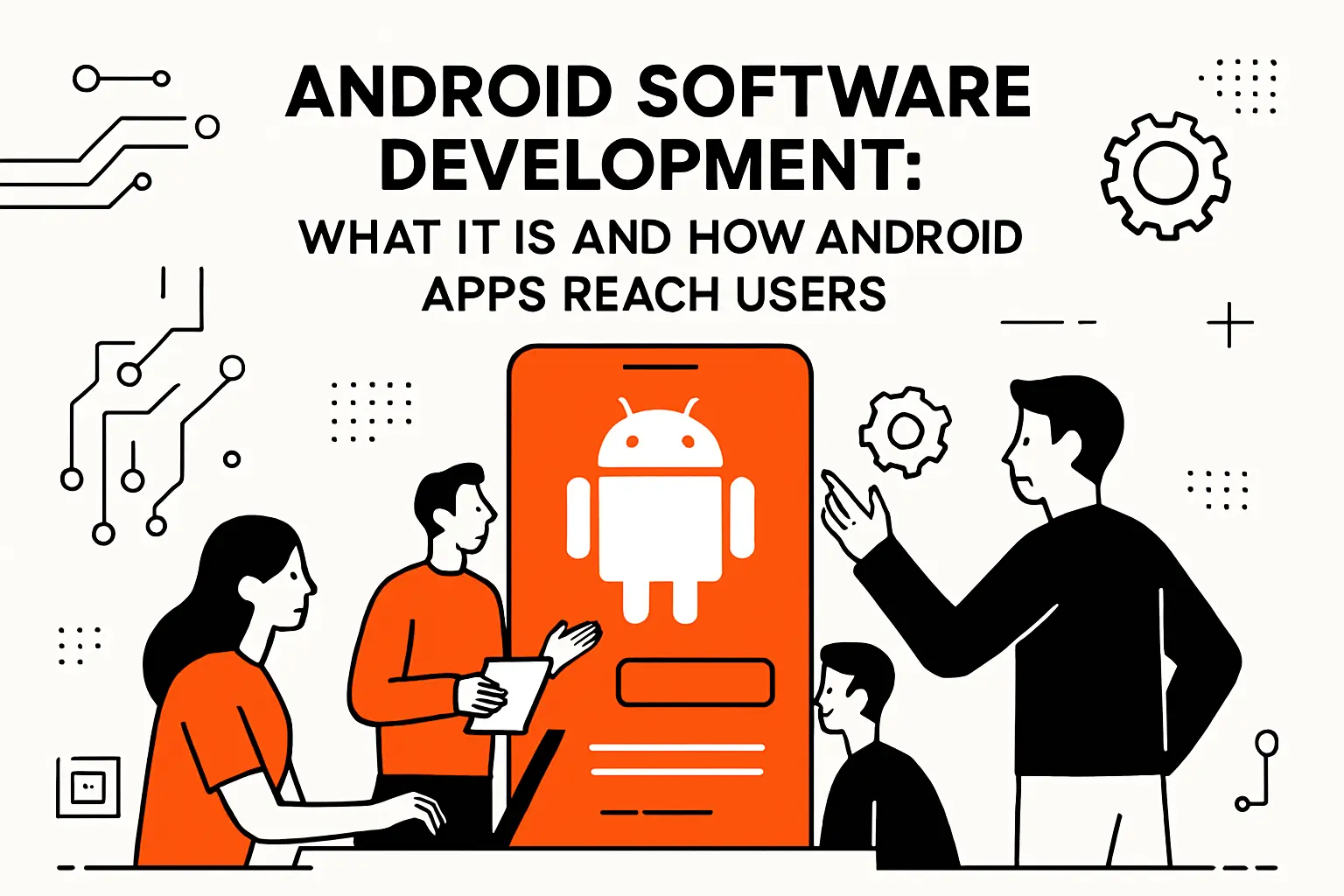
Android software development: What it is and how Android apps reach users
1. Android apps for devices running the Android mobile operating system
From a systems point of view, Android apps are bundles of compiled code, resources, and metadata that the platform can install, launch, background, and sometimes kill without asking permission. In practice, that means we design for lifecycle turbulence: a user can lose connectivity mid-checkout, rotate a screen during onboarding, or hop between apps while a background job continues. When teams underestimate this, “works on my device” becomes a recurring incident pattern rather than a one-time rookie mistake.
2. Google Play distribution, including staged releases and pre-release testing tracks
Distribution is not a single “publish” button; it’s release engineering with guardrails. Google Play’s track model lets teams validate behavior with real users before broad exposure, and Play Console documentation lays out how to set up an open, closed, or internal test without muddling cohorts or confusing testers about which build they’re running. Done well, this becomes a pipeline: internal validation for fast sanity checks, closed testing for targeted feedback, open testing for broader signal, and production when risk is acceptable.
Staged releases are where product confidence meets operational humility. Rather than betting the brand on a single rollout moment, we gradually expand exposure and watch for leading indicators: crash spikes, auth anomalies, API latency, conversion drops, and support tickets that smell like a regressions. For teams automating releases, the Play publishing API even describes how APKs and tracks work together so a staged rollout is not a manual ritual but an auditable, reproducible process.
3. Getting started resources: Hello World, training courses, tutorials, and samples
When we onboard new Android engineers—whether they’re juniors or seasoned backend developers crossing over—we push them toward official learning paths because Android has too many footguns for folklore-based learning. The Android team maintains a practical entry point where Build your first app is framed as a real workflow: create a project, run it, iterate, and learn where the IDE and the build system can help or hinder.
Beyond tutorials, samples are the fastest way to see idioms in motion. Inside the IDE, Google documents how to access and use the high-quality, Google-provided Android code samples so teams can copy patterns (navigation, persistence, background work, UI architecture) instead of copying mistakes from random gists. In our experience, a strong sample-driven start reduces architectural rewrites later, especially when deadlines tempt teams into “temporary” shortcuts that become permanent liabilities.
Languages and approaches for building Android apps
1. Primary languages: Kotlin, Java, and C++
Android is multi-language by design, but not all languages are equal in ecosystem leverage. Kotlin and Java cover the mainstream app layer, while C++ shows up when performance, legacy reuse, or platform-adjacent integration is required. Google’s guidance around the Kotlin-first approach matters in day-to-day delivery because the newest APIs, docs, and examples increasingly assume Kotlin fluency, and that shapes both developer velocity and correctness.
Java remains relevant because many enterprise codebases have deep Java roots, and migration is usually incremental rather than heroic. Meanwhile, C++ is not “a third option for app screens”; it’s a specialization tool for compute-heavy engines, codecs, and shared libraries. At TechTide Solutions, we pick the language mix based on where the business risk lives: UI correctness and iteration speed typically favor Kotlin, while deterministic performance hotspots may justify native components.
2. When native performance matters: C and C++ with the Android Native Development Kit
The Android Native Development Kit exists for a reason, and it’s not to make routine app logic harder. The Android NDK is a toolset for implementing parts of an app in native code, often to reuse proven libraries or to achieve lower latency than managed runtimes can reliably offer under load. In practical terms, this shows up in games, real-time media, computer vision, cryptography, and DSP-style workloads.
From our viewpoint, the biggest NDK risk is not “writing C++” but operationalizing it: builds become more complex, debugging requires different tooling instincts, and compatibility constraints widen across CPU architectures and device behaviors. That said, when teams do need it, Google’s Android Studio guidance on adding C and C++ code to your project clarifies the expected toolchain pieces and how native libraries get packaged and called from the app layer, which keeps the integration from turning into a bespoke build labyrinth.
3. Cross-platform realities: non-JVM languages, API support constraints, and interoperability
Cross-platform is rarely “write once, run anywhere”; it’s “choose where you want your friction.” Frameworks like Flutter, React Native, and Unity can accelerate multi-platform delivery, but they introduce constraints that businesses feel later: platform API gaps, dependency update lag, and the need to bridge into native code for edge features. In our consulting work, the hardest part is not the first release, but the third—when platform changes, policy shifts, and device fragmentation collide with a dependency graph you don’t fully control.
Interoperability becomes the deciding factor. If a cross-platform layer can call into Kotlin/Java cleanly and package native libraries predictably, teams can keep escape hatches for platform-specific work. Conversely, if the framework treats the platform as a black box, the app becomes brittle exactly when the business needs resilience: new permissions, new background execution rules, new distribution requirements, and hardware-specific quirks tend to arrive on the platform’s schedule, not yours.
4. Kotlin Multiplatform: templates, library updates, and learning paths for shared code
Kotlin Multiplatform is the most pragmatic “shared code” story we see for teams that still want first-class native UX. Shared business logic can reduce duplication, but only if toolchains and debugging stay sane. JetBrains’ recent work on Kotlin Multiplatform tooling signals a maturing ecosystem: projects are expected to run across targets while still feeling like a native developer experience rather than a compromise.
At TechTide Solutions, we like KMP when product requirements demand consistent domain behavior across platforms—pricing rules, offline sync logic, validation, encryption wrappers—while leaving UI and platform capabilities native. Templates help teams start with a coherent structure, yet long-term success depends on library hygiene: keep shared modules small, isolate platform bridges, and treat build speed as a product feature, because slow builds silently tax every sprint.
Android SDK essentials and official development tools
1. Android SDK overview and what it provides to app developers
The Android SDK is best understood as a contract between your app and the platform: APIs, build tools, packaging rules, debugging hooks, and emulators that mimic device behavior. Instead of seeing it as “stuff Android Studio installs,” we treat it as part of the supply chain. If the SDK is outdated or inconsistently configured across machines and CI, teams will misdiagnose problems, ship broken builds, or burn time on reproducibility hunts.
In delivery work, we also separate SDK knowledge into two layers. First comes the app-facing platform APIs (UI, storage, networking, permissions). Second comes the tool-facing capabilities (build, sign, test, inspect). This split matters because mature Android teams invest in the tool layer early: stable builds, repeatable releases, and debuggable failures are what keep feature delivery predictable when the app grows.
2. Platform Tools as a separate subset of the SDK
Platform Tools deserve special respect because they’re the bridge between your workstation and the device. Google’s overview of command-line tools makes the packaging explicit: some tooling ships in distinct SDK packages, and teams can update Platform Tools without rewriting their entire environment. In our workflows, this becomes a versioning policy—especially in CI—because a mismatched tool can produce confusing diffs, signature issues, or device communication flakiness.
Operationally, Platform Tools show up in the “boring” tasks that decide whether releases are calm or chaotic: installing builds onto devices, collecting logs, running smoke checks, and reproducing field issues. Businesses often underestimate this until a release goes sideways and someone has to debug a device problem under deadline pressure, where good tooling is not a luxury but a revenue-protecting asset.
3. Android Debug Bridge for running commands on connected devices
ADB is the Swiss Army knife of Android development, and we use it constantly even when the IDE abstracts it away. The official documentation on Android Debug Bridge (adb) frames it correctly: it is a communication channel for devices and emulators, enabling installs, shells, file transfers, log capture, and scripted operations. In team environments, ADB becomes the “lowest common denominator” interface that works in local dev, lab devices, and CI pipelines.
From a business perspective, ADB mastery reduces time-to-diagnosis. When a crash happens only on a specific OEM build, when storage permissions behave differently, or when background work stalls under doze-like constraints, being able to pull logs and inspect state directly means fewer blind guesses and fewer expensive “hotfix by superstition” releases.
4. Fastboot for flashing filesystems and device-level operations
Fastboot sits closer to the metal than typical app developers need, but it becomes relevant in device labs, custom hardware initiatives, and OS-level validation. The Android Open Source Project documentation describing fastboot in bootloader and userspace modes is a useful mental model: fastboot is both a protocol and a state that allows flashing and device-level operations outside the normal runtime.
We rarely recommend “fastboot literacy” for every app engineer. Still, teams building companion hardware, kiosks, or controlled fleets benefit from knowing where fastboot fits in provisioning and recovery. In those contexts, device management is not an IT afterthought; it’s part of the product, and the engineering org needs a credible story for how devices get reset, restored, and trusted again after something goes wrong.
Building for the Android device ecosystem and form factors

1. Adaptive experiences across phones and tablets
Phones are only the beginning. Modern Android delivery means treating screen size, posture, windowing, and input modes as first-class design constraints. Android’s own design guidance to adapt layouts frames the expectation: adaptive design should be the default, not an afterthought added after support tickets arrive from tablet users.
At TechTide Solutions, we favor adaptive UI not because it’s trendy, but because it pays compounding dividends. A layout system that can breathe across widths makes product teams faster: you can ship new features once, and then tune presentation per form factor without rewriting core flows. When the alternative is a separate tablet fork, the business usually ends up paying twice—once in engineering time and again in inconsistent customer experience.
2. Extending by device: Wear OS, Android for Cars, Android TV, ChromeOS, and Android XR
Android’s “one OS” reality is really a family of contexts. For watches, the getting-started flow for creating a Wear OS app highlights what we emphasize to clients: interactions are shorter, attention is fragmented, and the UI must be ruthlessly task-focused. For TVs, Android TV pushes different constraints—navigation with a remote, discovery surfaces, and content-forward UX that feels at home on a couch rather than in a hand.
Cars are stricter still, because driver distraction is not an abstract guideline; it’s a platform gate. The Android guidance on Android Automotive OS overview underlines that apps on car displays operate under UX restrictions and specialized patterns. On Chromebooks, Android’s own page on building for ChromeOS reminds teams that large screens and input diversity (keyboard, trackpad, stylus) change what “usable” means.
XR adds another layer: your existing app may run, but differentiated experiences demand spatial thinking. The Android team’s overview of Android XR makes the positioning clear: you can start from where your app is today and choose how deep you want to go, from compatibility modes to fully immersive experiences.
3. Interacting with external electronics: accessory and external hardware development tooling
Plenty of high-value Android apps are really “device controllers” in disguise: barcode scanners, lab instruments, payment accessories, IoT gateways, or industrial sensors. Android’s connectivity documentation on USB accessory mode is a practical anchor here: external hardware can speak to apps through defined protocols, but developers must handle permissions, device discovery, and lifecycle events when accessories attach or detach.
In our projects, hardware integration is where engineering meets field reality. A flaky cable, a noisy power supply, or a user who disconnects a device mid-operation can break naïve assumptions. Tooling, therefore, is not just libraries—it’s diagnostic logs, reproducible test rigs, and fallback UX that keeps the business process moving when the physical world misbehaves.
Designing excellent user experiences on Android
1. UI design guidance and best practices
Great Android UX is not about decoration; it’s about reducing cognitive load while respecting platform conventions. We design around user intent: what job is the user hiring the app to do, and what friction prevents completion? That tends to produce UX patterns that look “simple” on the surface but are carefully engineered underneath—clear state handling, predictable navigation, offline tolerance, and informative error messaging that doesn’t blame the user for network issues.
In our experience, the fastest way to lose trust is to feel inconsistent. If the back gesture behaves differently on different screens, if loading states randomly block navigation, or if forms clear themselves during configuration changes, users interpret that as unreliability. Businesses then pay in churn, support tickets, and bad reviews that are hard to reverse even after fixes ship.
2. Material Design principles for visual, motion, and interaction design
Material Design is most valuable when teams treat it as a system, not a skin. The guidelines at Material Design emphasize consistency, hierarchy, and interaction feedback, which are the exact levers that make complex apps feel approachable. We routinely see organizations reinvent basic components—buttons, dialogs, lists—only to end up with fragmented UI behaviors that slow down feature work and confuse users.
Motion deserves special attention because it can either clarify or distract. Subtle transitions teach users what changed, where content came from, and what the next action should be. When motion is random or purely decorative, it becomes performance tax: slower screens, janky interactions, and more battery use, all for an effect that doesn’t increase comprehension.
3. Accessibility as a core part of UX quality
Accessibility is not a compliance checkbox; it is product quality. Android’s own guidance on principles for improving app accessibility makes the point in practical terms: users of assistive technologies must be able to complete the same flows, including gesture-based actions that need accessible alternatives. When teams build accessibility in early, they usually discover broader UX improvements: clearer labels, better focus order, and fewer ambiguous icons.
From a business lens, accessibility lowers support cost and expands reach. More importantly, it reduces operational risk: governments and enterprise procurement often treat accessibility as a gating requirement. Even when it isn’t mandated, accessible design tends to be more robust under edge cases, which means fewer “mystery failures” in real-world use.
Android Studio and the day-to-day workflow
1. Android Studio as the official IDE for native Android
Android Studio is the primary cockpit for native Android delivery, and we treat it as a first-class productivity tool rather than “just an editor.” The IDE integrates project templates, build orchestration, device management, profilers, and inspections that materially change how fast teams can iterate. In client engagements, we often standardize Android Studio versions and plugin policies early, because inconsistent IDE environments quietly create inconsistent outcomes.
Our stance is simple: if the IDE is unstable or divergent across machines, developers waste hours diagnosing problems that are not actually product issues. Standardization is not bureaucracy; it is a hedge against invisible productivity leaks that grow with team size.
2. Core workflows: write and debug code, build projects, and manage app performance
Most Android delivery time is spent in a tight loop: implement a change, run it, inspect behavior, fix it, and repeat. Android Studio’s tooling makes that loop viable at scale, especially when teams lean on architecture boundaries. Google’s guide to app architecture is relevant here not as theory, but as workflow optimization: layered codebases make debugging faster because symptoms have fewer plausible causes.
Debugging That Matches How Users Actually Break Things
In production, users break apps in non-linear ways: back-and-forth navigation, partial inputs, backgrounding mid-request, and resuming later. When our engineers debug, we reproduce that messiness intentionally. A disciplined architecture plus tooling support means we can test hypotheses quickly, isolate root causes, and ship fixes that don’t introduce new regressions in adjacent flows.
3. Android emulators and subsystems for local development and validation
Emulators are not a replacement for physical devices, but they are a high-leverage baseline. The official guide to running apps on the Android Emulator highlights what matters most: you can simulate device conditions and validate behavior without waiting on a shared device lab. In our process, emulators catch integration mistakes early—misconfigured intents, broken deep links, UI truncation, or feature flags that behave differently under lifecycle changes.
Physical devices still matter for OEM-specific behavior, camera quirks, biometric flows, and performance under real thermal conditions. Still, teams that skip emulator discipline usually pay for it later with slower QA cycles and more expensive late-stage bug discovery.
4. AI assistance in the IDE: Gemini in Android Studio as a development companion
AI features in the IDE are most useful when they compress time-to-understanding, not when they generate unreviewed code. For crash work, the Android team documents how to analyze crash reports with App Quality Insights and Gemini by summarizing likely causes and suggesting next steps. We like this because it targets the most expensive part of debugging: reading unfamiliar stack traces, correlating them with code context, and choosing a fix strategy under uncertainty.
In our workflow, AI is a collaborator, not an author. Engineers still validate assumptions, write tests, and reason about concurrency and lifecycle effects, because those are precisely the areas where plausible-sounding suggestions can be dangerously incomplete.
5. Android Studio Cloud experimental public preview via Firebase Studio for browser-based development
Browser-based development changes how teams think about onboarding and mobility. Google’s documentation describes Android Studio Cloud as a remotely streamed environment accessed through Firebase Studio, which can be compelling for quick experiments, education, and rapid troubleshooting when a local machine is not set up. From our perspective, this is less about replacing local workflows and more about reducing friction: fewer “it takes a day to get a laptop ready” delays when someone joins a project or needs to validate a bug quickly.
Firebase’s own overview of Firebase Studio positions it as a cloud-based development environment aimed at rapid prototyping and full-stack iteration. That matters for Android teams because the mobile app rarely lives alone; it is coupled to APIs, auth, storage, and release pipelines that benefit from a cohesive workspace.
6. Settings backup and sync across Android Studio installs
Teams underestimate the cost of “personal IDE drift.” When keymaps, inspections, formatting rules, and run configurations differ, the codebase starts to reflect those differences, and reviews turn into style arbitration. Google documents how Android Studio supports Backup and Sync for IDE settings, which helps keep developer environments consistent across machines without turning setup into a manual checklist.
At TechTide Solutions, we treat this as a reliability practice. Consistent settings reduce accidental formatting churn, keep lint feedback predictable, and make pairing or mob debugging less painful. In a world where delivery speed is a competitive advantage, shaving off repeated setup friction is not minor—it is cumulative.
Testing, quality, and future-proofing your apps

1. Planning for app quality: user experience and technical quality
Quality planning works best when teams stop treating testing as a phase. And instead treat it as a design constraint. A strong Android app is not just bug free. It must stay stable under real behavior and across changing devices, screens, and networks. Early on, we define quality targets for UX, technical behavior, and operations. That includes flows, accessibility, threading, lifecycle, offline behavior, crash visibility, telemetry, and rollback readiness.
Our bias is to make quality measurable. A vague goal like “improve stability” turns into missed expectations, while a clear set of dashboards and pre-release gates turns into predictable releases and fewer customer-impacting surprises.
2. Streamlined Backup and Restore testing support from the Running Devices window
Backup and restore is one of those features nobody notices until it fails, and then users notice immediately. Google’s Android development tools update describes Streamlined testing with Backup and Restore support directly from the Running Devices window, including the ability to trigger backups and restore state during run/debug flows. That’s important because it encourages teams to test migration paths routinely, not only right before launch.
From our standpoint, this reduces product risk in two ways. First, account continuity becomes more reliable. Second, teams get faster feedback when restore paths fail in real conditions. Both benefits help retain users during device upgrades, which is when many apps lose people to login friction and missing state.
3. AI-assisted testing: Journeys for Android Studio with natural-language tests and assertions
End-to-end tests often fail because UI changes faster than test scripts can keep up. That’s why the concept behind Journeys for Android Studio is intriguing: tests described in natural language can be translated into actions and evaluated based on what the device shows, aiming to reduce brittle “click this exact coordinate” style automation. We view this as a promising direction, especially for teams with complex UI flows and frequent iteration.
Even so, we approach it as an augmentation, not a replacement. Critical paths still need deterministic assertions, and teams still need unit and integration tests that validate business logic independently of UI. The real win is using AI-assisted journeys to broaden coverage cheaply while keeping core correctness anchored in conventional tests.
4. Crash workflows: App Quality Insights with Gemini-powered crash analysis and suggested fixes
Crash triage is a workflow problem, not just a tooling problem. The reason App Quality Insights matters is that it pulls stability signals into the same place where engineers work, reducing context switching. Google’s documentation on Gemini-powered crash analysis clarifies how insights and suggested fixes can be generated from crash data plus local code context, which can accelerate the “what is happening?” phase of debugging.
At TechTide Solutions, we still insist on verification: reproduce if possible, add regression tests, and confirm the fix addresses the actual failure mode. Still, faster diagnosis means fewer firefights and more time spent building differentiating features instead of patching preventable regressions.
5. Preparing for platform evolution: 16 KB page size transition warnings and a dedicated 16 KB emulator target
Platform evolution is inevitable, and native dependencies are often where surprises hide. When underlying memory and alignment expectations change, apps with native libraries can fail in ways that look “random” until you understand the root cause. Android’s documentation provides page-size compatibility guidance that explains how developers can detect alignment issues, rebuild native components, and test in an emulator environment designed for the newer page-size configuration.
Our practical takeaway is straightforward. If your dependency graph includes native code, treat it like a supply chain risk. Keep an inventory of native dependencies. Monitor SDK updates and add compatibility checks to CI. Then surprises surface during engineering, not in production reviews.
6. Policy readiness: Play Policy Insights beta delivered as lint checks
Policy failures are a uniquely expensive class of failure because they block distribution, not just functionality. Google documents Play Policy Insights in Android Studio as lint checks that surface guidance on policy-sensitive areas early in development. We like this approach because it shifts policy work left: teams see potential issues while writing code, not after assembling a release candidate under deadline pressure.
In client work, we treat policy readiness as part of engineering quality. The right question is not “will we pass review,” but “are we building features that can survive review without redesign,” especially for permissions, background behavior, and user-data handling.
7. Security foundations: privacy, permissions, identity, and fraud prevention
Android security is not one feature; it is a posture across permissions, storage, transport, authentication, and abuse resistance. Our rule is simple: design least-privilege flows. Request permissions only when needed. Explain them in context. Also build useful fallback behavior when users say no. That reduces both user distrust and the risk of policy rejection.
Identity is where businesses feel security most directly. Weak auth flows lead to account takeover support tickets, while fragile session management leads to churn. We often recommend layered defenses. Use strong device-bound identity where appropriate. Add server-side anomaly detection. Design UX that makes risky actions harder to trigger by accident or social engineering.
8. IDE platform improvements: Kotlin K2 mode support and Gradle-related enhancements from the IntelliJ platform update
Tooling performance is not cosmetic; it multiplies throughput. Kotlin’s documentation includes a migration guide for the K2 compiler. That guide explains how the newer compiler pipeline improves IDE analysis and compilation. From our vantage point, faster analysis and better code insight reduce the micro stalls that slow delivery.
On the Gradle side, JetBrains highlights automatic download of library sources and other build tool improvements. That may sound small, but it changes the debugging experience. Stepping into real dependency code often beats guessing through decompiled stubs.
Backend and app operations with Firebase for Android
1. Build products: Authentication, Firestore, Realtime Database, Cloud Storage, and Cloud Functions
Firebase is popular because it collapses time-to-value for common backend needs while staying close to Android developer ergonomics. For identity, Get Started with Firebase Authentication on Android provides a clear path to integrate sign-in flows without reinventing password storage, session handling, or provider integrations. For data, Cloud Firestore’s quickstart demonstrates the baseline setup for a document database that pairs well with offline-first mobile patterns.
Not every app needs Firestore, of course. Some products prefer the Realtime Database for simpler sync semantics, and Firebase documents how to connect your app to the Realtime Database in a way that keeps security rules and structure front-of-mind. Media apps often need object storage, and the Android guide to Cloud Storage is a pragmatic entry point for uploads, downloads, and security rule boundaries. Finally, server-side logic and privileged operations can be exposed through callable endpoints, and Firebase documents how to call functions from your app without turning mobile clients into security liabilities.
2. Run products: Crashlytics, Google Analytics, Performance Monitoring, and Remote Config
Once the app ships, the real work begins: observe, diagnose, and iterate without breaking trust. Crash reporting is the first operational pillar. Firebase’s Crashlytics guide frames setup as a workflow across console configuration and IDE integration. We value Crashlytics for more than stack traces. It gives product teams a shared vocabulary for triage. Terms like top crashes, new issues, and affected users replace anecdotal support noise.
Analytics, performance monitoring, and remote configuration complete the loop. Telemetry helps answer business questions and engineering questions with the same evidence. For example, it shows where onboarding drops and which screens feel janky on weak networks. Remote configuration then becomes a risk lever. You can guard features, test behavior safely, and respond to incidents without forcing a full rollout.
3. Release confidence: App Distribution, Test Lab, and A/B Testing
Release confidence is what separates “we shipped” from “we shipped safely.” Device fragmentation makes it unreasonable to test everything in-house, so cloud-based device testing is a practical hedge. Firebase positions Test Lab as a way to run tests on real devices hosted in Google infrastructure, which matters when bugs only appear under specific device configurations. For teams that want a more guided ramp, Firebase also offers a focused path to get started testing for Android with Firebase Test Lab using an implementation checklist rather than a blank slate.
App Distribution and A/B testing round out the picture. Distribution to internal stakeholders shortens feedback cycles, while A/B testing brings measurement discipline to UX and monetization decisions. As Techtide Solutions, we prefer A/B testing when teams have a clear hypothesis and success metric; otherwise, experiments can devolve into “testing for sport,” which burns time without producing strategic insight.
TechTide Solutions: building custom software tailored to customer needs

1. Discovery and planning to translate customer needs into clear technical requirements
At TechTide Solutions, discovery prevents expensive rework. Instead of starting with screens, we start with constraints. We ask what data needs protection. We identify required integrations, offline behaviors, and realistic maintenance limits. From there, we translate business needs into engineering commitments. Those include API contracts, role models, audit requirements, and performance expectations that teams can actually test.
Crucially, we also plan release and operations early. If the app is mission critical, we design staged rollouts, telemetry, and incident response playbooks before launch. That prevents launch from becoming a cliff edge event. Instead, it becomes the start of an iterative, observable product lifecycle.
2. Custom Android app and backend development aligned to product goals and integrations
Custom Android development shines when it supports a measurable product goal. That goal might be faster field work, higher checkout conversion, offline capability, or a new service line. On the app side, we favor layered architecture, strict dependency boundaries, and adaptable UI patterns. On the backend side, we integrate with existing identity, ERP, CRM, and data systems.
We do that without forcing a full replacement fantasy. In our work, the same patterns appear again and again. A logistics app may need barcode scanning, offline queueing, and eventual consistency. Meanwhile, a healthcare adjacent app may need conservative permissions and strong audit trails. In both cases, production reliability depends on disciplined integration engineering. That means retry logic, idempotency, data validation, and end to end observability.
3. Ongoing improvement: testing strategy, performance tuning, and long-term maintenance support
Long-term success is mostly maintenance, and we plan for it explicitly. Testing strategy evolves from unit coverage to integration tests to device-lab validation as the app matures. Performance tuning similarly evolves: early work focuses on architectural bottlenecks, while later work focuses on frame stability, startup behavior, and backend latency under real usage patterns.
Maintenance support is where many apps either mature or decay. Our approach is to keep dependencies current, keep CI deterministic, and keep releases boring. When boring releases become the norm, teams can spend their creativity on product differentiation rather than on recovering from avoidable tooling and compatibility failures.
Conclusion: turning tools and guidance into a reliable Android app
1. Use official resources to move from first build to testing, quality checks, and release readiness
Reliability is not a single decision; it is the sum of daily habits backed by the right tooling. Official docs, samples, and IDE features reduce guesswork, especially around lifecycle pitfalls, device variability, and policy constraints. From our experience as TechTide Solutions, the fastest teams are not the ones who “move fast and break things,” but the ones who move fast because their pipeline catches breakage early and their architecture makes fixes cheap.
If you are building or modernizing an Android app today, the most valuable next step is often unglamorous. Start by auditing the workflow from code to release. Then identify where failures hide across that path. Finally, instrument those points with tests, lint checks, and staged distribution practices.
2. Stay current through latest updates, experimental previews, and evolving IDE capabilities
Android tooling is evolving quickly. AI debugging, cloud IDE access, and better testing workflows are reshaping normal delivery. At the same time, platform changes keep coming. Dependency ecosystems rarely move at the same speed as the OS.
We recommend treating currency as a scheduled practice. Plan regular toolchain upgrades, test previews deliberately, and set clear rules for adopting new capabilities. Given your product and team constraints, which matters most right now: release confidence, developer onboarding, or faster crash response? How can TechTide Solutions help design that next step?