


At Techtide Solutions, we’ve watched “headless” evolve from a trendy conference slide into a practical way to ship faster experiences, safer backends, and cleaner integration paths. In the same breath, we’ve also seen teams underestimate the operational weight of splitting a site into multiple systems, then wonder why previews, redirects, and analytics suddenly feel like a second job.
Market momentum is not subtle: Gartner forecasts worldwide end-user spending on public cloud services to total $723.4 billion in 2025, and that scale of cloud investment is one reason edge delivery, API-first stacks, and decoupled architectures are now “normal engineering,” not exotic R&D. Meanwhile, WordPress remains a gravity well for content: W3Techs reports that WordPress is used by 43.0% of all the websites, which means many organizations are exploring headless without abandoning the editorial workflows they already trust. Below, we’ll lay out how headless WordPress actually works, where it shines, where it bites, and how we approach implementation when the goal is business outcomes—not just architectural novelty.
What is headless wordpress and how it works
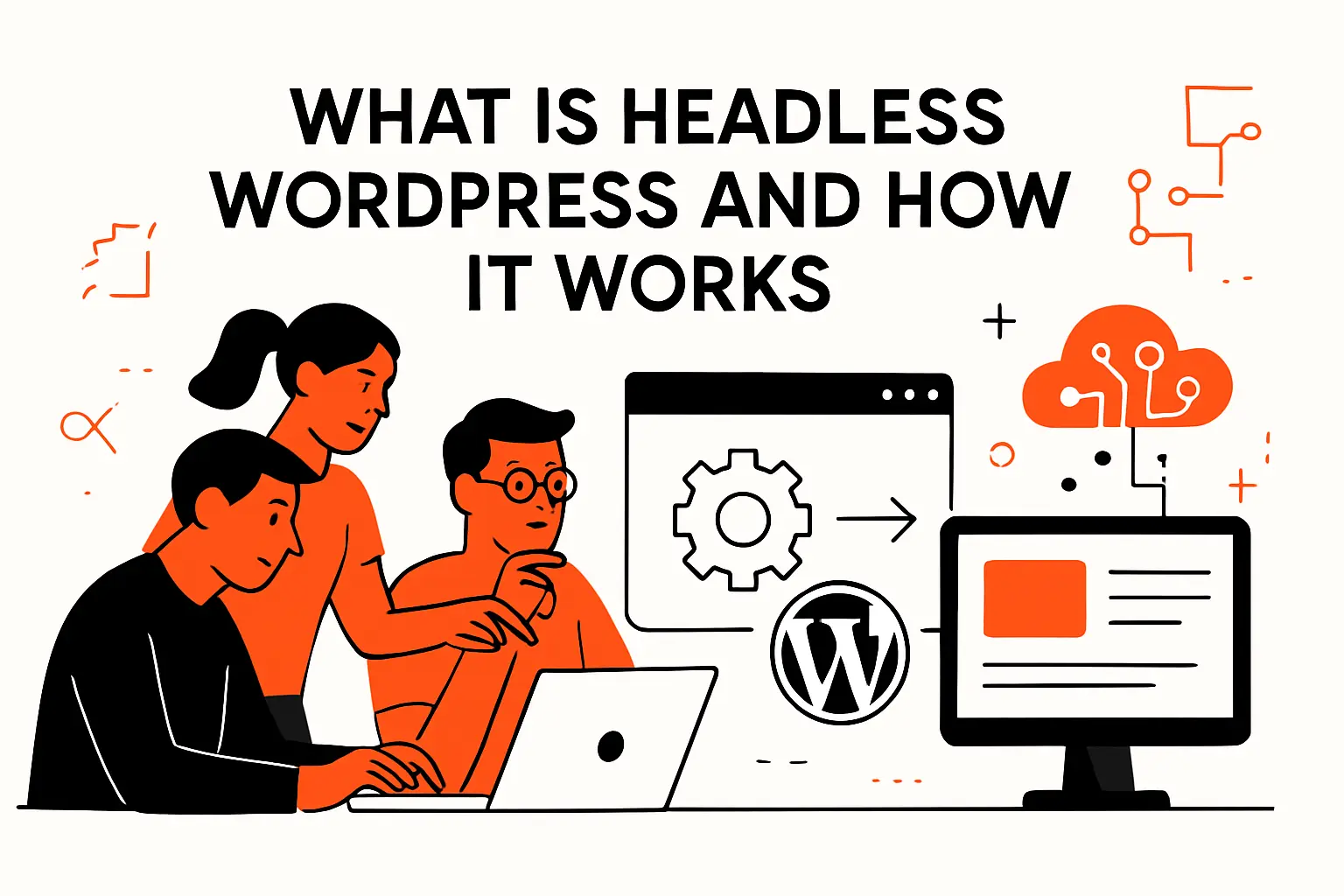
From our perspective, “headless” is less about removing the front of WordPress and more about relocating the user experience layer to a system that can evolve independently. The discipline is architectural: you decide which responsibilities live in WordPress, which live in the frontend, and which sit in shared infrastructure like caches, queues, and identity providers.
1. WordPress as the content layer: APIs that deliver content as data
Conceptually, headless WordPress turns WordPress into a content product rather than a page-rendering engine. Instead of themes and template files being the primary delivery mechanism, content leaves WordPress as structured data through APIs, and another application decides how to render it.
Operationally, that usually means WordPress holds the editorial truth—posts, pages, taxonomies, media, custom types, and custom fields—while an API (REST or GraphQL) exposes that truth to one or more consumers. Because those consumers can be web apps, mobile apps, kiosks, email builders, or internal tools, the same content model becomes reusable across channels.
Architecturally, we treat WordPress as a domain system: it owns content rules, validation patterns, and editorial workflows. Separately, the frontend becomes a delivery system: it owns performance budgets, UI composition, and personalization logic. When teams keep that boundary clean, “headless” stops being a buzzword and becomes a durable contract between content and experience.
2. Traditional WordPress request flow vs headless request flow
In traditional WordPress, a browser requests a URL, WordPress runs PHP, queries the database, assembles a page via theme templates, and returns HTML. Caching can help, but the fundamental lifecycle is still “request arrives, server renders,” and the rendering logic is tightly bound to WordPress’ runtime environment.
In headless, the browser often hits a separate frontend that might already be pre-rendered and cached at the edge. When the frontend needs content, it calls WordPress as an API dependency, either at build time (pre-render) or at request time (server rendering) or via client-side fetching when appropriate.
Practically, that means two different performance profiles and two different failure modes. Instead of “WordPress is slow,” the question becomes “Which layer is the bottleneck: the API, the rendering tier, the cache strategy, or the data modeling?” That shift is healthy, but it demands stronger observability and clearer ownership.
3. Rendering strategies for headless builds: SSG, SSR, and hybrid approaches
Rendering strategy is where headless either delivers its promises or quietly collapses into complexity. Static site generation (SSG) pre-builds pages into files, which makes caching straightforward and edge delivery extremely fast for content that changes predictably.
Server-side rendering (SSR) generates HTML on demand, typically in a Node-based runtime, which can be better for highly dynamic pages, personalized experiences, and frequently changing data. Hybrid approaches mix both: some routes are static, some are server-rendered, and some are assembled progressively in the client.
From what we’ve shipped, hybrid is the real workhorse. Editorial pages that benefit from edge caching can be pre-rendered, while authenticated experiences (dashboards, account areas, custom tools) can remain dynamic. The art is setting boundaries so you don’t accidentally “SSR everything” and lose the performance upside you came for.
Recommended reading: Umbraco vs WordPress: A Practical CMS Comparison for Businesses and Developers
Headless, decoupled, hybrid, and single-stack models: key differences
Words get muddy here, so we prefer crisp definitions. The delivery model you choose affects your staffing plan, release cadence, security posture, and even how content editors experience preview and publishing.
1. Single-stack WordPress: themes, templates, and tightly coupled presentation
Single-stack WordPress is the classic model: WordPress stores content and renders the frontend using a theme. It’s cohesive, familiar, and surprisingly powerful when paired with solid hosting and disciplined plugin choices.
In that world, the theme becomes the product. Navigation, metadata, templates, performance optimizations, and many UX behaviors live inside the WordPress codebase, which makes iteration convenient as long as your requirements fit what WordPress does well.
For many organizations, that’s still the right answer. Whenever we see teams with limited engineering bandwidth, tight deadlines, or a straightforward website, we often recommend staying single-stack and investing in performance, security hardening, and editorial training rather than splitting the architecture prematurely.
2. Decoupled CMS: keeping a theme-based frontend while enabling API outputs
Decoupled (in the loose, practical sense) often means WordPress still serves the website via a theme, but it also exposes APIs for other consumers. That might include a mobile app, a partner portal, a digital signage system, or an internal search indexer.
From an engineering standpoint, this is a pragmatic middle ground. You get to keep WordPress-native features—preview, plugins that enhance content editing, and theme-driven rendering—while also building a parallel integration surface for other channels.
Strategically, we see this as a “stability-first” path. A team can learn to model content for APIs, build authentication and governance, and adopt versioned integration practices without forcing the entire public website into a new rendering stack on day one.
3. Hybrid builds: themes for the web and APIs for apps and other channels
Hybrid builds are where things get interesting: WordPress serves some experiences traditionally while other experiences are headless. Sometimes the marketing site stays theme-based while product documentation or a resource hub becomes a headless frontend for better performance and UI flexibility.
In practice, this approach reduces risk because the organization can keep a known-good delivery path while proving out the headless path. Editors don’t lose everything familiar, and engineering teams can focus on the highest-impact journeys first.
Across the projects we’ve delivered, hybrid often becomes a long-term steady state rather than a temporary stepping stone. When a company has multiple audiences and multiple performance needs, “one stack to rule them all” is more ideology than strategy.
Recommended reading: How to Hire a WordPress Developer: A Research-Backed Outline for Finding the Right Fit
Benefits of headless wordpress for modern digital experiences
Headless is not a free lunch; it’s a trade. When the trade is right, the benefits show up in user experience metrics, deployment confidence, and the ability to integrate content into the places where customers actually engage.
1. Performance gains through pre-rendering, caching, and edge delivery patterns
Performance is the headline benefit, but it’s not magic—it’s mechanics. By pre-rendering pages (fully or partially), you reduce per-request server work and make caching far more deterministic, especially when the output is static HTML and assets rather than PHP-generated pages.
At the edge, content can be served closer to users, and cache invalidation can be tied to publishing events instead of generic time-based expiration. That changes the performance conversation from “tune WordPress until it behaves” to “design an output pipeline that is inherently fast.”
In our builds, the largest wins typically come from controlling the rendering surface. Once the frontend owns image optimization, route-level caching, and bundle strategy, you can enforce performance budgets like a product requirement rather than a best-effort plugin configuration.
2. Security improvements by reducing exposure of the backend and database
Security improves when the public internet sees less of your origin system. In a headless setup, WordPress can sit behind stricter network rules, and the public surface can be a frontend that does not expose wp-admin, theme endpoints, or other common fingerprints.
From a threat-model standpoint, fewer exposed endpoints and less direct coupling between requests and database queries reduces the blast radius of certain attacks. Hardening also becomes more straightforward when you can separate “editor access” from “public browsing” at the infrastructure level.
That said, headless doesn’t remove security responsibility—it relocates it. API authentication, token storage, CORS policies, and rate limiting become first-class concerns, so we design security as part of the architecture rather than bolting it on during launch week.
3. Flexibility and scalability: evolve the frontend independently of WordPress
Flexibility is the benefit we care about most, because it compounds over time. When the frontend is independent, redesigns become less invasive, experiments can ship without theme constraints, and product teams can build UI components that aren’t forced into WordPress template conventions.
Scalability also changes shape. Instead of scaling WordPress to handle every public request, you scale the frontend tier and cache tier for public delivery, while WordPress scales for editorial throughput and API demand.
For organizations building a broader platform—multiple sites, multiple apps, multiple customer experiences—headless WordPress can become a stable content backbone. Separating concerns lets each layer scale for its real workload, which is a far more honest architecture than pretending every request should be processed the same way.
Recommended reading: What Is Jetpack WordPress? Complete Guide to Features, WordPress.com Connection, and Setup
Who should use headless wordpress: real-world use cases
Headless is best when content must travel: across channels, across products, across teams, or across performance requirements. The “who” matters, because the wrong organization will mostly experience overhead instead of upside.
1. Enterprise and high traffic publishing teams with multi channel distribution
Large publishing teams often face two pain points: distribution and velocity. Content must appear on sites, syndication feeds, partner surfaces, newsletters, and apps. The organization cannot support separate authoring for each channel.
In these environments, WordPress works well as a content layer because editors already know it. Meanwhile, delivery surfaces can stay specialized. A newsroom homepage may need aggressive caching and custom layout logic. Article pages can focus on reading and discovery with clean HTML output. With high traffic teams, governance needs quickly become explicit.
Think roles, approvals, scheduled publishing, auditability, and content lifecycles. Headless helps only when content modeling is treated as product design. Otherwise, it becomes a pile of deadline driven fields.
2. Ecommerce, SaaS, and custom web applications powered by WordPress content
Ecommerce and SaaS companies often use WordPress for marketing content, documentation, changelogs, and resource libraries. At the same time, the real product often lives in an application stack. That stack needs component level control, authentication, and modern UX patterns.
With headless WordPress, product teams can pull structured content into the application. This avoids forcing customers through a separate marketing site experience. Documentation can live inside the logged in UI. Onboarding flows can reference CMS authored copy.
Release notes can also appear in context. From a business standpoint, this reduces friction and keeps users in one cohesive journey. Technically, teams can apply one design system and one analytics model across the experience.
3. Mobile apps and multi-device experiences that reuse the same content repository
Mobile teams often get stuck duplicating content: the website has one version, the app has another, and nobody trusts which is current. Headless WordPress can solve that by acting as the shared source for content that needs to appear in multiple device contexts.
In practice, we model content as “presentation-neutral.” Instead of writing for one template, editors write structured modules that the app and web can assemble into native layouts. That includes CTA blocks, FAQs, location details, help center content, and marketing promos.
Design-wise, this is where discipline matters. If content is modeled too loosely, frontend developers end up writing endless conditional logic; if content is modeled too rigidly, editors feel trapped. Our best results come from modeling around reusable patterns and enforcing them with validation and editorial guidelines.
Recommended reading: WordPress vs Custom CMS: How to Choose the Right Platform for Your Website
Challenges and drawbacks to plan for in a headless setup
We like headless, but we don’t romanticize it. The hidden work is rarely in the “fetch data from an API” part; it’s in the ecosystem features WordPress gives you for free when it owns both content and rendering.
1. More maintenance: multiple codebases, more tooling, and two hosting environments
Headless almost always adds more moving parts. A theme based WordPress site can ship as one application. By contrast, headless usually splits into backend and frontend systems. Each brings its own build pipeline, environments, and operational concerns.
Tooling expands quickly. Local development needs service orchestration. Meanwhile, CI needs multiple workflows. QA must validate both API responses and rendered output. Logging and monitoring become essential. Failures can appear in more places. Worse, one layer may look fine while another is broken.
From our delivery experience, clarity is the best mitigation. When ownership boundaries are explicit, teams scale architecture without scaling confusion. Define who owns schema, rendering, and caching. Confusion, not infrastructure, is often the real cost center.
2. Rebuilding “WordPress-native” features: themes, design patterns, comments, and forms
WordPress ships with a lot of product surface area that people forget is product. Comments, search, related content, author pages, category archives, form plugins, and preview flows aren’t just “features.” They’re integrated behaviors backed by years of ecosystem maturity.
In headless, many of those behaviors must be rebuilt or replaced. Forms might move to a dedicated service, comments might become a third-party embed, and search might require an external index. Even simple things like “draft preview links” become a custom engineering problem.
Technically, this is where we see projects drift. Teams start with “just content” and then realize the site is actually a collection of interactive systems. Our approach is to inventory WordPress-native expectations early and decide, feature by feature, whether we rebuild, integrate, or intentionally drop.
3. Operational risks: plugin compatibility, previews, credentialing, and content access control
Plugins are both WordPress’ superpower and its volatility. In headless, a plugin that assumes it can inject markup into a theme may be useless, while a plugin that enriches content data can be extremely valuable.
Preview is a frequent stumbling block because editors expect to see an accurate representation of what they’re publishing. A headless preview pipeline must coordinate draft content retrieval, secure preview tokens, and frontend rendering in a way that is fast and intuitive.
Access control also becomes sharper. When content is delivered via APIs, you must enforce who can read what, from where, and under which credentials. In our builds, we treat API authorization as a product capability, not an afterthought, because it directly affects editorial trust and compliance posture.
Recommended reading: HubSpot CMS vs WordPress: How to Choose the Right CMS for Your Website
SEO and discoverability considerations in headless wordpress

Search is rarely “handled” by merely choosing headless or not. Instead, it’s the output quality, metadata discipline, and crawlability of your rendered pages that determine whether headless helps or hurts.
1. Ensuring indexable output with SSR or SSG and correct metadata handling
Indexability is the first principle: crawlers need stable, accessible HTML that includes the content users care about. SSG naturally produces crawlable output, while SSR can also do so when implemented carefully with correct head tags and consistent canonical URLs.
Metadata handling becomes a real engineering responsibility. In classic WordPress, SEO plugins often manage title tags, descriptions, canonical tags, and social metadata at render time. In headless, you either pull that metadata through the API or re-implement the logic in the frontend.
From our standpoint, the safest pattern is to define an explicit “SEO contract” in your content model. When editors can see and manage fields that map cleanly to output, you reduce surprises and avoid the brittle approach of “let’s scrape whatever a plugin would have printed.”
2. Redirects and permalink strategy when WordPress is no longer serving pages directly
Permalinks are promises, and headless does not absolve you from them. Once WordPress stops serving public pages, the frontend must take responsibility for honoring legacy URLs, migrating structures, and enforcing canonical routes.
Design your redirect strategy for day-to-day operations, not just technical correctness. Marketing will request changes, teams will consolidate content, and old campaigns will randomly crawl back from the grave. If redirects live only in code, you turn routine publishing work into engineering tickets.
In our implementations, we typically create a redirect management capability that can be governed safely, audited, and deployed without drama. The goal is not merely to avoid broken links; it’s to preserve the accumulated equity of your content over time.
3. Sitemaps and RSS feeds: planning what the frontend must generate and serve
In headless setups, decide which system generates discovery artifacts. WordPress can still output sitemaps and feeds. However, if the frontend owns routing, filtering, and canonicals, those artifacts may drift without coordination.
Frontends can generate sitemaps from the same data used to render pages. That is often cleaner because it reflects reality. Yet doing it in the frontend adds responsibility. Teams must schedule regeneration, handle pagination, and reliably exclude drafts or private content.
Our rule of thumb is simple: match discovery artifacts to the system that owns public URLs. Once that is explicit, SEO becomes an engineering system with clear inputs and outputs.
Choosing your data layer: WordPress REST API vs WPGraphQL
The API layer is not just plumbing; it shapes how developers think about content and how efficiently frontends can query it. We choose based on team skills, query complexity, caching strategy, and how much schema governance the organization wants.
1. REST API fundamentals: endpoints, JSON responses, and common content operations
The WordPress REST API is familiar and predictable: resources map to endpoints, responses are JSON, and many developers can work effectively with it quickly. For straightforward use cases—fetch posts, fetch pages, list categories—it’s often the fastest path to a working headless prototype.
Pagination, filtering, and embedding related resources are the practical concerns. A naive frontend can accidentally make many sequential calls, which increases latency and complicates caching. Thoughtful request shaping and caching headers make a large difference here.
In our projects, REST succeeds when content needs are simple and the frontend can tolerate some over-fetching. When relationships become rich—nested blocks, cross-linked content types, and complex menus—we often see REST become chatty unless you build aggregation endpoints.
2. GraphQL with WPGraphQL: selecting only the fields you need and using IDE tooling
GraphQL changes the mental model: the frontend asks for exactly what it needs, and the server returns a shape tailored to that request. WPGraphQL brings that approach into WordPress, which can be transformative for complex content relationships and component-driven frontends.
Developer ergonomics are a major win. Strong schemas, introspection tooling, and query validation can reduce guesswork and shorten feedback loops, especially when multiple teams consume the same content API.
Still, GraphQL is not automatically faster; it is more expressive. Performance depends on resolvers, caching strategy, and how you avoid expensive query patterns. When we implement WPGraphQL, we treat query governance and caching rules as part of the product, because otherwise “flexible queries” can become “unbounded load.”
3. Advanced API patterns: block-level data, custom post types, metadata, and protected content
Advanced headless builds usually depend on modeling beyond posts and pages. Custom post types become essential for things like locations, products, team members, case studies, and knowledge base articles, while metadata and taxonomies define how content connects.
Block-level data is another frontier. If editors are using the block editor to compose pages, the API must expose blocks in a way that frontends can render consistently. Some teams choose to map blocks to frontend components directly; others translate blocks into a normalized layout schema.
Protected content is where “CMS” becomes “platform.” Membership content, gated resources, internal documentation, and preview drafts all require authentication and authorization patterns that are coherent across systems. In our experience, solving protected content cleanly early prevents a long tail of brittle hacks later.
Headless wordpress implementation roadmap: build, deploy, and keep content in sync
Implementation is where headless projects either become maintainable systems or permanent prototypes. We approach the roadmap as a sequence of risk reductions: model content, prove rendering, validate publishing workflows, then harden deployment and performance.
1. Backend setup and content modeling: permalinks, custom post types, and custom fields
Content modeling is the foundation, and it’s often underestimated. Before a frontend is built, you need to define what content exists, how it relates, which fields are required, and which editorial workflows keep quality high over time.
Permalink strategy matters early because URLs become contracts with users, marketing campaigns, and search engines. Changing them later is possible, but it forces redirect work and can introduce subtle canonical issues across environments.
From our practice, custom fields should be designed around reusable intent, not around one-off page mocks. When fields map to real business concepts—product attributes, editorial modules, campaign CTAs—frontends become simpler, APIs become cleaner, and content reuse becomes a feature instead of a slogan.
2. Frontend build options: Next.js, Gatsby, Astro, React, and other framework approaches
Frontend choice is less about popularity and more about fit. Next.js is strong when you need flexible rendering modes and mature ecosystem tooling, while Gatsby can be effective for build-heavy content sites with strong plugin patterns and a clear content graph.
Astro is compelling for content-forward sites that want minimal client-side JavaScript and a modern authoring experience for components. React remains a common base regardless, but teams also succeed with other frameworks when the API contract is well designed.
At Techtide Solutions, we select frameworks by asking uncomfortable questions upfront: How will preview work? How will redirects be managed? How will authentication be handled? Which parts must be fast globally, and which parts must be dynamic? The right answer is the stack that makes those answers boring to implement.
3. Deployment and delivery: environment configuration, edge hosting, and incremental regeneration
Deployment architecture is where business reliability becomes visible. A headless system needs separate backend and frontend environments. It also needs a plan for secrets, API keys, caching, and safe rollouts.
Edge hosting and smart caching can make global performance feel effortless. That only works when cache invalidation and publishing synchronization are handled deliberately. Content updates should propagate predictably across every environment. Preview should not force developers to rebuild everything for editors to see a draft.
In our deployments, we focus on repeatability and auditability. Codified infrastructure keeps environments consistent and rollback paths testable. Then headless becomes a platform teams trust, not a machine everyone fears touching.
TechTide Solutions: custom headless WordPress development tailored to your users
Our work in headless WordPress is not about chasing architectural fashion. Instead, we treat decoupling as a means to deliver measurable improvements in speed, security posture, editorial velocity, and integration reach.
1. Architecture and requirements workshops for scalable headless wordpress builds
Before we write code, we map reality. That includes content types, editorial roles, publishing workflows, discovery requirements, integration endpoints, and the operational constraints your team actually lives with.
During workshops, we pressure-test assumptions. We decide which experiences must stay dynamic, which ones can lean on aggressive caching, and which “WordPress-native expectations” will need replacements. We also choose the right model—fully headless, hybrid, or decoupled—based on those realities.
Most importantly, we translate goals into clear system boundaries. When the team defines ownership—content, rendering, SEO, and deployment—the architecture scales because the organization can scale around it.
2. Custom frontend and integration engineering aligned to customer needs
Engineering value appears when integrations stop being fragile. We build frontends that treat WordPress as a dependable content dependency, with careful query design, resilient fallbacks, and rendering patterns that support both performance and editor trust.
On the integration side, we routinely connect WordPress content to CRMs, search indexes, analytics pipelines, personalization layers, and internal systems. The goal is not “more integrations,” but fewer manual processes and fewer points where content becomes inconsistent across channels.
From a UX standpoint, we build component systems that respect both design integrity and editorial control. When editors can assemble pages confidently and engineers can maintain UI consistency, the experience becomes easier to evolve without accidental regressions.
3. DevOps and ongoing support: deployments, previews, performance, and maintainability
Headless projects live or die by operations. We support teams with CI/CD design, environment strategy, monitoring, incident response playbooks, and performance tuning so the system remains stable after launch.
Preview systems and publishing pipelines get special attention because they determine whether editors feel empowered or blocked. A fast, accurate preview experience reduces back-and-forth, improves content quality, and keeps publishing workflows humane.
Long-term maintainability is the quiet success metric. When dependencies are managed, observability is in place, and architectural boundaries remain intact, headless WordPress becomes a reliable foundation instead of a recurring rebuild project.
Conclusion: deciding whether headless wordpress is right for your project
Choosing headless is a strategic decision disguised as a technical one. The right choice depends on what you’re trying to achieve, how your team operates, and whether the organization is ready to own a more explicit architecture.
1. Decision checklist: team skills, goals, timeline, and complexity vs payoff
Skill alignment matters more than ideology. If your team is strong in modern frontend engineering and wants tighter control over UX, headless can be a force multiplier; if your team is primarily WordPress-centric, the same move can feel like a self-inflicted staffing crisis.
Goals should be concrete: faster global delivery, multi-channel distribution, tighter security boundaries, or deeper app integration are good reasons. Vague motivations like “modernizing” tend to produce architectures that are impressive in diagrams and painful in daily operations.
Complexity must earn its keep. When the payoff is clear and measurable, headless becomes an investment; when the payoff is unclear, decoupling becomes an ongoing tax paid in tooling, maintenance, and cognitive load.
2. Selecting a delivery model: SSR, SSG, ISR, and caching strategy alignment
Delivery model selection is essentially a caching strategy expressed as architecture. When content changes slowly and traffic is spiky, pre-rendering and edge caching can deliver dramatic stability and speed.
When experiences are personalized, authenticated, or deeply dynamic, SSR can be the better fit, provided you design caching layers and data fetching to avoid turning every request into an origin bottleneck. Hybrid strategies often provide the best blend, but they require discipline to keep boundaries clear.
In our work, the winning approach is alignment: publishing workflows, cache invalidation, preview behavior, and deployment cadence must all agree with the rendering model. If they fight each other, performance and editorial confidence both suffer.
3. Start small when needed: gradual decoupling and iterative rollout planning
Gradual decoupling is often the most business-friendly path. By starting with a contained surface—like a documentation section, a resource library, or a campaign microsite—you can validate content modeling, API patterns, SEO output, and preview workflows with less risk.
Iterative rollout also helps teams build muscle: governance, monitoring, deployment discipline, and cross-team collaboration. Once those muscles exist, expanding headless capabilities becomes an incremental change rather than a “big bang” rewrite.
As a next step, we recommend selecting one customer journey that is both high-impact and realistically isolated, then proving a headless slice end to end; which journey would deliver the clearest win for your users if it became faster, safer, and easier to evolve?

