


At TechTide Solutions, we treat WordPress less like “a website builder” and more like an opinionated operating system for publishing. The core product assumes you will create pages and posts, revise them, schedule them, categorize them, and push them through an editor-centric workflow. That default matters: it shapes everything from how your content team thinks (blocks, templates, media library) to how your engineers extend the system (hooks, custom post types, REST endpoints).
WordPress vs custom cms: what you’re really choosing
1. WordPress as a CMS: themes, plugins, and a publishing-first workflow
Underneath, WordPress succeeds because it embraces composability in a way business stakeholders can actually feel. Themes translate brand into layout, plugins translate needs into features, and the admin UI translates marketing intent into shipping content without opening a ticket. That balance is why 43.0% of all the websites on the public web run on WordPress, and why we still see it show up in RFPs from organizations that could easily afford “enterprise” platforms.
Our practical takeaway
When your website’s primary job is communication—news, campaigns, landing pages, educational content, thought leadership—WordPress’s publishing-first gravity becomes a feature, not a constraint.
2. Custom CMS vs custom website vs custom WordPress: common paths and trade-offs
In our consulting calls, “custom” often means three different things, and confusing them is how teams burn budget without getting leverage. A custom website can be purely front-end: bespoke UI, animations, performance tuning, maybe a headless backend bolted on later. A custom WordPress build usually means WordPress stays as the content engine, but we engineer the theme layer, content modeling, and integrations so the admin experience fits your workflow instead of forcing your workflow to fit a theme demo.
Custom CMS is the deepest cut: we design the content model, editorial permissions, publishing lifecycle, and API surface area around your business domain. That doesn’t automatically make it “better”—it just makes it more specific. Specificity buys you control (and sometimes performance and security), but it also creates responsibility: you own the product decisions that WordPress core and its ecosystem otherwise make for you.
Real-world example from our bench
For a multi-location services company, we once rebuilt a WordPress site “custom” and still kept WordPress, because the win was not inventing a new CMS; the win was standardizing location pages, enforcing schema consistency, and integrating scheduling without turning the admin into a maze of shortcodes.
3. Project scope first: when off-the-shelf tools beat building from scratch
Before we talk technology, we talk scope in uncomfortable detail. Not feature scope in the abstract—operational scope: who creates content, who reviews it, what legal needs to approve, which departments demand analytics, which systems must synchronize data, and what “done” means after launch. The moment you describe the actual workflows, the platform choice often becomes obvious.
From a market perspective, it’s also clear why off-the-shelf wins so often: Statista projects the content management software market to reach US$23.17bn by 2025 worldwide, which signals a mature ecosystem where many common needs already have commodity solutions. In other words, if your requirements look like everyone else’s, you probably should not pay to reinvent them.
Our rule of thumb
Whenever “content” is the product and speed matters, we reach for proven tools first. Whenever “workflow” is the product and differentiation matters, we consider building.
Recommended reading: What Is Jetpack WordPress? Complete Guide to Features, WordPress.com Connection, and Setup
Where WordPress excels
1. Speed to launch: templates, page builders, and ready-made features
Speed is WordPress’s most honest superpower, and we mean speed across disciplines: design, development, and day-to-day publishing. A solid theme or block-based build gives you structure quickly, and a page builder (used carefully) can keep non-technical teams moving when the marketing calendar refuses to wait for an engineering sprint. In many engagements, our fastest wins come from choosing fewer moving parts, not more—one well-supported theme foundation, minimal plugins, and a deliberate content model.
Operationally, that speed matters because websites are rarely “just websites.” They are campaigns, partnerships, PR moments, hiring pushes, investor updates, product launches, event pages, and documentation hubs. When leadership wants something live, WordPress is often the only platform that can meet the timeline without forcing the organization into a new set of publishing habits.
What we watch closely
Launch speed is only a win if it doesn’t tax you later. We aim to ship quickly while keeping the build legible: predictable templates, consistent blocks, and no mystery dependencies.
2. Content velocity: blogging roots, editor experience, and marketing autonomy
Marketing autonomy isn’t a buzzword to us; it’s a throughput constraint. If every copy tweak requires developer time, the website becomes a bottleneck, and bottlenecks create shadow systems—teams start publishing in slide decks, PDFs, or social threads because the official website is too slow to update. WordPress helps prevent that drift by giving editors a familiar mental model and an admin interface built for publishing, not just “managing records.”
Gutenberg blocks, reusable patterns, scheduled publishing, revisions, and role-based access can create a steady cadence without constant engineering involvement. That cadence has an SEO side effect too: when content teams can ship consistently, they build topical authority and internal linking naturally. We’ve watched organizations go from “the site is a brochure” to “the site is a living channel” simply because WordPress made publishing feel safe and reversible.
A common win
When stakeholders can draft, preview, and iterate without fear of breaking layout, teams ship more—and that “more” compounds.
3. Ecosystem support: community help, documentation, and plugin options
WordPress has an ecosystem that behaves like an insurance policy. Even when a site is custom-built, there’s a deep bench of developers, agencies, documentation, and community knowledge to draw from. That’s not just about solving bugs; it’s about staffing resilience. If your internal developer leaves, WordPress is still WordPress—another engineer can usually pick it up without a long ramp.
Plugin options also mean you can validate an idea cheaply. Want to test multilingual content, a membership area, a donation flow, or a learning hub? You can often prototype with existing components, learn what users actually do, and then decide whether to harden or replace parts with custom code. From our perspective, that “start standard, then specialize” pathway is one of WordPress’s most business-friendly traits.
Our guardrail
We treat plugins as dependencies that deserve architecture decisions, not as harmless add-ons. The ecosystem is powerful, but it must be curated.
Recommended reading: How to Hire a WordPress Developer: A Research-Backed Outline for Finding the Right Fit
Where WordPress can struggle as projects grow

1. Plugin stacking and performance bloat
As WordPress sites grow, the failure mode we see most is “plugin stacking”: each new requirement adds another plugin, each plugin brings its own CSS and JavaScript, and soon the front end becomes a parade of assets the user never asked for. That bloat isn’t only about page weight; it’s about runtime cost. Extra scripts compete for the main thread, increase layout work, and add unpredictable interactions between components.
From an engineering angle, the site can start to feel like a Jenga tower: remove one plugin and a template breaks, swap a theme component and an integration fails, update a builder and spacing shifts across a hundred pages. None of this is inevitable, but it is common when WordPress is treated as a shopping cart of features instead of a system with a coherent architecture.
How we mitigate it
Deliberate dependency pruning, performance budgets, and “build vs buy” reviews prevent plugins from quietly becoming the system.
2. Maintenance complexity: updates, compatibility, and troubleshooting
Maintenance is where WordPress becomes either boring (the best outcome) or chaotic (the expensive outcome). Updates come from multiple directions: WordPress core, themes, plugins, PHP versions, hosting environments, and third-party services. Compatibility issues rarely announce themselves politely; they show up as broken editor experiences, intermittent checkout failures, or layout regressions that appear only on specific pages.
In practice, the hard part is responsibility boundaries. When something breaks, is it the host, the plugin, the theme, the cache layer, the CDN, or a browser change? A mature WordPress operation reduces that ambiguity with staging environments, automated backups, regression checks, and a release process that treats updates like software releases rather than casual clicks in an admin panel.
What we tell leadership
If the website is business-critical, maintenance must be planned work, not an emergency ritual performed after something fails.
3. Reputation vs reality: how WordPress outcomes depend on implementation
WordPress’s reputation swings wildly because the platform is flexible enough to enable both excellent engineering and questionable shortcuts. In one company, WordPress is a cleanly architected publishing system with a stable theme layer, careful plugin selection, and disciplined content modeling. In another, it’s a tangle of builders, outdated plugins, ad hoc custom code, and no clear owner.
Implementation quality decides whether WordPress is a sturdy foundation or a fragile stack. That’s why we resist simplistic statements like “WordPress is insecure” or “WordPress is slow.” The truth is more nuanced: WordPress can be hardened and optimized, but it requires consistent attention. If an organization wants a platform that stays healthy with minimal operational maturity, WordPress may not be the right bet.
Our viewpoint
Choosing WordPress is not choosing “cheap.” It’s choosing a popular, capable platform whose outcomes are tightly coupled to governance and engineering discipline.
Recommended reading: Umbraco vs WordPress: A Practical CMS Comparison for Businesses and Developers
Why teams choose a custom CMS
1. Tailored workflows and advanced integrations for operational websites
Some websites are not primarily marketing channels; they are operational interfaces. Think partner portals, distributor catalogs, multi-step onboarding experiences, regulated publishing pipelines, or knowledge bases where accuracy matters more than velocity. In these cases, the “CMS” is less about formatting content and more about orchestrating a workflow: approvals, audits, permissions, integrations, and domain-specific business rules.
Custom CMS work shines when the business needs the website to behave like an internal product. We’ve built systems where publishing is tied to inventory states, where certain content can only be edited by specific roles, and where every change must be traceable. WordPress can approximate some of this, but custom systems let us model the domain directly—meaning fewer hacks, clearer permissions, and less accidental complexity.
A familiar signal
If stakeholders talk about the website like a “system” rather than a “site,” we start sketching custom workflows early.
2. Performance-first builds: lean code, clean templates, and scalable architecture
Performance becomes a strategic concern when the website is a product surface: conversion, retention, and user trust are shaped by responsiveness. Custom CMS builds let us control the full stack: content API shape, rendering strategy, caching layers, and front-end bundling. That control is especially valuable when the site is interactive, app-like, or used heavily on mobile devices in real-world conditions.
Clean templates matter too. In a custom CMS, templates can be intentionally boring: minimal logic, predictable components, and strict content contracts. That “boring” architecture is what scales when content volume grows, when the organization adds new brands, or when multiple teams ship features. Instead of fighting plugin assumptions, we design for the business’s traffic patterns and the user journeys that actually drive revenue.
How we think about scale
Scalability is not only about infrastructure; it’s about keeping the codebase understandable as more developers and more stakeholders touch it.
3. Custom CMS tech stacks: Ruby on Rails, Django, Laravel, Express.js, ASP.NET
Stack choice is less about “best language” and more about organizational fit: hiring, existing systems, compliance expectations, and integration surfaces. At TechTide Solutions, we choose frameworks that help us ship safely, test thoroughly, and evolve the platform without rewriting it every time requirements shift.
- Rails favors convention and productivity, which works well when a small team needs to move fast while keeping domain logic cohesive.
- Django shines in organizations that value strong admin capabilities and a clear model layer, especially when data integrity is central.
- Laravel offers a pragmatic PHP ecosystem for teams that want modern structure while staying close to common hosting and deployment realities.
- Express.js works when the CMS is fundamentally an API layer and the team wants the flexibility of JavaScript across services and tooling.
- ASP.NET fits environments where enterprise identity, Microsoft ecosystems, and long-term support policies are key constraints rather than afterthoughts.
The non-obvious trade-off
Custom stacks reduce plugin roulette, but they require a product mindset: roadmaps, versioning, testing, and operational ownership become part of the deal.
Recommended reading: Headless WordPress: A Practical Guide to Decoupled WordPress Architectures
Cost, timeline, and total cost of ownership
1. Upfront investment vs long-term flexibility
Cost conversations go sideways when teams compare only launch budgets. WordPress often wins the “initial invoice” comparison because core capabilities exist out of the box, and the ecosystem fills gaps quickly. Custom CMS work typically costs more upfront because we’re building the foundation: content types, permissions, editorial flows, integration connectors, and admin experiences.
Long-term, though, flexibility can reverse the math. A platform that matches your workflow reduces the daily friction tax—fewer manual steps, fewer brittle workarounds, fewer “we can’t do that because the plugin doesn’t support it” conversations. In our experience, the most expensive websites are not the ones with the biggest launch budgets; they’re the ones that can’t evolve without breaking something or paying for emergency fixes.
How we frame it
Upfront cost buys you time-to-launch; architecture buys you time-to-change.
2. Hidden WordPress costs: compatibility work, updates, and incident cleanup
Hidden costs are rarely malicious; they’re structural. In WordPress, each plugin adds a maintenance surface area: update cycles, compatibility risks, and the possibility of conflicts. Hosting changes can expose performance issues that were previously masked by caching. Editor changes can break custom blocks. A small “just add this feature” request can create ongoing support work if it introduces fragile dependencies.
Incident cleanup is the most painful hidden cost because it arrives unplanned. Even well-maintained sites can be hit by regressions or security events, and response time suddenly matters. Industry data underlines why leadership should care: IBM reports the global average cost of a breach reached $4.88 million, and while not every website incident is a breach, the operational pattern is similar—investigation, remediation, recovery, and reputational damage.
What we recommend
Plan for maintenance like a recurring product expense. If no one “owns” the site after launch, the site will still collect costs—just in the worst possible way.
3. Support models: community-based help vs dedicated developer ownership
Support is a strategy choice, not an afterthought. WordPress gives you community-based support by default: forums, documentation, and a broad vendor market. That’s powerful, but it also means accountability can be diffuse. When a bug appears, you may need to coordinate across theme authors, plugin vendors, and hosting providers to find the real root cause.
Custom CMS support tends to be clearer: a dedicated team owns the platform, understands why decisions were made, and can ship fixes without waiting on third parties. Of course, that clarity has a price—you need either an internal engineering team or a long-term partner. From our perspective, the best support model is the one that matches business criticality: if your site is tied directly to operations, revenue, or regulated content, ownership beats crowdsourcing every time.
A subtle but important point
Community support is great for known problems. Dedicated ownership is what you want for problems that have never happened before.
Recommended reading: Headless CMS vs WordPress: Which CMS Fits Your Business Needs
SEO considerations in WordPress vs custom cms
1. SEO myth-busting: platform choice vs consistent content and execution
We’ve audited enough websites to say this plainly: platforms don’t rank—execution does. Search engines reward usefulness, clarity, and a site that loads and behaves well. WordPress doesn’t magically make content better, and a custom CMS doesn’t automatically fix weak positioning, thin pages, or confusing information architecture.
What platform choice really affects is operational SEO: how easily teams can publish, how reliably templates enforce structure, and how safely changes can be deployed. SEO success often looks boring from the outside—steady publishing, consistent internal linking, clean metadata, and pages that satisfy intent. The platform either enables those habits or fights them. Our job is to choose the option that keeps the organization shipping the right work without tripping over tooling.
Our opinionated test
If you cannot describe who publishes what, how often, and who reviews it, switching platforms will not rescue SEO.
2. WordPress SEO workflows: plugins, publishing cadence, and on-page optimization
WordPress is strong at SEO workflows because the editorial loop is tight. Writers can draft, editors can review, and marketing teams can iterate quickly. SEO plugins can make best practices visible in the moment: prompting for titles, descriptions, canonical tags, and index controls. Even more importantly, the UI is approachable enough that SEO becomes a shared responsibility instead of a specialized discipline gated by developers.
Still, plugin-driven SEO can create a false sense of security. Tools can validate metadata, but they can’t fix strategy. They won’t choose the right keywords, resolve content cannibalization, or design a topic cluster that actually matches your customer journey. In our projects, WordPress works best when plugins support a clear plan—one content model, a stable URL strategy, and templates designed for both readers and crawlers.
Common pitfall
When every page is “custom,” consistency vanishes. Search engines see inconsistency as ambiguity, and ambiguity is rarely rewarded.
3. Custom CMS SEO control: schema, routing, and optimization without plugin constraints
Custom CMS platforms earn their SEO keep when you need precise control: routing rules that match a product taxonomy, schema generation based on structured fields, editorial constraints that prevent accidental noindex mistakes, and programmatic internal linking that scales with content volume. That kind of control is possible in WordPress, but it often requires layers of plugins or bespoke code stitched into a theme—work that can become fragile if it isn’t designed carefully.
In a custom CMS, we can make the “right thing” the default. Content types can require certain fields. Templates can enforce semantic structure. Schema can be derived from content models rather than manually pasted into a plugin UI. For businesses that treat SEO as an engineered growth channel, those constraints can be liberating because they reduce variance and keep teams from accidentally drifting away from best practices.
How we see it
WordPress optimizes for flexibility. Custom CMS work optimizes for repeatability.
Performance, headless architecture, and security in an AI-ready world

1. Core Web Vitals and INP: measurable UX goals that influence CMS choice
User experience is now measurable enough that platform decisions show up in metrics, not just opinions. Core Web Vitals are the most common shorthand we see in stakeholder conversations, and INP (responsiveness) is particularly revealing because it punishes “looks fast but feels laggy” websites. When a site leans heavily on plugins, builders, or sprawling front-end scripts, interactivity is often where it suffers first.
Google’s guidance is blunt: teams should aim for an INP of 200 milliseconds or less for good responsiveness, which means our architectural choices need to protect the main thread and avoid unnecessary runtime complexity. WordPress can meet that bar with disciplined engineering, but custom builds can make it easier by removing whole classes of overhead. Either way, we treat performance as a product feature—because from the user’s point of view, it is.
What we measure early
Before debating platforms, we profile template output, script payloads, and interaction latency on real devices, because spreadsheets don’t click buttons—users do.
2. Headless and API-first approaches: multi-channel delivery and action-based endpoints
Headless architecture is not a trend we adopt for novelty; it’s a response to channel reality. Many organizations publish content that must show up in multiple places: the marketing site, a mobile app, a documentation portal, partner dashboards, even internal tools. In those scenarios, coupling content tightly to a theme becomes a liability, because every channel inherits the same constraints and the same performance overhead.
API-first design changes the question from “How do we render pages?” to “How do we model content and actions?” A good headless system offers structured content APIs and also action-based endpoints for workflows like preview, personalization, gated content, or search. WordPress can be run headless, and we’ve done it, but it requires discipline around caching, preview flows, and editorial usability. Meanwhile, custom CMS builds can design the API surface intentionally from day one, which often yields cleaner integrations and less accidental complexity.
Our caution
Headless is not automatically simpler. It replaces theme complexity with integration complexity, so the organization must be ready to own that trade.
3. Security posture: dependency risk, least privilege, traceability, and hardening
Security posture is where the WordPress-versus-custom debate becomes emotionally charged, so we prefer to ground it in mechanics: dependencies, permissions, and visibility. WordPress sites often carry many third-party dependencies, and each dependency is a potential risk surface. Custom platforms can reduce that surface, but only if the team avoids recreating the same sprawl through unmanaged packages and rushed integrations.
Least privilege is the quiet hero here. A hardened WordPress setup can limit admin access, lock down file editing, isolate environments, and enforce strong authentication. A custom CMS can go further by designing roles and audit trails into the product so traceability is built-in rather than bolted on. In an “AI-ready” world—where content is reused, transformed, summarized, and fed into internal tools—traceability matters because the question isn’t only “Who changed this?” It’s also “What downstream systems consumed it?”
How we harden pragmatically
Regardless of platform, we focus on strong access controls, predictable deployments, dependency monitoring, and observability, because prevention is cheaper than forensics.
TechTide Solutions: custom solutions tailored to customer needs
1. Discovery and requirements: mapping customer journeys to the right features
Discovery is where we earn the right to recommend WordPress, a custom CMS, or something in between. Instead of starting with a platform preference, we start with journeys: how prospects arrive, how they self-educate, where they hesitate, and what convinces them. From there, we map internal workflows: who publishes, who approves, what compliance requires, and which systems are sources of truth.
In our experience, this phase prevents expensive rework because it exposes hidden requirements early—like multi-brand governance, localization needs, or sales enablement flows that require structured content. Discovery also creates alignment: stakeholders stop arguing about tools and start agreeing on outcomes. Once outcomes are clear, platform choice becomes a design decision rather than a religious debate.
Our favorite deliverable
A plain-language requirements map that ties each feature to a business goal and a real owner, because “everyone owns it” usually means “no one maintains it.”
2. Custom web app and CMS development: integrations, automation, and scalable architecture
Build work is where we translate business intent into a system that can evolve. For WordPress projects, that often means custom blocks, carefully curated plugins, and integrations that are treated like software components (versioned, tested, and monitored). For custom CMS projects, we design the content model and API layer around operations: automation hooks, workflow states, and integration contracts that survive changes in upstream systems.
Integration quality is the difference between “a site” and “a platform.” When the CMS can automate repetitive steps—publishing from a product database, syncing CRM context, generating landing pages from structured fields—teams stop compensating with spreadsheets and copy-paste rituals. Scalability follows naturally when data boundaries are clear and templates are predictable, because adding new features becomes an additive change rather than a destabilizing rewrite.
What we optimize for
We aim for architectures where new requirements feel like new modules, not new exceptions.
3. Launch and long-term support: maintenance, security hardening, and iterative improvements
Launch is a milestone, not a finish line. After go-live, reality arrives: content teams push the editor in unexpected ways, integrations behave differently under real load, and marketing inevitably requests new components. We plan for that by treating the website like a product with a backlog, release cadence, and monitoring. That’s how we keep platforms healthy without turning every change into an emergency.
Long-term support also means security hardening is not “done once.” Dependencies evolve, threats evolve, and teams change. Our approach is to operationalize safety: controlled deploys, backups, access reviews, and clear ownership for updates. Iterative improvements then become easier to justify because leadership can see the site’s stability and value compounding rather than decaying.
The result we want
A website that gets calmer over time—fewer surprises, faster changes, and a clearer understanding of what “good” looks like.
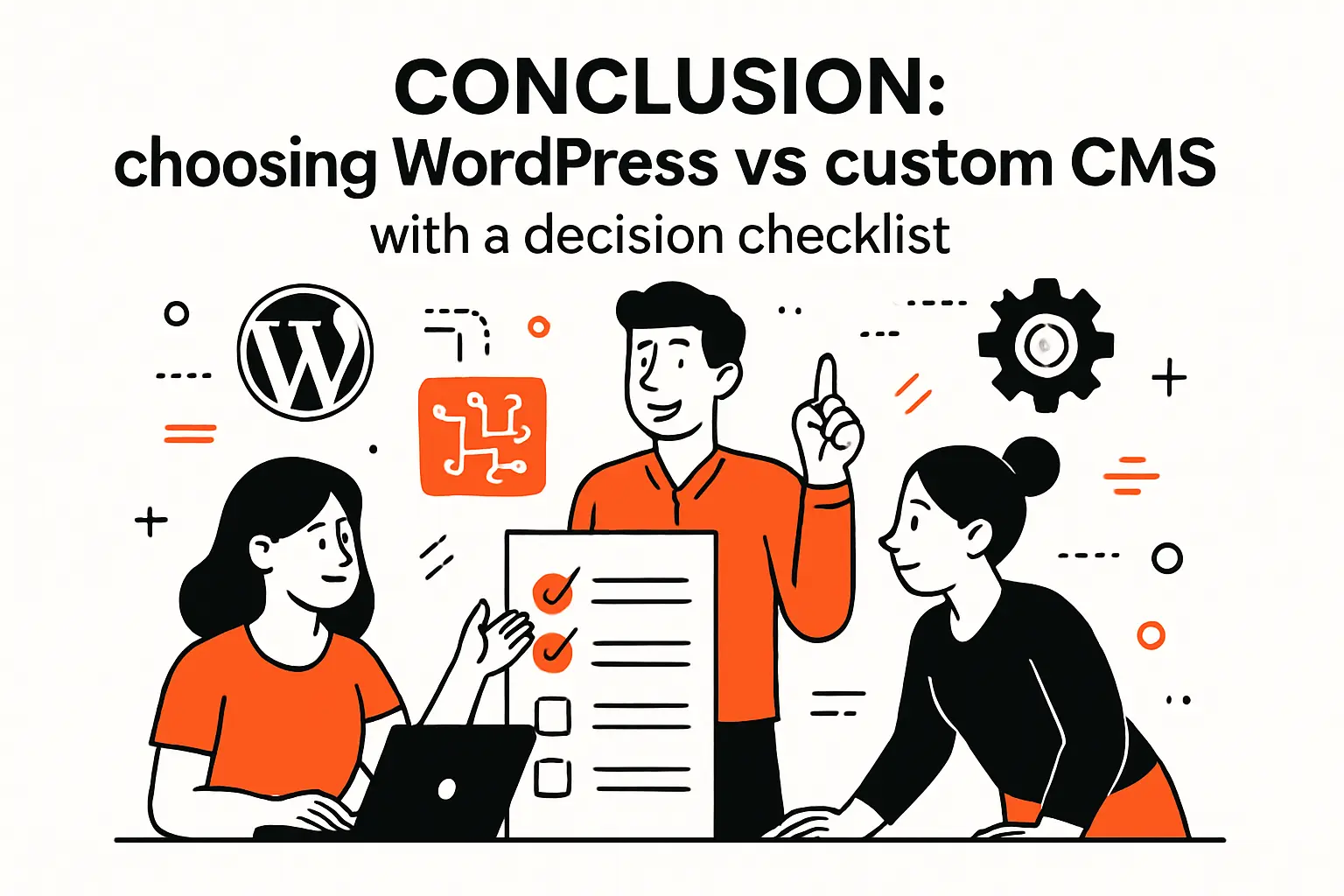
Conclusion: choosing WordPress vs custom cms with a decision checklist
1. Choose WordPress when speed, editor autonomy, and standard features are the priority
Choose WordPress when your organization needs to publish quickly, iterate often, and keep marketing autonomy high. If the site’s primary mission is communication and lead generation, WordPress’s strengths line up neatly: fast starts, approachable editing, and a broad ecosystem for common capabilities.
Checklist we use
- Marketing needs to ship pages without engineering involvement for most updates.
- Editorial workflow is relatively straightforward and doesn’t require deep domain logic.
- Common features (forms, analytics tags, basic memberships) cover most requirements.
- Governance exists for updates, plugins, backups, and access controls.
2. Choose a custom CMS when unique workflows, performance control, and deep integrations matter
Pick a custom CMS when the website behaves like an operational product: complex roles, approvals, auditability, or business logic that must be encoded into the publishing system. For performance-sensitive experiences, custom stacks also let you keep runtime lean and predictable.
Checklist we use
- Operations require tailored workflows that off-the-shelf tools only approximate.
- Integrations are central to the experience, not optional enhancements.
- Engineering teams want clean control over templates, APIs, and deployment pipelines.
- Long-term ownership is clear, whether internal or via a dedicated partner.
3. Consider headless or hybrid approaches when you need multi-channel delivery and a custom front end
Consider headless or hybrid when content must travel across channels and you want the freedom to build a custom front end without tying every experience to a monolithic theme. Hybrid approaches can also de-risk migration: keep familiar editing while modernizing delivery.
Checklist we use
- Multiple digital surfaces must reuse the same content model and governance.
- Front-end performance and interaction quality are treated as product requirements.
- Teams are ready to own integration complexity in exchange for channel flexibility.
- Preview, permissions, and content lifecycle are designed intentionally, not patched in later.
If you had to choose only one constraint to optimize for—launch speed, operational workflow, or long-term control—which one is truly the non-negotiable for your business, and what would change if we built the platform around that instead of around habit?

