


In practice, a CMS is not “a website.” A CMS is the operating layer that lets a business create, review, publish, update, and retire content without asking engineering to rebuild pages every time a sentence changes. From our seat at TechTide Solutions, that definition is painfully concrete: when content lives in code-only pipelines, teams either ship fewer updates or they ship risky ones.
Is WordPress a CMS? The direct answer and what that means for your website
Yes—WordPress is a CMS, and that answer matters more than it sounds. Market overview: the projected revenue in the Content Management Software market is expected to reach US$23.17bn by 2025, which is a signal that “content ops” is now a board-level concern, not a side task.
1. What “CMS” means in practice for creating and publishing content
Editorial reality is messy. Marketing wants campaign pages that look different from the evergreen site. Product teams need documentation that changes as features evolve. Legal needs disclaimers updated quickly when policy shifts. A CMS earns its keep when those changes are routine, governed, and reversible—complete with drafts, previews, scheduled publishing, and clear accountability for who changed what.
Instead of thinking “CMS equals blogging,” we treat a CMS as content governance plus publishing mechanics. Once that clicks, the real question becomes: does your organization need a durable workflow for content, or are you mostly shipping a fixed experience?
2. Why WordPress qualifies as a content management system
WordPress qualifies because it separates content from presentation while providing an administrative layer to manage both. Posts, pages, media assets, users, and permissions live in a system designed for ongoing publishing—not a one-time launch. Under the hood, WordPress maintains structured content types (including custom ones), a revision history, and an extensible API surface that allows teams to add features without rewriting the core.
Workflow is where WordPress stops being “just a website tool.” A non-technical editor can draft and schedule content. A reviewer can refine copy. An admin can restrict who has the power to publish, install extensions, or change themes. Meanwhile, developers can codify design rules, build custom blocks, and integrate business systems such as CRMs, ERPs, analytics, and identity providers.
From a business lens, WordPress is a CMS because it supports continuous content operations: the ability to create and manage content at speed, with guardrails, over time.
3. Where WordPress fits compared to website builders and developer-first frameworks
Website builders shine when the site is mostly a “digital brochure” and the organization values speed and convenience over deep control. Developer-first frameworks shine when performance, custom user experiences, and engineered product flows dominate the roadmap. WordPress sits in the middle: it offers a publishing-first admin UI while staying hackable enough for serious engineering.
From our delivery experience, the deciding factor is not “how pretty can the homepage be?” but “how often will the site change, and who will make those changes?” If a marketing team will iterate weekly, WordPress reduces coordination overhead. If changes require complex logic—say, account dashboards, personalization rules, or deep product configuration—then WordPress can still work, but it must be treated as an application platform, not a theme-and-plugins toy.
When teams pick WordPress, they are implicitly choosing an editorial engine with an extensibility layer. When teams pick a framework, they are choosing an engineering engine with content as an implementation detail.
Recommended reading: Craft CMS vs WordPress: A Practical Craft CMS vs WordPress Comparison for Modern Websites
Content management system basics: what a CMS does behind the scenes
CMS conversations get derailed when we only talk about the admin screen. Underneath, a CMS is a set of services that model content, validate inputs, manage permissions, store media, and deliver pages or data reliably to real users.
1. Core CMS capabilities: editing, media, users, roles, and content organization
A CMS typically provides structured editing (rich text, embeds, and layout elements), media management (uploads, resizing, metadata, reuse), and content modeling (pages, articles, categories, tags, and custom groupings). Equally important, it provides identity and authorization: a way to assign responsibilities and constrain access so that publishing doesn’t become a free-for-all.
In real teams, “content organization” is not cosmetic. Good structure reduces duplication, keeps navigation sane, and supports search and SEO strategies that depend on consistent taxonomy. Editorial discipline also protects brand quality: templates and reusable components prevent every new page from becoming a unique design snowflake.
From TechTide’s perspective, the hidden superpower of a CMS is repeatability. Once the organization can repeatedly produce content that fits the same standards—design, accessibility, compliance, and voice—velocity increases without collapsing quality.
2. How a CMS works: back-end content management and front-end content delivery
Behind the scenes, the CMS back end stores content in a database, tracks revisions, and enforces permission checks around create/update/publish actions. Media files are stored in a file system or object storage, then referenced from content. The editorial UI is simply a client of those systems—often the most visible client, but not the only one.
On the front end, the CMS can render HTML pages server-side, deliver JSON via APIs, or do both. That distinction matters because it shapes performance and architecture choices. A server-rendered approach is straightforward and often easier to maintain. An API-first or “headless” approach can support multiple channels—web, mobile apps, kiosks, partner portals—while letting engineering build custom experiences on top.
Operationally, a CMS is also about reliability: caching layers, preview environments, content staging, and deployment workflows that keep publishing safe when traffic spikes or campaigns go viral.
3. Why teams adopt a CMS: efficiency, sustainability, scalability, and consistency
Teams adopt a CMS because content is never “done.” A product launch triggers FAQs, documentation updates, landing pages, pricing adjustments, and support changes. Without a CMS, those updates are often handled through ad-hoc tickets to engineering or fragmented tools that drift out of sync.
Sustainability is the quiet driver. Staff turnover happens; agencies rotate; priorities shift. A CMS gives the organization a shared system of record for content, along with predictable workflows. Scalability follows: as more stakeholders contribute, permissions and templates prevent chaos from becoming the default operating mode.
Consistency is the final payoff. When the organization can publish quickly without breaking brand rules or technical standards, the website becomes an asset that compounds—rather than a fragile artifact that everyone is afraid to touch.
Recommended reading: HubSpot CMS vs WordPress: How to Choose the Right CMS for Your Website
WordPress at a glance: history, ecosystem, and why it became so widely used
WordPress became widely used because it matched the real needs of the web: frequent publishing, low friction for editors, and enough extensibility for developers to shape it into almost anything.
1. From blogging origins to supporting broader website types and online stores
WordPress began as a publishing tool and kept that instinct as it grew. That matters because publishing is a more demanding workflow than “site building” in the abstract; it requires drafts, revisions, scheduling, media handling, and editorial roles. As businesses started treating websites as living products, WordPress already spoke that language.
Over time, the ecosystem expanded beyond blogs into marketing sites, newsrooms, membership communities, learning platforms, and ecommerce. From TechTide’s build portfolio, we’ve seen WordPress succeed when content is central: thought leadership programs, resource libraries, documentation hubs, and campaign-driven landing pages. In those contexts, the CMS is not the decoration—it is the production line.
Online stores are a natural extension because product catalogs, landing pages, and content marketing often live side-by-side. WordPress can support commerce when implemented intentionally, especially when editorial storytelling drives conversion.
2. Open-source licensing and the role of community-driven development
WordPress is open source, and that changes procurement math. Instead of paying for the right to run the software, teams pay for hosting, implementation, and ongoing care—costs that correlate more closely with actual value. From our perspective, this also changes risk: you are not locked into a vendor’s roadmap, pricing, or product direction in the same way.
Licensing is not just legal trivia; it shapes the ecosystem. WordPress is released under GPLv2 (or later), which is one reason the plugin and theme culture developed with such intensity. Community-driven development means that features, patterns, and best practices evolve through a messy but powerful collaboration between agencies, product companies, freelancers, and internal teams.
From a practical standpoint, the open ecosystem is both a gift and a responsibility. The same marketplace that accelerates innovation also introduces quality variance, which is why governance and technical due diligence matter.
3. Adoption and popularity signals: what “dominance” looks like in real usage
Popularity is not merely bragging rights; it is a leading indicator of talent availability, integration maturity, and long-term survivability. A widely adopted platform attracts better hosting options, better tooling, more developer knowledge, and a larger pool of editors already familiar with the interface.
W3Techs currently reports that WordPress is used by 43.0% of all the websites, and that scale has second-order effects: more agencies specialize in it, more vendors ship integrations for it, and more security researchers scrutinize it. In our experience, that ecosystem gravity reduces “time to competent” for internal teams, especially when marketing owns day-to-day publishing.
Dominance also means WordPress is a common baseline in mergers, multi-brand portfolios, and migrations. When organizations consolidate web properties, WordPress often becomes the neutral ground where content teams can unify operations without rewriting everything from scratch.
Recommended reading: WordPress vs Custom CMS: How to Choose the Right Platform for Your Website
How WordPress works as a CMS: themes, plugins, and the block editor
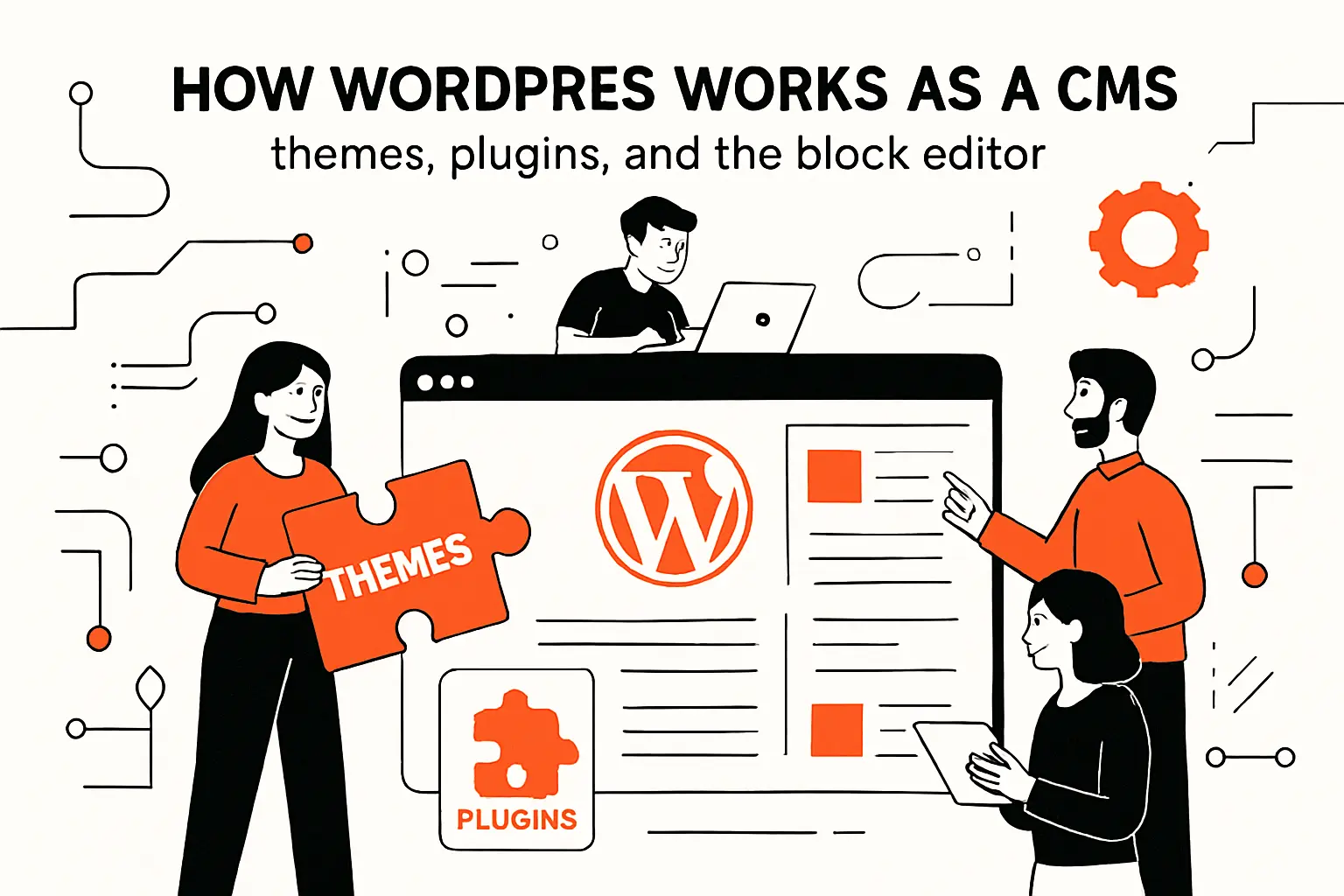
WordPress works as a CMS by splitting responsibilities: the core manages content and users, themes control presentation, plugins add behaviors, and the editor provides a workflow that non-developers can use without breaking structure.
1. Themes and templates: controlling site presentation without changing content
Themes are the presentation layer: they define templates, layout conventions, typography, and styling rules. The important architectural point is that the theme can change without rewriting every piece of content. That separation is what makes redesigns feasible: content stays, the “skin” evolves.
In our delivery work, we treat themes as a contract. The contract says: “If content follows this structure, it will render consistently across the site.” That mindset pushes teams toward reusable blocks, design systems, and accessible components rather than page-by-page improvisation. A thoughtful theme also reduces the temptation to embed layout hacks inside content fields, which keeps content portable and future-friendly.
Templating is also where performance, accessibility, and SEO fundamentals live. When themes are engineered with discipline, editors gain flexibility without inheriting the risk of layout chaos.
2. Plugins and extensibility: adding features while keeping core intact
Plugins are WordPress’s extensibility mechanism: they hook into events, modify admin workflows, register custom content types, expose APIs, and integrate external services. For businesses, plugins are a way to move fast: add forms, analytics connectors, multilingual support, ecommerce features, editorial enhancements, and more.
Yet plugin-driven development is a double-edged sword. From TechTide’s viewpoint, the goal is not “install everything,” but “compose a small, trustworthy set of capabilities.” The moment plugin overlap appears—multiple tools doing similar jobs—maintenance costs rise and debugging becomes guesswork.
Good plugin strategy looks like product management. Each plugin should have an owner, a reason to exist, and a plan for updates. When that discipline is present, WordPress becomes a stable platform instead of a patchwork.
3. The block-based editor: modern content building and page layout workflows
The block editor changed the way WordPress teams think about content. Instead of dumping everything into a single rich-text blob, content is assembled from structured components—headings, images, quotes, embeds, columns, and custom blocks. This enables designers and developers to encode “safe flexibility,” where editors can build rich pages without bypassing the design system.
From a business standpoint, blocks are a governance tool disguised as a usability feature. A custom “pricing table” block, for example, can enforce consistent formatting and accessibility while still allowing editors to update copy and add items. The same pattern applies to testimonial sliders, comparison grids, event listings, or product callouts.
Editorial workflow improves when blocks become the shared language between teams. Instead of debating “what HTML should we paste,” stakeholders debate “which components should exist,” which is a healthier, more scalable conversation.
Recommended reading: What Is Jetpack WordPress? Complete Guide to Features, WordPress.com Connection, and Setup
Benefits of using WordPress as your CMS
WordPress benefits show up when content velocity meets operational reality. The platform is not perfect, but it is unusually effective at aligning business publishing needs with an ecosystem that can support growth.
1. User-friendly publishing for admins, editors, and non-technical teams
WordPress’s admin experience is familiar to many teams, which lowers training overhead. Editors can draft, preview, and publish without waiting for engineers, and that alone can change the rhythm of a marketing organization. In our experience, teams move from “monthly site changes” to “continuous iteration” once publishing stops feeling like a deployment.
Workflow features matter in subtle ways. Revisions reduce fear because content changes are not irreversible. Draft states encourage collaboration because stakeholders can review without exposing unfinished work. Permissions reduce risk because not everyone needs the ability to install plugins or modify themes.
Operationally, WordPress supports the reality that content is produced by specialists. Copywriters, designers, SEO leads, and product marketers can all contribute in their lane, which keeps the site from becoming an engineering bottleneck.
2. Customization through themes, plugins, and responsive site-building options
Customization is where WordPress shines—provided the team treats it as a platform, not a shortcut. Themes enable consistent front-end experiences. Plugins accelerate feature delivery. Custom post types and custom fields let teams model the business domain: locations, services, case studies, webinars, knowledge base entries, and more.
From TechTide’s perspective, the strongest WordPress builds look “boringly consistent” in the best sense. Pages share patterns. Components are reusable. The design system is encoded into blocks and templates. That predictability makes the site easier to extend, and it makes onboarding new editors dramatically smoother.
Responsive behavior also becomes easier to manage when the system is component-driven. Instead of hand-tuning every page for every device, teams build a library of responsive blocks that behave reliably across contexts.
3. SEO and content marketing strengths supported by tools and plugins
WordPress is a natural fit for content marketing because it was built for publishing cadence. Categories, tags, internal linking, and media handling form a decent baseline for search visibility. More importantly, the ecosystem supports SEO workflows: metadata management, structured data tooling, redirects, editorial checklists, and content audits.
In our client work, the biggest SEO advantage is not a magic plugin—it is operational: the ability to publish, refine, and prune content quickly. Search performance is often the byproduct of consistent content hygiene, not heroic optimization. WordPress makes hygiene easier by putting content operations in the hands of the people who own outcomes.
When businesses pair WordPress with strong information architecture and performance discipline, the platform becomes a compounding engine for discovery. That compounding effect is why WordPress remains relevant even as trendier stacks come and go.
Recommended reading: How to Hire a WordPress Developer: A Research-Backed Outline for Finding the Right Fit
Limitations and risks: when WordPress can become a liability
WordPress becomes a liability when convenience replaces engineering judgment. The platform can support serious systems, but it punishes teams that treat production websites like hobby projects.
1. Security exposure from outdated cores, plugins, themes, and risky third-party code
Security risk in WordPress is less about the core and more about the supply chain: third-party plugins, themes, and custom code that no one actively maintains. Attackers go where the weakest link lives, and unmanaged extensions often become that link.
Patchstack’s reporting underscores this pattern, noting that 96% of the vulnerabilities were found in plugins. From our perspective, that statistic should change governance decisions immediately: install fewer extensions, vet them carefully, and treat updates as a routine operational duty rather than an occasional chore.
Risk also shows up in human workflows. Shared admin accounts, weak access policies, and unmonitored changes can turn small mistakes into expensive incidents. A secure WordPress posture is equal parts software hygiene and organizational discipline.
2. Performance and maintainability issues from bloated themes and plugin overload
Performance problems often arrive quietly. A site launches with a heavy theme, a handful of page-builder conveniences, and many plugins. Each addition seems harmless in isolation, but the combined effect can slow pages, complicate caching, and create a brittle dependency web that no one fully understands.
Maintainability suffers in the same way. Debugging becomes archaeology: which plugin added that script, which theme override changed that markup, which update introduced a conflict? From TechTide’s point of view, this is the moment WordPress stops being “easy” and starts being “expensive”—not because the platform is flawed, but because the architecture is unmanaged.
Strong WordPress performance comes from deliberate constraints: lean themes, minimal plugins, optimized media workflows, thoughtful caching, and careful database practices. Without those, the CMS can feel sluggish and unpredictable.
3. Complex requirements and customization costs that can outgrow the “quick start” benefits
WordPress is often chosen for speed, but speed can be misleading when requirements are complex. Multi-region publishing, strict compliance workflows, deep personalization, complex search, high-traffic scaling, and heavy integrations can all be done in WordPress—but the effort is no longer “plug and play.”
From our experience, the cost curve changes when the site becomes a product. Custom blocks need governance. Integrations need observability. Deployment pipelines need maturity. At that point, WordPress is still viable, but it should be treated like any other application platform with engineering standards, testing practices, and operational ownership.
A clear-eyed decision is the cure. When organizations acknowledge that complexity has a price, they can either invest to make WordPress robust or choose a stack that better matches the product’s nature.
Choosing the right approach: WordPress hosting models and the wider CMS landscape
Choosing a CMS is rarely about features alone. Hosting models, operational capability, vendor lock-in tolerance, and team skill sets usually decide the outcome long before anyone compares checklists.
1. WordPress.com vs WordPress.org: hosted convenience versus self-hosted control
Hosted WordPress reduces operational burden. Updates, backups, and infrastructure concerns are often handled for you, which can be a relief for small teams that need results without building a web-ops function. Convenience is not “less professional”; it can be a strategic choice when the website is important but not mission-critical.
Self-hosted WordPress increases control. Teams can choose hosting providers, customize infrastructure, manage advanced caching, install any plugins, and implement bespoke integrations. From TechTide’s perspective, self-hosting is usually the right fit when the site must integrate deeply with business systems or when performance and reliability are treated as competitive advantages.
The decision hinges on ownership. If your organization can own the responsibility of updates, security, and performance, control pays dividends. If not, managed hosting can prevent avoidable mistakes.
2. WordPress vs other CMS platforms: Drupal and Joomla trade-offs
Drupal is often chosen for complex content modeling, granular permissions, and organizations that value structured governance. It can be a strong fit for institutions with rigorous editorial workflows or complex information architecture needs, especially when internal development capacity is substantial.
Joomla has historically occupied a middle ground, offering CMS capabilities with a different ecosystem flavor. In practice, the trade-off conversation usually comes down to talent availability and ecosystem momentum. WordPress tends to win on breadth of integrations, editor familiarity, and the size of the implementation community.
From our viewpoint, “best CMS” is contextual. Drupal can be excellent when governance complexity is the core problem. WordPress can be excellent when publishing velocity and ecosystem leverage are the core problem. Either can fail if the organization picks a tool that the team cannot sustainably operate.
3. WordPress vs builders and specialized platforms: Wix, Squarespace, Ghost, and Magento
Builders like Wix and Squarespace emphasize speed, ease, and predictable hosting. They can be a strong match for smaller brands that need an attractive site with minimal operational overhead. The trade-off is reduced control over deep customization, infrastructure-level tuning, and certain integration patterns.
Specialized platforms tend to optimize for a single job. Ghost focuses on publishing workflows and memberships with a streamlined footprint. Magento targets complex ecommerce needs where catalog, checkout, and operational commerce features dominate. WordPress sits in a broader middle: it can publish, it can sell, it can integrate, and it can be extended—though sometimes that breadth means more architectural decisions are required.
Our guiding question is simple: is your site primarily a content engine, a commerce engine, or a product experience? Once that is answered honestly, the platform shortlist usually writes itself.
How TechTide Solutions helps teams succeed with WordPress and custom development
At TechTide Solutions, we treat WordPress as a legitimate application platform when clients need durability. Our work is less about “making pages” and more about building a sustainable publishing system that matches how the business actually operates.
1. Discovery and planning: translating business goals into CMS requirements and a build roadmap
Discovery is where most WordPress projects succeed or fail. Before we pick themes, plugins, or visual direction, we map goals to operational realities: who publishes, who approves, what must be auditable, what must be reusable, and what must integrate with the rest of the stack.
In workshops, we inventory content types and workflows. Marketing pages behave differently from documentation. Case studies behave differently from blog posts. Product announcements behave differently from support articles. Once those differences are modeled, the CMS can be designed to reduce friction rather than amplify it.
Roadmapping is the final piece. A sensible plan ships a usable foundation early, then evolves through measured iterations. In our experience, that approach outperforms the “big bang launch” mentality because it aligns delivery with learning and prevents overbuilding.
2. Custom solutions tailored to customer needs: plugins, integrations, and workflow-driven features
Customization becomes valuable when it encodes business advantage. We build custom plugins when the organization needs a capability that should not be delegated to a patchwork of third-party tools: integration with internal systems, specialized editorial workflows, gated content rules, or domain-specific content models.
Integration work is usually the hidden backbone. CRM sync, marketing automation, analytics instrumentation, identity providers, and search services all shape how the CMS behaves day to day. From TechTide’s point of view, the goal is not “connect everything,” but “connect what reduces manual effort and improves decision-making.”
Workflow-driven features are where WordPress becomes uniquely effective. Custom blocks and tailored admin screens can guide editors toward good outcomes, making the correct way the easiest way. That kind of design is not flashy, but it is transformative over time.
3. Long-term reliability: security, performance optimization, and scalable maintenance support
Reliability is a practice, not a launch milestone. We set teams up with update policies, staging workflows, backups, monitoring, and a clear ownership model. Without those, even a well-built WordPress site can drift into risk.
Performance optimization is handled as a system: caching strategy, media handling, database hygiene, and front-end discipline. Rather than chasing superficial “speed scores,” we focus on predictable user experience and operational stability under real traffic patterns.
Maintenance support is also about reducing cognitive load. A well-governed WordPress stack gives teams confidence to publish and evolve. When organizations stop fearing updates and start treating them as routine, the CMS becomes an asset that stays healthy instead of a liability waiting for a crisis.
Conclusion: deciding whether WordPress is the best CMS for your site
WordPress is a CMS, but “should we use it?” is a strategy decision. The best outcomes come when the platform choice matches both the business goals and the organization’s capacity to operate what it builds.
1. Key decision factors: content needs, customization scope, and maintenance capacity
Content needs come first. If publishing cadence is high and multiple stakeholders need to contribute safely, WordPress tends to fit naturally. Customization scope comes next. If the website is primarily editorial with some interactive features, WordPress often delivers strong value. If the site delivers a complex product experience, include this in the evaluation: will you use WordPress as a headless content engine, or should you pick a different architecture that fits better?
Maintenance capacity is the deciding constraint that many teams ignore. A WordPress site with lots of plugins and custom code won’t run on “set it and forget it” vibes. Treat the operational plan as part of the build: updates, monitoring, backups, staging, and governance. Don’t tack it on later like an apology.
Align those pieces and WordPress behaves like a reliable publishing system. Skip them and the site turns into a jittery pile of tools that surprises you at the worst possible time.
2. WordPress fits best when content sits at the center of the business
It also works well when editors need real autonomy day to day. Teams get extra value when they can tap a deep ecosystem of plugins, integrations, and readily available talent. It also works well when the business wants to iterate quickly on messaging, SEO strategy, and campaign execution without waiting on engineering for every update.
Alternatives make more sense when the product demands extreme performance control, deeply custom user interactions, or complex domain logic that would be awkward to implement in a CMS-first paradigm. In those cases, a developer-first framework (with a headless CMS or a tailored content service) can reduce long-term complexity even if it increases up-front effort.
From TechTide’s standpoint, the best platform is the one your team can run confidently for years. Choosing a tool you cannot sustainably maintain is the fastest route to a painful rebuild.
3. Next steps: choosing a platform path and setting expectations for growth and upkeep
Start next steps with a short platform brief. Define who publishes, how often, what needs governance, and what must integrate. After that, validate options with a small prototype that includes real content types, not placeholder pages. Along the way, set expectations early: ownership, update cadence, and the difference between “launching a site” and “operating a digital system.”
As a practical suggestion, we recommend assembling a cross-functional decision group—marketing, engineering, design, and whoever owns compliance—then agreeing on what “success” means in operational terms. At TechTide Solutions, we’ve learned that technical choices age well only when the operating model is explicit.
So what will your site be a year from now: a living publishing engine that compounds value, or a fragile artifact that everyone hesitates to change?


