At TechTide Solutions, we’ve learned the hard way that “WordPress SEO” isn’t a plugin you install—it’s a system you operate. Rankings come from dozens of small, compounding decisions: how your site gets discovered, how your pages get interpreted, how your content earns trust, and how reliably your technical foundation holds up when traffic spikes or editors publish at speed.
Budgets follow attention, and attention still flows through search. In practical terms, that matters because marketers will keep fighting for the same high-intent queries as long as the money stays there; that’s why we watch macro signals like digital ad spend, with Statista projecting $667.6 billion in 2024 in worldwide digital advertising spend. In our day-to-day delivery, that “macro” reality shows up in micro moments: a local services company trying to outrank directory sites, a SaaS brand trying to break into comparison keywords, or an eCommerce store that can’t afford to lose visibility during a theme change.
Because WordPress powers a huge slice of the web, SEO patterns repeat—sometimes predictably, sometimes painfully. W3Techs currently reports 43.1% of all websites use WordPress, which means the same misconfigurations appear again and again: accidental noindex, bloated tag archives, thin templates that multiply near-duplicate pages, and “helpful” plugins that quietly slow pages down.
Our goal in this guide is simple: we’ll lay out a repeatable, business-first approach to WordPress SEO that doesn’t depend on gimmicks. Along the way, we’ll share what we do in real projects—migration checklists, indexing triage, content pruning, internal linking architecture, and performance hardening—so you can stop guessing and start iterating with intent.
1. Start with indexability and site visibility for WordPress SEO
1. Set site visibility to public and allow search engines to index your site
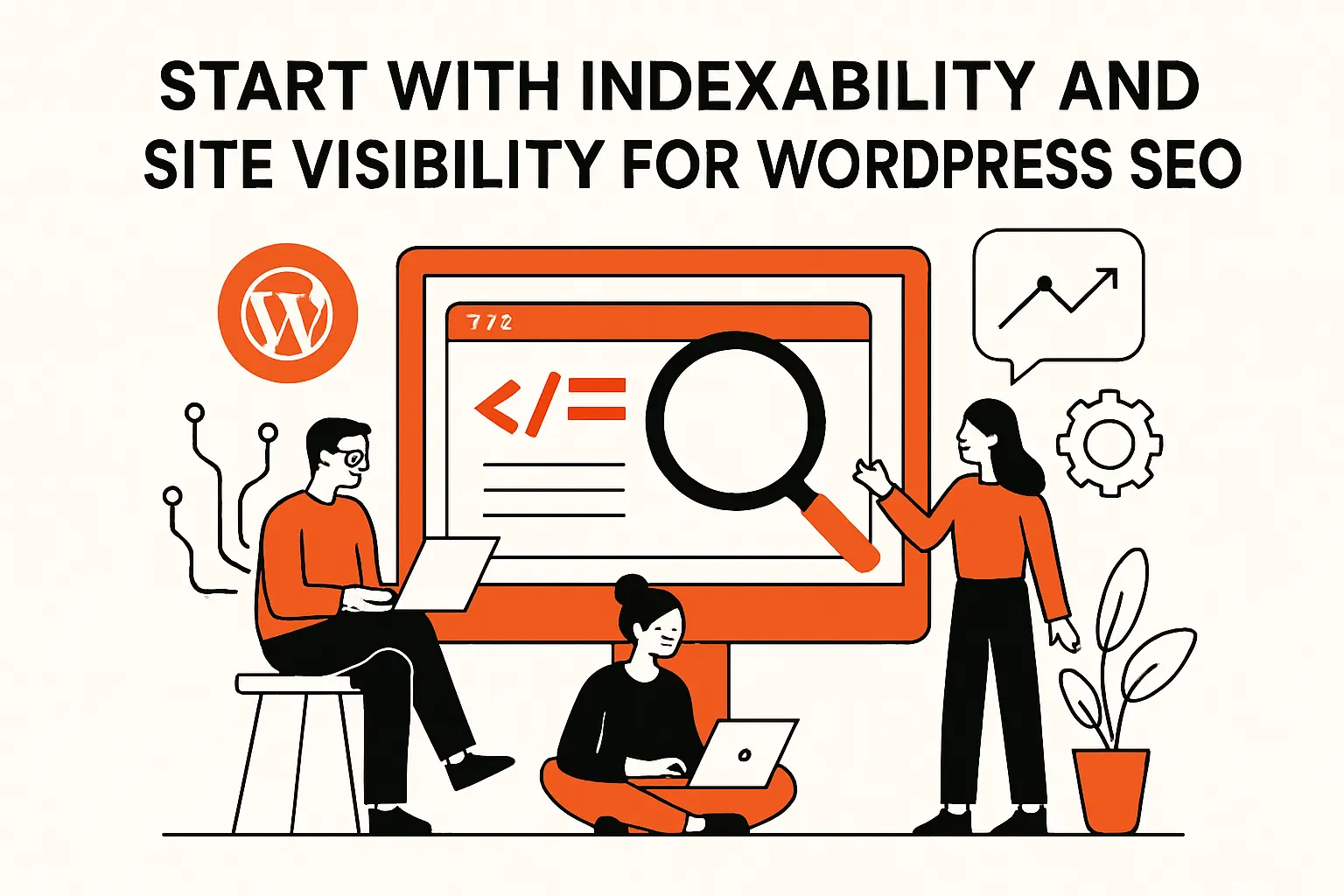
Before we talk about keywords or content, we confirm a blunt truth: if a page can’t be indexed, it can’t rank. In WordPress, the most common self-inflicted wound is the “Discourage search engines from indexing this site” toggle (often enabled on staging and then accidentally shipped to production). Our first move is to treat visibility like a release gate, not a preference—something we verify every time DNS changes, hosting changes, or a new environment is promoted.
From our audits, the “discourage” checkbox is rarely the only issue. Server-level authentication, IP allowlists, CDN edge rules, and security plugins can also block crawlers indirectly. When we suspect visibility problems, we test like a crawler: fetch the homepage and a deep URL, check the rendered HTML, verify headers, and confirm that robots meta directives align with what the business actually wants searchable.
Common Visibility Pitfalls We Check
- Accidental noindex directives applied by a template or SEO plugin setting.
- Password-protected environments that leak into production via cached headers.
- Overzealous WAF rules that challenge bots on category, search, or pagination URLs.
2. Understand the difference between being indexed and ranking on page one
Indexing is admission to the library; ranking is whether anyone sees your book on the front table. In client conversations, we often hear “Google found us, so we’re good,” but indexing only means the search engine can store and retrieve the page. Ranking depends on relevance, quality, authority signals, internal link context, and the competitive landscape of that query.
Operationally, we treat indexing as a technical and editorial prerequisite, then move quickly to “why would this page deserve visibility?” That question is less mystical than it sounds. If a page is thin, duplicative, poorly structured, or mismatched to search intent, we may still get it indexed—and it will still underperform. In WordPress specifically, taxonomy archives and auto-generated pages can absorb crawl attention without offering meaningful value, so ranking effort gets diluted unless we intentionally shape what deserves to exist.
3. Plan for new site discovery timelines and speed up trust building steps
New domains and fresh sections of established sites don’t earn visibility instantly, even when everything is “technically correct.” Discovery, crawling, indexing, and ranking signals unfold over time, and that reality can frustrate teams that expect immediate ROI after a redesign or a content sprint. In our experience, the best way to handle timelines is to plan for them: publish cornerstone pages early, keep the architecture stable, and avoid frequent URL churn that forces re-learning.
To speed up trust-building in a responsible way, we focus on signals we can control: clear site structure, consistent publishing quality, internal links that help important pages stand out, and credible external mentions earned through partnerships and real distribution. Interestingly, the “fastest” wins are often unglamorous—removing index bloat, consolidating duplicates, and tightening topical focus—because they help search engines understand what your site is actually about.
4. Verify your site with Google Search Console for faster discovery and actionable insights
Search Console is where we stop guessing. Once verification is in place, we can see what Google considers indexed, what it excludes, which queries generate impressions, and where technical issues are clustering. For teams running WordPress with multiple authors and frequent plugin changes, that visibility isn’t optional—it’s the only practical way to connect cause and effect without relying on anecdotes.
When we onboard a WordPress SEO project, we set up Search Console early using Google’s verification methods described in HTML tag verification, then immediately review indexing reports and performance trends. Over time, we use those reports to prioritize work: if Google is crawling parameterized URLs, we adjust crawl guidance; if important templates are excluded, we fix canonicalization or internal links; if CTR is weak, we refine titles and snippets.
2. Keyword research and focus topics
1. Choose target keywords based on what people actually search for
Keyword research fails when it’s treated like brainstorming. In practice, we start with language data: how people phrase needs, what modifiers they use, and what problems show up repeatedly. Customer support tickets, sales call notes, on-site search logs, and community threads are often more valuable than clever assumptions because they reveal the vocabulary of intent, not the vocabulary of the brand.
In WordPress ecosystems, we’ve seen this play out vividly for plugin and theme businesses. A product might be marketed as “customer engagement,” but real users search “abandoned cart email,” “membership paywall,” or “WordPress event registration.” Aligning to how people actually search isn’t about chasing volume; it’s about meeting customers where they already are, with pages that answer the question they typed.
2. Align each page with a clear search intent and a single primary topic
Search intent is the hidden contract behind every query. Some searches want definitions, others want comparisons, and many want “how-to” steps with screenshots. When a WordPress page tries to satisfy multiple intents at once, it usually satisfies none—especially if the template is cluttered with unrelated CTAs, auto-inserted widgets, or category blocks that interrupt the narrative.
Our rule is to make each page earn the right to exist by owning a single primary topic. That doesn’t mean a page can’t be comprehensive; it means the reader should never wonder what it’s about. In delivery terms, we prefer to build a topical hub (pillar page) and then support it with tightly scoped subpages, using internal links as the glue that tells search engines—and humans—how the pieces fit together.
3. Use keyword research tools and rank tracking to validate priorities
Tools don’t replace strategy, but they do prevent self-deception. We use research tools to validate that a topic has demand, to understand SERP features that may affect clicks, and to spot competitor patterns in headings and page structure. Separately, rank tracking helps us monitor directionality after changes, which matters because WordPress sites often evolve weekly through edits, plugin updates, and content additions.
Rank tracking becomes far more meaningful when paired with Search Console. Instead of obsessing over vanity rankings, we focus on: which pages are gaining impressions, which queries are expanding, and which templates are consistently underperforming. That combination keeps keyword work grounded in outcomes rather than spreadsheets.
4. Avoid keyword stuffing and do not rely on meta keywords
Stuffing keywords into headings and paragraphs is the SEO equivalent of shouting—it signals desperation, not relevance. Modern ranking systems can interpret topic coverage without repetitive phrasing, and users bounce when copy feels robotic. In our editorial reviews, we’d rather see a page that explains the concept clearly, uses natural synonyms, and answers follow-up questions than a page that repeats the same phrase until it becomes unreadable.
As for meta keywords, we treat them as dead weight. WordPress SEO work is better spent on titles, internal linking, structured content, and technical hygiene. If a plugin still exposes meta keywords, we typically disable the feature and redirect effort to content that earns engagement and links organically.
3. Optimize titles, headings, and URLs for clear relevance
1. Write unique page titles that are clear, concise, and accurate
Titles do two jobs at once: they guide search engines on relevance and persuade humans to click. We’ve seen WordPress sites with hundreds of posts sharing near-identical titles because the theme auto-generates patterns like “Brand Name | Category.” That approach scales sameness, not value.
Instead, we write titles like product copy: precise, benefit-aware, and honest about what the reader gets. For a services firm, that might mean emphasizing outcomes and geography. For a SaaS knowledge base, it often means naming the task and the tool context. Our internal test is simple: if a title could be swapped onto a different page without anyone noticing, it’s not specific enough.
2. Use proper H1, H2, and H3 heading structure instead of bold text for subheads
Headings are both accessibility scaffolding and SEO structure. When WordPress editors use bold paragraphs as faux headings, they deprive screen readers of navigational cues and deprive search engines of semantic structure. Clean heading hierarchy also improves skim-ability, which is a business metric in disguise: pages that are easy to scan tend to retain attention, and retained attention tends to convert.
In implementation, we standardize editor guidelines. Gutenberg makes it easy to choose heading levels; we train teams to reserve the top-level page heading for the page’s main topic, then use subheadings to break the story into logical steps. For longer pages, we’ll add a table of contents block, not as an SEO hack, but as a user experience shortcut that earns trust.
3. Set SEO friendly permalinks and use descriptive URL paths users can understand
URLs are not the main ranking lever, but they are part of clarity. A descriptive URL helps users predict what they’ll get, and it helps teams manage content without constant hunting. In WordPress, permalink settings should be chosen early and kept stable; frequent URL pattern changes are expensive because redirects pile up and internal links drift out of sync.
From a maintenance perspective, we prefer short, readable slugs that mirror the page topic without stuffing. Hyphens beat underscores, and humans beat auto-generated IDs. When a URL needs to change for a legitimate reason—like consolidating duplicate content—we treat it as a migration task with redirects, canonical updates, sitemap refreshes, and internal link cleanup.
4. Organize content with directories, categories, and tags to strengthen information architecture
WordPress taxonomies can either clarify your site or turn it into a maze. Categories should represent durable themes that help readers browse. Tags, on the other hand, are often abused as “more keywords,” which creates dozens of thin archives that compete with your real pages. In audits, we regularly find tag pages indexed with near-empty content—an index bloat pattern that wastes crawl attention and weakens topical signals.
Our approach is architectural: define a small set of meaningful categories, keep tag usage disciplined, and decide which taxonomy archives deserve indexing. If a category page can be improved into a true hub (intro text, curated internal links, editorial intent), we’ll invest. If a tag archive is just a list of unrelated posts, we’ll noindex it or merge it into a better structure.
5. Build internal links with descriptive anchor text to connect related pages
Internal linking is one of the few high-leverage SEO levers fully under your control. It shapes crawl paths, distributes authority signals across your site, and guides readers to the next logical step. WordPress makes internal linking easy, yet many sites still rely on “read more” and generic anchors that do nothing for understanding.
In our implementations, we treat internal links as product design. Each link is a promise: the destination will deepen the topic. We also build “evergreen” internal links into templates—related posts blocks, contextual CTA modules, and hub pages that curate the best resources—so linking doesn’t depend solely on authors remembering it during publishing.
Internal Linking Patterns We Use in WordPress
- Contextual links inside the main content where the reader naturally asks a follow-up question.
- Hub pages that act like a curated table of contents for a topic area.
- Editorial modules that recommend the next page based on intent (learn, compare, implement).
6. Use nofollow for untrusted external links and user generated links when needed
External links can strengthen credibility, but they also create risk when they’re unvetted—especially in user-generated contexts like comments, forums, or community profiles. In those areas, we apply link attributes intentionally so the site doesn’t become a conduit for spam. This is less about “SEO juice” and more about maintaining a clean, defensible link posture.
In WordPress, we often implement policies at the template or plugin layer: automatically apply appropriate attributes for comment links, restrict HTML in user-submitted fields, and moderate outbound links where reputation could be harmed. When editorial teams cite external sources, we keep links clean, relevant, and placed where they help the reader—not sprinkled as decoration.
4. Meta descriptions and snippets that improve click through rate
1. Use excerpts or SEO plugin fields to control meta descriptions where available
Meta descriptions don’t usually move rankings directly, but they absolutely influence clicks. In WordPress, teams often rely on the first sentences of a post as a default snippet, which can be fine—until the opening includes fluff, disclaimers, or internal jargon. We prefer deliberate control: excerpts for editorial consistency, or SEO plugin fields for pages where messaging needs to be precise.
Our editorial workflow treats the meta description like ad copy. The goal is clarity and expectation-setting: what problem is solved, who it’s for, and what the reader will get by clicking. For product-led companies, we align this with conversion goals by previewing how titles and snippets look together, then adjusting tone so it matches the landing page experience.
2. Keep meta descriptions unique, helpful, and around 150 to 160 characters
Length guidance is a practical constraint, not a creative one. We use a simple target so descriptions don’t get truncated in many common displays, and we keep them distinctive so multiple pages don’t look like duplicates in search results. When teams need a reference point, we follow the widely cited guideline of 150 to 160 characters as a starting range, then refine based on real SERP appearance and CTR.
Uniqueness matters more than perfection. If your WordPress site has hundreds of posts, the biggest win is preventing a sea of identical snippets. We’d rather see “good and specific” at scale than “poetic but inconsistent” on a handful of pages.
3. Include target keywords naturally and describe what users will find on the page
We include the primary topic phrasing in descriptions when it reads naturally, because it helps users confirm relevance quickly. Still, the description should be written for humans first: it’s a promise, and broken promises lead to pogo-sticking back to results. In practical terms, we describe the deliverable—steps, checklist, comparison, template, tutorial—and we align it with the page’s actual structure.
For WordPress businesses, this is where we inject differentiation. If every plugin company claims “easy setup,” readers tune it out. By contrast, describing the specific outcome or use case (“connect forms to your CRM,” “reduce checkout friction,” “troubleshoot indexing issues”) tends to earn more qualified clicks.
4. Expect search engines to rewrite snippets based on the search query
Even with great meta descriptions, search engines may rewrite snippets depending on the query context. That’s not failure; it’s a reminder that the page content itself must support the promise. When rewrites happen, we look at what the system is pulling from the page—often a sentence that better matches the query—and we decide whether to improve the on-page phrasing to guide better snippet selection.
To ground our expectations, we align with Google’s documentation on snippet behavior in search result snippets, then we test changes through measurable CTR shifts in Search Console. Over time, this becomes a feedback loop: snippet performance informs content edits, and content edits influence snippet quality.
5. Create helpful content that search engines and readers trust
1. Write for people first with readable, well organized content and clear headings
Helpful content is not a slogan; it’s a craft. Readers want structure: clear headings, short paragraphs, and concrete steps. Search engines, meanwhile, reward pages that demonstrate real comprehension of a topic rather than superficial keyword coverage. In our writing process, we aim to make pages skimmable without making them shallow—an important distinction for businesses where trust is the currency of conversion.
When we build WordPress content systems, we focus on templates that support clarity. That can mean adding consistent “What you’ll learn” intros, using comparison tables where appropriate, and embedding FAQ sections only when they genuinely answer recurring questions. For services pages, we often add process breakdowns and scope boundaries, because ambiguity kills both rankings and leads.
2. Publish new content consistently and keep a sustainable update cadence
Publishing cadence matters, but sustainability matters more. We’ve watched teams burn out by chasing aggressive schedules, only to abandon the blog entirely when the workload becomes unrealistic. Search visibility tends to reward consistency because it creates a steady stream of crawl signals, internal linking opportunities, and topical depth.
In our engagements, we design a cadence the organization can keep even during busy seasons. That might mean fewer posts with higher standards, supported by regular refresh cycles for key pages. The business benefit is predictability: consistent publishing makes performance analysis easier, and easier analysis makes prioritization less political.
3. Keep content unique, avoid copying, and refresh or remove outdated pages
Duplicate and stale content quietly taxes your site. Search engines may struggle to pick a preferred page, users lose trust when advice is outdated, and internal links get diluted across too many similar URLs. In WordPress, this often happens when teams publish slight variations of the same post (“ultimate guide,” “complete guide,” “definitive guide”) without new substance.
Our approach is blunt: we prune. If a page no longer reflects current product behavior, policies, or best practices, we either refresh it meaningfully or remove it and redirect to a stronger resource. That cleanup usually improves overall site clarity, and it reduces the chance that a weak page becomes the first impression a prospect gets.
4. Reduce duplicate content across multiple URLs with a single preferred version
WordPress can generate multiple URLs that point to effectively the same content: tracking parameters, print views, attachment pages, paginated archives, and taxonomy overlap. Left unmanaged, this can create a “which page is the real one?” problem for search engines. From our perspective, this is where technical SEO becomes brand protection—because the wrong preferred URL can fragment link equity and confuse analytics.
We solve this with canonical discipline and URL governance. The preferred version should be consistent across internal links, sitemaps, and navigation. When parameters are necessary for campaigns, we make sure the base page remains the canonical target and we avoid indexing parameter variants unless there’s a strong reason to treat them as separate content.
5. Avoid distracting ads and interstitials that block users from the main content
Popups, overlays, and aggressive ad layouts can sabotage both user trust and SEO outcomes. Even when a page ranks, it can fail at the moment that matters: the user arrives, gets blocked, and leaves. For publishers, this is a monetization tradeoff; for service companies, it’s often an unforced error driven by generic lead-gen plugins.
We design interstitial behavior with restraint: timing rules, device sensitivity, and clear dismissal paths. When stakeholders ask “but will we lose leads?”, our answer is candid: you don’t want leads from people who couldn’t even read the page. As a reference point for policy thinking, we align with Google’s guidance on intrusive interstitials and then tune UX based on conversion data.
6. Strengthen engagement with images, videos, and content promotion

1. Add descriptive image alt text that matches the image purpose and page context
Alt text is often treated as “SEO flavor,” but we treat it as accessibility first. When an image communicates information—like a screenshot of a WordPress setting or a diagram of site architecture—alt text should describe that information in context. When an image is purely decorative, leaving alt text empty is often the better accessibility choice.
From an SEO standpoint, good alt text clarifies topical relevance and helps images appear in image search contexts. More importantly for business outcomes, it improves the experience for users relying on assistive technologies, which is part of building a site that serves the whole audience—not just the easiest segment.
2. Use clear, relevant image filenames and optimize images to support performance
WordPress media libraries get messy fast. Filenames like “IMG_1234” are useless for teams, and they contribute nothing to clarity. We rename images to match their purpose, then compress them appropriately so pages load quickly without visual degradation. Performance is not a purely technical metric; it’s a conversion metric wearing a disguise.
In implementation, we standardize image handling: modern formats where feasible, responsive sizes via srcset, and compression in the build pipeline or media offload layer. For content teams, we document a simple checklist so optimization happens by default rather than as an afterthought during a performance fire drill.
3. Use lazy loading and other media optimizations to improve page experience
Heavy media can turn great content into a frustrating experience. Lazy loading helps by deferring offscreen images, which reduces initial payload and improves perceived speed. Still, we implement it thoughtfully: key visuals above the fold should load immediately, and layout stability should be preserved to avoid content jumping as images arrive.
Beyond lazy loading, we look at the full media pipeline: CDN caching, correct cache headers, image dimension attributes, and minimizing third-party scripts embedded in pages. WordPress sites often accumulate marketing tags over time; pruning those scripts can be as impactful as compressing images, and it usually improves both user experience and crawl efficiency.
4. Optimize video pages with standalone pages, surrounding text, and descriptive titles
Videos rank best when they’re part of a real page, not a lonely embed. We build standalone video pages when the content is strategically important, then surround the video with supporting text: a summary, key takeaways, timestamps, and links to related resources. That surrounding context helps search engines understand the topic and helps users decide whether to watch.
In WordPress, we also watch for performance pitfalls: embedded players, autoplay behavior, and tracking scripts can inflate load time quickly. Our stance is pragmatic—video can be a powerful trust builder—but we treat it as a product feature with performance budgets, not a decoration that gets pasted into posts without technical consideration.
5. Promote content through social media, community engagement, and word of mouth responsibly
SEO is not isolated from distribution. When content earns real attention—shares, citations, mentions, and community discussion—it tends to attract the kinds of signals that correlate with long-term visibility. We promote responsibly by matching channels to audience: developers often respond to detailed technical write-ups in forums, while small business owners may prefer short guides shared in local communities.
In our own work, we treat promotion like relationship-building rather than “traffic hacking.” A thoughtful answer in a niche community can outperform a dozen generic social posts. Over time, that kind of participation builds brand credibility, which shows up indirectly in higher-quality backlinks, better engagement, and more branded search behavior.
7. Technical WordPress SEO checklist: Speed, security, crawl control, and redirects
1. Improve page speed with caching, compression, and code optimization to support page experience
Performance work is where WordPress sites often win or lose competitive SEO battles. Faster pages improve user satisfaction, reduce bounce risk, and generally support better outcomes across channels. From a crawler perspective, a faster site can also be easier to crawl consistently, especially when the architecture is large and the server is under load.
We start with measurable diagnostics, then fix fundamentals: server caching, page caching, asset minification where it’s safe, database cleanup, and critical-path CSS/JS optimization. For stakeholders, we frame this as risk reduction. A slow site doesn’t just rank worse; it converts worse, costs more in paid media, and increases support load when users can’t complete tasks smoothly.
Performance Priorities We See Repeatedly
- Reducing plugin bloat by removing overlapping features and unused builders.
- Moving heavy assets behind a CDN and setting sane cache policies.
- Optimizing theme code so templates don’t run expensive queries unnecessarily.
2. Choose responsive, mobile friendly themes and validate mobile usability
Mobile usability isn’t a “nice to have.” In many industries, it’s the dominant experience: users search on phones, skim quickly, and decide whether they trust you in seconds. A responsive theme is the baseline, but we also validate real usability—tap targets, font sizing, navigation clarity, and whether popups hijack the screen.
From our perspective, the theme is part of the SEO stack. A beautiful design that frustrates mobile users will underperform, and no amount of keyword work can compensate. When we rebuild WordPress frontends, we prototype mobile-first layouts and test across devices early, because retrofitting usability after the fact is far more expensive than building it right the first time.
3. Secure your site with SSL HTTPS and basic protections against spam and attacks
Security and SEO intersect in ways teams often ignore until something breaks. Malware warnings, injected spam pages, and compromised redirects can destroy trust overnight—both for users and for search engines. SSL is table stakes, but real protection includes strong authentication, least-privilege roles, controlled plugin installs, and monitoring for unexpected file changes.
In WordPress, comment spam and form spam can also create low-quality content footprints that waste crawl attention. We mitigate that with moderation, rate limiting, and defensive configuration at the edge where possible. Operationally, we want the site to be boring from a security standpoint; boring systems tend to be stable, and stable systems tend to rank and convert reliably.
4. Create and submit XML sitemaps so search engines can find key pages efficiently
Sitemaps are not magic, but they are a strong hint: “these URLs matter.” In WordPress, XML sitemaps can be generated by the core platform, by SEO plugins, or by custom solutions. Regardless of the method, we ensure the sitemap reflects editorial intent—only index-worthy pages, no junk archives, and no thin tag lists that dilute the signal.
Once a sitemap is clean, we submit it through Search Console and monitor coverage. When we see excluded URLs, we treat it as a diagnostic: are we including pages that should be noindexed, or are we failing to link important pages internally? Over time, sitemap hygiene becomes part of a broader discipline: controlling what exists, what’s discoverable, and what deserves search visibility.
5. Use robots.txt intentionally to guide crawling and prevent accidental blocking
Robots directives are powerful and easy to misuse. We’ve seen WordPress sites block entire directories unintentionally, or disallow scripts that are needed for rendering. Our view is cautious: robots.txt is best used to guide crawling away from low-value paths, not as a blunt instrument that can erase visibility overnight.
In practice, we document every robots change and treat it as a deployable artifact. That documentation matters when multiple vendors touch the site, because a single line can override months of SEO work. When we want to prevent indexing, we typically prefer page-level directives and canonicalization rather than relying solely on crawl disallow rules.
6. Prevent indexing issues caused by staging domains by using the right domain and crawl settings
Staging environments are essential for safe development, yet they’re a common SEO hazard. If a staging domain becomes crawlable, search engines can index duplicate versions of your site, creating confusion and brand risk. We’ve seen this happen after rushed launches when staging protection is removed for testing and never restored.
To prevent this, we apply layered safeguards: authentication on staging, noindex directives at the environment level, and strict separation of analytics and Search Console properties. We also check that canonical URLs in staging don’t accidentally point to staging itself; canonicalization should consistently reinforce the production domain as the preferred source of truth.
7. Fix 404 errors with redirects and maintain clean canonical URLs to avoid duplication
Broken URLs are inevitable over the life of a WordPress site, especially as content evolves and teams restructure navigation. The SEO harm isn’t just the missing page—it’s the loss of internal link equity, the frustration for users, and the wasted crawl attention on dead ends. Our fix is systematic: identify broken URLs, decide whether the page should return, and redirect thoughtfully when a true replacement exists.
Canonical hygiene matters just as much. When multiple URLs compete for the same content, search engines must choose a winner, and they may not pick the one you want. We standardize canonical rules in the SEO plugin or in custom code, then align internal links, sitemaps, and navigation so the preferred URLs are reinforced everywhere.
8. Use one SEO plugin to manage metadata, sitemaps, and audits and avoid plugin conflicts
WordPress plugin ecosystems are a blessing and a trap. SEO plugins can simplify metadata, sitemaps, and on-page controls, but running multiple SEO plugins often creates conflicting outputs—duplicate meta tags, competing schema, mismatched canonicalization, and inconsistent robots directives. In our work, consolidation is almost always the healthiest move.
We choose a primary SEO plugin, configure it deliberately, and disable overlapping features in other plugins. Beyond configuration, we validate outputs by inspecting the rendered HTML and testing key templates. When teams want advanced workflows, we often extend the chosen plugin via hooks or custom integrations rather than piling on yet another plugin that increases risk and slows the site.
TechTide Solutions: custom development support for WordPress SEO projects
1. Custom WordPress plugins and integrations tailored to your SEO workflow
Off-the-shelf tooling gets you far, but serious SEO operations often need custom glue. At TechTide Solutions, we build WordPress plugins and integrations that match how teams actually work: editorial checklists embedded in the editor, automated internal link suggestions, schema controls tailored to your content types, and publishing gates that prevent accidental noindex or missing canonical tags.
Because we’re a software development company first, we treat SEO needs as product requirements. That means versioning, testing, staging workflows, and safe rollouts—so SEO improvements don’t become “fragile hacks” that break the next time WordPress core or a theme updates.
2. Performance and technical improvements for faster, more crawlable WordPress sites
Many WordPress SEO problems are performance problems in disguise. We optimize themes, reduce render-blocking assets, improve cache strategy, and restructure templates so they are both user-friendly and crawler-friendly. On larger sites, we also focus on crawl efficiency by reducing index bloat and improving internal navigation so important pages are consistently discoverable.
In real projects, performance work is where engineering and marketing finally meet. The business payoff shows up across the funnel: better engagement metrics, lower paid acquisition waste, fewer support complaints, and more stable search visibility during traffic spikes.
3. Custom dashboards and automation to monitor SEO, content updates, and site health
SEO is ongoing, so monitoring must be ongoing. We build dashboards that pull together Search Console trends, sitemap health, crawl errors, and content update status, then alert teams when something drifts. For WordPress publishers, automation can also track template changes, plugin updates, and category growth so problems are caught early rather than discovered after rankings drop.
From our viewpoint, the best SEO workflow is the one that survives staff changes and busy quarters. Dashboards make SEO operational: visible, measurable, and actionable without heroic effort.
Conclusion: A repeatable SEO workflow for WordPress
1. Start with visibility and crawl fundamentals, then move into on page improvements
Our repeatable workflow begins with indexability: confirm the site can be crawled, confirm the right pages are indexable, and remove obvious blockers. Once those fundamentals are stable, we move into on-page relevance—titles, headings, internal links, and content structure—because those are the levers that turn “present” into “competitive.”
WordPress makes it easy to publish, which is exactly why governance matters. A site that can generate infinite thin pages will eventually confuse itself unless someone takes ownership of what should exist, what should rank, and what should quietly stay out of the index.
2. Measure progress with Search Console data and iterate based on what is working
Measurement keeps SEO honest. Search Console shows what queries are triggering impressions, which pages earn clicks, and where visibility is expanding or shrinking. When we see movement, we don’t just celebrate; we ask why it happened and whether we can replicate the pattern across similar pages.
Iteration is where teams separate themselves from competitors. Rather than rewriting everything at once, we prefer controlled changes: update a template, improve internal links, refine snippets, then watch the data. Over time, those small iterations compound into durable growth.
3. Scale results by combining content quality, internal linking, and technical maintenance
Scaling SEO on WordPress isn’t about publishing endlessly; it’s about building a system that stays healthy as it grows. Content quality builds trust, internal linking builds understanding, and technical maintenance prevents slow drift into chaos. When those elements work together, the site becomes easier to crawl, easier to navigate, and easier to convert.
If we were starting your WordPress SEO project tomorrow, we’d ask a simple next-step question: which single template or content cluster—if improved this month—would create the biggest compounding effect across the rest of your site?