


At TechTide Solutions, we treat backup as an engineering discipline, not a checkbox. Vendor marketing can sound identical, yet restore outcomes vary wildly under pressure. Industry research from Gartner, Deloitte, and other firms keeps reinforcing the same theme: data growth, cloud sprawl, and cyber risk keep widening the blast radius. That reality forces backup design to move closer to security, governance, and operations.
Most teams do not fail at “taking backups.” They fail at recovery. Missing app consistency, missing immutability, unclear retention, and untested restores are repeat offenders. In our delivery work, the painful pattern is familiar. Backups exist, but confidence does not. That gap is where tools, process, and architecture must meet.
This guide is our practical shortlist and decision framework. We focus on what survives audits, ransomware, and human error. Along the way, we share how we evaluate products in real environments. Expect strong opinions, because downtime rarely forgives neutrality.
Why modern data backup solutions matter for resilience and compliance

Gartner forecasts worldwide public cloud end-user spending to total $723.4 billion in 2025, and that shift drags backups into hybrid reality. That market gravity matters because workloads now move faster than traditional protection habits. Compliance teams also care more about proof than promises. Modern backup platforms therefore need security controls, evidence, and repeatable recovery. We also see procurement demand consolidation, since tool sprawl becomes an operational risk.
1. Data-loss risks: hardware failure, accidental deletion, corruption, and cyberattacks
Hardware failure is boring, yet it still happens at the worst time. Accidental deletion is even more common, especially in shared cloud folders. Silent corruption is trickier, because bad data can look “healthy” for weeks. Cyberattacks add urgency, since attackers target backups when defenders get serious. In our incident reviews, the deciding factor is usually isolation, not raw backup speed.
2. Recovery objectives: aligning RPO and RTO with business continuity needs
RPO and RTO should be business metrics, not storage settings. Finance may tolerate slower recovery than a customer portal. Teams also confuse “restore time” with “service time.” A database might restore quickly, yet the app still fails health checks. We map dependencies before selecting a tool. That dependency map becomes the truth during an outage.
3. Backup types: full, incremental, and differential backups for flexible restore points
Full backups are simple, but they can waste bandwidth and storage. Incrementals reduce transfer, yet they increase chain complexity. Differentials sit between, which can simplify some restores. Many modern platforms hide these mechanics behind synthetic fulls. That abstraction helps, but it can mask bottlenecks. We always ask how a platform rebuilds a full restore image.
4. Storage targets: on-prem servers, NAS, and cloud storage options
Storage choice is a risk choice. On-prem repositories give control, yet they share fate with the site. NAS is convenient, but it needs hardening and access control. Cloud object storage is durable, yet identity mistakes can expose everything. Hybrid designs often win, because they separate failure domains. We also insist on clear egress and restore workflows.
5. Granular recovery: restoring individual files, emails, or database records without full rebuilds
Granular restore is where “backup” becomes “productivity.” Users rarely ask for a full server image. They ask for a folder, an email, or a missing row. Good platforms index backups for fast search and restore. That indexing must be secured, since it can leak sensitive data. In regulated environments, we also log who restored what and why.
6. Security and retention: encryption, immutability, access control, and long-term data retention policies
Encryption is table stakes, yet key management still trips teams. Immutability matters because admins get phished too. Access control must be strict, with role separation and audit trails. Retention also needs clarity, since “keep forever” is rarely defensible. We align retention with legal and operational needs. Then we test deletion and legal hold behavior.
Recommended reading: Top 30 Payment Trends Shaping 2026: Reports, Tools, and Strategy
Quick Comparison of data backup solutions
Gartner’s market share analysis notes the enterprise backup and recovery software market ended the year at nearly $10 billion in total revenue, and consolidation pressure shows up in product roadmaps. That market context matters because buyers now expect broader coverage per platform. Still, “single pane of glass” can become “single point of failure.” We shortlist tools by restore quality, operational fit, and ransomware posture. Price matters, but recovery confidence matters more.
Concise Comparison Table
| Tool | Best for | From price | Trial/Free | Key limits |
|---|---|---|---|---|
| Veeam Data Platform | Virtualized estates and mixed workloads | Subscription | Trial | Storage design is on you |
| Commvault Cloud | Large enterprises with complex retention | Quote | Assisted eval | Can feel heavyweight |
| Rubrik Security Cloud | Ransomware-focused backup operations | Quote | Assisted eval | Appliance-first mindset |
| Cohesity DataProtect | Scale-out backup and fast restores | Quote | Assisted eval | Platform complexity varies |
| Druva Data Resiliency Cloud | Cloud-first backup and remote endpoints | Subscription | Trial | Less control over internals |
| Acronis Cyber Protect | SMB endpoints plus basic server backup | Subscription | Trial | Advanced DR needs add-ons |
| Veritas NetBackup | Traditional datacenters and broad platforms | Quote | Assisted eval | Modern UX varies by module |
| Microsoft Azure Backup | Azure-native workloads and policy control | Usage-based | Included options | Cross-cloud needs planning |
| AWS Backup | AWS services with centralized policies | Usage-based | Included options | Granularity differs by service |
| Backblaze Business Backup | Simple endpoint backup with low friction | Subscription | Trial | Server features are limited |
Additional Solutions We Regularly Shortlist
- Google Cloud Backup and DR
- Dell PowerProtect Data Manager
- IBM Storage Protect
- Arcserve UDP
- Barracuda Backup
- Datto SIRIS
- Unitrends Backup
- NAKIVO Backup & Replication
- Vembu BDR Suite
- HYCU
- Zerto
- Proxmox Backup Server
- Synology Active Backup for Business
- QNAP Hybrid Backup Sync
- Apple Time Machine
- Windows Backup and File History
- BorgBackup
- Restic
- Duplicati
- Bacula
Recommended reading: Top 30 CRM for Small Businesses to Streamline Sales, Marketing, and Support
Top 30 data backup solutions for enterprise, SMB, and home use
Backup tools are easy to shop for and hard to live with. So we score for outcomes first, not feature checklists. Every pick below can copy data. The real test is whether you can restore the right thing fast, under pressure, without guesswork.
We grade each tool on seven weighted criteria. Value-for-money and feature depth carry the most weight at 20% each. Ease of setup & learning and integrations & ecosystem matter next at 15% each. UX & performance, security & trust, and support & community round it out at 10% each.
Scores use a 0–5 scale, then we compute a weighted total to one decimal place. Pricing notes focus on a realistic “from” entry point, trial length when published, and the clearest limits we can state without guessing. If a vendor keeps pricing opaque, we say so plainly. That honesty is part of the score.
1. HYCU
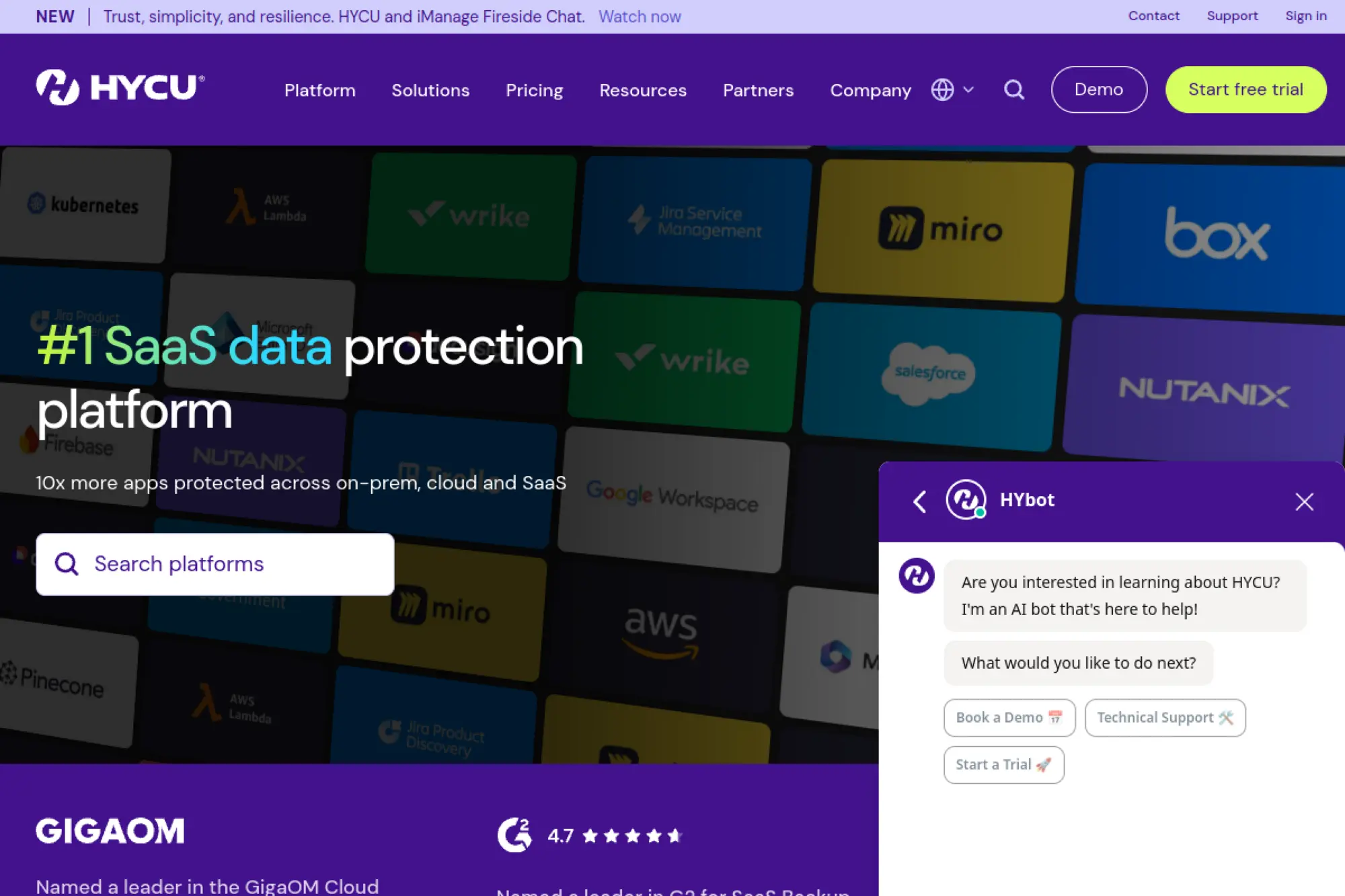
HYCU is a data protection vendor built around “do the obvious thing” workflows. The team’s bias is clear: fewer knobs, more guardrails. That shows up most when you protect modern stacks and SaaS apps.
Backup for hybrid reality, without building a backup engineering project.
Best for: lean IT teams protecting SaaS and virtualization without extra admins.
- Policy-based app backups → recover whole apps or objects without hand-mapping dependencies.
- Cloud and SaaS coverage → skip 3–5 manual export steps per user offboarding.
- Sensible defaults → time-to-first-value is often a same-day pilot.
Pricing & limits: From about $416.70/mo equivalent (Starter Bundle starts at $5,000/year). Trial: HYCU’s R-Cloud offering publishes a 14-day free trial. Limits: Starter Bundle is a 12-month minimum, and eligibility tiers are workforce-based.
Honest drawbacks: Pricing can feel programmatic rather than modular. Some niche apps may require separate licensing or deeper scoping.
Verdict: If you want backups that behave like productized operations, this helps you standardize protection in weeks, not quarters. Beats bespoke scripting at day-two reliability; trails Veeam on extreme tunability.
Score: 4.1/5
2. Veeam
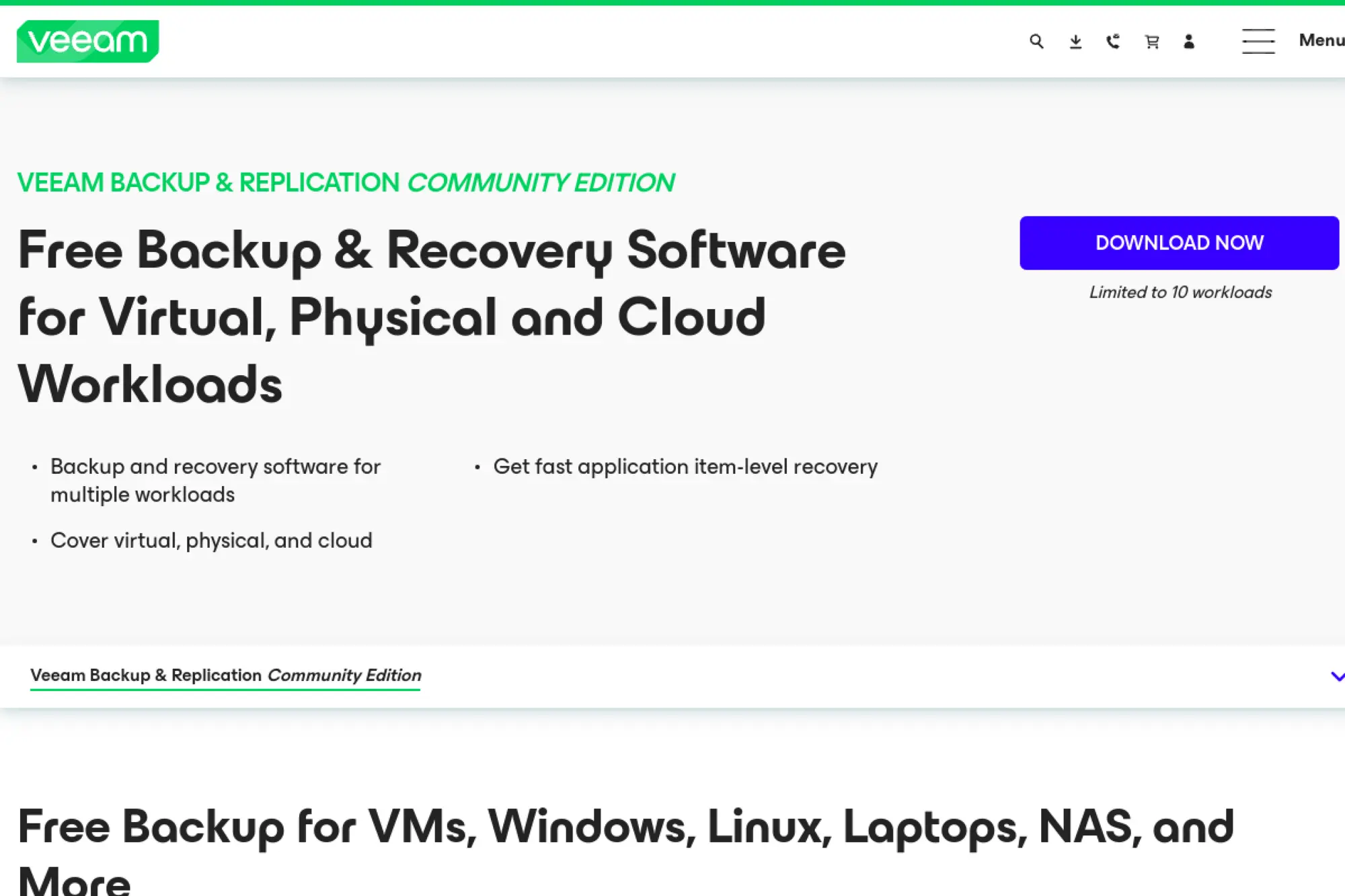
Veeam is a long-running backup company with deep roots in virtualization. The team’s strength is breadth plus repeatable restore mechanics. It’s a “platform” feel, even when you start small.
Own your restores, even when ransomware makes everything urgent.
Best for: SMB IT leads and enterprise backup admins managing mixed workloads.
- VM-centric recovery flows → restore VMs fast, then surgically recover files afterward.
- Universal licensing + ecosystem → save 10–15 minutes per workload when reassigning licenses.
- Mature setup path → time-to-first-value can be 1–2 days for a basic VM estate.
Pricing & limits: From about $7.43/mo per workload (based on $89.20 USD MSRP per license/year), sold in 5-license bundles. Trial: 30 days with full functionality for Essentials. Limits: Essentials is aimed at small businesses and is capped at 50 workloads.
Honest drawbacks: The product surface area is big, so ownership needs discipline. Costs rise quickly as you scale workloads and retention demands.
Verdict: If you need reliable restores across virtual, physical, and cloud, this helps you regain control in a month. Beats many newcomers on recovery confidence; trails simpler SaaS tools on setup calm.
Score: 4.4/5
3. Rubrik
Rubrik is positioned as a security-first data resilience vendor. The team focuses on reducing backup sprawl and tightening operational controls. It tends to appeal when backups are treated as part of incident response.
Make backups your last line of defense, not your weakest link.
Best for: security-minded IT leaders and mid-enterprise teams standardizing recovery.
- SLA-driven protection → reduce “forgotten workload” risk and speed audit-ready reporting.
- Cloud and SaaS focus → cut restore coordination steps by centralizing policies and search.
- Guided workflows → time-to-first-value is often 1–3 weeks with a scoped rollout.
Pricing & limits: From about $94.79/mo for 1 back-end TB on a monthly subscription listing. Trial: published trials vary by program; one offer states 20 days. Limits: licensing is commonly capacity-based, so growth maps to protected TB.
Honest drawbacks: Budgeting can be tense when capacity expands faster than forecast. Buying often runs through partners, which can slow the procurement loop.
Verdict: If you want tighter cyber recovery posture, this helps you move from “backup jobs” to “recovery readiness” within a quarter. Beats many suites on security posture; trails Veeam on DIY flexibility.
Score: 4.2/5
4. NAKIVO Backup & Replication
NAKIVO is a backup vendor that’s stayed focused on practical coverage for SMB and mid-market. The team leans into fast setup and clear licensing. It’s often evaluated when budgets are real constraints.
Solid VM backup that doesn’t demand enterprise spending.
Best for: SMB admins and cost-sensitive IT managers running VMware or Hyper-V.
- Replication plus backup → hit tighter RTOs without building a second toolchain.
- Common platform integrations → save 5–10 minutes per job with templated policies.
- Lightweight deployment options → time-to-first-value can be a few hours.
Pricing & limits: From about $2.45/mo per workload on subscription licensing. Trial: 15 days is commonly offered for full features. Limits: free edition is commonly limited, including a workload cap, and time-bounded use.
Honest drawbacks: Reporting and governance can feel less “enterprise-grade” at the edges. Some advanced features may require higher tiers or careful plan selection.
Verdict: If you need dependable VM protection on a tight budget, this helps you stabilize backups in days. Beats heavier suites on price-to-coverage; trails Rubrik on security-led governance.
Score: 4.0/5
5. Cohesity
Cohesity builds a broad data security and management platform, with backup as a core pillar. The team’s message is simplification: fewer silos, more unified control. It’s typically short-listed for large, mixed environments.
Consolidate backup, security signals, and recovery into one console.
Best for: enterprises modernizing legacy backup estates and teams planning cyber vaulting.
- Capacity-based protection → align spend to protected data, not server sprawl.
- Cloud services model → reduce 4–6 infrastructure steps when expanding protection scope.
- Guided onboarding → time-to-first-value is often 2–4 weeks for a first domain.
Pricing & limits: From about $174.66/mo for 1 TB capacity on a 3-month subscription listing ($523.99 for 3 months). Trial: 30 days for Cohesity Cloud Services. Limits: capacity minimums can apply, and retention defaults may start at 30 days.
Honest drawbacks: Pricing can be hard to benchmark across vendors. Large rollouts can turn into platform programs if scope is not controlled.
Verdict: If you want to shrink tool sprawl and harden recovery, this helps you standardize within a quarter. Beats point tools at consolidation; trails NAKIVO on simplicity for tiny shops.
Score: 4.1/5
6. Druva
Druva is a SaaS-first data protection company focused on reducing infrastructure overhead. The team’s pitch is operational relief: fewer servers to manage, fewer upgrades to schedule. It fits best when you want cloud-native control planes.
Stop running backup infrastructure, and start running recoveries.
Best for: distributed organizations and IT teams protecting endpoints and SaaS apps.
- SaaS backup operations → cut patching and capacity planning work from your weekly backlog.
- User-based coverage options → save 10 minutes per user during onboarding and exits.
- Cloud-first rollout → time-to-first-value can be a few days for endpoints.
Pricing & limits: From about $4/user/mo for some SaaS app protection plans in published comparisons. Trial: 30 days is commonly stated for Druva products. Limits: many modules are priced per user or per TB/month after deduplication.
Honest drawbacks: Cost predictability depends on which workload model you buy. Some pricing details are not displayed directly on plan pages.
Verdict: If you want to protect laptops and SaaS data without babysitting servers, this helps you get coverage in weeks. Beats on-prem suites at operational effort; trails Veeam on deep on-prem tuning.
Score: 4.0/5
7. Acronis Cyber Protect
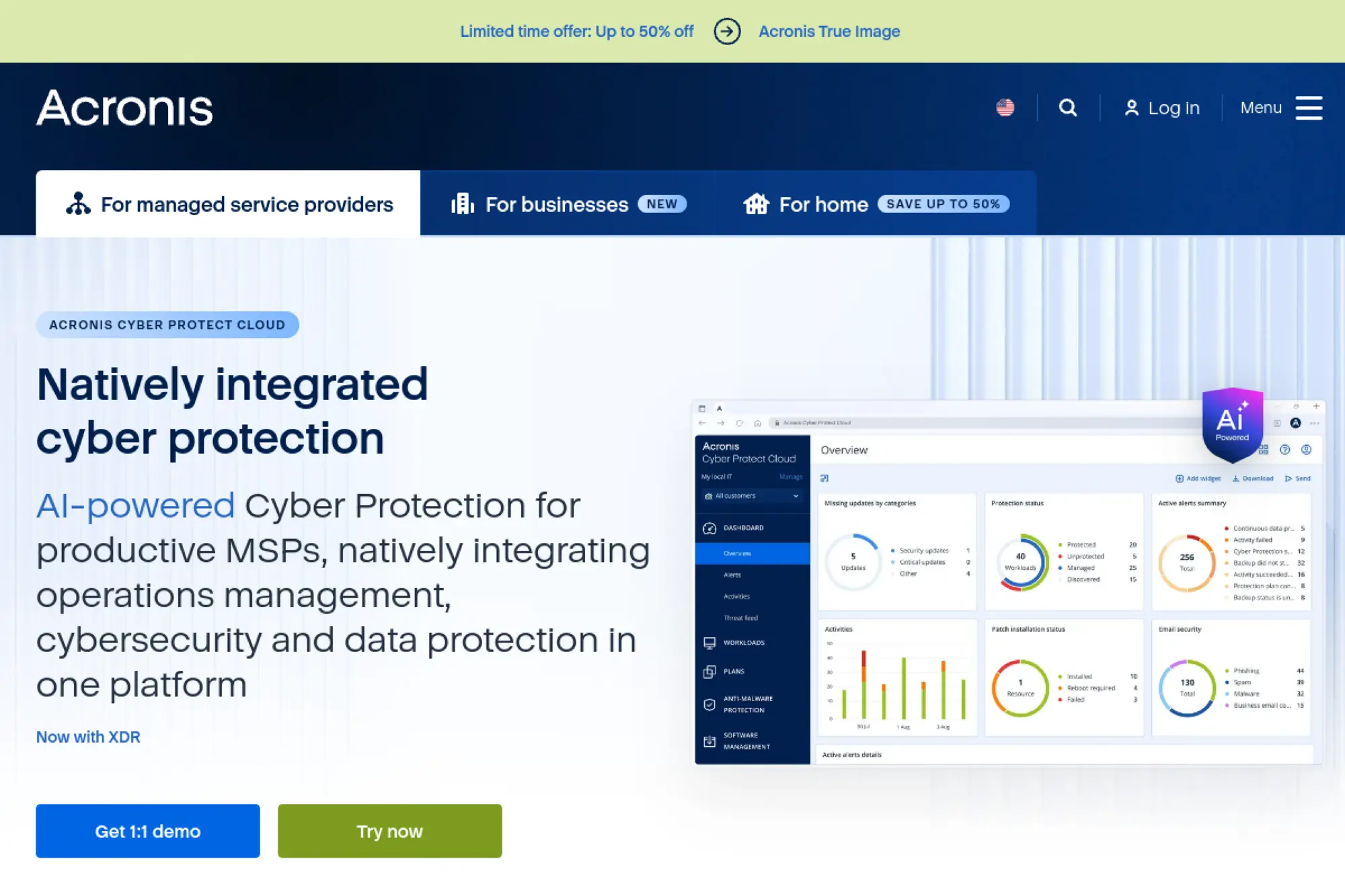
Acronis is a long-standing backup vendor that merged backup with endpoint security themes. The team pushes “all-in-one” protection for machines and workloads. It’s popular where image backup, ransomware defenses, and remote management overlap.
One agent to back up, restore, and harden endpoints.
Best for: SMB IT generalists and MSP-aligned teams wanting bundled protection.
- Image-based recovery → get a dead machine back to bootable in one guided flow.
- Integrated security tooling → save 2–3 tool switches per incident review.
- Clear licensing for basics → time-to-first-value is often a day for a small fleet.
Pricing & limits: From about $7.08/mo equivalent (based on $85/year starting pricing). Trial: 30 days for the Acronis Cyber Protect trial license. Limits: licenses are workload-based, and features vary by plan and device type.
Honest drawbacks: Bundles can feel heavy if you only need pure backup. Some advanced capabilities live behind higher tiers or add-ons.
Verdict: If you want a single endpoint story, this helps you deploy backup plus guardrails within weeks. Beats Carbonite on imaging depth; trails best-of-breed stacks on specialization.
Score: 4.1/5
8. Commvault
Commvault is an enterprise-grade data protection vendor with a wide workload umbrella. The team emphasizes cyber resilience and breadth across hybrid estates. It’s often chosen when “we need one system” is a real mandate.
Enterprise recovery, with room for messy infrastructure reality.
Best for: enterprises with diverse workloads and teams needing centralized governance.
- Broad workload coverage → reduce “special-case” backup tools across business units.
- SaaS-delivered Commvault Cloud → save hours per quarter on upgrades and maintenance.
- Guided trials → time-to-first-value can be a week for a limited scope.
Pricing & limits: From $9/TB/mo for File & Object Archive ($900 per 100 TB/month). Trial: 30 days for Commvault Cloud. Limits: SaaS pricing is workload-specific, and volume discounts may apply at higher capacities.
Honest drawbacks: The platform can feel complex if you only need one workload type. Licensing choices require care to avoid paying for unused breadth.
Verdict: If you need one umbrella across hybrid chaos, this helps you standardize recovery in a quarter. Beats smaller vendors on breadth; trails Druva on “zero infrastructure” simplicity.
Score: 4.2/5
9. Unitrends
Unitrends targets business continuity with an appliance-and-software mindset. The team sells a guided experience, often with hands-on help. It’s designed for shops that want a clear backup “system,” not a pile of components.
Get to dependable restores without stitching a stack together.
Best for: SMB IT teams that want guided deployment and predictable operations.
- Appliance-style approach → reduce integration decisions and keep day-two work repeatable.
- Workflow-driven recovery → save 5–10 minutes per restore by avoiding manual chaining.
- Trial-first sales motion → time-to-first-value is often 1–2 weeks with scoping.
Pricing & limits: From custom quote, since list pricing is not consistently published. Trial: 30 days is offered for Unitrends Backup and Recovery. Limits: deployment model and capacity needs drive final pricing.
Honest drawbacks: Budgeting is harder without transparent public tiers. Appliance-led designs can be less flexible for unusual storage strategies.
Verdict: If you want a guided path to operational backup, this helps you stabilize restores within a month. Beats DIY tools on handholding; trails Veeam on ecosystem breadth.
Score: 3.8/5
10. Veritas
Veritas has decades of backup heritage and a large installed base. The team supports traditional enterprise patterns, including long retention and complex environments. Many buyers come for stability and stay for operational familiarity.
Keep classic enterprise backup running, even as infrastructure shifts.
Best for: enterprises with legacy estates and SMBs using Backup Exec-style workflows.
- Backup Exec packaging → protect mixed Windows environments without bespoke engineering.
- Cloud connector breadth → save setup steps when targeting common object storage tiers.
- Trial-friendly start → time-to-first-value can be a weekend for one server.
Pricing & limits: From about $50.75/mo equivalent (based on $608.99 for 1 year for a 1 front-end TB Backup Exec subscription listing). Trial: Backup Exec trialware is offered for 60 days. Limits: capacity-based SKUs cap protected TB, and renewals matter for support.
Honest drawbacks: Product sprawl can confuse new buyers. Some messaging includes comparative claims that you should validate in your environment.
Verdict: If you need traditional backup patterns with modern targets, this helps you keep recovery dependable in weeks. Beats many niche tools on legacy support; trails Rubrik on security-led posture.
Score: 3.9/5
11. Barracuda Backup
Barracuda’s backup story has long leaned on packaged simplicity. The team sells backup as a service-like experience, often through channel routes. It’s commonly evaluated when you want fewer moving parts and a clearer subscription.
Hybrid backup that stays manageable for small teams.
Best for: SMB IT teams wanting appliance-like backup plus cloud replication options.
- Subscription backup appliances → reduce sizing decisions and keep renewals straightforward.
- Cloud add-ons for replication → skip 3–4 manual offsite steps in smaller environments.
- Guided setup model → time-to-first-value can be a few days after delivery.
Pricing & limits: From about $49.92/mo equivalent (based on $599 per socket per year for a Backup Vx subscription list price). Trial: trial length for Backup is not consistently published on general pricing pages. Limits: subscription terms, socket models, and cloud storage tiers shape the total bill.
Honest drawbacks: Public pricing can be dated or channel-dependent. Some plans bundle storage or support in ways that complicate comparisons.
Verdict: If you want packaged hybrid backup, this helps you stand up offsite protection in weeks. Beats pure DIY on simplicity; trails Veeam on deep workload breadth.
Score: 3.7/5
12. NovaStor
NovaStor targets backup buyers who still want human help and straightforward packaging. The team leans on practical Windows and mixed workload coverage. It’s a fit when you want support that feels close to the product.
Protect Windows-heavy environments with hands-on backup support.
Best for: SMBs backing up Windows PCs and servers with a support-forward vendor.
- PC and server agents → cover endpoints and servers without separate product families.
- Central management options → save 10 minutes per device when rolling out standardized jobs.
- Trial plus expert setup → time-to-first-value can be a week with guided onboarding.
Pricing & limits: From about $12.50/mo equivalent (based on $149.95/year for a PC Agent plan with 1,000 GB cloud). Trial: a 30-day trial evaluation is advertised for enterprise backup software. Limits: plan bundles can include defined cloud storage amounts, such as 1 TB.
Honest drawbacks: Market visibility is lower than the biggest platforms. Some pricing pages may display non-USD currencies depending on locale.
Verdict: If you want vendor-led setup and solid Windows coverage, this helps you reach stable backups in weeks. Beats bare open-source on support; trails Commvault on global enterprise breadth.
Score: 3.8/5
13. Carbonite Professional Backup
Carbonite is a long-running cloud backup brand aimed at “set it and forget it” protection. The team’s value is simplicity and recoverability for common desktop workflows. It’s built for people who do not want to micromanage backups.
Quiet, automatic backup that keeps working after you stop thinking about it.
Best for: solo professionals and small offices protecting laptops and desktops.
- Automatic cloud backup → reduce missed backups caused by human routines.
- Remote access and recovery → save 5–10 minutes per file retrieval during travel.
- Low-friction onboarding → time-to-first-value is often under an hour.
Pricing & limits: From about $8.00/mo equivalent (based on $95.99/year for Carbonite Safe Basic). Trial: 15 days is offered for personal computer backup, and 30 days is offered for business backup trials. Limits: personal plans focus on one computer, with feature differences across tiers.
Honest drawbacks: Advanced restore workflows are not the point here. If you need VM or database recovery, you will outgrow it fast.
Verdict: If you want simple offsite protection for a single computer, this helps you stay covered within a day. Beats many sync tools at true backup; trails Acronis on full-image recovery depth.
Score: 3.6/5
14. StableBit DrivePool
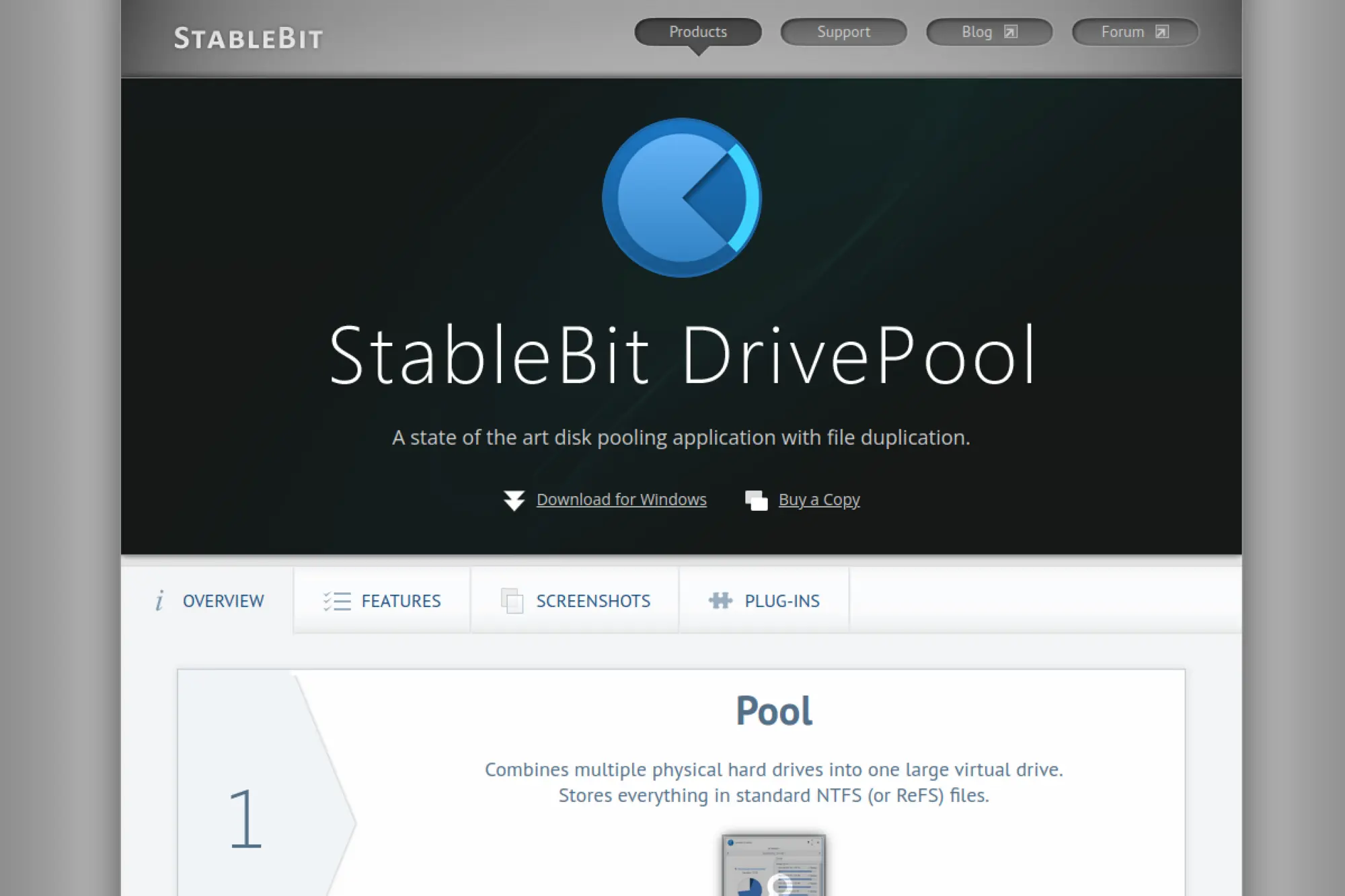
StableBit is a small software maker focused on Windows storage utilities. The team’s philosophy is pragmatic: keep files standard, keep recovery intuitive. DrivePool is more about resilience and organization than “backup software.”
Turn many disks into one pool, then keep copies where you choose.
Best for: home lab builders and small offices running Windows file servers.
- Folder-based duplication → keep key folders safe without mirroring the entire pool.
- Works with your backup tool → save steps by presenting one pooled target volume.
- Simple installer → time-to-first-value is often under 30 minutes.
Pricing & limits: From $29.95 one-time per machine for DrivePool. Trial: 30 days for a fully functional copy is advertised. Limits: licensing is per machine, and DrivePool does not replace offsite backup.
Honest drawbacks: It is not a full backup system by itself. Offsite, versioning, and ransomware-safe retention need separate tooling.
Verdict: If you want simpler storage with selective duplication, this helps you reduce single-disk panic fast. Beats RAID for flexibility; trails true backup suites on restore history and immutability.
Score: 3.7/5
15. BorgBackup
BorgBackup is an open-source project built for efficient, encrypted backups. The community and maintainers emphasize deduplication and reliability over glossy UI. It rewards disciplined operators who like predictable primitives.
Fast, deduplicated backups you can verify and trust.
Best for: Linux admins and power users who prefer command-line control.
- Deduplicated repositories → store more history without multiplying storage costs.
- Scriptable automation → save 5–10 minutes per run by standardizing jobs in cron.
- Lean tooling → time-to-first-value can be an afternoon on one host.
Pricing & limits: From $0/mo because it is open source. Trial: not applicable, since you can use it immediately. Limits: you own the storage target, encryption key management, and operational discipline.
Honest drawbacks: There is no handholding UI by default. Team support depends on your internal skills or third-party services.
Verdict: If you want verifiable backups with efficient storage use, this helps you build durable history in days. Beats many GUI tools on efficiency; trails Veeam on enterprise integrations.
Score: 4.0/5
16. restic
restic is an open-source backup tool designed for simplicity and correctness. The maintainer community leans into “works everywhere” pragmatism. It shines when you want encrypted backups across many storage backends.
Encrypted backups to almost any storage, with one consistent command set.
Best for: developers and DevOps teams backing up servers to object storage.
- Snapshot-based backups → restore a point in time without brittle manual file juggling.
- Multiple backend support → save setup time by reusing one workflow across clouds.
- Quick installation → time-to-first-value can be under two hours.
Pricing & limits: From $0/mo for the tool itself. Trial: not applicable, since it is free to use. Limits: storage costs and retention safety are on you, not the project.
Honest drawbacks: There is no official “enterprise support” line item. GUI management usually requires extra tools or wrappers.
Verdict: If you want portable, encrypted backups with clean restores, this helps you ship a backup routine in days. Beats many scripts on consistency; trails integrated suites on centralized reporting.
Score: 4.1/5
17. Kopia
Kopia is an open-source backup project built for snapshotting and efficient storage. The community tends to focus on practical UX improvements, including optional GUIs. It’s a strong middle ground between CLI purity and usability.
Snapshot backups with dedupe, plus a UI when you want one.
Best for: homelab operators and small teams wanting encrypted snapshots.
- Policy-driven snapshots → keep sensible retention without manually pruning archives.
- Many storage targets → save 3–5 setup steps when switching providers later.
- GUI option available → time-to-first-value can be a single evening.
Pricing & limits: From $0/mo. Trial: not applicable, since it’s open source. Limits: long-term reliability depends on your storage design and testing habits.
Honest drawbacks: Ecosystem maturity varies by platform and backend. Documentation can feel uneven when you push advanced scenarios.
Verdict: If you want encrypted snapshot backups without enterprise overhead, this helps you stand up coverage in days. Beats pure CLI tools on approachability; trails Veeam on enterprise restore orchestration.
Score: 3.9/5
18. Syncthing
Syncthing is an open-source peer-to-peer sync project, not a classic backup suite. The community is focused on privacy and local-first control. It’s best treated as a replication layer that can support a backup plan.
Keep devices in sync without handing your data to a third party.
Best for: privacy-minded home users and small teams syncing files across devices.
- Peer-to-peer replication → reduce “single device failure” risk for active working folders.
- No central cloud required → save recurring subscription steps and third-party account overhead.
- Simple pairing flow → time-to-first-value can be under an hour.
Pricing & limits: From $0/mo. Trial: not applicable, because it is free software. Limits: it is not versioned backup by default, so deletions can replicate fast.
Honest drawbacks: Sync is not backup when ransomware or accidental deletes happen. True point-in-time restore requires extra tooling or snapshotting.
Verdict: If you want local-first file replication, this helps you stay consistent across devices in a day. Beats most cloud drives on privacy; trails dedicated backup tools on versioned recovery.
Score: 3.5/5
19. rclone
rclone is an open-source “Swiss Army knife” for moving data to and from storage services. The maintainers focus on broad backend compatibility and reliable transfers. It is often used as the transport layer in bigger backup strategies.
Move data to nearly any cloud storage, without vendor lock-in.
Best for: engineers and IT admins building custom backup pipelines.
- Backend breadth → keep one transfer tool across many storage providers.
- Script-friendly operations → save 10 minutes per run with repeatable sync commands.
- Quick to deploy → time-to-first-value can be under an hour.
Pricing & limits: From $0/mo. Trial: not applicable. Limits: by itself, it does not provide point-in-time snapshot history or indexing.
Honest drawbacks: You must design retention and verification yourself. Mistakes can sync deletions or overwrites if you use the wrong flags.
Verdict: If you want portable storage transfers for a backup workflow, this helps you automate uploads in days. Beats many vendor tools on breadth; trails backup suites on end-to-end recovery UX.
Score: 3.7/5
20. Duplicati
Duplicati is an open-source backup tool with a strong “backup for humans” vibe. The project offers a web UI and a backend-agnostic model. It’s attractive when you want encryption and scheduling without enterprise overhead.
Schedule encrypted backups to cloud storage, from a friendly UI.
Best for: home power users and small offices backing up to S3-compatible storage.
- Versioned backups → recover older file states without manual archive management.
- Many storage backends → save setup time when switching cloud providers later.
- Web UI setup → time-to-first-value can be a single evening.
Pricing & limits: From $0/mo. Trial: not applicable. Limits: reliability depends on your testing cadence and storage target behavior.
Honest drawbacks: Complex restores can feel less polished than paid suites. Support is community-driven, so response time varies.
Verdict: If you want scheduled, encrypted backups with minimal spend, this helps you get coverage in days. Beats raw scripts on usability; trails Veeam on enterprise restore tooling.
Score: 3.8/5
21. Backblaze
Backblaze is a cloud backup company known for simple, unlimited computer backup. The team keeps the product intentionally focused. You get coverage without endless configuration decisions.
Unlimited backup for one computer, priced like it should be boring.
Best for: home users and small teams wanting effortless offsite backup.
- Automatic computer backup → reduce missed backups with continuous background protection.
- Account-based licensing → save 2–3 steps when moving a license to a new machine.
- Fast onboarding → time-to-first-value is often under 30 minutes.
Pricing & limits: From $9/mo for Personal Backup, or $99/year. Trial: each new installation runs as a 15-day trial. Limits: one license is per computer, and version history defaults to 30 days.
Honest drawbacks: It is not built for complex server estates. Advanced governance features typically live in higher business tiers.
Verdict: If you want offsite protection without thinking, this helps you stay covered the same day. Beats Carbonite on pricing clarity; trails IDrive on multi-device plan flexibility.
Score: 4.3/5
22. IDrive
IDrive is a backup vendor that emphasizes multi-device coverage under one account. The team leans into flexible plan tiers and broad device support. It fits when you want one plan for laptops, desktops, and phones.
Back up many devices to one account, without paying per machine.
Best for: families and SMBs backing up multiple computers under one plan.
- Multi-computer backup → protect several machines without separate subscriptions.
- Broad platform support → save 10 minutes per device by repeating the same setup pattern.
- Quick account setup → time-to-first-value is often under an hour.
Pricing & limits: From $9.95/mo for IDrive Personal with 5 TB, or $2.95/year for 100 GB on Mini. Trial: a free Basic plan provides 10 GB with no credit card. Limits: storage caps are fixed per plan, like 5 TB, 10 TB, or more.
Honest drawbacks: Storage limits can force upgrades as media collections grow. The feature set can feel busy compared with Backblaze’s simplicity.
Verdict: If you want one backup account for many devices, this helps you centralize protection in a weekend. Beats Backblaze on multi-device structure; trails Backblaze on “never think about it” minimalism.
Score: 4.1/5
23. CrashPlan
CrashPlan focuses on endpoint backup with admin control options across editions. The team’s messaging is “backup and governance,” not just storage. It fits when compliance and device management matter.
Back up endpoints with real admin control, not just a consumer dashboard.
Best for: small businesses and teams needing centralized endpoint backup policies.
- Admin-managed endpoints → reduce shadow IT by standardizing device protection rules.
- Plan-based versioning controls → save 5 minutes per incident by restoring older states quickly.
- Cloud setup flow → time-to-first-value can be under a day.
Pricing & limits: From $2.99/user/mo for Essential, or $8/user/mo for Professional. Trial: 14 days for all products is stated in the help center. Limits: Essential includes 200 GB per user, with $1/mo per additional 100 GB.
Honest drawbacks: Lower tiers have real storage caps. Some older plan pricing can differ for legacy subscribers.
Verdict: If you need managed endpoint backup with governance knobs, this helps you stay audit-ready in weeks. Beats Backblaze on admin controls; trails Backblaze on consumer simplicity.
Score: 4.0/5
24. SpiderOak One Backup
SpiderOak One Backup positions itself around privacy-first backup and sync. The team’s focus is strong encryption and user control. It appeals when you want cloud backup without feeling exposed.
Back up and sync with privacy as the default posture.
Best for: privacy-focused individuals and small teams backing up sensitive files.
- Point-in-time recovery → roll back before an accidental deletion or ransomware event.
- No device limits on plans → save setup steps when adding new machines later.
- Fast trial onboarding → time-to-first-value is often under an hour.
Pricing & limits: From $6/mo for 150 GB, or $69/year for the same tier. Trial: free trial accounts are canceled after 21 days if not upgraded. Limits: storage is capped by plan, such as 150 GB, 400 GB, 2 TB, or 5 TB.
Honest drawbacks: Value depends on your storage needs, since tiers can get pricey. Enterprise-grade admin tooling is not the core focus here.
Verdict: If you want privacy-led cloud backup with rollback capability, this helps you stay protected in a day. Beats mainstream drives on privacy posture; trails IDrive on big-capacity value tiers.
Score: 3.9/5
25. Macrium Reflect
Macrium is a Windows backup and imaging company with a long track record. The team’s focus is imaging, cloning, and dependable restore media. It’s a strong fit when “bare metal restore” is not optional.
Image your Windows machine, then restore it like nothing happened.
Best for: Windows power users and IT teams needing fast bare-metal recovery.
- Disk imaging and rapid restore → recover a full machine without reinstalling everything.
- Scheduling and retention controls → save 10 minutes per week with set-and-run policies.
- Clear trial promise → time-to-first-value can be a same-day first image.
Pricing & limits: From about $5.42/mo equivalent (based on $65/year starting pricing for Workstation plans in published directories). Trial: 30 days, with no credit card required on the trial page. Limits: licensing is typically per PC, and premium support ties to active plans.
Honest drawbacks: It is Windows-centered by design. Multi-OS fleets need additional tooling or a different suite.
Verdict: If you want high-confidence Windows restores, this helps you recover in hours, not days. Beats many cloud-only tools on bare-metal recovery; trails Veeam on multi-workload ecosystems.
Score: 4.1/5
26. Arq Backup
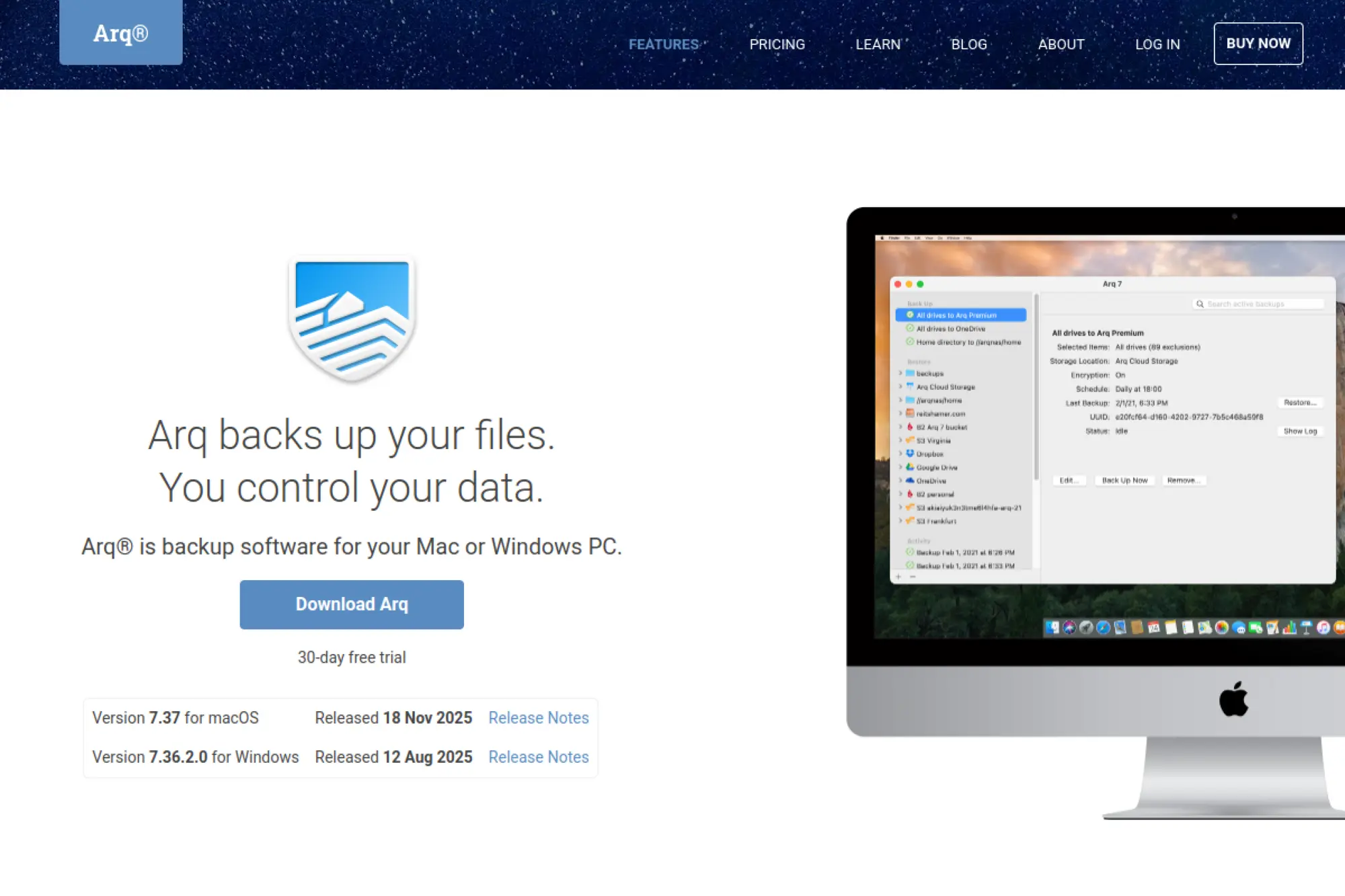
Arq is a small backup product built around “bring your own storage.” The team focuses on making cloud targets feel consistent across providers. It’s popular with users who want control without building everything from scratch.
Use your cloud storage, keep your keys, and still get real backups.
Best for: Mac and Windows users who want portable backups across storage providers.
- App-only model → keep storage choice flexible while retaining versioned restore points.
- Many cloud targets supported → save 3–5 migration steps when switching storage later.
- Simple purchase and setup → time-to-first-value can be under an hour.
Pricing & limits: From $49.99 per computer for a one-time Arq 7 license, or $5.99/mo for Arq Premium (up to 5 computers with 1 TB included). Trial: a free trial download is offered, though trial length is not stated on the pricing page. Limits: Premium includes 1 TB, and overages are billed per GB-month.
Honest drawbacks: You are responsible for your storage account policies and costs. Centralized admin controls are limited compared with business suites.
Verdict: If you want backups that travel across providers, this helps you get resilient protection in days. Beats pure consumer backup on storage control; trails CrashPlan on admin governance.
Score: 4.0/5
27. Wasabi Hot Cloud Storage
Wasabi is a cloud storage vendor positioned around predictable pricing. The team’s story is simple: pay for storage, not for every action. It’s often chosen as a backup target for tools like Veeam, Arq, and rclone.
Store backup data in the cloud without paying an egress ransom later.
Best for: IT teams and homelabs needing affordable object storage for backups.
- Flat-rate storage → keep budgets predictable as retention grows.
- No egress or API request fees → save surprise costs during large restores and audits.
- Quick provisioning → time-to-first-value can be under an hour as a backup target.
Pricing & limits: From $6.99/TB/month on Pay as You Go. Trial: a free trial is offered on the pricing page, but the length is not stated there. Limits: you still need backup software, since Wasabi is storage, not orchestration.
Honest drawbacks: It will not manage backup policies for you. Restore speed and workflow depend heavily on your chosen backup tool.
Verdict: If you want affordable cloud storage for long retention, this helps you store more history immediately. Beats hyperscalers on fee simplicity; trails managed backup services on end-to-end recovery UX.
Score: 4.2/5
28. AWS Backup
AWS Backup is Amazon’s managed service for orchestrating backups across AWS services. The team optimizes for native integration and policy control across accounts. It fits best when your workloads already live in AWS.
Automate AWS backups with policies instead of scripts and screenshots.
Best for: cloud platform teams and AWS-native organizations managing many accounts.
- Centralized backup policies → reduce drift across accounts and services.
- Native service integration → save 10 minutes per resource by avoiding custom scheduling glue.
- Fast enablement → time-to-first-value can be a day for a small AWS footprint.
Pricing & limits: From about $5/mo for 100 GB stored in a backup vault, using $0.05 per GB-month for EBS snapshot storage pricing examples. Trial: no trial is listed as a separate product, since it is pay-as-you-go. Limits: costs scale with protected GB-month, restores, and optional indexing features.
Honest drawbacks: Pricing can get complex across regions and vault types. It is AWS-centric, so multi-cloud estates need additional tools.
Verdict: If you want AWS-native backup governance, this helps you standardize policy in weeks. Beats DIY Lambda scripts on maintainability; trails Veeam on cross-platform parity.
Score: 4.0/5
29. Azure Backup
Azure Backup is Microsoft’s managed backup service for Azure workloads and certain hybrid patterns. The team emphasizes vault-based protection and Azure-integrated security. It’s best when you want to stay inside the Microsoft control plane.
Protect Azure workloads with built-in vaults, policies, and recovery points.
Best for: Azure-first organizations and Microsoft-centric IT teams.
- Protected instance model → budget by data size bands rather than bespoke licensing.
- Azure-native workflow → save 5–10 minutes per setup by using familiar portal patterns.
- Quick start for VMs → time-to-first-value can be a day for one subscription.
Pricing & limits: From about $5/mo per protected instance (for instances up to 50 GB), plus storage consumed, per widely shared pricing tables. Trial: Azure often provides a time-limited free account credit, but Azure Backup itself is metered usage. Limits: the public pricing page can vary by region and may not show static values without configuration.
Honest drawbacks: Cost transparency can be frustrating when price cells are not directly shown. Multi-cloud backup governance will require additional tooling.
Verdict: If you want Azure-native backup operations, this helps you enforce policy within weeks. Beats raw VM snapshots on governance; trails AWS Backup on some cross-account patterns.
Score: 3.8/5
30. Google Cloud Backup and DR
Google Cloud’s Backup and DR service is built for orchestrated protection, including VMware Engine scenarios. The team positions it as a managed approach with clear node-based pricing options. It fits best when you want structured DR, not just stored backups.
Turn cloud backup into planned recovery, with predictable building blocks.
Best for: GCP teams protecting VMware Engine and organizations building DR runbooks.
- Node-based pricing model → forecast costs per node, not per hidden feature pack.
- Cloud-native orchestration → save 10–20 minutes per test by reusing defined runbooks.
- Managed service posture → time-to-first-value can be weeks for a scoped DR design.
Pricing & limits: From about $468/mo per ve2-small node (based on $0.65/hour on-demand). Trial: a dedicated free trial length is not stated on the pricing table page. Limits: billing depends on node type, term commitments, and protected footprint.
Honest drawbacks: Node-based economics can be expensive for small environments. It is best suited to structured DR, not casual file backup.
Verdict: If you want orchestrated recovery for GCP workloads, this helps you move from backups to DR readiness in a quarter. Beats simple storage targets on orchestration; trails Wasabi on raw storage cost simplicity.
Score: 3.9/5
Recommended reading: Top 30 ERP for Small Businesses Solutions to Streamline Operations and Scale
Key capabilities checklist for choosing data backup solutions
IBM reports the global average cost of a data breach reached $4.88 million in 2024, which frames backup as a financial control. That perspective changes vendor evaluation. We do not ask only, “Can it back up?” We ask, “Can it help us recover safely, fast, and defensibly?” Capabilities below are the levers that separate confidence from hope. Each item is also testable, which is the point.
1. Policy-based automation and scheduling for consistent backups
Policies should encode intent, not mechanics. Good tools let us target by tags, folders, or accounts. Schedules must handle laptop sleep, VPN flakiness, and cloud rate limits. We also look for drift detection, so exceptions do not become normal. A backup missed quietly is a failure delayed. Automation should escalate loudly and early.
2. Encryption for data backup solutions: at-rest and in-transit coverage
Encryption should cover transport, storage, and metadata where possible. Key handling matters more than the cipher brand. We prefer customer-managed keys for regulated workloads. Rotation must not break restore workflows. In practice, teams forget restores need keys too. We document escrow, access paths, and break-glass procedures.
3. Immutability and air-gapped copies to reduce ransomware impact
Immutability stops fast deletion and silent tampering. Air-gapping reduces the chance of shared credential compromise. Some platforms implement logical air gaps through isolated accounts. Others rely on physical separation or offline media. We treat immutability as a control with an owner. Then we verify it using a destructive test account.
4. Backup storage flexibility: cloud targets, onsite targets, and mixed repositories
Flexibility lets you change storage without changing process. That matters when budgets move or regulations shift. Mixed repositories also support staged restores, which speeds operations. We check if a vendor locks you into a single storage stack. Portability becomes crucial during mergers or cloud migrations. A good system makes storage a choice, not a trap.
5. Granular restore options to minimize downtime during recovery
Granular restore keeps business moving while infrastructure is repaired. Searchable backups reduce time spent hunting versions. We validate permissions behavior during restore, since it can break access control. For email and collaboration platforms, we demand item-level restore. For databases, we confirm point recovery and consistent replay. Speed is useless if integrity is missing.
6. Application-consistent backups and cross-platform workload support
App consistency is the difference between “restored” and “working.” Windows workloads often need VSS integration. Linux workloads often need pre-freeze scripting. Databases need log handling and quiescing. We test with real transaction load, not idle servers. Cross-platform coverage also reduces tool sprawl. That simplification cuts failure modes.
7. Centralized management, monitoring, and backup assurance reporting
Central consoles reduce tribal knowledge risk. Monitoring should include success, duration, and anomaly detection. Assurance reports matter for audits and executives. We ask for proof of restore testing, not only backup jobs. Good reporting ties policy to outcomes. That alignment makes compliance easier. It also makes budgeting less political.
8. Disaster recovery readiness: testing, failover, and failback workflows
Backup is not always DR, yet they intersect. Some tools offer instant recovery into virtualization or cloud. Testing should be automated and isolated. Failover needs clear DNS and identity steps. Failback needs data reconciliation, which is often messy. We insist on a written runbook. Then we rehearse it under time pressure.
9. Retention controls for long-term storage and regulatory requirements
Retention is both legal exposure and operational cost. Policies should support legal hold without chaos. Deletion should be provable, not assumed. For education and healthcare clients, retention rules can be strict. We map retention by data class and system. Then we translate that into policy templates. That work reduces future arguments with auditors.
10. Implementation readiness: compatibility, documentation, and vendor support
Implementation failures are rarely technical mysteries. They come from missing prerequisites and unclear ownership. We evaluate documentation quality as a proxy for product maturity. Support response matters during incident recovery, not during demos. Compatibility includes identity, proxying, and network segmentation. A tool that needs broad privileges is a red flag. Readiness is about fit, not features.
Recommended reading: Top 30 Customer Data Platforms to Unify Profiles, Activate Audiences, and Personalize at Scale
Backup strategies and best practices for home and business environments
Verizon’s DBIR highlights that ransomware and extortion techniques accounted for a third (32%) of all breaches, which changes “best practice” into “minimum practice.” Home users face different threats, yet the same physics apply. Storage fails, people misclick, and malware spreads. Businesses add audits, shared responsibility, and staff turnover. Strategy must therefore be simple enough to run, yet strong enough to survive. We design for humans, because humans operate the tools.
1. Backup vs archiving: separating frequent-change backups from long-term archives
Backups are for recovery. Archives are for retention and history. Mixing them creates expensive, slow restores. In business settings, archives often need legal hold support. In home settings, archives protect memories and paperwork. We separate policies, storage targets, and access control. That split also reduces ransomware exposure. Attackers love searchable, always-online “archives.”
2. Multiple backup copies and offsite rotation to reduce single-location risk
Single-location backup is a comforting illusion. Fire, theft, and account compromise can remove everything. Offsite copies reduce shared fate with primary systems. Rotation helps protect against slow corruption and delayed discovery. For small offices, offsite can be cloud object storage. For labs, offsite can be a detached drive stored safely. The key is separation with a process owner.
3. RAID vs backups: redundancy keeps systems running but does not replace restore history
RAID protects availability, not history. Accidental deletion replicates across redundant disks instantly. Malware also encrypts the live dataset, not just a disk. Backups give time travel, which redundancy cannot. We still like RAID for uptime and rebuild safety. Yet we never confuse it with recovery. That distinction prevents painful surprises during audits.
4. Mirrored repositories managed by backup software for safer restore points
Mirrored repositories help when a backup target fails. The backup application should control replication schedules and verification. Blind file-level mirroring can replicate corruption too quickly. We like repository health checks and checksum verification. Some platforms can replicate only sealed restore points. That reduces the chance of copying broken backups. Operationally, mirrors also simplify regional recovery plans.
5. ZFS mirror approach for reliable storage foundations in home labs
ZFS brings integrity checks that standard filesystems may not provide. Scrubbing detects silent corruption early. Mirrors also simplify rebuild behavior, compared with complex parity layouts. For home labs, we often pair ZFS with snapshot-aware backups. Snapshots are not backups, yet they enable fast rollbacks. The safer path is layered protection. Storage integrity plus offsite backups gives real resilience.
6. Tape storage planning for large data volumes and long-term retention needs
Tape still wins for offline retention and cost stability. Planning matters, since catalogs and drives need care. We design clear labeling and rotation procedures. Retrieval time is slower, so expectations must be set early. For regulated industries, tape can satisfy long retention mandates. For media production, tape can protect finished assets. The rule is simple: store it, track it, and rehearse retrieval.
7. Optical storage for durable, read-only archiving of critical memories and documents
Optical media can be useful for small, irreplaceable datasets. Read-only storage reduces tampering risk. Durability depends on media quality and storage conditions. We suggest optical for a curated set, not bulk backups. Think legal documents, family photos, and scanned records. Keep copies in separate physical locations. Also store a reader, since future compatibility matters.
8. Cloud backup security: encrypting backups to protect privacy on third-party infrastructure
Cloud storage shifts risk from hardware to identity. Strong encryption reduces exposure if an account is compromised. Customer-managed keys improve control, when supported. We also recommend separate accounts for backup targets. Billing separation can prevent accidental deletion during account cleanup. Logging should be enabled and reviewed. The goal is to make backup access boring and predictable.
9. Restore testing and recovery drills to validate real-world recoverability
Restore testing reveals assumptions. It also reveals missing drivers, passwords, and runbooks. We schedule drills that mimic real incidents, not ideal scenarios. A good drill includes identity, DNS, and application startup checks. For home users, a drill can be as simple as restoring a folder. For businesses, drills should include audit-friendly evidence. Confidence should be earned, not declared.
10. Automation with scripts and scheduling for consistent backups on headless Linux servers
Headless servers need predictable automation. Scripts should log clearly and fail loudly. Scheduling should avoid peak workload windows. We also recommend integrity checks after backup creation. When using open-source tools, standardize configuration across hosts. Configuration drift is a silent killer. A small amount of discipline prevents future archaeology during recovery.
Recommended reading: Top 30 Japan Web Design Companies: 2026 Guide With Selection Criteria And Pricing Insights
How to choose the right data backup solutions for your goals

Deloitte reports ransomware affected 66% of organizations in 2023, which makes backup selection a board-level decision. That risk context changes the questions buyers should ask. We focus on recovery design, not feature count. A solution must match your data reality, your staff reality, and your regulatory reality. It should also fail safely when people make mistakes. Below is the framework we use with clients, from startups to regulated enterprises.
1. Inventory and classify data by importance, access frequency, and change rate
Start by listing systems that matter to revenue and safety. Then classify data by sensitivity and business impact. Access frequency helps decide restore priorities. Change rate helps decide backup frequency and storage cost. We also map where data is created versus where it is stored. SaaS systems often hide complexity behind simple interfaces. Classification turns “everything is critical” into an actionable plan.
2. Define target RPO and RTO requirements before selecting a platform
Targets should come from business owners, not IT alone. Some systems need fast restore points. Other systems can tolerate longer gaps. RTO should include application validation, not only data restore. We document these targets and get sign-off. That document prevents scope creep later. It also helps vendors propose the correct architecture. Clear targets keep everyone honest during a crisis.
3. Confirm workload coverage: virtual machines, physical servers, endpoints, and SaaS
Coverage gaps are common, especially for SaaS data. Endpoint backup is also often neglected until a laptop is lost. Virtual machines need snapshot integration and CBT support. Physical servers may need agents and special drivers. SaaS may need API-based backup with rate limit planning. We build a coverage matrix before buying anything. That matrix prevents surprise renewals of “temporary” tools.
4. Compare deployment models: cloud-first, on-prem, or hybrid data backup solutions
Cloud-first can simplify operations, especially for distributed teams. On-prem can satisfy latency and sovereignty needs. Hybrid often balances both, if managed well. We check bandwidth, identity, and network segmentation before committing. Data gravity can surprise teams during large restores. Operational staffing also matters, since some models need more care. The best model is the one you can run calmly.
5. Evaluate ransomware defenses: immutability, malware scans, and recovery safeguards
Immutability is necessary, but it is not sufficient. We also want anomaly detection on backup change patterns. Malware scanning inside backups can help, if it avoids false confidence. Recovery safeguards include isolated restore environments. Credentials should be segregated and monitored. We also verify that backup admins cannot silently disable protection. Defense must assume credential compromise is plausible.
6. Assess usability: dashboards, role-based policies, and centralized management
Usability is not cosmetic. A confusing console leads to skipped checks and delayed response. Role-based policies reduce the risk of over-privileged staff. Centralized management helps with fleet-wide consistency. We also review alert noise, since noisy tools get ignored. A calm dashboard is a security feature. Clear UX shortens incident response time.
7. Review compliance fit: HIPAA, FERPA, GLBA, and retention controls
Compliance fit is about evidence and controls. Encryption, access logging, and retention rules must be provable. Some regulations also demand audit trails for data access. We align backup logs with SIEM workflows where possible. Legal hold behavior should be clear and tested. Vendor contracts also matter for regulated workloads. A compliant backup is a documented system, not a product claim.
8. Validate recovery: instant file restore, bare metal restore, and full workload recovery
Validation means performing restores in realistic conditions. File restore should preserve permissions and metadata. Bare metal restore should include drivers and boot behavior. Full workload recovery must include application configuration and secrets. We run restore tests with production-like data, when possible. That exposes surprises early. A platform that demos well can still fail under real load.
9. Estimate total cost: storage, licensing, add-ons, and operational overhead
Total cost is usually dominated by storage and operations. Licensing can also balloon with add-ons for SaaS or DR. Cloud egress can surprise teams during large restores. Operational overhead includes patching, monitoring, and training. We model cost under realistic retention policies. Then we compare with business impact tolerance. Cheap backup can be expensive recovery.
10. Run a proof of concept using real data and realistic restore scenarios
A proof of concept should test restores, not only backups. We pick a representative database and a representative file share. We also test identity integration and role separation. Documentation quality is evaluated during the trial. Vendor support responsiveness is also measured. At the end, we ask a simple question. Could our on-call team recover calmly with this platform?
TechTide Solutions: Custom data backup solutions built around your requirements
McKinsey estimates $3 trillion of EBITDA value up for grabs by 2030 from cloud adoption, and resilience is a major value driver. That’s why we treat backup as an enabler, not a tax. Our best client outcomes happen when tools, process, and architecture reinforce each other. Sometimes that means choosing a major platform. Other times it means integrating simpler tools into a hardened design. Either way, we engineer for recovery, evidence, and operational sanity.
1. Requirements-led discovery to design custom data backup solutions for real workflows
Discovery starts with business workflows, not infrastructure diagrams. We map systems to failure impact and recovery steps. Next, we capture constraints like sovereignty, retention, and staffing. That becomes a requirements spec with testable outcomes. From there, we propose architectures that fit operational reality. In healthcare, audit evidence often drives design choices. In startups, automation and simplicity usually dominate.
2. Custom integrations to connect data backup solutions with cloud, on-prem, and SaaS systems
Integration is where backup becomes reliable operations. We connect backup events to ticketing and chat alerts. We also integrate identity providers for consistent access control. For SaaS, we validate API limits and throttling behavior. For cloud storage, we enforce immutability policies and logging. When needed, we build glue services for metadata and inventory. That glue often prevents manual, error-prone steps during recovery.
3. Secure implementation, automation, and ongoing optimization aligned to customer needs
Implementation includes hardening, segmentation, and least-privilege access. Automation covers schedules, verification, and reporting. We also set up restore drills as recurring operational work. Optimization then focuses on bottlenecks and cost hotspots. Over time, we tune retention and storage tiering based on actual usage. When organizations change, backup must change too. The best backup program is a living system with owners and routines.
Conclusion: Next steps to standardize and strengthen your data backup solutions
Statista forecasts the total volume of data worldwide to reach 394 zettabytes by 2028, and more data always means more recovery surface. That is the macro pressure behind every micro decision in backup. Tools matter, but architecture and process matter just as much. Strong programs standardize policies, isolate backups, and rehearse recovery. They also treat SaaS as data that needs protection, not as a vendor promise. Most importantly, they measure restore outcomes, not backup job counts.
From our vantage point at TechTide Solutions, the practical next step is a short, structured assessment. Build a workload inventory. Define recovery targets that business owners will defend. Confirm where immutability exists, and where it is assumed. Then run a restore drill that forces real decisions under time pressure. That drill will tell you more than any datasheet.
If you wanted to prove, within a single sprint, that your organization can recover from ransomware or operator error, which system would you choose to test first?

